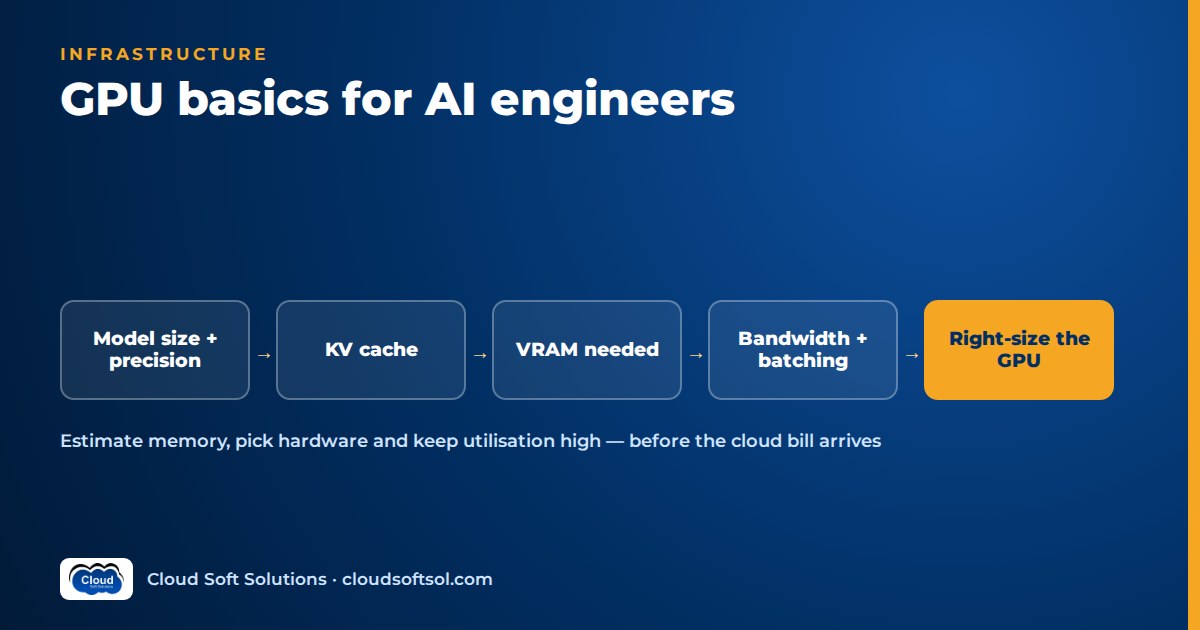
As a GPU for AI engineers rule of thumb: the first question is whether the model, its KV cache and runtime overhead fit in GPU memory, and the second is whether memory bandwidth and utilisation make the cost per request acceptable. Raw compute matters less than most people expect for LLM inference, because generating tokens is usually limited by how fast the GPU can read weights from memory. This guide covers the specs that matter, an illustrative way to estimate VRAM requirements for an LLM, and how to choose, run and pay for GPUs sensibly.
It is a hardware-level companion to two existing guides. Self-hosting LLMs covers inference servers such as vLLM and how to deploy them; Linux for AI engineers covers drivers, CUDA and the container toolkit. Here we stay with the hardware itself. No prices or benchmark figures appear below because both change quickly; check current cloud offerings in your region before deciding.
Why GPUs, and why memory bandwidth matters most
A neural network is mostly large matrix multiplications. A CPU has a few powerful cores built for general-purpose work; a GPU has thousands of simpler cores plus dedicated matrix units (NVIDIA calls them Tensor Cores) that apply the same operation to many numbers at once. That parallelism is the first reason GPUs dominate AI.
The second reason gets less attention: memory bandwidth. GPUs pair their cores with very fast on-package memory (HBM on data-centre parts, GDDR on most workstation and consumer cards). When an LLM generates a token, it has to read essentially all of its weights from memory. With a small batch the cores finish the arithmetic quickly and then wait for data, so token generation (decode) depends mainly on bandwidth, while prompt processing (prefill) depends more on compute.
Key GPU specs and what they actually mean
| Spec | What it is | Why an AI engineer cares |
|---|---|---|
| VRAM (GPU memory) | Memory on the GPU itself | Decides whether the model and its KV cache fit at all. The hard constraint. |
| Memory bandwidth | How fast data moves between VRAM and the cores | Sets the token generation speed for interactive, small-batch inference |
| Compute by precision | Throughput at FP32, TF32, FP16, BF16, FP8 and lower | Drives prefill speed, large-batch throughput and training time. Check which precisions are accelerated in hardware. |
| Interconnect | NVLink (GPU to GPU) versus PCIe (via the host) | Decides whether splitting a model across GPUs is fast or painful |
| Generation / architecture | The chip family and its feature set | Newer generations add lower-precision formats, larger memory and better software support |
Precision formats in plain words
- FP32: full precision; rarely needed for LLM inference and expensive in memory.
- FP16 and BF16: 16-bit formats. BF16 keeps FP32's range, which makes training stable, and is the usual default for open-weight models; older generations lack hardware support for it.
- FP8: 8-bit floating point, accelerated natively on recent data-centre generations. Roughly halves memory, with a small quality cost you must measure.
- INT8 and INT4: integer formats used mainly for quantised weights. Check what your GPU accelerates natively and what it merely emulates.
NVLink versus PCIe
PCIe connects any GPU to the host; NVLink is NVIDIA's much faster direct GPU-to-GPU link on multi-GPU data-centre servers. With one model per GPU, interconnect barely matters. Once a model is split across GPUs they exchange data constantly, and slow links become the bottleneck, so read the instance documentation for topology, not just GPU count.
Estimating GPU memory for LLM inference
GPU memory for LLM inference has three parts: weights, KV cache and overhead. The self-hosting guide introduces the formulas; here is a complete worked example so you can do the arithmetic yourself.
# ILLUSTRATIVE planning formula - not a vendor figure
total_vram ~= weights + kv_cache + overhead

weights  ~= params x bytes_per_param
            (16-bit = 2, 8-bit = 1, 4-bit = 0.5)

kv_cache ~= 2 x layers x kv_heads x head_dim
            x bytes_per_value
            x tokens_per_seq x concurrent_seqs

overhead  = activations, CUDA context, framework
            buffers, fragmentation (allow headroom)
Worked example (illustrative)
Take a hypothetical 8-billion-parameter model with 32 layers, 8 key-value heads (grouped-query attention) and a head dimension of 128. Read the real values from your model's config file; these are placeholders.
- Weights at 16-bit: 8 billion x 2 bytes = about 16 GB.
- KV cache per token at 16-bit: 2 x 32 x 8 x 128 x 2 bytes = 131,072 bytes, about 0.13 MB per token.
- KV cache for the workload: 16 concurrent conversations of 4,000 tokens each = 64,000 tokens. 64,000 x 0.13 MB = about 8.4 GB.
- Overhead: allow a few GB of headroom. Treat this as a placeholder you replace by measuring.
- Total: roughly 16 + 8.4 + headroom, so close to 30 GB. With 8-bit weights the weights drop to about 8 GB and the total to roughly 20 GB.
Two lessons come out of this. First, a "7B model needs about 14 GB" figure only covers the weights; real workloads need more. Second, the KV cache grows linearly with both context length and concurrency. Double the context or the users and that line doubles. That is why a model that fits one developer's test can hit CUDA out-of-memory errors once a team sends long documents. For how context length is counted, see tokens and context windows explained.
Quantisation trade-offs
Quantisation stores weights, and sometimes the KV cache, in fewer bits. In hardware terms it lets the model fit a smaller GPU class, leaves more VRAM for KV cache and concurrency, and often speeds decoding because fewer bytes are read per token. The costs are possible quality loss (especially on reasoning, code and Indian-language text) and a speed penalty if the GPU lacks native support for the format.
Try 8-bit first (FP8 where supported), move to 4-bit only if memory forces it, and run your own evaluation set at each step. Quantisation is a hardware-sizing decision as much as a model decision, so make it before you request GPU quota.
Inference versus fine-tuning requirements
Training needs far more memory than serving. Full fine-tuning holds weights, gradients, optimiser states (Adam keeps two extra values per parameter, often in FP32) and saved activations. A common planning rule for mixed-precision full fine-tuning with Adam is around 16 bytes per parameter before activations, so a 7B model needs over 100 GB: multi-GPU territory.
| Workload | What sits in memory | Hardware implication |
|---|---|---|
| Inference | Weights, KV cache, small activations | Often one GPU; bandwidth and VRAM dominate |
| LoRA fine-tuning | Frozen weights, small trainable adapters, activations | Modest; a single GPU is often enough for small and mid-size models |
| QLoRA | Frozen base in 4-bit, adapters in higher precision | Fits larger models on smaller GPUs, at some speed cost |
| Full fine-tuning | Weights, gradients, optimiser states, activations | Multi-GPU, fast interconnect, sharding (ZeRO, FSDP) |
Most enterprise teams never need full fine-tuning; if unsure whether to fine-tune at all, read the fine-tuning LLMs guide first. Training jobs are temporary, so rent capacity for the job rather than reserving training-class GPUs all year.
Multi-GPU: tensor versus pipeline parallelism
When weights plus a usable KV cache do not fit on one GPU, you split the model.
TENSOR PARALLEL (split each layer)
 layer N:  [GPU0: half] <==NVLink==> [GPU1: half]
 every layer syncs -> needs fast links, 1 node

PIPELINE PARALLEL (split the stack)
 [GPU0: layers 1-16] --> [GPU1: layers 17-32]
hand-off once per stage -> tolerates slower links- Tensor parallelism cuts each layer's matrices across GPUs. GPUs talk at every layer, so keep it inside one node with NVLink-class links.
- Pipeline parallelism gives each GPU a block of layers. Lighter communication lets it span nodes, but GPUs can sit waiting without micro-batching.
- Replicas (data parallelism for serving) are simplest: if the model fits on one GPU, run several copies behind a load balancer. Usually this is what you want.
The rule: fit on one GPU if you can, one node if you must, and cross nodes only when nothing else works.
Serving efficiency: batching
A single request leaves most of a GPU idle, because each decode step reads all the weights to produce one token for one user. Batching lets that read serve many sequences, so throughput climbs with concurrency until compute or KV cache memory runs out. Modern servers batch continuously, adding and removing sequences at every step.
The hardware consequence is that KV cache headroom is throughput. Free VRAM after the weights lets the server batch more requests, which is why an 8-bit model can serve more users than its 16-bit version on the same GPU. Bigger batches cost some per-user latency; see LLM latency optimisation for the latency side of the trade.
Cloud GPU options
| Option | What you manage | Fits when |
|---|---|---|
| GPU virtual machines / instances | OS, drivers, inference server, scaling | Full control, steady load, custom stacks |
| Kubernetes GPU node pools | Cluster, device plugin, scheduling, autoscaling | Several models and teams sharing a fleet |
| Managed model endpoints | Model choice and configuration; the provider runs hosts | You want your own or open-weight model without running nodes |
| Serverless GPU | Container or function code only | Spiky or low traffic, batch jobs; accept cold starts |
| Managed model APIs (per token) | Nothing on the hardware side | The default when no requirement forces self-hosting |
All three major clouds offer GPU instances across several generations, from inference-oriented cards to large multi-GPU training servers, and some offer their own accelerators (such as AWS Inferentia and Trainium, and Google TPUs) with their own software stacks. Instance families and regional availability change often, so check each provider's current catalogue. If you go the cluster route, Kubernetes for AI applications explains the platform pieces around the GPU nodes.
Availability and quota realities
The GPU you sized is not always the GPU you can get.
- Quotas start low. New accounts and subscriptions often begin with little or no GPU quota. Increases can take days and need justification, so request them in week one.
- Regional gaps. Newer generations reach some regions later. If data residency ties you to an Indian region, confirm the exact instance type is offered there.
- Spot capacity disappears. Spot or preemptible GPUs suit restartable training and batch jobs that checkpoint, not latency-sensitive serving.
- Reservations trade flexibility for certainty, locking you to a type that may be superseded.
- Design for more than one GPU type. Keep a fallback: a quantised variant that fits a smaller, more available class, or a managed endpoint that can absorb traffic.
Monitoring with nvidia-smi and DCGM
nvidia-smi shows memory used, utilisation, temperature, power and processes per GPU; nvidia-smi -l 1 refreshes every second. Two traps:
- "GPU-Util" is not efficiency. It reports the share of time any kernel was running, not how hard the cores worked.
- Memory looks full by design. Servers such as vLLM pre-allocate most VRAM for KV cache at start-up; watch the server's own KV cache and queue metrics instead.
For fleets, NVIDIA DCGM (Data Center GPU Manager) and its Prometheus exporter collect per-GPU metrics such as SM activity, memory bandwidth use, power, temperature, ECC and Xid errors. Combine those with server metrics (time to first token, tokens per second, queue depth) and traces, as described in AI observability.
Cost thinking: utilisation and idle GPUs
A GPU is billed per hour whether it serves one request or thousands, so the number that matters is cost per useful output: GPU-hours divided by requests or tokens actually served. To improve it:
- Right-size first: a smaller GPU class plus quantisation often beats a larger card running half-empty.
- Scale on queue depth, and scale down outside business hours where cold starts are acceptable.
- Pack small models together; one GPU can serve several small models or many LoRA adapters on a shared base.
- Move offline work (bulk summarisation, embeddings, re-indexing) into scheduled batch windows on spot capacity.
- Hunt forgotten notebooks, test endpoints and abandoned jobs; tag every GPU resource with an owner and expiry.
The wider FinOps picture, including model routing and caching, is covered in cloud cost optimisation for AI.
GPU vs CPU inference, and edge alternatives
Not every model needs a GPU. The GPU vs CPU inference decision comes down to model size, concurrency and latency target:
- Classic ML and small encoders (classifiers, rerankers, many embedding models) often run well on CPUs with runtimes such as ONNX Runtime or OpenVINO.
- Small quantised LLMs run acceptably on CPUs via llama.cpp for low-concurrency tools, development and offline use.
- Edge and on-device options (laptop NPUs, Apple silicon, embedded GPU modules in factories or retail stores) suit small models where data must stay on site or the network is unreliable.
If a small model is good enough, a CPU or small GPU may be the cheapest, most available answer. See small language models for the enterprise for where they fit.
To learn the full stack around this, from LLM fundamentals to RAG, agents and deployment, see Cloudsoft's AI, GenAI and Agentic AI course, in our Ameerpet classroom or live online.
Illustrative decision walkthrough for a GCC team
Consider a Hyderabad-based global capability centre (GCC) of an insurer. Its IT team wants an open-weight model to summarise and classify claims-support tickets, and policy says ticket text must stay in the company's cloud account in an Indian region. Everything below is illustrative.
Need --> Fit model? --> Size VRAM --> Pick class
  --> Check quota/region --> Pilot + measure
--> Right-size --> Production- Confirm GPUs are needed. The team first checks whether a managed model in the same region with private networking satisfies policy. Suppose the risk team insists on self-hosting.
- Pick the smallest model that passes evaluation. On a labelled ticket sample, an 8B-class model at 8-bit meets the quality bar; a larger model adds little.
- Size memory. They rerun the worked example with their own ticket lengths and concurrency, plus headroom.
- Choose a GPU class, not a brand. The estimate fits a single mid-range data-centre inference GPU, so no tensor parallelism is needed. Two replicas give resilience.
- Check availability early. They raise a quota request for that instance family in their region in the first week and identify a fallback type.
- Split workloads. Interactive summaries for agents run on an always-on replica; the nightly re-classification of the backlog runs as a batch job on spot capacity.
- Instrument and right-size. A month of DCGM and server metrics shows real load; if utilisation stays low, they consolidate or move classification to a CPU-hosted small model.
Taking a sized, monitored system like this into a customer's real environment, with its security reviews, quotas and integration work, is what Forward Deployed Engineers do day to day.
FAQ
How much VRAM do I need to run an LLM?
Start with parameters times bytes per parameter for the weights, for example about 14 GB for a 7B model at 16-bit, then add KV cache for your context length and concurrency, plus headroom for overhead.
Is memory bandwidth or compute more important for LLM inference?
For interactive, small-batch generation, memory bandwidth usually sets how fast tokens appear. Compute matters more for processing long prompts, large batches and training.
Can I run an LLM without a GPU?
Yes, for small or quantised models at low concurrency, using CPU-optimised runtimes. For many simultaneous users or larger models, a GPU becomes necessary to keep latency acceptable.
Does quantisation make inference faster?
Often, because fewer bytes are read per token and more memory is left for batching. It can be slower if the GPU does not natively support the format, and quality must be checked on your own evaluation set.
Why does nvidia-smi show my GPU memory almost full when nothing is running?
Many inference servers reserve most GPU memory for KV cache when they start. Check the server's own KV cache and queue metrics to see actual load.
Should I buy GPUs or rent them in the cloud?
Rent while workloads are new or uncertain, since utilisation is what determines value. Owning or reserving makes sense only for steady, measured demand or strict on-premises rules.
Do GPU questions come up in AI engineer interviews?
Yes, usually as sizing questions: how much memory a model needs, why a server ran out of GPU memory, and how to cut serving cost. Walking through the weights plus KV cache arithmetic is a strong answer.
GPU sizing is one link in a chain from business problem through data, architecture, deployment, observability and evaluation. To build that chain end to end with hands-on labs, explore the GenAI and Agentic AI training in Hyderabad at Cloudsoft, classroom in Ameerpet or live online. Call +91 96660 19191 for a free demo. Preparing for interviews? Practise with our LLM interview questions.


