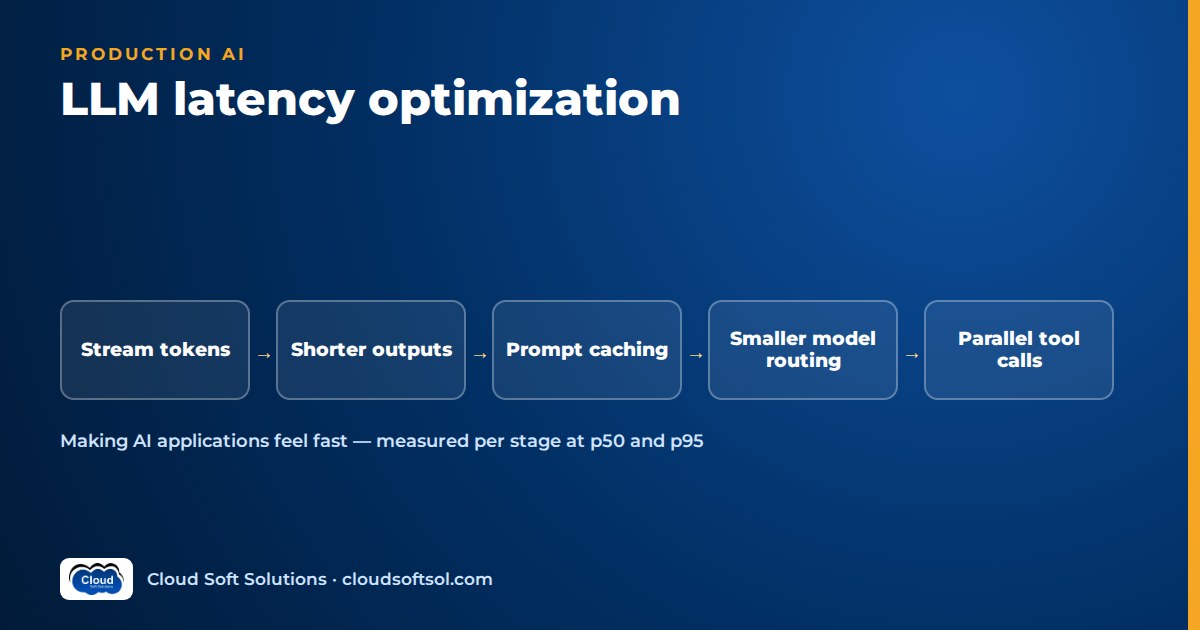
LLM latency optimization is the practice of cutting the time users wait for a useful answer, measured stage by stage, not just the time the model spends generating text. In most production assistants the slowest parts are not the model alone: they are serial retrieval, reranking, tool calls, extra agent steps and long outputs stacked on top of each other. The biggest wins usually come from streaming, shorter outputs, prompt caching, smaller-model routing, parallelism and removing steps entirely.
It is the speed companion to our guide on cloud cost optimization for AI, and to self-hosting LLMs for serving infrastructure. Latency depends on provider, model, region, load and prompt size, so this article quotes no figures.
The anatomy of LLM latency
A response is a pipeline, not a single call. In a typical retrieval-augmented assistant, time breaks down like this:
| Stage | What happens | What makes it slow |
|---|---|---|
| Network | Browser to your API, your API to the model endpoint and back | Cross-region calls, new TLS connections per request, chatty microservice hops |
| Queueing | Request waits for a worker, a rate-limit slot or GPU capacity | Traffic spikes, shared quotas, retries after throttling |
| Retrieval | Query embedding, vector or hybrid search, metadata filters | Embedding call on the critical path, unfiltered large indexes, cold caches |
| Reranking | A cross-encoder or model scores candidate chunks | Scoring too many candidates, reranker hosted far away |
| Time to first token (TTFT) | Model reads the whole prompt (prefill) and produces its first output token | Long system prompts, many chunks, long history, large tool definitions |
| Generation speed | Tokens produced per second after the first | Model size, provider load, reasoning tokens, serving configuration |
| Output length | Total tokens the model writes | Verbose answers, restating the question, unneeded explanation |
| Tool calls and agent steps | Model asks for a tool, your code calls an API, result goes back to the model | Each step is a full round trip with a new prefill; slow back-end APIs |
First, total time is roughly TTFT plus output tokens divided by generation speed, multiplied by the number of model calls, plus everything that runs serially around them. Second, input length mostly affects TTFT, while output length affects the whole generation phase, so a long answer usually costs more wall-clock time than a long prompt.
user -> API -> embed -> search -> rerank
                                    |
                                    v
   UI <- stream tokens <- LLM (prefill, decode)
                             |   ^
                             v   |
                          tool call (x N steps)
Measuring latency: p50, p95 and per-stage tracing
Before changing anything, instrument every stage as a span in a trace, using OpenTelemetry or a tool such as LangSmith or Langfuse (our AI observability guide covers the setup). Each trace should record:
- Total request time, plus time to first token and time to first useful content as the user sees it.
- A span per stage: embedding, search, rerank, each model call, each tool call, guardrail checks.
- Input tokens, cached tokens, output tokens and the model used for every call.
- Number of agent steps and retries, and whether a cache was hit.
Then look at percentiles, not averages. The p50 is the typical experience; the p95 and p99 are what your unhappiest users see, and the tail often has a different cause: an agent that took extra steps, a throttled retry, a tool API that timed out. Break percentiles down by stage and by route.
Also measure perceived latency in the client: a response that streams its first sentence quickly often feels faster than one that arrives complete after a longer blank wait.
Streaming LLM responses and progressive UI
Streaming does not make generation faster; it makes waiting shorter. The server forwards tokens as they arrive, usually over server-sent events or WebSockets, and the UI renders them progressively. For chat interfaces it is the biggest perceived-speed improvement, and it is cheap to build.
Practical points that teams miss:
- Stream end to end. A proxy or gateway that buffers responses silently undoes streaming. Check every hop.
- Show progress for non-text stages. While retrieval or a tool runs, show status such as "Checking your order".
- Stream structure carefully. If the model returns JSON for the UI to render, parse incrementally or stream a text field while structured fields arrive at the end.
- Plan for guardrails. Moderating a stream needs chunk-wise checks or a short buffer.
Shorter outputs and structured output
Because generation time scales with output tokens, the cheapest latency win is often asking for less. Tell the model the format and length you need, remove instructions that invite preamble ("first, let me explain"), and set a maximum output token limit sized to the longest legitimate answer. For machine-consumed results, such as an intent label or extracted fields, use structured output with a tight schema rather than prose; see function calling and structured outputs.
Reasoning tokens take generation time too; use reasoning-effort controls where available and reserve heavy reasoning for routes that need it.
Prompt caching and prefix caching
Several model providers, and self-hosted inference servers, can reuse the processed form of a repeated prompt prefix: a long system prompt, tool definitions, a few-shot block or a shared document. When a later request starts with the same prefix, the model skips reprocessing that part, which can reduce time to first token as well as cost. Whether caching is automatic or opt-in, the minimum prefix length, cache lifetime and pricing all vary by provider, so check current documentation.
The engineering rule is the same everywhere: put stable content first and variable content last. Order the prompt as system instructions, then tool definitions, then static reference material, then conversation history, then retrieved chunks and the user's question. Never put timestamps, request IDs or per-user greetings at the top; they change the prefix on every call and silently destroy the cache.
Semantic and response caching, and their correctness risks
Response caching skips the model entirely. An exact-match cache returns a stored answer for an identical normalised request; a semantic cache returns a stored answer for a "similar enough" earlier question. A hit is the fastest possible response, and also the technique most likely to return a wrong answer quickly.
- Near-duplicates with different meanings. "How do I cancel my card?" and "How do I cancel my card payment?" can sit close in embedding space and need different answers.
- Personalised or permissioned answers. An answer that depends on the user's account, role or tenant must never be served to someone else. Scope cache keys by tenant and permission set, or do not cache those routes at all.
- Staleness. When a policy document changes, cached answers built on the old version keep being served. Key caches on index or document version and expire them.
Use semantic caching only for non-personalised, FAQ-style content with a conservative threshold, and evaluate hits against fresh answers. Safer caches exist lower down: query embeddings, popular search results and slow tool responses that rarely change.
Model routing to smaller models
Smaller models generally produce tokens faster and process prompts sooner. Much production traffic, including intent classification, query rewriting, extraction and short FAQ answers, does not need the largest model. A router (a classifier, rules or a cheap model) sends easy requests to a small model and hard ones to a larger model; a cascade tries the small model first and escalates when a validation check fails. Our guide to small language models in the enterprise covers the patterns in depth.
For latency specifically, watch the escalation path: a cascade that escalates often adds the small model's time to the large model's, making the slow requests slower. Measure p95 per route, not just the overall median.
Parallel tool calls and retrieval
Serial code is the hidden latency tax in most assistants. If retrieval, a customer profile lookup and an entitlement check do not depend on each other, run them concurrently with async I/O instead of one after another. Many model APIs can also request several tool calls in a single turn; execute those in parallel and return all results together, rather than letting the model ask for one tool per round trip. In a graph framework such as LangGraph, independent nodes can fan out and join. Set a timeout on every external call and decide whether a slow branch is awaited or skipped.
Speculative work
Speculative work means starting tasks before you know you need them: begin retrieval while the router is still classifying, or prefetch a customer's recent orders when a support chat opens. The cost is wasted compute when the guess is wrong, and you must never prefetch data the user is not entitled to see. Use it on hot paths where the guess is usually right. (Speculative decoding, where a small draft model proposes tokens a larger model verifies, is a related inference-server feature.)
Reducing agent steps
Every agent step is a model call with a fresh prefill plus a tool round trip, so an agent doing in several steps what a workflow could do in one is slow by design. To reduce steps:
- Replace open-ended agent loops with deterministic workflow steps where the path is known, and keep agentic decisions only where they add value.
- Give tools coarser, task-shaped interfaces (one "get order status" tool instead of three low-level lookups).
- Return only the fields the next step needs, so later prompts stay short.
- Cap steps and alert when the average rises; a rising step count often signals a broken tool or prompt regression.
The same trade-off appears in agentic RAG: agent-driven retrieval helps hard questions but adds steps to easy ones, so route simple questions to a single-shot path.
If you want to practise these patterns hands-on, Cloudsoft's AI, GenAI and Agentic AI course covers RAG, LangGraph agents, tool calling and tracing.
Regional deployment, provisioned throughput and batching
Regional deployment
Keep the application, vector store and model endpoint in the same region, close to users. An app in an Indian region calling a model endpoint on another continent pays network latency on every call and agent step. Check model availability per region, reuse HTTP connections and avoid cross-cloud hops. Data residency rules often point the same way.
Provisioned or reserved throughput
On-demand endpoints share capacity, so latency varies with provider load and peaks can be throttled. Provisioned or reserved throughput buys dedicated capacity for a period, billed whether used or not. Its main latency benefit is predictability, a steadier tail and fewer throttling retries, rather than a faster median. Size it from measured traffic and keep on-demand as overflow.
Batching for offline work
Document summarisation, backlog classification, corpus embedding and nightly evaluations should run as asynchronous batch jobs, freeing capacity and rate limits for requests users are waiting on. Separate the paths so a backfill never queues ahead of a live chat.
The latency, quality and cost triangle
Most latency levers move quality or cost too, and the direction is not always obvious:
| Lever | Latency | Quality risk | Cost effect |
|---|---|---|---|
| Streaming | Perceived wait drops | None directly; guardrails harder | Neutral |
| Shorter outputs | Faster | Answers may lose needed detail | Lower |
| Prompt caching | Faster TTFT on cache hits | None if prompt order is unchanged | Usually lower |
| Semantic caching | Fastest on hits | Wrong, stale or leaked answers | Lower |
| Smaller model routing | Faster for routed traffic | Silent quality loss on misroutes | Lower |
| Speculative work | Faster when guesses are right | Permission mistakes if careless | Higher |
| Provisioned throughput | More predictable tail | None | Higher fixed cost |
Every change should go through an evaluation set (see LLM evaluation) before it ships. A faster wrong answer is not an improvement.
Voice and real-time constraints
Chat users tolerate a pause if text starts streaming; on a phone call, silence feels like a dropped line. A voice pipeline stacks speech recognition, turn detection, the LLM and text-to-speech, so every stage must stream. Tactics include synthesising speech from the first sentence, short acknowledgements while a tool runs, smaller models for conversational turns and clean barge-in handling. Our guide to voice AI agents covers the latency budget and turn-taking in detail.
Illustrative example: a support assistant before and after
Consider a retailer's support assistant used by contact-centre agents in a Hyderabad GCC. The first version worked but felt slow: a blank panel for several seconds, then a long answer all at once. Tracing showed time spread across many serial stages. The team changed one lever at a time, re-running the evaluation set after each. The table shows illustrative relative changes, not measurements.
| Stage | Before | Change | After (relative) |
|---|---|---|---|
| Intent classification | Large model, prose output | Small model with enum structured output | Much faster |
| Order and profile lookup | Two tools called one after another by the agent | One task-shaped tool, called in parallel with retrieval | Removed from the critical path |
| Retrieval and rerank | Many chunks reranked, embedding on every query | Metadata filters, fewer candidates, embedding cache | Faster |
| Prompt | Timestamp at the top, tools listed after the question | Stable prefix first; prompt caching active | Faster time to first token |
| Agent loop | Several open-ended steps | Fixed workflow with one agentic step for edge cases | Fewer round trips |
| Answer | Long, complete answer delivered at once | Concise format, length limit, streamed with status messages | First text appears in a fraction of the old wait |
| Common policy FAQs | Full pipeline every time | Exact-match cache, tenant-scoped, keyed on document version | Near-instant on hits |
Personalised order answers were never cached, and the large model still handled complaints and refund disputes. The tail improved most from the agent-loop and parallel-lookup changes, not the model.
Common mistakes
- Optimising the model first. Retrieval, tools or extra steps often dominate.
- Watching averages. The median hides a tail driven by retries or loops.
- Breaking the cache prefix. A dynamic value at the top of the prompt silently disables prompt caching.
- Caching personalised answers. Fast, and a data leak waiting to happen.
- Serial code. Sequential awaits where concurrent calls would do.
- No timeouts. One hung tool call holds the whole request until the client gives up.
- Skipping evaluation. Smaller models, fewer chunks and shorter answers can quietly reduce quality.
Taking an assistant like this into a customer's production environment, with their data, security rules and latency expectations, is the kind of work a Forward Deployed Engineer does; Cloudsoft's FDE PRO program trains for that end-to-end role.
Frequently asked questions
What is LLM latency optimization?
It is the practice of reducing the time users wait for a useful AI response, across every stage from retrieval and tool calls to generation, without lowering quality. It starts with per-stage measurement, then applies levers such as streaming, caching, routing and parallelism.
What is time to first token?
Time to first token (TTFT) is the delay between sending a request to the model and receiving the first output token. It is driven mainly by queueing and by how long the model takes to process the input prompt, so long prompts, many retrieved chunks and long history increase it.
How do I reduce LLM response time quickly?
Trace a request to find the dominant stage, then try low-risk levers: stream the response, cap outputs, order the prompt so caching works, parallelise independent calls and route simple requests to a smaller model. Check each change against an evaluation set.
Does streaming make an LLM faster?
Streaming does not reduce total generation time, but it shows text as soon as the first tokens arrive, which greatly shortens the perceived wait. It only works if every hop, including gateways and proxies, forwards the stream without buffering.
What is the difference between prompt caching and semantic caching?
Prompt caching still calls the model but reuses the processed form of a repeated prompt prefix, such as a system prompt or tool definitions, which can lower time to first token. Semantic caching skips the model and returns a stored answer for a similar earlier question, which is faster but risks wrong, stale or leaked answers.
Is semantic caching safe for enterprise assistants?
Only with care: use it for non-personalised, FAQ-style content, scope keys by tenant and document version, use a conservative threshold and expiry, and never cache answers built from one user's private data.
Does provisioned throughput reduce latency?
Its main benefit is predictability: dedicated capacity reduces throttling and variation under load, which steadies the tail latency. It does not necessarily make the typical request faster, and it is billed whether used or not, so size it from measured traffic.
Why are AI agents slower than simple chatbots?
Each agent step is another model call plus a tool round trip, and context grows each step. Use deterministic workflows where the path is known, task-shaped tools, parallel tool calls and step caps.
Want to build AI applications that are fast, grounded and measurable rather than just impressive in a demo? Explore Cloudsoft's AI, GenAI and Agentic AI training in Hyderabad, available in our Ameerpet classroom or live online. Call +91 96660 19191 for a free demo session.


