These Citrix interview questions and answers cover what L1, L2 and L3 Citrix administrator and engineer interviews test in 2026: architecture, the launch process, image management, HDX, profiles, security, Citrix DaaS and real troubleshooting scenarios. They match the current product, so you'll see Citrix Virtual Apps and Desktops LTSR releases, Web Studio, StoreFront Cloud and Cloud Connectors, not the old XenApp 6.5 farm questions.
How to use this guide
- L1 / freshers (0–2 years): interviewers check the vocabulary: VDA, Delivery Controller, StoreFront, catalogs and delivery groups, Workspace app and the ports. Learn Q1–Q13 well enough to draw them on a whiteboard.
- L2 (2–6 years): expect the launch sequence, VDA registration, Local Host Cache, MCS vs PVS, policies, printing and profiles. Most of all, expect "how would you troubleshoot…" questions. Q14–Q37 and the scenarios matter most.
- L3 / architect: expect design trade-offs: zones, HA and DR, DaaS migration, Gateway and MFA design, image strategy and upgrade cadence. Q38–Q50 plus the harder scenarios.
- For each scenario, practise saying your checks in order. Interviewers score the method more than the final answer.
Contents
- Fundamentals (Q1–Q13)
- Architecture and brokering (Q14–Q24)
- Image management: MCS, PVS, layering (Q25–Q30)
- HDX, policies, printing and user environment (Q31–Q37)
- Access, Gateway and security (Q38–Q41)
- Citrix DaaS, Azure and operations (Q42–Q48)
- AI in Citrix and end-user computing (Q49–Q50)
- Real-world troubleshooting scenarios (Q51–Q65)
- Key takeaways
- Interview preparation checklist
- FAQ
Fundamentals
1. What is Citrix Virtual Apps and Desktops, and how is it different from Citrix DaaS?
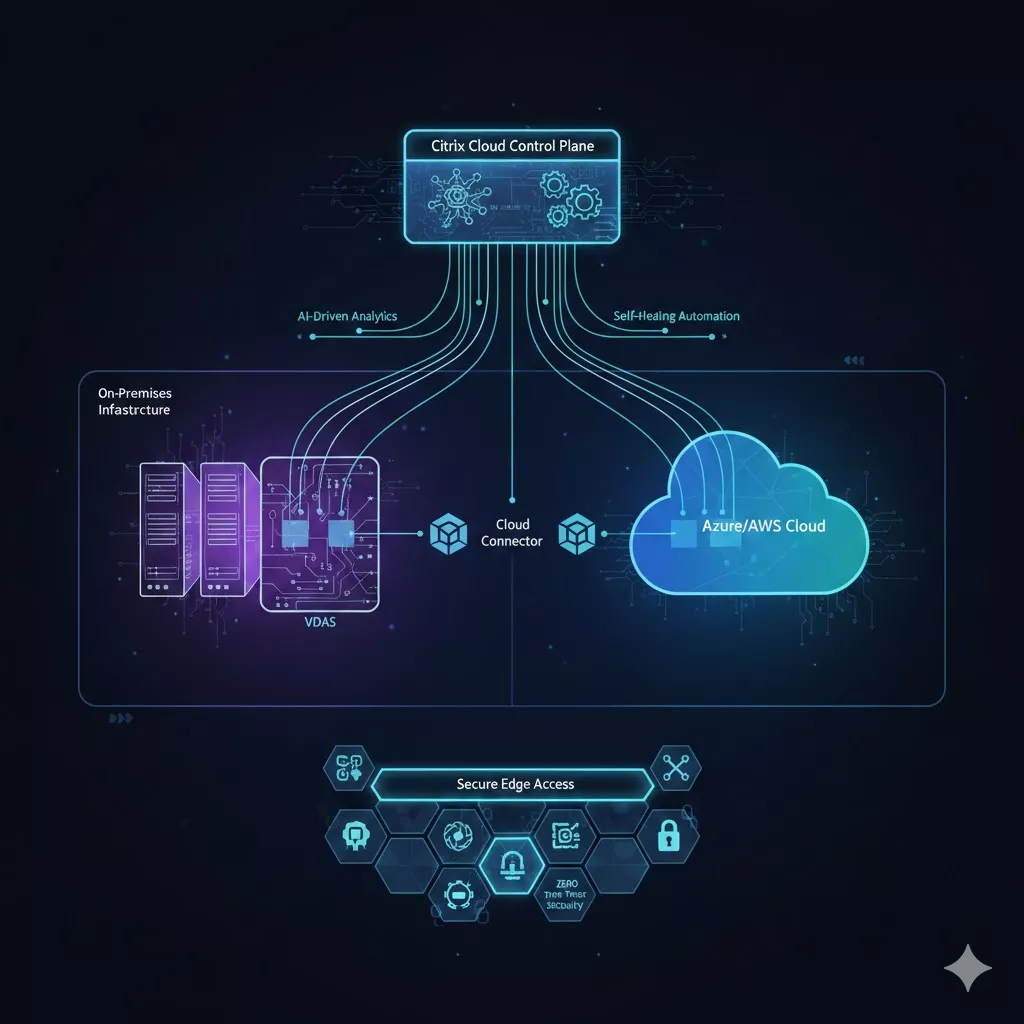
Answer: Citrix Virtual Apps and Desktops (CVAD) delivers Windows and Linux applications and desktops that run in the data centre or cloud to any device over the HDX protocol. The apps run centrally, so user data stays off endpoints and IT patches one image instead of thousands of laptops. CVAD is the customer-managed edition: you install and run the Delivery Controllers, site database, StoreFront, Director and License Server yourself. Citrix DaaS (formerly the Citrix Virtual Apps and Desktops service) does the same job, but Citrix runs the control plane in Citrix Cloud. You manage only the resource locations, meaning VDAs, Cloud Connectors and optionally StoreFront and NetScaler.
Interview tip: Also give the old names. Virtual Apps was XenApp and Virtual Desktops was XenDesktop.
2. Who owns Citrix today, and how do Citrix, NetScaler and XenServer relate?
Answer: Citrix belongs to Cloud Software Group, which formed when Citrix was taken private and combined with TIBCO in 2022. Inside Cloud Software Group, NetScaler and XenServer are now separate business units with their own brands. NetScaler (the ADC and Gateway) was called "Citrix ADC" and "Citrix Gateway" for a few years and is NetScaler again. Citrix Hypervisor is now XenServer; XenServer 8 replaced Citrix Hypervisor 8.2. They still integrate closely.
3. What are the core components of a Citrix Virtual Apps and Desktops site?
Answer:
- Delivery Controller: brokers sessions, manages VDA registration, power management through hypervisor connections, and talks to the site database.
- VDA (Virtual Delivery Agent): installed on every machine that delivers apps or desktops. It registers with a Controller and hosts HDX sessions.
- Site database (SQL Server): configuration and runtime state. It sits alongside the Monitoring and Configuration Logging databases.
- StoreFront: authenticates users and enumerates the resources each user can see.
- Citrix Workspace app: the client on the endpoint.
- Web Studio and Director: the management and monitoring consoles.
- License Server: issues licences.
- NetScaler Gateway: secure external access, which is optional but nearly always present.
- Optional: Citrix Provisioning (PVS), Profile Management, WEM, Session Recording, App Layering and Federated Authentication Service.
4. What is a VDA, and what is the difference between single-session and multi-session VDAs?
Answer: The VDA is the agent that makes a machine deliverable. It registers with the broker, enforces Citrix policies and runs the HDX stack. A single-session OS VDA (Windows 10/11, for example) gives one user at a time a full desktop, which is classic VDI. A multi-session OS VDA (Windows Server, or Windows 10/11 Enterprise multi-session on Azure) hosts many users at once, either as hosted shared desktops or as published apps. Multi-session machines fit many more users per VM but need more care: one runaway process affects everyone, and apps must tolerate multiple users. Load management policies (maximum sessions, CPU, memory) decide which multi-session VDA gets the next session. In 7.x these policies replaced the old XenApp 6.5 "load evaluators".
5. What is Citrix Workspace app?
Answer: Citrix Workspace app is the client that replaced Citrix Receiver. It exists for Windows, macOS, Linux, iOS, Android and ChromeOS, and there is an HTML5 option for browser-only access. It adds a store (from StoreFront or StoreFront Cloud), authenticates, shows apps and desktops, and opens the HDX session from the connection file it receives. It also handles client-side optimisations such as webcam and media redirection, the Teams optimisation, USB redirection and the App Protection features. Workspace app has its own Current Release and LTSR versions, so client version is the first thing to check when only some users report a problem.
6. What is the difference between StoreFront and StoreFront Cloud (formerly Citrix Workspace)?
Answer: StoreFront is the on-premises Windows/IIS store you install and patch yourself. It replaced the old Web Interface. It authenticates users, queries Delivery Controllers (or Cloud Connectors) through the XML service, and aggregates resources from one or more sites. The cloud-hosted equivalent was called "Citrix Workspace" in Citrix Cloud and was renamed Citrix StoreFront Cloud in 2026. It gives users a store URL (on cloud.com, or a custom domain), integrates with identity providers such as Microsoft Entra ID, Okta or SAML, and adds the Gateway service for remote HDX access. Many enterprises keep on-premises StoreFront even with DaaS because of customisations, multi-site aggregation or offline resilience.
Interview tip: Separate the client from the service. "Citrix Workspace app" is still the client's name; only the cloud store was renamed.
7. What is ICA/HDX, and what does the ICA file contain?
Answer: ICA (Independent Computing Architecture) is Citrix's remoting protocol. HDX is the umbrella brand for the technologies that run on top of it: graphics (Thinwire), audio, multimedia redirection, USB and printing virtual channels, and Adaptive Transport. At launch, StoreFront gives Workspace app a short-lived ICA file. It holds the target VDA address (or the Gateway address and an STA ticket for remote users), a logon ticket, the transport settings and the display options. The ticket is single-use and expires quickly, which is why a saved .ica file can't be reused later.
8. What are machine catalogs, delivery groups and application groups?
Answer: A machine catalog is a set of machines with the same type and provisioning method, for example "Win11 pooled, MCS, Azure Central India". A delivery group assigns machines from one or more catalogs to users and defines what they get (desktops, apps or both), the access policy and the power schedule. An application group publishes apps across several delivery groups with its own user assignments, which lets you manage app entitlements without splitting delivery groups.
9. Which network ports should a Citrix administrator know?
Answer: These are the defaults worth memorising:
| Traffic | Default port |
|---|---|
| ICA/HDX, no Session Reliability | TCP 1494 (UDP 1494 for EDT) |
| ICA/HDX with Session Reliability | TCP 2598 (UDP 2598 for EDT) |
| VDA registration to Controller (classic WCF) | TCP 80, Kerberos-secured |
| VDA registration over WebSocket (newer releases) | TCP 443 (TLS) |
| StoreFront to Controller XML service | TCP 80 or 443 |
| Users to StoreFront or NetScaler Gateway | TCP 443 (UDP 443 for EDT through Gateway) |
| Cloud Connector to Citrix Cloud | Outbound TCP 443 only |
| License Server | TCP 27000 (license manager), 7279 (vendor daemon) |
| Site database | TCP 1433 (SQL Server default) |
For anything else (PVS streaming ranges, Director, Session Recording), say that you'd check Citrix's communication-ports tech paper.
10. What is the difference between LTSR and CR releases, and what's current?
Answer: Long Term Service Releases get a long mainstream support window (Citrix states three years, plus optional extended support) and receive Cumulative Updates that contain fixes, not new features. Current Releases ship new features several times a year and have a shorter lifecycle. Citrix has moved LTSR to an annual cadence: 2402 LTSR, then 2507 LTSR (August 2025), then 2607 LTSR (August 2026). Regulated enterprises such as banks and hospitals usually standardise on LTSR. Teams that want features like Autoscale improvements or WebSocket VDA registration early run CRs. Citrix DaaS customers get control-plane updates continuously but still choose VDA versions.
11. What is Web Studio, and what happened to Citrix Studio (MMC)?
Answer: Web Studio is the browser-based management console for creating catalogs, delivery groups, policies, hosting connections and admin roles. Starting with release 2511, the old MMC-based Citrix Studio was removed from the installer, so Web Studio is the only console in current CVAD releases (DaaS has always used a web console). One practical change: Citrix policy templates that MMC Studio stored in each admin's local profile now live in the site database, where every admin can see them, and Citrix documents how to migrate them. Director is still the monitoring and help-desk console on-premises. In DaaS the same functions sit under Monitor.
12. How does Citrix licensing work, at a basic level?
Answer: On-premises CVAD checks licences against a Citrix License Server. The common models are user/device, where a licence is assigned to a user or a device, whichever is used more efficiently, and concurrent, which counts simultaneous connections. Editions (for example Advanced and Premium) unlock features such as Session Recording or WEM. Citrix has also moved to subscriptions that bundle products. Citrix Universal Hybrid Multi-Cloud includes CVAD Premium, DaaS Premium, NetScaler throughput and Endpoint Management. The Citrix Platform License provides enterprise-wide usage across users and NetScaler capacity, plus newer use cases such as secure private access and the enterprise browser. Newer releases also expect current License Server builds and licence-usage reporting, so check the docs before upgrading.
Interview tip: Don't talk prices. Explain the model and what happens when the License Server is unreachable: a grace period applies, and Director or Studio show licensing alerts.
13. What delivery models (FlexCast) does Citrix support?
Answer: FlexCast is Citrix's name for matching delivery methods to user types:
- Hosted shared desktops and published apps on multi-session VDAs. These cost the least per user and suit task workers and call centres.
- Pooled VDI: non-persistent single-session desktops that reset at logoff.
- Static or persistent VDI for developers or power users who install their own software.
- Remote PC Access: secure remote access to a user's physical office PC.
- GPU-enabled VDI for CAD, design or imaging workloads.
Pick the model per persona, not per company.
Real-world example: Consider a hospital in Hyderabad. Nurses use published clinical apps on shared hosts, radiologists get GPU desktops, and IT staff get persistent VDI. That is three catalogs behind one store.
Architecture and brokering
14. Walk me through what happens when a user launches a published app.
Answer: This is the most commonly asked L2 question. The internal (no Gateway) sequence is:
- The user opens Workspace app or the store URL and authenticates to StoreFront.
- StoreFront sends the credentials to the XML service on a Delivery Controller, which checks group membership and returns the resources the user is entitled to (enumeration).
- The user clicks an app. StoreFront asks the Controller for a launch.
- The broker picks a registered VDA. It checks the delivery group, the load (multi-session) or free machine (single-session), the zone preference and the power state, and powers a machine on if needed.
- The Controller has the VDA prepare for the connection and returns the connection details. StoreFront builds the ICA file with a launch ticket.
- Workspace app connects over HDX (1494/2598, or EDT over UDP) to the VDA.
- The VDA validates the ticket, runs Windows logon (profile, GPOs, Citrix policies, scripts) and starts the app. The session state is reported to the broker.
User -> Workspace app -> StoreFront (auth/enum)
                            |
                            v
                  Delivery Controller <-> Site DB
                            | (select + prepare VDA)
                            v
Workspace app ==HDX 1494/2598/EDT==> VDA -> logon
Externally, NetScaler Gateway authenticates the user first and proxies to StoreFront. StoreFront requests an STA ticket. The ICA file then points at the Gateway, which validates the ticket against the STA (on the Controllers) and proxies HDX to the VDA.
15. What databases does a Citrix site use, and what happens if they fail?
Answer: There are three SQL Server databases. The Site database holds configuration and runtime state such as registrations and sessions. Monitoring holds the data Director shows. Configuration Logging records admin changes. Only the site database is critical for brokering. If it becomes unreachable, Local Host Cache takes over brokering (Q17). If Monitoring is down, Director history suffers; if Configuration Logging is down, admin changes may be blocked depending on settings. For HA, use SQL Always On availability groups or failover clustering, and give the Controllers the listener name.
16. How does VDA registration work?
Answer: At startup the Desktop Service (BrokerAgent) on the VDA finds the Controllers and registers with one. It gets the list of Controllers from auto-update (the default once registered), from the ListOfDDCs registry value set at install or by script, from a Citrix policy, or from AD-based discovery. Classic registration uses WCF on TCP 80, mutually authenticated with Kerberos. That makes DNS, time sync and a healthy computer account mandatory. Newer releases can register over a WebSocket on TLS 443, using key pairs generated by MCS. In DaaS the VDA registers with Cloud Connectors, which proxy to the cloud broker. The VDA keeps sending heartbeats. If the Controller misses them, the VDA shows as unregistered.
17. Explain Local Host Cache. How does it actually work?
Answer: Local Host Cache (LHC) keeps brokering running when the Controllers lose the site database (on-premises) or when Cloud Connectors lose Citrix Cloud (DaaS). In normal operation the principal broker on each Controller uses the site database. The Config Synchronizer Service copies the configuration every few minutes, when something has changed, into a SQL Server Express LocalDB database on each Controller, where the secondary broker (High Availability Service) reads it. After the database has been unreachable for 90 seconds, the secondary broker takes over. Within a zone, one secondary broker is elected (by alphabetical FQDN order), VDAs re-register with it, and new launches continue. When the database returns, the principal broker resumes and VDAs re-register again. LHC is on by default for new installs.
Interview tip: An older myth says LHC is "a cache on each VDA". It isn't. It lives on the Controllers or Cloud Connectors. Correcting that politely scores points.
18. What doesn't work during a Local Host Cache outage?
Answer: There's no Studio access, and the PowerShell SDK is limited. Power management fails because hypervisor credentials aren't available, so machines can't be started. No new assignments can be made, and cross-zone launches and zone preference don't work. By default, launches to power-managed pooled single-session desktops fail, because the system can't reset them cleanly after use. An admin can allow them, accepting that the next user might see a previous session's state. The design implication: size Controllers (or Connectors) for LHC load, keep enough pooled machines powered on, and test an outage on purpose before you need one.
19. What are zones, and when would you use them?
Answer: Zones split one site across locations, for example a primary zone in Hyderabad and a satellite zone in Mumbai or an Azure region. Each satellite zone has its own Controllers (on-prem) or Cloud Connectors (DaaS), VDAs and hypervisor connections, so VDAs register locally over the WAN-friendly path. Zone preference (application home, user home or user location) sends launches to the right zone. Use zones when you want one management plane and the latency is acceptable. Use separate sites when you need fault isolation, because a site database problem affects every zone.
20. What does the Citrix Cloud Connector do, and how many do you need?
Answer: Cloud Connectors are Windows servers in each resource location that connect it to Citrix Cloud. They make outbound connections on TCP 443 only, with no inbound firewall rules. They proxy VDA registration and brokering, perform AD lookups, run hypervisor and cloud power operations, and run LHC during a cloud outage. Citrix requires at least two per resource location for production, recommends N+1, and recommends more vCPU and RAM when Connectors will run LHC. Treat them as stateless and replaceable. Don't install anything else on them, and patch them in a rolling way, one at a time.
21. How do you make Controllers, StoreFront and SQL highly available on-premises?
Answer: Use at least two Delivery Controllers per zone, both listed for VDAs and StoreFront. Build a StoreFront server group of two or more nodes behind a load balancer (usually NetScaler) with StoreFront monitors, and propagate changes from the primary node. Use SQL Always On for the databases, plus LHC as the brokering safety net. Run two NetScaler Gateway appliances as an HA pair, and use GSLB across data centres. For the License Server, a single VM with hypervisor HA plus the grace period is usually enough.
22. What are the XML service and the STA?
Answer: The XML service runs on each Delivery Controller and is the interface StoreFront uses for authentication checks, enumeration and launch requests. Older documents call it the "XML broker". The Secure Ticket Authority also runs on Controllers. It issues tickets that NetScaler Gateway validates before proxying an HDX session, so only users who launched through StoreFront can reach a VDA through the Gateway. The STA list must be the same in StoreFront and on the Gateway virtual server. A mismatch is a classic cause of "works internally, fails externally".
23. What is the difference between Session Reliability and Auto Client Reconnect?
Answer: Session Reliability (port 2598) keeps the session open on the VDA during short network drops. The screen freezes or greys out and resumes without re-authentication, up to the configured timeout. Auto Client Reconnect takes over when the drop is longer: Workspace app reconnects to the disconnected session, which may require credentials again depending on policy. They work together. Session Reliability covers seconds-to-minutes Wi-Fi blips, and ACR handles longer outages before the session's disconnect timer logs it off.
24. How do help-desk staff shadow or assist a user's session?
Answer: In Director (or Monitor in DaaS), a help-desk admin finds the user, opens the session details and starts Shadow, which launches Microsoft Remote Assistance. Depending on policy, the user may need to accept. From the same view the admin can see the logon duration breakdown, process list, HDX channel details and machine status, and can reset a profile, log off a session or kill a process.
Image management: MCS, PVS, layering
25. How does Machine Creation Services (MCS) work?
Answer: MCS uses the hypervisor or cloud API to create machines from a snapshot of a master (golden) image. For non-persistent catalogs, each VM gets a shared read-only base disk, a small identity disk with its computer name and AD details, and a differencing disk that is discarded at reboot. Updating means snapshotting a new master version and rolling it out, with rollback to the previous image available. MCS storage optimisation (MCS I/O) adds a RAM write cache with overflow to disk. MCS needs no extra servers and works on Azure, AWS, GCP, VMware, Nutanix and XenServer, which is why most new deployments start with it.
26. How does Citrix Provisioning (PVS) work?
Answer: PVS streams a single vDisk over the network to target devices at boot. Targets boot by PXE, by a boot ISO or BDM partition, or with UEFI network boot, then read blocks from Provisioning Servers. In Standard Image mode the vDisk is read-only and shared, and writes go to a write cache. The usual choice is "cache in device RAM with overflow on hard disk", which is discarded at reboot. Private Image mode is used for maintenance. vDisk versioning lets you build, test (in a test version) and promote updates, then reboot targets onto the new version. PVS needs its own servers, a PVS database and a well-designed network, and in return gives fast mass reboots and little storage use.
27. MCS or PVS: how do you choose?
Answer:
| Factor | MCS | PVS |
|---|---|---|
| Extra infrastructure | None | PVS servers, database, boot services |
| Public cloud fit | Native on Azure, AWS, GCP | Supported on some clouds; more design effort |
| Storage I/O | Reads from the hypervisor's storage | Reads over the network; storage-light |
| Physical or bare-metal targets | No | Yes |
| Very large on-prem estates | Fine; scale depends on hypervisor | Proven at large scale with RAM cache |
| Operational skills | Lower | Higher (network, boot, vDisk lifecycle) |
Interview tip: A good answer is "MCS by default, PVS where we already run it well or need physical or very large-scale streaming". Ideology-driven answers don't impress.
28. What are MCS prepared images and the Image Portability Service?
Answer: With image management in Citrix DaaS, MCS separates "mastering" from catalog creation. You build a versioned prepared image from a source image once and reuse it across several MCS catalogs, instead of each catalog snapshotting its own master. It is generally available for Azure, VMware and AWS. The Image Portability Service uses App Layering technology and DaaS REST APIs to move MCS or PVS images between resource locations, for example from on-prem VMware to Azure, AWS or GCP, and prepare them for the target platform. Both matter in cloud migration interviews.
29. What is App Layering, and when is it worth it?
Answer: App Layering splits an image into an OS layer, a platform layer (VDA, agents, hypervisor tools) and app layers, then composites them into images for MCS or PVS. It can also deliver elastic layers to users at logon. You patch the OS layer once and republish every image that uses it, and you can mix app layers per department without keeping ten golden images. The cost is a layering appliance, a new way of working, and troubleshooting when apps with drivers or services don't layer cleanly. It pays off when you have many image variants.
30. How do you safely update a golden image?
Answer:
- Clone or version the image. Never edit the only copy.
- Apply Windows and app updates and update the VDA if needed.
- Run your sealing steps: Citrix Optimizer, clear agents' unique IDs (AV, monitoring, EDR per the vendor's VDI guidance), make sure no pending reboots remain, then shut down cleanly.
- Roll the new version to a test catalog or PVS test version and run smoke tests: logon time, key apps, printing, Teams.
- Roll out to a pilot delivery group, then to production during the reboot window.
- Keep the previous version available for a one-step rollback.
Production consideration: Most "Citrix outages" are really untested image changes. Write the rollback procedure down before you update.
HDX, policies, printing and user environment
31. What makes up HDX, and what is Adaptive Transport?
Answer: HDX covers graphics encoding (Thinwire with selective H.264/H.265, plus GPU encoding for 3D), audio, multimedia and browser content redirection, the optimisation for Microsoft Teams and other UC apps, USB and generic device redirection, client drive mapping, printing and clipboard. Adaptive Transport uses EDT, a UDP-based Citrix transport that performs better than TCP on high-latency or lossy links, and falls back to TCP when UDP is blocked. Recent releases add HDX Direct (direct connections between client and VDA where the network allows) and Secure HDX (end-to-end encryption of session traffic).
32. How do Citrix policies work, and which policy wins?
Answer: Citrix policies control HDX, printing, redirection, bandwidth, Session Reliability and similar settings. They can be created in Web Studio (stored in the site database) or delivered by Active Directory GPOs using the Citrix Group Policy Management add-in. They're processed like GPOs. Studio policies apply after local policy but before AD site, domain and OU GPOs, so an OU-linked Citrix GPO can override a Studio policy. Within one tool, priority 1 wins. Filters such as user or group, delivery group, client IP, client name, access control (internal vs Gateway) and tags target the policy. Use the Policy Modeling wizard or Resultant Set of Policy to see what actually applied.
33. How does printing work in Citrix?
Answer: There are three common paths. Auto-created client printers map the user's local printers into the session, usually through the Citrix Universal Print Driver so the VDA doesn't need every vendor driver. Session printers map network printers by policy, which is useful for printers tied to a location. The Citrix Universal Print Server moves print jobs from the VDA to the print server with compression and removes native drivers from VDAs. Most printing pain comes from too many auto-created printers slowing logon, from native drivers installed on images, and from print spooler crashes on multi-session hosts. Keep drivers off the image and decide carefully which printers are auto-created.
34. Citrix Profile Management or FSLogix: what's the difference, and which would you use?
Answer: Citrix Profile Management (UPM) was originally file-based: it copies the profile from a network store at logon and back at logoff, with streaming and exclusions to reduce the copying. It now also supports a container-based mode with a VHDX per user. FSLogix is Microsoft's profile container: it mounts the whole profile as a VHD(X) from an SMB share, so logon doesn't depend on profile size, and Outlook OST, OneDrive and Teams caches behave well. Many Citrix estates now use FSLogix for profiles, sometimes alongside UPM features, but never with both managing the same profile at once. Choose based on the apps, the existing estate and the support model. For FSLogix specifics (Cloud Cache, exclusions, VHDX locking), see these FSLogix interview questions.
35. What does Workspace Environment Management (WEM) do?
Answer: WEM is Citrix's user environment and resource management tool, available on-premises or as the WEM service in Citrix Cloud. Its agent replaces slow GPO and logon-script work: drive and printer mappings, registry settings, environment variables and app shortcuts, applied with conditions and filters. It also optimises resources at runtime with CPU spike protection, memory working-set optimisation and process limits. That is why it's a standard answer to "slow logon" and "one app is eating the server". Recent LTSR releases continue to put logon performance improvements into WEM.
36. What is Session Recording, and how would you deploy it responsibly?
Answer: Session Recording captures HDX sessions, either everything or selected events, for audit, compliance, forensics and troubleshooting. Policies define whom and what to record (for example, all sessions of privileged admins on a finance app), and recordings are played back in a player or web player. Newer releases add event detection and AI-assisted analysis of recordings. Do it responsibly: get HR and legal approval and tell users, record narrowly instead of everything, protect storage with strict access and retention rules, and consider India's DPDP Act obligations for personal data in recordings.
37. What does Autoscale do?
Answer: Autoscale is Citrix's power management for delivery groups. It powers machines on and off according to schedules (peak and off-peak), load-based rules for multi-session machines, and a capacity buffer that keeps spare capacity ready for the next logons. It can also drain idle multi-session hosts and handle disconnected sessions. On Azure or AWS this directly reduces compute cost. 2607 LTSR adds holiday schedules. Director or Monitor shows Autoscale-managed machines and their usage. The common mistake is a buffer so small that the first wave of morning logons waits for VMs to boot.
Access, Gateway and security
38. How does NetScaler Gateway fit into Citrix access?
Answer: NetScaler Gateway is the hardened entry point on the internet edge (in the DMZ or a cloud perimeter). It terminates TLS on 443, authenticates users (LDAP, RADIUS, SAML, nFactor flows), passes them to StoreFront with single sign-on, then works as an ICA proxy: it validates the STA ticket and relays HDX to the internal VDA. Users never touch the VDA network directly. The same appliance often load-balances StoreFront and does GSLB. For appliance-level problems (monitors down, SSL handshake failures, HA sync), see these NetScaler ADC interview scenarios.
39. How would you add MFA and single sign-on with an identity provider like Entra ID?
Answer: On-premises, configure NetScaler Gateway as a SAML service provider to Microsoft Entra ID (or Okta and similar) through nFactor, which enforces MFA and Conditional Access at the IdP. The catch is that SAML gives no Windows password, so the VDA can't sign the user in on its own. That is solved by the Federated Authentication Service (FAS), which uses an enterprise CA to issue short-lived virtual smart card certificates so users get SSO to the VDA. With StoreFront Cloud, you connect the IdP in Citrix Cloud and use FAS (or a cloud-based equivalent, so check current docs) for the same SSO. Always keep a tested break-glass admin path that doesn't depend on the IdP.
40. How do you secure a Citrix environment?
Answer:
- Edge: patch NetScaler quickly. Gateway appliances have had widely publicised critical vulnerabilities, and attackers scan for unpatched ones within days. Use MFA, restrict management interfaces and follow Citrix security bulletins.
- Transport: TLS on StoreFront, XML and Gateway. Enable TLS or Secure HDX to VDAs where your compliance rules require it.
- Session: restrict clipboard, client drive and USB redirection by policy for high-risk apps. Use App Protection (anti-keylogging and anti-screen-capture) for sensitive workloads.
- Admin: delegated, scoped admin roles, Configuration Logging enabled, and privileged sessions recorded.
- Images: hardened, EDR installed following the vendor's VDI guidance, local admin removed, AppLocker or WDAC.
- Context: adaptive access, for example limiting a session on an unmanaged device. Recent releases integrate deviceTRUST for this.
41. What are the Citrix Gateway service and Rendezvous?
Answer: The Citrix Gateway service is a Citrix-run cloud HDX proxy. You don't operate NetScaler appliances for remote HDX. It is used with StoreFront Cloud, and there's also a Gateway service for StoreFront option that keeps on-prem StoreFront and Gateway for authentication and enumeration while Citrix Cloud carries HDX. With the Rendezvous protocol, VDAs make outbound connections to the Gateway service directly, so HDX traffic bypasses the Cloud Connectors and you open no inbound ports. Trade-off: less to run, but you depend on the cloud service's points of presence and need outbound connectivity from VDAs. Check egress rules and proxies.
Citrix DaaS, Azure and operations
42. In Citrix DaaS, what moves to the cloud and what stays with you?
Answer: Citrix runs the Delivery Controllers, site database, Web Studio, Monitor, licensing and, optionally, StoreFront Cloud and the Gateway service. You own the resource locations: Cloud Connectors, Active Directory, VDAs and images, file shares for profiles, hypervisor or cloud capacity, and optionally on-prem StoreFront and NetScaler. So you stop patching controllers and SQL, but you still own images, profiles, app compatibility, Connector health and network design.
43. How do you deploy Citrix on Microsoft Azure, and how does it compare with AVD?
Answer: A typical design is Citrix DaaS (or CVAD) with a resource location in an Azure region: two or more Cloud Connectors, a hosting connection to the subscription, MCS catalogs from an Azure managed image or prepared image, Autoscale for cost, FSLogix on Azure Files or Azure NetApp Files, and access through StoreFront Cloud plus Gateway service or NetScaler on Azure. Windows 10/11 Enterprise multi-session is available on Azure. Recent releases also show Azure VM cost estimates during provisioning. Compared with plain Azure Virtual Desktop, Citrix adds HDX features, multi-cloud and on-prem in one management plane, richer policies, monitoring and Session Recording, but it is another product to licence and run. Many enterprises run Citrix on top of AVD capacity. For the Microsoft-native side, see these Azure Virtual Desktop interview questions.
44. How would you migrate an on-premises CVAD site to Citrix DaaS?
Answer:
- Inventory the catalogs, delivery groups, policies, apps, StoreFront customisations and integrations (FAS, Session Recording, WEM).
- Deploy Cloud Connectors in each existing data centre as new resource locations.
- Export the configuration with Citrix's migration tooling (check the current tool and its supported objects) and import it into DaaS.
- Re-register a pilot set of VDAs to the Connectors.
- Decide on the access layer: keep on-prem StoreFront and Gateway first, or move to StoreFront Cloud plus Gateway service.
- Migrate delivery groups in waves, with rollback by pointing VDAs back to the on-prem Controllers.
- Decommission the controllers and SQL last.
45. How do you monitor a Citrix environment beyond "is it up?"
Answer: Director or Monitor give session counts, failures by type, logon duration broken into phases (brokering, VM start, HDX connection, authentication, GPOs, scripts, profile load, interactive session), machine load, and alerts by email or webhook. Add VDA and infrastructure metrics (CPU ready, disk latency, SQL health), StoreFront and Gateway logs, and synthetic launch tests that log on as a test user every few minutes from inside and outside. Citrix Analytics for Performance and the uberAgent integration add user-experience scores and endpoint-level detail. Alert on user impact, such as launch failure rate and logon time at the 95th percentile, not only on server CPU.
46. How do you plan an upgrade or Cumulative Update for an on-prem site?
Answer: Read the release notes and known issues, check component compatibility (VDA, StoreFront, Workspace app, PVS, License Server, OS and SQL versions), and take backups and snapshots of the Controllers, StoreFront and databases. A typical order: License Server first, then StoreFront and Director, then half the Controllers. Upgrade the site database schema from Web Studio, then the remaining Controllers, then PVS servers, and finally VDAs image by image through the normal image pipeline. LHC and multiple Controllers let you do it with no brokering downtime.
47. Design disaster recovery for a Citrix deployment across two data centres.
Answer: The common pattern is two independent sites (one per data centre), each with its own Controllers and database, so a database or configuration mistake can't take out both. StoreFront aggregates both sites with user mapping (active/active or active/passive per app). NetScaler GSLB sends users to the healthy data centre. Images are replicated through the pipeline, and profiles are replicated, which with FSLogix means Cloud Cache or storage replication, with a clear rule for which copy is authoritative. Back-end apps and file shares need their own DR plan, because a Citrix DR site with no app database is a desktop with nothing to open. DaaS customers often use resource locations in two regions plus Connectors in each.
48. How do Citrix, Microsoft Entra ID and Intune fit together?
Answer: Entra ID is usually the identity provider for StoreFront Cloud or NetScaler SAML (with Conditional Access and MFA). VDAs can be AD-joined, hybrid-joined, or Entra-joined in supported DaaS scenarios (check the current support matrix for your provisioning type). Intune manages the physical endpoints that run Workspace app, deploying and updating the client and enforcing compliance that Conditional Access checks. It can also manage persistent VDI in some designs, though pooled images are normally managed through the image pipeline instead. If you're interviewing for a broad EUC role, also prepare these Microsoft Intune interview questions.
AI in Citrix and end-user computing
49. Where is AI actually used in Citrix and EUC operations today?
Answer: Mostly in analytics and operations, not in the delivery path. Analytics products build baselines for logon time, latency and session failures and flag anomalies, for example "logon time for one delivery group jumped after last night's image". Security analytics score risky user behaviour. Recent releases add AI-assisted insights over Session Recording to surface security and compliance events instead of making people watch hours of video. Teams also use AIOps patterns: correlating Director, Windows event and NetScaler data, grouping duplicate tickets, and drafting incident summaries. For a broader view of where EUC engineers use AI, see AI for EUC engineers.
50. Would you use an AI assistant to troubleshoot Citrix issues? What are the limits?
Answer: Yes, as a helper. It's useful for summarising long CDF or event logs, suggesting likely causes for an error string, writing PowerShell (for example, using the Broker SDK to list unregistered machines and their last deregistration reason), and drafting runbooks. The limits are real. Models invent registry keys and policy names, mix up versions (XenApp 6.5 advice for a 2507 site), and can't see your environment. Never paste logs with usernames, IPs or tokens into a public tool, so redact them or use an approved enterprise assistant. Run generated scripts read-only first, and treat anything that changes production as a change request.
Real-world troubleshooting scenarios
Each scenario below shows the order of checks interviewers want to hear. For more scenarios with root-cause detail, see these advanced Citrix troubleshooting scenarios.
51. Users get a black screen after launching a desktop. How do you troubleshoot?
Answer: A black screen means HDX connected but the Windows shell or graphics didn't render, so the cause is on the VDA side: shell start, logon processing, or the graphics stack.
What I would check:
- Scope: everyone or some users, one catalog, all clients or one Workspace app version, internal or external?
- Wait it out once. If the desktop appears after a minute or two, it's a slow logon problem (Q53), not a true black screen.
- In Director, look at the logon phase where it stalls: GPOs, scripts or the profile.
- Look for Explorer or shell start failures in the event logs, a stuck Active Setup, or a logon script that waits for input.
- Check the graphics policy and drivers: a recent GPU driver or VDA update, an unsupported display configuration, or a graphics mode mismatch.
- Check the profile: try a temporary or new profile for one affected user.
- Check whether a new image version introduced it, and test on the previous version.
Production consideration: If it started right after an image update, roll back first and investigate on a test catalog. Users shouldn't wait while you debug.
52. Users see "Cannot start app" or "Cannot start desktop". What do you do?
Answer: The broker couldn't find or prepare a machine, or Workspace app couldn't use the launch file. Start at the broker and work out towards the client.
What I would check:
- Director: the failure reason for that user (no machines available, machine failure, unregistered, maintenance mode).
- Delivery group: enough registered, powered-on machines, not in maintenance mode, and session limits not reached on multi-session hosts.
- Power management: is the hypervisor connection healthy, can VMs start, are the hypervisor credentials valid?
- Licensing: License Server reachable, licences available, no licensing alerts in Studio.
- StoreFront: event logs for launch errors and XML service connectivity to the Controllers.
- Client side: is the Workspace app version supported, is the .ica file being handed to Workspace app or blocked by the browser, and for external users, is the STA list consistent?
53. Logon takes over two minutes. How do you bring it down?
Answer: Measure each phase first, then fix the slowest one. Don't change ten things at once.
What I would check:
- The Director logon duration breakdown for affected users: brokering, VM start, HDX connection, authentication, GPOs, logon scripts, profile load, interactive session.
- VM start: if it dominates, Autoscale or the power buffer is too small.
- GPOs: too many GPOs, slow WMI filters, synchronous processing, drive mappings to unreachable shares. Move mappings to WEM or GPP with conditions.
- Profile: profile size, a slow file server, FSLogix VHDX attach time, antivirus scanning profile containers (check the exclusions).
- Printers: dozens of auto-created printers. Limit them to the default printer or use session printers.
- Interactive session: Active Setup, first-run app wizards, heavy startup apps.
Production consideration: Measure at the 95th percentile, not the average, and compare Monday mornings with mid-week. Logon storms show bottlenecks that a single test logon never reveals.
54. Many VDAs show as "Unregistered" in Studio. What is your approach?
Answer: Registration depends on DNS, Kerberos, time, ports and the Controller list. Check those first, and use the deregistration reason Citrix records.
What I would check:
- Scope: all VDAs (look at the Controllers, network or AD), one catalog (the image), or random machines (time or computer accounts)?
- Last deregistration reason in Studio or Director, and the VDA's Application event log (Citrix Desktop Service events).
- Can the VDA resolve the Controllers' FQDNs forward and reverse, and reach them on TCP 80 (or 443 for WebSocket)?
- Time skew between VDA, Controller and the domain controller. Kerberos breaks when clocks drift.
- Computer account trust: test the secure channel. On MCS, check the identity disk and AD account state.
ListOfDDCsor the policy pointing at decommissioned Controllers, and the VDA version being compatible with the site.- Run the Citrix VDA health and registration check tools.
Production consideration: If the cause was mass unregistration after a Controller change, script a report with the Broker PowerShell SDK (unregistered machines and their reasons) so the next incident takes minutes to scope.
55. A few users' profiles keep getting corrupted. How do you handle it?
Answer: First fix the user (reset the profile in Director or rename the container after taking a backup), then find why it keeps happening.
What I would check:
- Profile solution logs (UPM or FSLogix) around logoff: was the profile or VHDX written back cleanly?
- Concurrent sessions: is the same user logged on to two machines or sites, causing last-writer-wins conflicts or locked VHDX files?
- Session ends: abrupt logoffs, killed sessions or host crashes before the profile was saved.
- Storage: SMB share capacity, latency, and replication lag between file servers.
- Antivirus scanning profiles or VHDX files without vendor exclusions.
- Two profile tools fighting over the same folders: UPM and FSLogix both active, or roaming profiles still set by GPO.
Production consideration: Keep a documented, fast profile-reset runbook for the help desk, and back up containers before deleting them.
56. StoreFront shows "There are no apps or desktops available" or "Cannot complete your request". How do you troubleshoot?
Answer: This is an enumeration failure. Either StoreFront can't talk to the Controllers, or the Controllers return nothing for this user.
What I would check:
- One user or everyone? For one user, check group membership and the delivery group or application group assignments, and how recently they were added to a group (Kerberos token refresh).
- StoreFront event log (Citrix Delivery Services) for XML service errors or timeouts.
- The Delivery Controllers configured in the store: reachable, correct port and transport, and the XML service responding.
- The XML trust setting if the Gateway passes credentials in a way that needs it.
- Expired certificates on StoreFront, on the load-balancer VIP, or between StoreFront and the Controllers when using HTTPS.
- Server group sync: did the last propagation leave nodes with different configurations?
Production consideration: Watch certificate expiry for StoreFront, Gateway, XML and FAS with alerts. Expired certificates are one of the most avoidable outages.
57. Users' printers are missing, or printing is very slow. What do you check?
Answer: Separate "printers don't appear" from "printing is slow or the spooler crashes". The causes are different.
What I would check:
- Policy: client printer auto-creation settings, the Universal Print Driver usage policy, and the session printer policy filters.
- For missing local printers: the client-side printer and driver, and whether redirection is blocked for that access path.
- Print Spooler events on the VDA and the Citrix print service. On multi-session hosts, one bad driver can crash the spooler for everyone.
- Native drivers that got into the image. Remove them and use UPD or Universal Print Server.
- Bandwidth: large print jobs over a slow branch link, with print compression and bandwidth limits set by policy.
- The network print server's own health and queue.
Production consideration: Keep a list of approved print drivers, and test printing as part of every image smoke test.
58. PVS target devices fail to boot after a change. Where do you start?
Answer: Follow the boot chain in order: network boot, bootstrap, login to a Provisioning Server, vDisk stream, Windows boot.
What I would check:
- Where it stops on the console: no PXE or DHCP response, a TFTP timeout, "no vDisk assigned", or a hang or blue screen during Windows boot.
- DHCP options and PXE/TFTP (UDP 69) or the boot device method (BDM/ISO), and whether a network change, VLAN or firewall rule blocks broadcast or streaming ports.
- The PVS Stream Service running on the servers, and the vDisk store reachable with consistent replicas on every server.
- Whether the vDisk version assigned to the device collection is the one you intended. Check for a test version promoted by mistake, or a version chain missing on one server.
- Write cache: the disk is present and sized, and RAM cache isn't overflowing.
- Windows boot: a new NIC driver or hypervisor tools update in the image, or a domain password issue for the machine accounts.
Production consideration: Keep the previous vDisk version and switch the collection back if boots fail at scale.
59. In Citrix DaaS, a resource location's Cloud Connectors are failing. What happens, and what do you do?
Answer: If the Connectors lose Citrix Cloud for 90 seconds, LHC engages on the Connectors, existing sessions continue and new launches go through the elected Connector (with LHC limitations). If all Connectors in the resource location are down, VDAs there can't register and new launches fail.
What I would check:
- The Citrix Cloud console and status page: is it a cloud incident or local?
- Connector health in Citrix Cloud, and the Windows services on the Connectors (are they running, updating or stuck mid-update?).
- Outbound 443 to the required Citrix Cloud addresses: proxy changes, TLS inspection, firewall or DNS changes.
- Domain connectivity and time sync on the Connectors.
- VM resources: Connectors sized below the LHC recommendation can struggle at the moment the outage starts.
- Recent changes: a Windows update, EDR policy or new GPO applied to the Connectors.
Production consideration: Run N+1 Connectors per resource location, keep them free of other software, exempt them from TLS inspection where Citrix requires that, and test LHC failover on a schedule.
60. An app works internally but fails through the Gateway for external users. Why?
Answer: If it works internally, the VDA and app are fine. The problem is in the external path: Gateway, STA, the ICA proxy, or network rules from the Gateway to the VDAs.
What I would check:
- The STA list matches exactly between StoreFront's Gateway configuration and the Gateway virtual server, and the STAs are up.
- Callback URL, Gateway URL and subnet IP settings in StoreFront.
- Firewall from the NetScaler SNIP to the VDA subnets on 1494/2598 (and UDP for EDT).
- Whether the ICA file points to the Gateway FQDN and the certificate chain is valid for that name.
- Session policies and profiles on the Gateway (ICA proxy on, correct Web Interface/StoreFront address).
- Whether DTLS or EDT is enabled on the Gateway when the policy requires UDP.
61. Users are disconnected randomly several times a day. How do you investigate?
Answer: Find the pattern before blaming the network: who, where, when, and which transport.
What I would check:
- Director session history: disconnect reasons and times. Are they clustered by site, ISP, Gateway node or VDA?
- Idle and session timeouts on the Gateway, load balancer, firewall and Citrix policies, including mismatched TCP idle timers on middle boxes.
- EDT-specific issues: MTU or fragmentation problems on some paths. Test with EDT off for one group.
- VDA side: resource exhaustion, crashes or reboots matching the disconnect times.
- Client side: Wi-Fi power saving, VPN-in-VPN, a specific Workspace app version.
Production consideration: Check that Session Reliability and Auto Client Reconnect are configured so short drops don't cost users their work, while you fix the cause.
62. Teams calls and video are choppy inside Citrix sessions. What do you check?
Answer: First confirm whether media is optimised (offloaded to the endpoint) or being rendered on the VDA and sent as screen updates. Unoptimised video is the usual cause.
What I would check:
- In Teams, check whether it reports Citrix optimisation as connected. The VDA, Workspace app and Teams versions must meet the support matrix.
- The relevant HDX policy settings, and whether the Workspace app client was installed with the required components.
- Endpoint capability: thin clients or old laptops may not handle offloaded media.
- Network: the endpoint must reach Teams media services directly. Check proxies, VPN split tunnelling and UDP to Microsoft's media ranges.
- If media isn't offloaded, check VDA CPU and GPU and the graphics policy, and expect a poor experience by design.
63. A new image version was rolled out and 200 desktops now fail a key app. What do you do?
Answer: Restore service first, then find the cause.
What I would check:
- Roll the catalog back to the previous image version (MCS rollback or PVS version), or, if rollback isn't instant, move users to an unaffected catalog.
- Tell the help desk and users how long recovery will take.
- Compare the two image versions: Windows updates, app versions, VDA version, agent changes, optimiser settings that disabled a service the app needs.
- Reproduce on a test catalog with the new version and fix it there.
- Find out why the smoke test missed it, and add this app to the test.
Production consideration: Put the rollout in staged rings (test, pilot, production) with a sign-off between rings. That turns a 200-user outage into a 10-user one.
64. Studio shows licensing errors even though you have valid licences. What could be wrong?
Answer: Usually it's connectivity, configuration or the licence files, not the number of licences.
What I would check:
- The License Server is reachable from the Controllers on its ports, and the site points at the correct server name.
- The site edition and licensing model in Studio match what's installed on the License Server (for example, Premium user/device vs concurrent).
- Licence files: Subscription Advantage or subscription dates and expiry, a hostname match with the License Server, and a version new enough for the CVAD release.
- Whether the License Server build meets the current release's requirements, including any licence usage reporting newer releases need.
- Whether the site is in a grace period, and how long remains.
65. One app is maxing out CPU on a multi-session host and every user on it suffers. How do you handle it?
Answer: Contain the impact now, then fix the app or the placement.
What I would check:
- Director or Task Manager process view: which process, which user, and whether it's always the same app (a browser tab, a reporting tool, a script).
- Short term: end the process or log off that session, and drain the host with maintenance mode if needed.
- Load management policies, so the broker stops placing new users on a saturated host.
- WEM CPU spike protection and process limits for known offenders.
- Long term: move the heavy app to its own delivery group or to single-session VDI, or fix it with the vendor.
- Host sizing: vCPU count vs physical cores, hypervisor CPU ready time, and noisy neighbours.
Production consideration: On multi-session estates, give misbehaving apps their own small delivery group.
If you want to practise these scenarios on a real lab with Delivery Controllers, MCS, StoreFront, Gateway and profiles, Cloudsoft's Citrix training in Hyderabad runs hands-on batches in Ameerpet and live online.
Key takeaways
- Know the current names: Citrix Virtual Apps and Desktops (customer-managed, annual LTSR plus CRs), Citrix DaaS (cloud control plane), StoreFront Cloud (formerly Citrix Workspace), NetScaler and XenServer as separate Cloud Software Group brands.
- Be able to draw the launch sequence and explain VDA registration. Most L2 scenarios follow from those two.
- Local Host Cache runs on Controllers or Cloud Connectors, starts after 90 seconds, and has real limitations, especially for pooled VDI.
- MCS is the default choice, and PVS is justified by scale or physical targets. Image discipline (versions, smoke tests, rollback) prevents most outages.
- Most slow-logon problems come from GPOs, profiles, printers or VM start. Measure with Director before changing anything.
- External access problems usually come down to the Gateway, STA, certificates or firewall paths from the SNIP to the VDAs.
- AI helps with log analysis and analytics, but checking the real logs and following change control still decides production fixes.
Interview preparation checklist
- Build a lab: one Controller, one StoreFront, SQL Express, a multi-session VDA and one single-session VDA, then publish an app and a desktop.
- Draw the internal and external launch flows from memory, including STA and ports.
- Break registration on purpose (wrong DNS, time skew, wrong ListOfDDCs) and fix it from the event logs.
- Create an MCS catalog, update the image, and roll it back.
- Configure FSLogix or UPM, and read the Director logon breakdown for a slow logon you caused deliberately.
- Write one Broker PowerShell SDK script that reports unregistered machines.
- Read the what's new page for 2507 and 2607 LTSR, and know at least three features from each.
- Prepare two STAR stories: an outage you resolved, and an improvement you measured (logon time, cost, ticket volume).
- Learn the job ladder and how Citrix experience moves into cloud and AVD roles, using the Citrix career roadmap.
FAQ
What skills are required for a Citrix administrator job in 2026?
Windows Server and Active Directory, DNS and Group Policy, Citrix Virtual Apps and Desktops or DaaS administration, MCS or PVS image management, profile management with FSLogix or UPM, NetScaler Gateway basics, PowerShell, and either Azure or VMware for the hosting layer.
Is Citrix still a good career option?
Yes, for engineers who like enterprise infrastructure. Banks, hospitals, insurers and large GCCs still run big Citrix estates and are moving them to Citrix DaaS and Azure, which needs people who understand both Citrix and the cloud.
What is the difference between L1, L2 and L3 Citrix roles?
L1 handles user issues and basic session tasks in Director. L2 owns troubleshooting, images, policies and changes. L3 or architects own design, upgrades, DR, security and migrations to DaaS or the cloud.
Should I learn on-premises Citrix or Citrix DaaS first?
Learn on-premises first, because it shows every component, including Controllers, the site database and Local Host Cache. Then learn DaaS, which removes the control plane but keeps the same concepts.
Do I need NetScaler knowledge for a Citrix interview?
For L2 and above, yes, at least Gateway, ICA proxy, STA, certificates and StoreFront load balancing. Deep NetScaler roles such as WAF, GSLB and AppExpert are a separate specialisation.
Which Citrix certifications are useful?
Citrix offers role-based certifications for Virtual Apps and Desktops and DaaS administration. Check Citrix Education for the current exam names, because they change with the product.
How long does it take to prepare for a Citrix L2 interview?
With Windows and Active Directory experience, a few focused weeks of lab work plus scenario practice is typical. Without that background, learn Windows Server and Active Directory first.
Is Azure Virtual Desktop replacing Citrix?
Not directly. Many organisations use AVD alone, and many run Citrix on top of Azure for HDX, multi-cloud management and advanced policies. Knowing both makes you more employable for EUC roles.
If you're moving from L1 support towards L2 and L3 Citrix roles, Cloudsoft's Citrix Virtual Apps and Desktops course covers architecture, MCS and PVS, NetScaler Gateway, FSLogix, DaaS on Azure and scenario-based interview practice, in a classroom in Ameerpet or live online. Call +91 96660 19191 for a free demo. If you'd rather move from EUC into cloud, security and AI engineering, look at the APEX AI, ML, Cloud and Cyber Security program.
Related Cloudsoft resources
- Advanced Citrix troubleshooting interview scenarios
- NetScaler ADC interview scenarios
- FSLogix interview questions (advanced)
- Azure Virtual Desktop interview questions
- Azure Virtual Desktop training in Hyderabad
- Windows Server training in Hyderabad
- From Citrix or VMware admin to an AI and cloud career