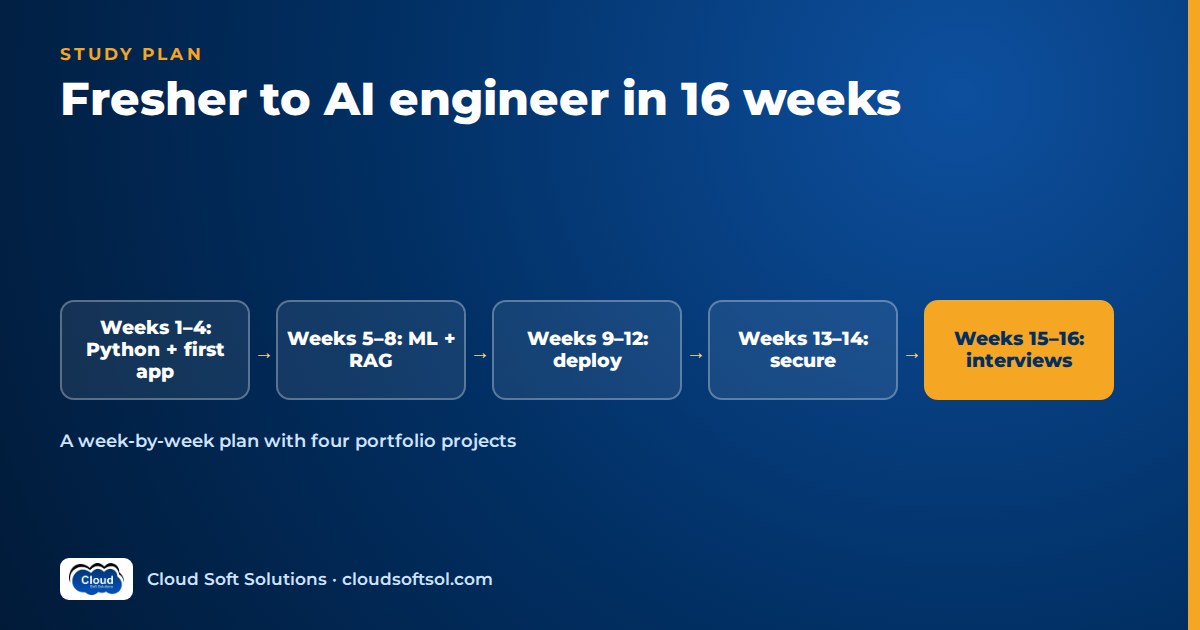
If you are a fresher who wants an AI engineering job, sixteen focused weeks is enough to become entry-level job-ready: comfortable in Python and SQL, clear on core machine learning, able to build and evaluate retrieval-augmented and agentic LLM applications, and able to deploy one of them properly. The plan below gives you a daily time budget, a 16-row week-by-week table, four portfolio projects, a proof-of-work routine for GitHub and LinkedIn, and a three-week interview sprint, so that by week 16 you are applying with evidence, not certificates. It will not make you a senior engineer. That takes years of production work, and anyone promising otherwise is selling you something.
Who this plan is for, and what "AI engineer" means for a fresher
This plan suits final-year students and recent graduates from any stream (B.Tech, BCA, B.Sc, MCA) who can commit serious hours for four months. You do not need prior coding experience, but you do need consistency. If you are already a developer, start at week 3 and use the spare time on deeper projects.
At entry level, an AI engineer is mostly a software engineer who builds applications on top of models: calling LLM APIs, retrieving the right company data, wiring tools, testing output quality and shipping the result as a service. You are not expected to invent new model architectures. You are expected to write clean Python, understand why a model gives a bad answer, and fix the system around it. If you want the difference between this role and adjacent ones, the FDE vs AI engineer comparison covers it, and the AI, ML, cloud and security engineer roadmap shows where this plan sits in a longer career.
So the honest promise of this plan is narrow and specific: at the end you can do the work a junior AI engineer, GenAI developer trainee or ML engineer trainee is given in their first months, and you can prove it in an interview. Seniority, meaning judgement under production pressure, comes later.
Your daily and weekly time budget
The plan assumes about 25 focused hours a week. Focused means phone in another room, one task open, and code being written for most of that time. Watching videos while scrolling does not count.
| Slot | Time | What you do in it |
|---|---|---|
| Weekday morning or evening | 1 hour | Learn the week's concept: docs, a short course section, or a chapter. Take notes in your own words. |
| Weekday build block | 2 hours | Write code for the week's hands-on task. Commit at least once a day. |
| Saturday | 5 hours | Finish the deliverable, write the README, fix what broke during the week. |
| Sunday | 5 hours | Revision of weak topics, one public post about what you built, plan the next week. |
That is three hours on each of five weekdays plus ten on the weekend. If you are in college or working and can only manage about 15 hours a week, run the same plan over roughly 24 to 26 weeks. Keep the order of the weeks; stretch the time. A slower plan you finish beats a fast plan you abandon in week 5.
A simple rule for every session: spend no more than one third of the time consuming material and at least two thirds producing something, whether code, a test, a diagram or a written explanation.
Laptop and cloud setup on free tiers
You do not need a gaming laptop or a GPU to follow this plan. Most of the AI work is calling hosted models over an API, and the heavier training exercises run in free notebook environments.
- Laptop: 8 GB RAM is workable for Python, VS Code and a database; 16 GB is comfortable once you run Docker and a local vector database together. An SSD matters more than a fast CPU.
- Operating system: Linux or macOS work directly. On Windows, install WSL2 and do your development inside the Linux environment, because most deployment targets and tutorials assume Linux.
- Core tools: Python with virtual environments, VS Code, Git, a GitHub account, Docker, and PostgreSQL (or SQLite for the first weeks).
- Notebooks with a GPU: Google Colab and Kaggle notebooks offer free GPU sessions with usage limits, which is enough for the deep learning week.
- LLM access: use the free tier or trial credits of a model provider, or run a small open model locally with a tool such as Ollama. Small local models are slower and weaker, but they are perfect for learning without worrying about usage.
- Cloud: create one cloud account (AWS, Azure or Google Cloud) using its free tier. Pick one and stay with it for the whole plan.
Two safety habits from day one. First, set a billing alert or budget notification in the cloud console before you launch anything, and delete resources at the end of every lab. Free tiers have limits, and a forgotten database or GPU instance is the classic fresher mistake. Second, never commit API keys. Put them in a .env file, add that file to .gitignore, and use the provider's secret manager once you deploy.
The 16-week AI study plan, week by week
Each week has one topic, one hands-on task and one deliverable that ends up on GitHub. The deliverable is the point. If a week ends without it, the week is not done.
| Week | Topic | Hands-on task | Deliverable |
|---|---|---|---|
| 1 | Python fundamentals and dev setup | Build a command-line expense tracker that reads and writes a JSON file | First public repo with a README and run instructions |
| 2 | Python for engineers: functions, classes, errors, logging, pytest, Git branches and pull requests | Write a client for a free public API with retries and unit tests | Tested repo with at least three merged pull requests |
| 3 | Linux basics, SQL and Pandas | Clean a messy CSV, load it into PostgreSQL, answer ten business questions with SQL joins and GROUP BY | Notebook plus a .sql file of queries with answers |
| 4 | Exploratory data analysis, basic statistics, your first LLM API call | Run EDA on a public dataset, then ask an LLM to summarise your findings in plain English | Project 1 started: charts plus an LLM-written summary you have fact-checked |
| 5 | Machine learning fundamentals: framing, train/test split, scikit-learn pipelines | Train a churn or loan-default classifier and compare it with a simple baseline | Notebook showing baseline vs model with a written conclusion |
| 6 | Model evaluation and serving: precision, recall, imbalance, FastAPI | Tune the model, explain the metric you chose, serve it behind a FastAPI endpoint with a small Streamlit front end | Project 1 complete and runnable with one command |
| 7 | Deep learning and transformer intuition: neural networks, embeddings, attention, tokens | Fine-tune a small pretrained text or image classifier on a free notebook GPU; inspect how a tokenizer splits text | Short blog post: "How an LLM reads my sentence" |
| 8 | LLM application basics: system prompts, structured outputs, function calling, errors, cost and latency | Build a resume or invoice extractor that returns JSON validated with Pydantic and handles bad output | Extractor repo with test inputs and a failure log |
| 9 | Embeddings, vector search and RAG | Index a set of policy or product documents with pgvector or Chroma; answer questions with citations | Project 2 v1: document Q&A that shows its sources |
| 10 | RAG quality and evaluation: chunking, hybrid search, reranking, a test set, Ragas-style metrics | Write 30 question-answer pairs, measure retrieval and answer quality, change one thing, measure again | Project 2 complete with an evaluation report in the repo |
| 11 | AI agents: the tool-calling loop, LangGraph, guardrails, human approval | Build an agent with two or three tools (search docs, query a database, draft an email) and a step limit | Project 3 v1 with traces of three runs, including one failure |
| 12 | MCP and integration: exposing tools through the Model Context Protocol, logging and tracing | Move one agent tool into a small MCP server and connect the agent to it | Project 3 complete with an architecture diagram |
| 13 | Shipping: Docker, Docker Compose, GitHub Actions, deploying to your cloud free tier, secrets | Containerise Project 2 or 3, add CI that runs tests on every push, deploy it | Project 4 (capstone) live, with a demo video |
| 14 | Hardening plus interview prep: prompt injection, least privilege, rate limits, logging; Python, SQL and ML questions | Add input checks, an evaluation gate in CI and basic monitoring; answer interview questions aloud daily | Capstone v2 and a list of your weak topics |
| 15 | Interview prep: RAG, agents, LLM fundamentals, simple LLM system design, coding practice | Two mock interviews with a friend or mentor; explain each project in three minutes | Resume v1 and recorded mock answers |
| 16 | Applications and proof: behavioural answers, portfolio polish, outreach | Polish READMEs, publish a project write-up, apply to roles that match your evidence | Pinned GitHub, updated LinkedIn, first batch of applications sent |
The shape is deliberate. Weeks 1 to 4 build the foundation, weeks 5 to 7 give you real machine learning understanding, weeks 8 to 12 are the LLM application core that most AI engineer interviews now probe, and weeks 13 to 16 turn your work into something deployed and defensible. If you want the deeper reasoning behind each layer of an LLM application, the Python for AI engineers guide and RAG evaluation metrics are the two references freshers most often skip and later regret skipping.
A flow worth keeping in your head for weeks 8 to 13:
Data -> Chunk + embed -> Retrieve -> Prompt -> LLM
                                         |
                              Tools / MCP (agent)
                                         |
          Evaluate -> Deploy -> Log + trace -> Improve
Want a guided version of this exact path?
Self-study works if you are disciplined, but many freshers stall without someone reviewing their code. Cloudsoft's APEX AI, ML, Cloud and Cyber Security program is a 16-week, instructor-led version of this journey in four phases: Foundation (Python, a first AWS deploy, a first GenAI app and first AI agent), Intelligence (machine learning, deep learning, RAG and multi-agent systems), Production (infrastructure as code, containers, Kubernetes and CI/CD) and Mastery (security and DevSecOps, a capstone and interview preparation). It assumes no prior coding experience and runs as classroom batches in Ameerpet, Hyderabad, or live online.
Four portfolio projects that prove you can do the job
Recruiters screening freshers see the same course-certificate list on every resume. Projects that solve a stated business problem, with numbers you measured yourself, are what make them stop. Build these four, each one feeding the next.
Project 1: Data insights with a churn predictor (weeks 4 to 6)
Consider a mid-sized retailer whose repeat customers are quietly dropping off. Clean their sales data, build a dashboard of revenue by region and product, train a churn model, and serve predictions through FastAPI. Add an LLM assistant that answers plain-English questions about the data. What makes it credible: a baseline comparison, a clear reason for your chosen metric (for churn, recall on the churners usually matters more than raw accuracy), and a section called "What the model gets wrong".
Project 2: Document Q&A with an evaluation report (weeks 9 to 10)
Consider an insurer's support team searching long policy documents to answer customer questions. Build a RAG assistant that answers with citations and refuses when the documents do not contain the answer. The evaluation report is what separates you from a tutorial clone: a test set, retrieval and faithfulness scores, and one before-and-after change. The RAG knowledge assistant project walkthrough shows the enterprise version of this build.
Project 3: A tool-using agent with an MCP server (weeks 11 to 12)
Consider a college IT helpdesk that wants an assistant to check a ticket's status, search the FAQ and draft a reply for a human to approve. Build it as an agent with a step limit, a human approval step for anything that changes data, and one tool served through MCP. Keep a log of runs where the agent chose the wrong tool and what you changed. If you have never built an agent, start with build your first AI agent, then the MCP server Python tutorial.
Project 4: The deployed capstone (weeks 13 to 14)
Take Project 2 or 3 and make it production-shaped: containerised, tested in CI, deployed to your cloud free tier, secrets stored properly, requests logged and traced, an evaluation gate that fails the build if quality drops, and basic protection against prompt injection. This is the project you will spend most of your interviews talking about, so its README should read like a short design document: problem, architecture, decisions, trade-offs, results and known limitations.
Four finished projects beat ten half-finished ones. If you are short of time, Projects 2 and 4 are the non-negotiable pair.
Proof of work on GitHub and LinkedIn
Your goal is that a recruiter or engineer who spends two minutes on your profile can see, without asking, that you build things and understand them.
GitHub
- Pin your four projects. Archive or hide half-finished tutorial clones.
- Every README opens with a one-line problem statement, a screenshot or demo link, and "Run it in one command" instructions.
- Commit daily in small, well-described commits. A history of steady work is itself a signal; a single giant upload the night before applying is a signal too, just not a good one.
- Keep an
eval/folder with your test questions and results, and adocs/folder with the architecture diagram and decisions.
doc-qa-assistant/
  README.md        problem, demo, results
  app/             FastAPI service
  ingest/          parsing, chunking, embedding
  eval/            test set + scores
  docs/            architecture, decisions
  tests/
  Dockerfile
.github/workflows/ci.yml- Headline that states what you build, for example "Fresher AI engineer | Python, RAG, agents, FastAPI, AWS", not "Aspiring | Passionate | Seeking opportunities".
- One short post a week from week 4 onward: what you built, one thing that broke, how you fixed it, and a link to the repo. These posts double as interview stories later.
- Use the Featured section for the capstone demo video and the evaluation write-up.
Be scrupulously honest. Do not claim internships you did not do or "production" systems that only ran on your laptop. Interviewers probe projects deeply, and a single inflated claim undoes the rest. The resume and portfolio guide has before-and-after resume bullets you can adapt.
Interview preparation in weeks 14 to 16
Fresher AI interviews usually combine four things: a coding round in Python, fundamentals questions (ML, LLMs, RAG, agents), a deep dive into one of your projects, and a behavioural conversation. Prepare for all four in parallel rather than one after another.
| Week | Focus | Daily practice |
|---|---|---|
| 14 | Fundamentals: Python, SQL, ML basics, evaluation metrics | Five questions answered aloud; one easy or medium coding problem; one SQL query from memory |
| 15 | LLM applications: RAG, embeddings, agents, tool calling, MCP, hallucinations, evaluation | Five questions aloud; explain one project end to end in three minutes; one simple LLM system design sketch |
| 16 | Mocks and behavioural: project deep dives, "tell me about a failure", trade-off questions | One full mock interview every other day; refine answers you stumbled on |
Use these question banks in order. Start with AI/ML interview questions for freshers in week 14, move to RAG interview questions for freshers and agentic AI interview questions for freshers in week 15, and use week 16 to answer them about your own projects rather than in the abstract. "How did you chunk your documents and why?" is a far more common question than "Define chunking".
The single most useful preparation habit is to record yourself answering and listen back. You will hear filler, vague claims and missing numbers immediately. Replace "I improved accuracy" with "retrieval found the right document for more of my test questions after I switched to smaller chunks with overlap; here is the before and after table".
When you apply, aim at roles where your evidence matches: junior AI engineer, GenAI or LLM application developer, ML engineer trainee, Python developer on an AI team, and AI-focused QA or support engineering. Services companies, product startups and the global capability centres in Hyderabad and Bengaluru all have entry routes; read job descriptions closely and tailor your top three resume bullets to each one.
How to avoid tutorial hell
Tutorial hell is the state where you have watched many hours of content, can follow along with any video, and cannot build anything on a blank screen. It is the most common reason self-taught freshers fail interviews. These rules prevent it:
- Watch once, build twice. After a tutorial, close it and rebuild the thing from memory. Then build a variation with different data.
- One stack, all sixteen weeks. Python, FastAPI, PostgreSQL with pgvector, one orchestration framework, one cloud. Switching frameworks every week feels productive and is not.
- Start every project from a problem, not a library. "Help a support team answer policy questions" leads to good decisions; "try out a new vector database" leads to a demo nobody needs.
- Break things on purpose. Feed your RAG app a question it should refuse. Give your agent an ambiguous instruction. Write down what happened. Failure logs make strong interview stories.
- Explain it in writing. If you cannot write a short paragraph explaining why your system works, you do not understand it yet. The weekly LinkedIn post is your forcing function.
- Use AI coding assistants as a reviewer, not an author. Write the first version yourself, then ask the assistant to critique it. If it writes everything, you learn nothing and you will be found out in the coding round.
What to do if you fall behind
You will fall behind at some point: exams, a family event, a week where RAG simply does not click. That is normal. What matters is how you recover.
- Never skip a deliverable to "catch up". Shrink it instead. A smaller working project is worth more than a skipped week.
- Know what you can trim. Deep learning depth in week 7, a second visualisation library, Kubernetes, a second cloud and advanced agent frameworks can all wait.
- Know what you cannot trim. Python and SQL fluency, Project 2 with its evaluation, the deployed capstone, and the three interview-prep weeks.
- Use the buffer rule. If you are more than one week behind, add a week to the end rather than doubling up. Two half-done weeks are worse than one finished one.
- Check in with someone. A study partner, a mentor or a weekly public post creates accountability. Learning alone is where most self-study plans quietly die.
If you are two or more weeks behind by week 8, that is a signal rather than a failure. It usually means you need more structure, more feedback, or the 24-week pace. Change the plan; do not abandon the goal.
What happens after week 16: honest expectations
At the end of this plan you are a credible entry-level candidate. You can build, evaluate and deploy a small LLM application, explain the ML fundamentals behind it, and talk through your own trade-offs. That is a strong starting position.
What you are not, yet, is senior. You have not handled real customer data under compliance rules, debugged a production incident at 2 a.m., negotiated requirements with a business team, or owned a system for a year. Those skills come from your first job. Expect your first role to involve a lot of supervised work, code review and learning how a real team ships. That is how everyone becomes good.
After a year or so of real experience, many AI engineers specialise. One route that rewards both engineering depth and customer-facing judgement is Forward Deployed Engineering, where engineers take AI systems from demo to enterprise outcome inside customer organisations. When you are ready for that step, Cloudsoft's FDE PRO program is a 12-week specialisation with 60+ labs, five enterprise projects and a simulated "GlobalBank" customer engagement capstone. It is a later move, not the place a fresher should start. The APEX vs FDE PRO comparison explains which fits which stage.
Frequently asked questions
Can a fresher really become an AI engineer in 16 weeks?
A fresher can become entry-level job-ready in 16 weeks with about 25 focused hours a week: able to build, evaluate and deploy a small LLM application and explain the fundamentals behind it. Becoming a senior AI engineer takes years of real production experience.
Do I need a GPU or an expensive laptop for this AI study plan?
No. Most AI engineering work at this level calls hosted models over an API. A laptop with 8 GB RAM is workable and 16 GB is comfortable. For the deep learning week, free notebook environments such as Google Colab or Kaggle provide GPU sessions with usage limits.
How many hours a day should I study to follow the 16-week plan?
Plan for about three focused hours on weekdays and five hours on each weekend day, which is roughly 25 hours a week. If you can only manage about 15 hours a week, follow the same order over 24 to 26 weeks.
Which projects should a fresher build to get an AI job?
Build four connected projects: a data insights app with a churn predictor, a document Q&A assistant with an evaluation report, a tool-using agent with an MCP server, and a deployed capstone with CI, logging and security basics. If time is short, prioritise the evaluated RAG assistant and the deployed capstone.
Is there an AI course for freshers in Hyderabad that follows a similar path?
Yes. Cloudsoft's APEX program is a 16-week, instructor-led path for freshers covering Python, machine learning, generative and agentic AI, AWS, DevOps and security in four phases, with classroom batches in Ameerpet, Hyderabad and live online batches. No prior coding experience is assumed.
What should I do if I fall behind the study plan?
Shrink the deliverable instead of skipping it, trim optional topics such as deep learning depth or a second cloud, and add a week at the end rather than doubling up. Never trim Python and SQL practice, the evaluated RAG project, the deployed capstone or the interview-prep weeks.
Prefer to walk this path with mentors, code reviews and a batch to keep you accountable? Explore Cloudsoft's 16-week APEX program for freshers, with four projects that build on each other (InsightHub, AskCloud, DeployX and the SecureAI capstone) and mock interviews in the final phase. Join a classroom batch in Ameerpet, Hyderabad, or attend live online. Call +91 96660 19191 for a free demo session.


