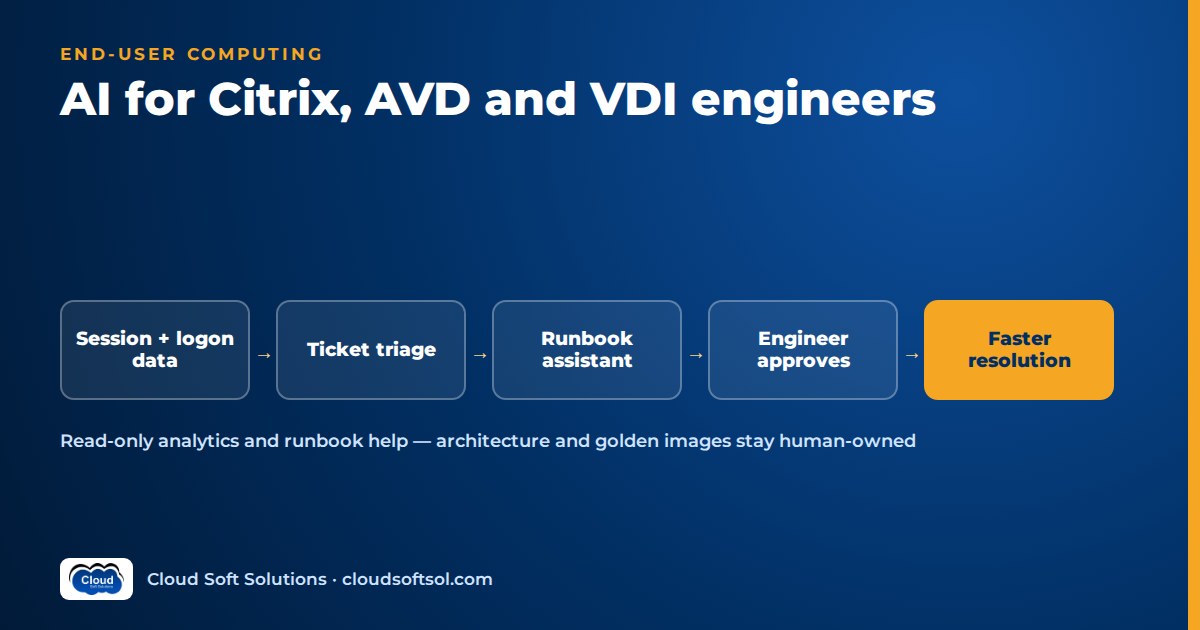
AI for Citrix admins and other end-user computing (EUC) engineers is mostly about reading telemetry, tickets and runbooks faster than a person can. It is not about letting a model rebuild your golden image. The useful jobs are summarising logon-duration and session data across hundreds of hosts, triaging "my desktop is slow" tickets, answering runbook questions, forecasting capacity and flagging risky image or patch changes. Architecture, image ownership and security decisions stay with engineers. This guide covers where AI helps Citrix, Azure Virtual Desktop (AVD) and VDI teams, which data it needs, how to build a safe read-only assistant, and which skills to add to your EUC career.
Why EUC is a good fit for AI assistance
EUC work produces a lot of signals and few clean answers. One bad Monday morning can involve broker logs, cloud metrics, event logs, FSLogix logs, Group Policy times and a queue of vague tickets. The root cause is usually one thing (a slow file share, a bad GPO, a host that never rejoined the pool), but finding it means going through all of that by hand.
Language models are good at a narrow part of this: reading lots of semi-structured text against a question and writing a short summary a human can check. They know nothing about your environment unless you give them the data, and they should never take irreversible actions on their own. If you already run Citrix, AVD or Horizon, you have the hard part: you know what normal looks like. AI makes that knowledge scale; it does not replace it.
Where AI helps EUC teams
Realistic use cases, by risk. Start at the top.
| Use case | What the AI does | Risk level | Human role |
|---|---|---|---|
| Log and session analytics | Summarises logon phases, errors and outliers across hosts | Low (read-only) | Validates the finding, decides the fix |
| Ticket triage | Classifies VDI tickets, attaches session context, suggests a queue | Low | Reviews routing rules and edge cases |
| Runbook assistant | Answers "how do we…" from your own runbooks, with sources | Low to medium | Owns runbook accuracy |
| Capacity forecasting | Explains trends and forecasts from historical concurrency | Medium | Approves scaling and budget changes |
| Image/patch change risk | Compares a new image or patch set against past incidents | Medium | Makes the go/no-go call |
| User self-service | Runs safe diagnostics and explains results to the user | Medium to high | Defines allowed actions and escalation |
Log and session analytics
Most teams see value here first, because logon data already breaks slowness into phases. Citrix monitoring data separates brokering, VM start, HDX connection, authentication, Group Policy, logon scripts, profile load and interactive session time. AVD connection data in Log Analytics records checkpoints for each connection attempt. Event logs on the session host add the Group Policy, User Profile Service and FSLogix detail.
An assistant can pull these for a time window, group them by host, delivery group or host pool, and tell you which phase got worse and what the logs on those hosts say. Nothing an engineer couldn't do, just in a minute rather than an hour, across every host.
Patterns it can surface:
- Black screens after logon tied to a shell, GPO or AppX provisioning delay
- FSLogix profile or Office container attach failures, lock contention and storage latency
- Temp profile logons or profile corruption on a subset of users
- Hosts that are registered but unhealthy, or drained and never put back into service
- Disconnects tied to a network segment, client version or gateway
Ticket triage for VDI issues
"Citrix not working" tickets are vague by nature. A triage step can look up the user's recent sessions (host, client version, logon duration, errors), attach that context and suggest whether the issue is user-side (home network, old client), platform-side (host, profile storage, broker) or application-side. The L2 engineer starts with evidence instead of a phone call.
Runbook assistants
EUC runbooks live across wikis, SharePoint and people's heads. A retrieval-augmented assistant (RAG — the model answers from documents you retrieve for it; see what RAG is and how it works) can answer "what's our process for resetting a corrupted FSLogix profile?" or "which GPOs apply to the finance host pool?" and cite the source page. Its value depends on your runbooks being current.
Capacity forecasting
Forecasting concurrency, CPU, memory and logon storms is a statistics problem, not an LLM problem. Use normal time-series methods for the numbers and the model for the narrative, for example explaining to a change board that peak sessions in the call-centre pool now hit the autoscale maximum on Monday mornings.
Image and patch change risk
Before a new golden image or patch set goes live, an assistant can compare the change list (KBs, agent versions, app updates, GPOs) against incident history, for instance noting that past changes to the VDA and FSLogix in the same window were followed by profile issues. That is a prompt for a better pilot ring, not a decision.
User-facing self-service
"My desktop is slow" suits self-service because the diagnostics are standard: which host, its load, round-trip latency, profile container health, client version. A chat assistant can run read-only checks, explain the result and offer a few pre-approved actions, such as logging off a hung session. Anything else becomes a ticket with the diagnostics attached. Users are on the other end, so build this last.
A note on vendor AI features
Citrix, Microsoft and Omnissa (formerly VMware's EUC business) have all been adding analytics and AI-assisted features to their consoles and monitoring products, and these change quickly. Before building anything custom, check the current product documentation and licensing for your platform; the feature may already exist. Custom work makes sense where you need to correlate across products, such as Citrix sites, AVD pools, ServiceNow tickets and your own runbooks.
The data sources an EUC assistant needs
An AI assistant is only as good as the data it can read. For most EUC estates, that means four groups:
- Citrix monitoring data. Session, logon duration breakdown, connection failure and machine data from the monitoring service and its OData API (the data behind Director). Cloud and on-premises deployments differ in authentication, so check the docs for your version.
- Azure Monitor and Log Analytics for AVD. AVD diagnostic settings send connection, error, checkpoint and host-health data to a Log Analytics workspace, alongside session host counters and events. You query it with KQL (Kusto Query Language).
- Windows event logs. Group Policy, User Profile Service, FSLogix, logon and application crash events, ideally read from your existing SIEM or log platform rather than each host.
- ITSM and knowledge. Tickets, problem and change records, and runbooks from ServiceNow, Jira or similar.
This KQL lists recent AVD errors per resource; adjust names to what your workspace contains:
WVDErrors
| where TimeGenerated > ago(4h)
| summarize errors = count() by _ResourceId, CodeSymbolic
| order by errors desc
| take 20
The assistant should run vetted queries like this through a tool, not write arbitrary queries against production.
Worked example: summarising a logon-slowness incident
Consider a hospital that publishes clinical applications through a Citrix site for ward PCs and runs AVD host pools for administrative staff. This is an illustrative scenario, not a real customer. At 8:40 on a Monday the service desk sees a jump in "logon taking forever" tickets from administrative staff. An on-call EUC engineer asks the team's assistant: "Summarise logon performance in the admin AVD host pools for the last two hours compared with last Monday."
Engineer question
      |
      v
Assistant (read-only tools)
  |-- KQL: connections + checkpoints, by host
  |-- KQL: session host perf counters
  |-- Event logs: GPO, Profile, FSLogix
  |-- ITSM: open tickets + recent changes
      |
      v
Summary + evidence links + suggested checks
      |
      v
Engineer validates -> change/approval -> fix
The assistant calls a handful of pre-approved queries and returns something like this:
Logon time in host pool ADMIN-02 is well above last Monday's baseline; ADMIN-01 is normal. The slowdown is in the profile load phase on 6 of 14 hosts in ADMIN-02. All 6 were re-imaged from the new image version during Sunday's maintenance change. FSLogix operational logs on those hosts show repeated container attach retries and slow open times against the same profile share. The other 8 hosts, still on the previous image, show no retries. CPU and memory are normal. 23 open tickets match users on the affected hosts. Suggested checks: compare FSLogix settings between the two images; check latency on the profile share. Sources: queries Q1–Q4, change record for Sunday's image update.
The assistant did not drain hosts, roll back the image or edit registry settings. The engineer confirms the new image picked up a changed FSLogix setting and raises an emergency change to drain the six hosts while the image owner fixes it. An hour of console clicking became a few minutes, and the decision stayed with the accountable person. For a Citrix delivery group, only the first tool changes: it queries Citrix monitoring data instead of Log Analytics.
To get hands-on with host pools, FSLogix, scaling plans and the diagnostics this example relies on, Cloudsoft's Azure Virtual Desktop course covers AVD hands-on, in the Ameerpet classroom or live online.
What stays human
Some parts of EUC work should stay with engineers no matter how good the tooling gets:
- Architecture. Citrix vs AVD vs Windows 365 vs Horizon, multi-session vs personal desktops, profile and storage strategy, networking, DR and licensing are cost, experience and risk trade-offs that need accountability.
- Golden image ownership. An image is a security and stability boundary for every user on it. A named engineer owns its contents, test plan and pilot rings. AI can review a change list; it should not build or promote images.
- Security. Conditional access, session policies, clipboard and drive mapping rules and privileged access have audit consequences. An assistant that reads session data holds sensitive information, so review its own access like any privileged tool.
- Incident communication. The assistant can draft the status message; a person decides what a clinical ward is told.
Building an EUC assistant safely
A small Python service, a model from your approved provider (Azure OpenAI, Amazon Bedrock or similar), a few tools and a vector store for runbooks is enough for a pilot. The design principles matter more than the stack.
1. Read-only access first
Give the assistant a dedicated identity with read-only roles: Log Analytics reader on the AVD workspace, a read-only Citrix administrator scope, read access to logs and ITSM. No shared service accounts, and log every query with who asked.
2. Vetted tools, not free-form access
Wrap each query as a named tool with parameters, such as get_logon_breakdown(host_pool, window) or get_recent_changes(ci). The model picks the tool and parameters, which keeps results predictable and testable.
3. RAG over your runbooks
Index runbooks, known-error records and post-incident reviews, split by procedure, with source link and last-updated date as metadata, and make the assistant cite sources. Stale runbooks cause most wrong answers, so assign owners and review dates.
4. Approvals for any action
When you add actions such as draining a host or logging off a session, put each behind a human approval step and your change process. Start with reversible actions, keep a strict allow-list and never give the model a generic "run PowerShell" tool. The DevOps AI agent project walkthrough shows the same approval pattern applied to infrastructure operations.
5. Observe and evaluate it
Trace every request (question, tools called, data, answer, engineer verdict) and keep an evaluation set of past incidents with known root causes to re-run after any change. The AI observability guide covers how to trace and monitor LLM applications in more depth.
Taking an assistant like this from a team pilot to a governed, production system across many customer environments is what Forward Deployed Engineers do. If that direction interests you, Cloudsoft's FDE PRO program covers it end to end.
Skills EUC engineers should add
You don't need to become a data scientist. The gaps are specific and learnable alongside your day job.
| Skill | Why it matters for EUC + AI | Where to start |
|---|---|---|
| PowerShell to Python | Most AI SDKs, RAG libraries and agent frameworks are Python-first. Your PowerShell logic carries over. | Rewrite one reporting script in Python and call an API from it |
| KQL | The query language for Log Analytics, AVD Insights and much of Microsoft's monitoring and security stack | Rebuild your top three AVD dashboards as saved queries |
| REST APIs and OData | How you pull Citrix monitoring, Graph and ITSM data into any tool | Query session data from the monitoring API with a read-only account |
| Basic LLM and RAG concepts | Prompts, embeddings, retrieval, tool calling, evaluation and their failure modes | Build a runbook Q&A over a dozen of your own documents |
| Identity and access design | AI tools need least-privilege identities and audit trails | Map which Entra ID or Citrix roles a read-only assistant needs |
Many EUC teams also manage Intune devices, and the same pattern applies there. See the Intune endpoint troubleshooting AI agent project for a worked build, and Cloudsoft's Microsoft Intune course for the platform itself.
How this extends a Citrix or AVD career
EUC roles are not disappearing; they are moving towards cloud-hosted desktops, automation and data-driven operations. In GCC IT teams in Hyderabad and Bengaluru, and in services firms running managed desktop contracts, the engineers who stand out can say "I built the assistant that cut our logon triage time."
A practical path looks like this:
- Deepen the platform. Keep current on Citrix and add AVD, because most estates are hybrid now. Cloudsoft's Citrix training and VMware course cover the on-premises and hypervisor side.
- Automate and query. Use Python and KQL in your daily reporting and troubleshooting.
- Build one read-only assistant for your own team: runbook Q&A plus logon analytics.
- Grow into a platform, SRE or AI-operations role, or into architecture, using that assistant as your evidence.
For the longer view of EUC career stages, see the Citrix career roadmap from beginner to architect. If you are thinking about a bigger move out of virtualisation, from Citrix/VMware admin to AI and cloud engineer lays out the transition step by step.
Frequently asked questions
How can AI help Citrix admins day to day?
The most practical uses are summarising logon duration and session data across many machines, attaching session context to tickets, answering runbook questions with cited sources and reviewing patch change lists against past incidents. All work with read-only access.
Will AI replace Citrix and VDI engineers?
No. AI shortens evidence gathering, but architecture, golden image ownership, security and change decisions still need accountable engineers. The role shifts towards automation and data.
What data does an AI assistant for Azure Virtual Desktop need?
Typically AVD diagnostic data in Log Analytics (connections, errors, checkpoints, host health), session host counters and event logs, FSLogix logs, and your tickets and runbooks, read through vetted queries with a read-only identity.
What is AIOps for VDI?
AIOps for VDI means applying analytics and AI to virtual desktop operations data to detect anomalies, correlate events across hosts and speed up root-cause analysis. It combines classic monitoring and statistics with language models that explain findings to engineers.
Should an AI assistant be allowed to restart hosts or log users off?
Only after the read-only version has proven reliable, and only through a strict allow-list of reversible actions, each behind human approval and your change process. Never give it generic script execution or broad admin rights.
Do Citrix and Microsoft already include AI features?
Both vendors have been adding analytics and AI-assisted capabilities to their products, and these change frequently. Check current product documentation and licensing before building something custom.
Do I need to learn Python if I already know PowerShell?
It helps. Most AI SDKs and agent frameworks are Python-first, and your PowerShell logic transfers well. Keep PowerShell for Windows and Citrix automation; add Python for the AI layer.
Which skill should an EUC engineer learn first for AI work?
For AVD and Microsoft-heavy estates, start with KQL because it unlocks Log Analytics data immediately. Then add Python and basic RAG by building a small runbook assistant.
Ready to strengthen the platform skills that every EUC AI use case depends on? Explore Cloudsoft's Citrix Virtual Apps and Desktops training in Hyderabad or the Azure Virtual Desktop training, available in our Ameerpet classroom beside Ameerpet Metro or live online. Call +91 96660 19191 to book a free demo.


