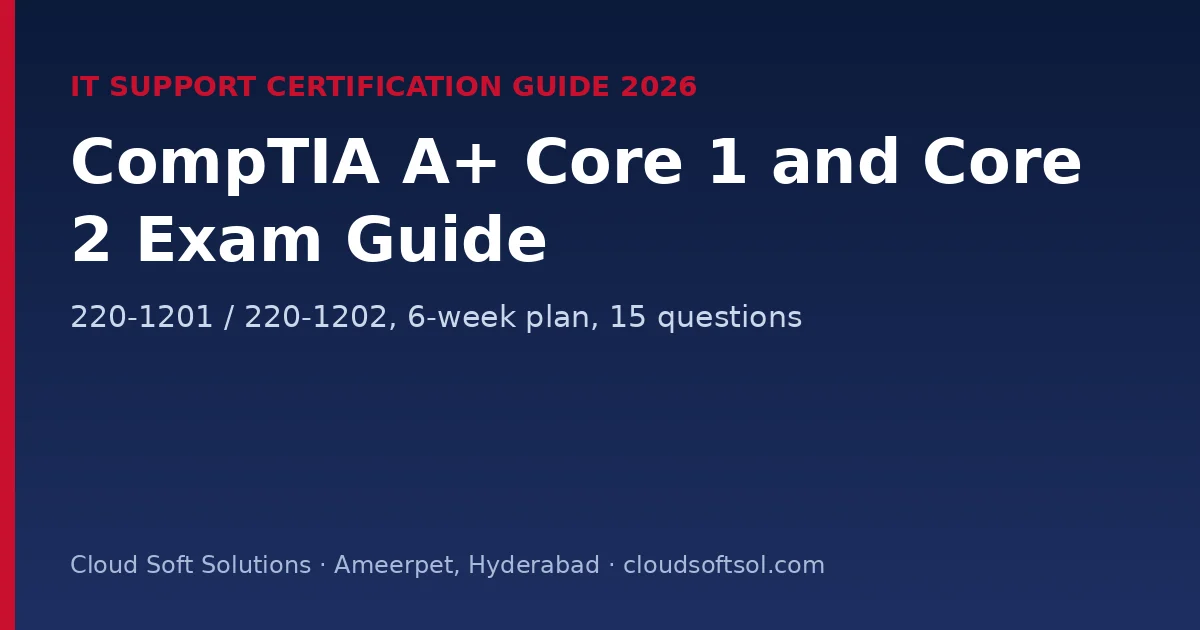
CompTIA A+ (V15) is the entry-level certification for IT support jobs. CompTIA says it appears in more tech support job listings than any other IT credential. You need to pass two exams, in any order: Core 1 (220-1201) covers hardware, mobile devices, networking, virtualisation and cloud, and troubleshooting, and Core 2 (220-1202) covers operating systems, security, software troubleshooting and operational procedures. For freshers in India aiming at help desk, desktop support, service desk and global IT support roles, A+ is a common first certificate.
This guide follows CompTIA's official V15 pages: both exams' domains and weights, the topics that carry the most marks, a 6-week plan for both cores and 15 original practice questions.
Quick facts (CompTIA, November 2026)
| Item | Core 1 (220-1201) | Core 2 (220-1202) |
|---|---|---|
| Launched | 25 March 2025 | 25 March 2025 |
| Questions | Maximum 90 (multiple choice, drag-and-drop, performance-based) | Maximum 90 (same formats) |
| Duration | 90 minutes | 90 minutes |
| Passing score | 675 (scale up to 900) | 700 (scale up to 900) |
| Retirement | Estimated 2028 | Estimated 2028 |
CompTIA recommends 12 months of hands-on experience in an IT support role. Freshers can pass with good lab practice. Check the official CompTIA A+ page for voucher prices in India and bundle offers.
Core 1 (220-1201): domains and weights
| Domain | Weight | Key topics |
|---|---|---|
| Hardware and Network Troubleshooting | 28% | Diagnosing hardware, network and connectivity problems; diagnostic tools |
| Hardware | 25% | RAM, CPUs, storage; cables and connectors; peripherals; motherboards, power and cooling |
| Networking | 23% | Protocols and ports, wireless, SOHO network setup, networking tools |
| Mobile Devices | 13% | Installing mobile hardware, accessories and wireless connections; troubleshooting |
| Virtualization and Cloud Computing | 11% | Virtual machines, hypervisors, desktop virtualisation, cloud service models |
Core 2 (220-1202): domains and weights
| Domain | Weight | Key topics |
|---|---|---|
| Operating Systems | 28% | Installing Windows, macOS, Linux and mobile OSes; Task Manager, Command Prompt, Disk Management; file systems, updates and upgrades |
| Security | 28% | Encryption, access controls, wireless security; detecting, removing and preventing malware |
| Software Troubleshooting | 23% | OS and application problems; mobile app and performance issues; unauthorised access and malware |
| Operational Procedures | 21% | Documentation and change management; safety and communication; backup and recovery |
Troubleshooting is 28% of Core 1 and software troubleshooting 23% of Core 2. Many questions describe a user's problem and ask for the most likely cause or the next step, so practise the troubleshooting method rather than memorising lists.
CompTIA troubleshooting method
- Identify the problem (ask the user, check what changed, back up data first).
- Establish a theory of probable cause (question the obvious).
- Test the theory to determine the cause.
- Establish a plan of action and implement the solution.
- Verify full system functionality and implement preventive measures.
- Document findings, actions and outcomes.
Windows commands support engineers use daily
ipconfig /all           :: IP, DNS, DHCP details
ipconfig /release & ipconfig /renew
ping 8.8.8.8 && nslookup example.com
sfc /scannow            :: repair protected system files
DISM /Online /Cleanup-Image /RestoreHealth
chkdsk C: /f            :: check and fix file system errors
gpupdate /force         :: re-apply group policy
gpresult /r             :: which policies applied
net use Z: \\server\share
winver                  :: Windows version and build
msinfo32                :: system information
6-week plan for both cores
| Week | Focus | Lab |
|---|---|---|
| 1 | Core 1: hardware (CPU, RAM, storage, power, cooling), cables and connectors | Open an old desktop; identify and reseat every component |
| 2 | Core 1: networking (ports, Wi-Fi standards, SOHO router), mobile devices, virtualisation and cloud | Set up a home router securely; create a VM in VirtualBox or Hyper-V |
| 3 | Core 1: hardware and network troubleshooting; mock exam | Fix five deliberately broken setups (no IP, no display, no boot) |
| 4 | Core 2: Windows installation, tools, file systems, macOS and Linux basics | Install Windows and Ubuntu; use Disk Management and the command line |
| 5 | Core 2: security, malware removal steps, wireless security, social engineering | Practise the malware removal steps on a test VM |
| 6 | Core 2: software troubleshooting, operational procedures, backups; mock exams | Write a change request and a backup plan; book both exams |
15 practice questions with answers
These are original questions written for this guide, not exam questions.
1. A PC powers on, fans spin, but there is no display and it beeps repeatedly. What do you check first?
RAM seating (beep codes often mean memory), then the graphics card and display cable.
2. A laptop battery swells and the touchpad lifts. What do you do?
Stop using it, power it off and replace the battery safely. A swollen lithium battery is a fire risk.
3. Which port does RDP use?
3389.
4. A user's PC has 169.254.x.x and no internet. What is the cause?
No DHCP lease. Check the cable or Wi-Fi, then the DHCP server, and run ipconfig /renew.
5. Which Wi-Fi security should a new SOHO router use?
WPA3 (or WPA2-AES if older devices need it), with the default admin password changed.
6. Which cloud model gives users ready-made software such as webmail?
SaaS.
7. Which hypervisor type runs directly on hardware?
Type 1 (bare-metal).
8. Windows shows "Operating system not found" after a new drive was added. What do you check?
The boot order in UEFI/BIOS, and that the right drive is the boot device.
9. Windows system files are corrupted after a crash. Which command repairs them?
sfc /scannow (and DISM if SFC cannot fix them).
10. Which file system should a USB drive used on both Windows and macOS use for large files?
exFAT.
11. What is the first step of CompTIA's malware removal process?
Investigate and verify the malware symptoms.
12. A caller claiming to be from IT asks for a user's password. What is this?
Social engineering (vishing). Never share passwords; report it.
13. A user must not install software but should use apps normally. Which account type?
A standard user account (least privilege).
14. Which backup type copies only files changed since the last full backup, and keeps growing until the next full backup?
Differential.
15. You're replacing RAM. What protects the components from static?
An ESD wrist strap and mat, with the PC unplugged.
After A+
- Build networking with Network+ or CCNA, then security with Security+.
- Move toward cloud support with AZ-900 or AWS Cloud Practitioner, and endpoint management with MD-102.
- See live jobs for freshers.
Cloud Soft Solutions in Ameerpet, Hyderabad trains freshers for IT support, cloud and DevOps roles with real-time labs. See the APEX program and all courses.
📞 Call +91 96660 19191 · WhatsApp · Flat No. 513, 5th Floor, Nilagiri Block, Aditya Enclave, Ameerpet, Hyderabad
Frequently Asked Questions
What are the current CompTIA A+ exam codes?
Core 1 is 220-1201 and Core 2 is 220-1202 (V15), both launched on 25 March 2025.
Do I need both A+ exams?
Yes. You must pass Core 1 and Core 2, in any order, to earn A+.
What are the A+ passing scores?
675 for Core 1 and 700 for Core 2, on a scale up to 900.
How long is each A+ exam?
90 minutes, with a maximum of 90 questions including performance-based items.
Which A+ domains carry the most weight?
Hardware and Network Troubleshooting (28%) in Core 1; Operating Systems and Security (28% each) in Core 2.
When will A+ V15 retire?
CompTIA estimates 2028, about three years after launch.