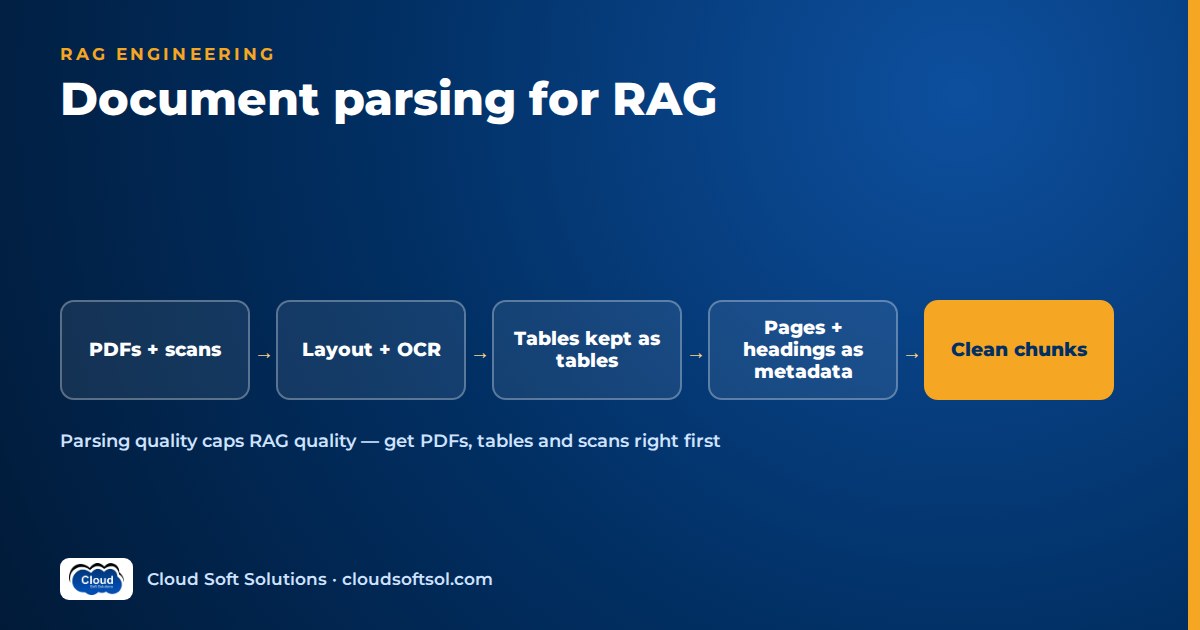
Document parsing for RAG is the step that turns PDFs, scans, spreadsheets, slides, emails and wiki pages into clean text with structure: reading order, headings, tables, page numbers and version. Your retrieval and your answers can only be as good as the text the parser produces, so a weak parser puts a ceiling on RAG quality that no embedding model, reranker or prompt can raise.
Parsing is one stage of a wider ingestion flow. Connectors, incremental sync, permissions and re-indexing are covered in data pipelines for RAG, and how to split the parsed output is covered in RAG chunking strategies. This article covers the step in between.
Why parsing quality caps RAG quality
Each later stage of a RAG system works only on what the parser gives it. If a two-column page is read straight across both columns, every chunk from it mixes two unrelated sentences. If a table loses its header row, the number "50,000" ends up in the index with nothing to say what it is. If a scan comes out as broken characters, its embedding is noise that can still be retrieved.
These failures are silent: the system answers with confidence from half-read sources, and the team blames the model. Trace bad answers back and you often find a chunk that was already wrong before it was embedded, so look at parsed output before you tune chunk sizes or swap embedding models.
Digital PDFs: text layer, reading order and columns
A digital (born-digital) PDF has a text layer, but a PDF describes where glyphs go on a page, not paragraphs or reading order. Basic extractors read the text in the order it was written into the file, which may not match the order a person reads it.
- Check the text layer first. Some "digital" PDFs are image-only or carry a poor old OCR layer. Very few characters per page, or many outside the expected scripts, means send the page to OCR.
- Reading order and multi-column layouts. Layout-aware parsers find text blocks, group them into columns and order them. Test on your own two-column pages.
- Headers, footers and page numbers. Detect lines that repeat in the same position on most pages and remove them, but log the page number before you do, because you need it for citations.
- Headings. Heading levels come from font size, weight and numbering ("4.2.1"). If the PDF has bookmarks (an outline), they are often the most reliable heading tree available.
Scanned PDFs and OCR for RAG
Scanned documents have no text layer, so you need OCR. Most OCR quality is decided before recognition starts: de-skew, rotate, crop and denoise the image, and detect blank pages. The enterprise document intelligence project covers form extraction and handwriting in depth. For RAG the questions are simpler: is the page readable enough to index, and is the order right?
- Keep word-level confidence and compute a page score. Low-scoring pages go to quarantine, not the index.
- Keep coordinates. Bounding boxes let a citation highlight the source region on a faded scan.
- Use a layout model on top of OCR. Plain OCR gives you lines. You still need block detection, column ordering and table detection, as with digital PDFs.
- Treat stamps, signatures and handwritten notes as their own elements. A handwritten "cancelled" changes what a page means.
Tables in RAG: keeping the structure
Tables are where parsers differ most, and where many enterprise answers live: rate cards, limits, waiting periods, fee schedules. A flattened table produces answers that look plausible and are wrong.
Represent tables explicitly
- Markdown is compact and LLMs read it well, but it can't express merged cells or multi-row headers.
- HTML keeps
rowspanandcolspan, so use it for complex tables. - Header normalisation: for multi-row headers, combine each column's header path into one label ("Room rent / Single private room") so every cell has a clear label.
- Tables that continue across pages: detect a continued table (same columns, a repeated header or none) and stitch the parts together before chunking.
Index tables in more than one form
No single representation serves every query. A common pattern stores three:
- The whole table (Markdown or HTML) with its caption and heading path. This goes to the model as context.
- Row-level chunks in which each row becomes a self-contained statement with its column headers repeated, for example "Plan Gold, pre-existing diseases: waiting period 36 months". Exact lookups match these well.
- A table summary written by an LLM ("Waiting periods by plan for pre-existing diseases, specific illnesses and maternity"). It is embedded so that broad questions find the table, and it always points back to the original table, never replaces it.
If users ask for exact values filtered by several columns, the data may belong in a database queried through a tool rather than in a vector index. Chunking strategies for tables covers how to split large tables into chunks.
Images, charts and diagrams
Figures carry meaning text extraction never sees. Options, in rising order of cost:
- Captions and nearby text: always link a figure to its caption and the paragraph that refers to it ("see Figure 2").
- OCR on the figure: picks up axis labels, legends and text inside diagrams.
- Vision-model descriptions: a multimodal LLM writes a description of a chart or diagram (trend, axes, key values, components and connections). Index it labelled as model-generated, linked to the page image.
Don't trust values that a vision model reads off a chart for anything that has to be exact. Prefer the source data table where one exists. The trade-offs of multimodal models are covered in multimodal AI in the enterprise.
Word, PowerPoint and Excel
Office files are structured XML underneath. Use that structure instead of converting them to PDF first.
- Word: read heading styles to get the section tree. Keep numbered lists, tables and footnotes. Index accepted text, not tracked changes or reviewer comments.
- PowerPoint: take one slide as a unit, including its title, body, tables and speaker notes, in reading order. Text boxes have no fixed order, so sort them by position. Embedded charts often carry their data inside the file.
- Excel: a workbook is not a document. Find header rows, named ranges and separate table regions on each sheet. Handle hidden sheets deliberately and read calculated values, not formulas. Large operational sheets usually belong in a database behind a query tool.
Emails with attachments
An email thread is a parent document with children. Parse the message body, strip quoted replies already indexed from earlier messages, remove signatures and legal footers, and keep sender, recipients, date and subject as metadata. Each attachment goes through its own parser and becomes a child document linked to the email. Nested attachments need a depth limit and a file-type allowlist. Mailboxes are dense with personal data, so apply your PII and access rules before indexing, not after.
HTML and wiki pages
Web and wiki pages look easy, but most of each page is boilerplate. Extract the main content region. Drop navigation, breadcrumbs, cookie banners, footers and "related pages" widgets. Convert headings, lists, code blocks and tables to Markdown. Expand collapsed sections and tabs, because the content inside them is often what users ask about. Resolve macros and includes where you can, and keep the canonical URL plus the page's last-edited version for citations.
Layout-aware parsing tools: three categories
Rather than recommending a product, here are the three categories you will evaluate. Many production pipelines combine them and route each page to the cheapest one that handles it.
| Category | Strengths | Watch for |
|---|---|---|
| Open-source parsing libraries (PDF text extractors, Office converters, layout and table detection models, open OCR engines) | Run inside your network, low cost per page, full control, easy to version | Quality varies by layout, you run and scale them yourself, and Indian-script OCR needs the right language models |
| Cloud document AI services (managed OCR, layout and table extraction APIs from the major cloud providers) | Good on scans and forms, return tables and key-value pairs, scale without work on your side | Charged per page, data leaves your boundary (check region and contract terms), output format tied to the vendor |
| Vision-LLM parsing (a multimodal model turns page images into Markdown or JSON) | Handles complex layouts, charts and messy tables, and is flexible through prompts | Highest cost and latency, can hallucinate or quietly skip text, needs strict prompts and output checks |
Choose using a labelled sample of your own documents, scoring reading order and table fidelity per document type.
Preserving metadata: pages, headings and versions
The parser is the last point at which some metadata can be recovered. Write one normalised output, such as a JSON tree of typed elements (heading, paragraph, table, figure) or Markdown with a metadata sidecar, and put on every element:
- Page numbers for every element, including the start and end page of any element that crosses a page break. Citations like "Policy wording, p. 12" build trust. Record both the physical page index and the printed page label, because they often differ.
- Section heading path ("Section 4 > Exclusions > 4.3 Permanent exclusions"). Chunkers use it for contextual headers.
- Document version and effective date, from the file's own metadata, the cover page or the source system. Without it, retrieval mixes last year's terms with this year's.
- Parser name and version on every output, so you can find and reprocess everything a buggy parser release touched.
- Element type and confidence, so later stages can treat low-confidence OCR or model-generated descriptions differently.
Want to build ingestion and retrieval like this on real documents, not toy PDFs? Cloudsoft's AI, GenAI and Agentic AI course covers parsing, chunking, embeddings, retrieval and evaluation as one connected workflow.
Quality checks you can automate
Parsing needs its own tests, run on every parser change and sampled continuously in production:
- Golden set by document type. A small labelled set of hard pages (two-column, scanned, table-heavy, Indian-language) with expected output, compared on every parser change.
- Garbage-text detection. Flag pages with an unusual share of non-dictionary tokens, replacement characters, characters outside the expected Unicode ranges, very short or very long "words", or almost no text. These catch broken font encodings and failed OCR.
- Table fidelity tests. For golden tables, check that the row count, column count, header labels and a set of specific cell values match. A right-shaped table with shifted columns is worse than a loud failure.
- Human sampling. Each week, reviewers compare page images with parsed output for a random sample per source. Fix findings in the pipeline, not per document.
- End-to-end evaluation. Parser changes should move retrieval metrics. Track context recall and faithfulness from RAG evaluation metrics before and after.
Indian-language documents and mixed scripts
Indian enterprises regularly index documents in Hindi, Telugu, Tamil, Kannada, Marathi, Bengali and other languages, often mixed with English on the same page: bilingual circulars, regional-language policy schedules, Telugu letters with English terms.
- Font encoding issues. Older Indic PDFs often use legacy, non-Unicode fonts. Text extraction "succeeds" but returns Latin characters or symbols that are meaningless. Unicode-range checks catch this. The fix is OCR on the rendered page or a font-specific mapping, not trusting the text layer.
- Conjuncts and vowel signs. Even with Unicode fonts, extraction can reorder vowel signs or break conjuncts. Native readers in your sampling team will spot it.
- OCR language configuration. Set every script you expect on each page. An OCR engine set to English alone will turn Devanagari into garbage without raising an error.
- Script detection per block. Tag each element with its detected language and script. Route those chunks to a multilingual embedding model.
Cost trade-offs
Parsing cost grows with page volume and with how heavy the method is. The pattern that holds up is tiered routing:
- A fast first pass over all documents: native text extraction for Office files, HTML and digital PDFs with a good text layer.
- Layout models or cloud document AI only for pages that fail quality checks or contain tables and scans.
- Vision-LLM parsing only for the hardest pages: complex tables, charts and heavily formatted pages that matter to users.
Other levers: cache parsed output by content hash, reprocess from stored raw files rather than re-crawling, and run large backfills in batch mode off-peak. General AI cost levers are covered in cloud cost optimisation for AI.
A parsing pipeline at a glance
 raw file (stored, hashed)
        |
   detect type + text layer
        |
  +-----+-----------+--------------+
  |                 |              |
 native          layout /        vision-LLM
 extract         OCR parser      (hard pages)
  |                 |              |
  +--------+--------+--------------+
           |
   normalise to document tree
   (headings, tables, pages, version)
           |
   quality checks --fail--> quarantine
           |
         pass
           |
   chunk -> embed -> index
Illustrative example: an insurer's policy wordings
Consider an Indian general insurer building an assistant that lets service agents answer policyholder questions from health policy wordings. The corpus spans several plans and versions: two-column digital PDFs, older scan-only versions, large benefit tables, separate endorsements and some regional-language wordings.
A prototype built on a basic PDF extractor did well in the demo and failed in testing. Asked about a waiting period under one plan, it quoted another plan's value, because the flattened benefit table had separated row labels from values. It also quoted superseded versions, because nothing recorded versions.
The redesigned parsing step:
- Layout-aware parsing for two-column pages, stripping headers and footers but keeping page labels.
- Benefit tables extracted as HTML, stitched across pages, and indexed whole, row by row and as a summary.
- OCR on legacy scans behind a page-confidence gate, with low scorers sent to review.
- Plan, version, effective date and section path on every element, with endorsements as linked child documents so answers can flag "modified by endorsement".
- OCR configured for regional scripts, and Unicode-range checks that caught a legacy-font PDF.
Citations now showed plan, version, section and page, which agents could check in seconds. The same design suits banks parsing product terms and circulars, as in generative AI in banking. Taking a pipeline like this from prototype to a production system inside a customer's environment is typical work for a Forward Deployed Engineer, which Cloudsoft's FDE PRO program trains for.
Common mistakes
- Tuning chunking or embeddings before looking at parsed output. Read the parsed text of hard pages first.
- One parser for every file type. Converting Office files to PDF discards structure.
- Flattening tables to plain text. Row labels separate from values and answers turn confidently wrong.
- Dropping page numbers with the footers. Record the page before stripping it, or citations become impossible.
- Indexing vision-model output as fact. Label it as model-generated and keep the page image for checking.
- No parser version on outputs. You can't find what a buggy release touched.
FAQ
What is document parsing for RAG?
It is the step that converts source files such as PDFs, scans, Office documents, emails and web pages into clean, structured text with reading order, headings, tables and metadata like page numbers and version, ready for chunking and embedding.
Why do PDFs cause so many RAG problems?
A PDF records where characters sit on a page, not paragraphs or reading order. Basic extractors mix up columns, merge headers and footers into the text and flatten tables, so retrieval works on scrambled content.
How should tables be handled in RAG?
Extract them as Markdown or HTML with headers intact, stitch tables that continue across pages, and index the whole table, row-level chunks with repeated headers, and a short summary that points back to the original.
Do I need OCR for RAG?
Yes, for scanned or image-only pages and for PDFs with unreliable text layers. Keep OCR confidence and coordinates, and send low-confidence pages to review instead of indexing them.
Is vision-LLM parsing better than traditional parsers?
It handles complex layouts and charts well, but it costs more, runs slower and can skip or invent text. Most teams use it only for the hardest pages and validate its output.
What metadata should a parser preserve?
Page numbers including printed page labels, the section heading path, document version and effective date, element type, OCR or extraction confidence, and the parser name and version.
How do I parse Hindi, Telugu or other Indian-language documents?
Check for legacy non-Unicode fonts using Unicode-range tests, configure OCR for every expected script, detect script per text block, normalise Unicode consistently and have native readers review samples.
Parsing is where many RAG projects quietly succeed or fail. If you want to learn to build retrieval systems that hold up on real PDFs, tables and scans, explore Cloudsoft's AI, GenAI and Agentic AI training in Hyderabad, in our Ameerpet classroom beside Ameerpet Metro or live online. Call +91 96660 19191 to book a free demo.


