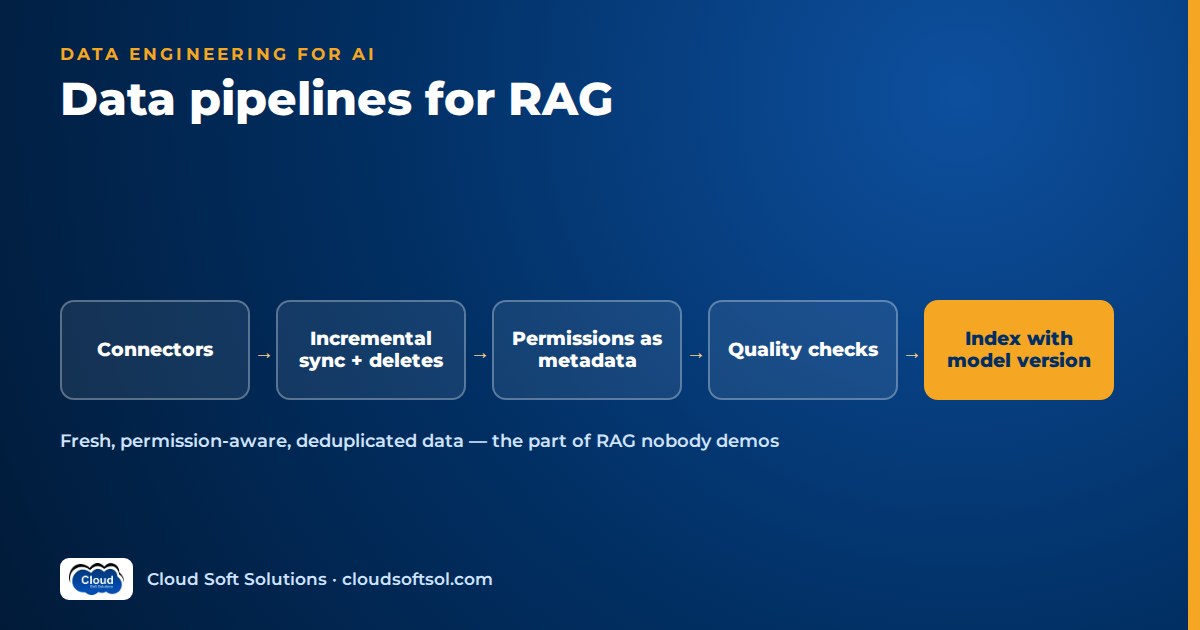
A RAG data pipeline pulls documents out of enterprise sources, turns them into clean, permissioned, versioned chunks and keeps the vector index in step with those sources as they change. Many production RAG failures that look like model problems are really pipeline problems: a stale policy still being cited, a deleted file still being retrieved, or a document shown to someone who lost access last week. This guide covers the data engineering side of ingestion: connectors, incremental sync, deletes, permission sync, quality checks, orchestration and observability.
Splitting documents into passages is covered in RAG chunking strategies. Here chunking is one stage, and the focus is everything around it.
What a RAG data pipeline actually does
A notebook demo loads a folder of PDFs once. A production RAG ingestion pipeline has to answer these questions on every run: what changed and what was deleted, who may see each document right now, whether the extracted text is usable, which parser and embedding model produced each vector, and how far behind the sources the index is.
  Sources: SharePoint | Confluence | Drive
           file shares | DBs | tickets
                   |
                   v
  [Connectors] -- change feed / crawl
                   |
                   v
  [Raw store]  (original bytes + metadata)
                   |
                   v
  [Extract & parse] --> [Quality checks] --x--> Quarantine
                   |
                   v
  [Enrich: metadata, ACLs, PII, dedup]
                   |
                   v
  [Chunk] --> [Embed (model vN)] --> [Index]
                   |
                   v
  [Retrieval API]  <-- ACL filter per query

  Orchestrator + queues drive every stage
  Metrics: lag, failures, freshness SLO
Sources and connectors
Each source has its own API, authentication, rate limits and way of reporting change. A connector hides that and emits a uniform record: document ID, content or a pointer to it, source metadata, permissions and a change type (created, updated, deleted).
| Source type | Change detection | Typical gotchas |
|---|---|---|
| SharePoint / OneDrive via Microsoft Graph | Delta queries return changed and deleted items since a stored token | App registration scope in Microsoft Entra ID, throttling, inherited permissions, sharing links |
| Confluence-style wikis | List or search by last-modified time | Deletes and archived spaces may not show up in "modified since" queries; attachments and macros |
| Google Drive | Changes feed with a page token | Native Docs and Sheets must be exported; shared drives versus personal drives |
| File shares | Crawl comparing modified time and hash | No change feed, very large trees, file-system ACLs to map to directory groups |
| Databases | Change data capture or an updated_at watermark | Rows must be rendered as text; hard deletes vanish without CDC |
| Ticketing (ServiceNow, Jira and similar) | Query by updated time; webhooks | Comments and work notes with different visibility; attachments |
Connector rules that save pain later:
- Read-only, least-privilege credentials, scoped to the sites, spaces or tables the business agreed to index during discovery.
- Persist the cursor (delta token, page token, watermark) only after the batch is safely written downstream, or a crash skips changes forever.
- Back off on throttling and honour retry-after headers.
- Store raw bytes in object storage before parsing, so a parser change means reprocessing from your store, not re-crawling the source.
Extraction and parsing
Document ingestion for LLM use starts with turning files into structured text. Keep headings, lists and tables from Office files and HTML as markup rather than flattening them. Use a layout-aware parser for PDFs to get reading order, columns and tables right. Scanned documents need OCR with a confidence signal, and low-confidence pages belong in quarantine, not the index; the enterprise document intelligence project covers scans in depth. Strip boilerplate from wiki pages and tickets, such as navigation, signatures and quoted email chains, or it dominates retrieval.
Write a normalised intermediate format, such as Markdown or a JSON tree of sections with page numbers, and record the parser name and version on it. Chunking then works from one format whatever the source.
Incremental sync, deletes and tombstones
Re-indexing everything nightly is fine for a few thousand documents and breaks at enterprise scale: slow, expensive in embeddings and only as fresh as the slowest source. Incremental indexing for RAG processes only what changed:
- Use the source's change feed where one exists.
- Hash extracted content. A metadata-only edit such as a rename updates metadata without re-embedding. A changed hash triggers re-chunking.
- Hash chunks too, so one edited section of a long manual re-embeds only its own chunks, using the deterministic chunk IDs described in the chunking guide.
Deletes must actually delete
A deleted or withdrawn document must disappear from the index. Teams get this wrong most often, because nothing visibly breaks. Use three mechanisms together:
- Tombstones. When a source reports a delete, write a tombstone (document ID, source, deleted-at) and have the indexer remove every chunk for that ID. Keep tombstones for a while so a delayed update event cannot resurrect the document.
- Reconciliation sweeps. Periodically list all document IDs in scope at the source and compare them with the index. Orphans get tombstoned. This catches sources that do not report deletes, missed webhooks and scope changes.
- Status rules. A "superseded" policy may still exist in the source. Agree with the owner whether it is removed or kept but filtered out by default.
Permission sync: ACLs as metadata, kept current
The usual pattern is to ingest each document's access control list as metadata and filter retrieval by the requesting user's groups at query time, before anything reaches the LLM. The pipeline has to keep that metadata true:
- Use stable identifiers: group object IDs from the identity provider, such as Microsoft Entra ID, not display names. Map source-specific principals to them.
- Handle inheritance. When a folder, site or space changes permissions, update ACL metadata on every child, even though their content did not change.
- Sync permissions on their own, faster schedule and track permission lag separately. Revoked access is more urgent than an edited paragraph.
- Fail closed. If an ACL cannot be resolved, quarantine the document; never index it as visible to everyone.
- Resolve group membership at query time with short caching, rather than baking user lists into chunks.
For the wider security picture, see AI security in the enterprise.
Metadata enrichment
Source metadata (title, author, path, modified date) is rarely enough. Add business attributes such as department, product line, region, document type, effective date and status, often derived from folder paths or an owner-maintained lookup table. Add derived attributes such as language and OCR confidence, and lineage: source URL, raw object key, parser version and pipeline run ID. Where rules cannot decide, LLM-assisted classification can tag document types, but treat its output as a suggestion with a confidence score, record the model and prompt version, and spot-check it. These fields power the filtered search that vector databases provide.
Deduplication and versioning
The same policy often sits in a document library, on a file share and as a wiki attachment. Duplicates crowd out other results and make citations look random.
- Exact duplicates share a content hash. Keep a canonical copy and record the others as aliases, but only merge their ACLs if the business agrees; otherwise keep copies separate so permissions stay correct.
- Near-duplicates such as drafts can be found with MinHash or embedding similarity. Flag them for owners rather than silently deleting them.
- Versions: store a version ID on every chunk and make only the current version retrievable by default.
Data quality checks and quarantine
AI-ready data is data that has passed checks. Run them between parsing and indexing, and route failures to a quarantine area with a reason code.
| Check | Example rule | Action |
|---|---|---|
| Empty text | Little or no text from a multi-page file | Quarantine: likely scan or parse failure |
| OCR confidence | Page confidence below threshold | Quarantine for re-OCR or review |
| Garbage ratio | Many non-word tokens or broken encoding | Quarantine |
| Required metadata | Missing ACL, owner or effective date | Quarantine (fail closed on ACL) |
| Volume anomaly | Source lists far fewer documents than last run | Pause deletes and alert |
The last row matters most. If a connector's credentials expire and a listing comes back empty, a naive reconciliation sweep deletes the whole index. Add a circuit breaker: when deletes in one run exceed a threshold, stop and ask a human.
Embedding and indexing with model versions recorded
How embeddings behave is covered elsewhere. The pipeline concerns are:
- Record the embedding model identifier and version, dimension and normalisation on every vector. Vectors from different models are not comparable.
- Upsert idempotently by deterministic chunk ID, so a retried batch creates no duplicates.
- Swap a document's chunks as one unit where the store allows, so queries never see half old and half new.
- Cache embeddings by chunk hash and batch calls within provider quotas.
- Build lexical fields from the same chunk records if you use hybrid search, so both indexes agree.
With PostgreSQL and pgvector this can be one chunks table holding text, metadata, an ACL array, the vector, model version and content hash: simple and auditable.
If you would rather build pipelines like this than read about them, Cloudsoft's AI, GenAI and Agentic AI course covers RAG from ingestion and embeddings through retrieval and evaluation, with labs on realistic document sets.
Orchestration: schedulers, queues and workers
A RAG pipeline mixes scheduled batch work with event-driven updates. A common split: a workflow orchestrator such as Apache Airflow runs delta syncs, permission syncs, reconciliation sweeps, quality reports and backfills, with retries and run history. Connectors publish "changed" and "deleted" messages to a queue, and parse, enrich, chunk and embed workers consume them and scale horizontally, for example as containers on Kubernetes. Webhooks from sources that support them feed the same queue for lower latency, with scheduled syncs as the safety net.
Make every stage idempotent and keyed by document ID and version, so a stale message cannot overwrite a newer one. Send failures to a dead-letter queue with the error attached, and stamp the pipeline run ID on everything written.
Reprocessing and backfills
You will reprocess: a better parser, a new chunking strategy, a new embedding model or a bug that corrupted a week of documents. Reprocess from the raw store, not the sources. Select work by lineage ("everything parsed by parser version X"), which is only possible if you recorded it. For model or chunking changes, build a new index side by side, compare it with the live one using RAG evaluation metrics, switch with an alias or flag and keep the old index for rollback. Run backfills at lower priority than live updates.
Observability: lag, failures and freshness SLOs
If you cannot say how stale your index is, you do not have a production pipeline. Track per source:
- Sync lag: source modified time to searchable time. Permission lag: the same for ACL changes.
- Freshness SLO: an agreed target per source, such as "policy changes searchable within an agreed number of hours", with alerts when it is at risk.
- Backlog and failures: queue depth, dead-letter counts, quarantine rate by reason code. A spike usually means a source changed format or a credential expired.
- Index health: indexed versus source document counts, orphans found by reconciliation, and the share of vectors on the current embedding model.
Emit these as metrics and traces, for example with OpenTelemetry, and link pipeline runs to the query-side traces described in AI observability, so a wrong citation can be traced to the run and versions that indexed it.
PII handling
Agree the policy with security and compliance before indexing. The cheapest control is scope: do not ingest sources that do not belong in the assistant. Detect PII during enrichment with pattern rules for structured identifiers and an entity model for names and addresses, and label each chunk's sensitivity. Then exclude, mask before embedding, or restrict to a narrower ACL. Masking before embedding matters because stored chunk text and vectors are both copies of the data. Apply the same controls and retention limits to logs, dead-letter payloads and quarantine, which often leak more than the index. Route deletion requests through the normal tombstone path.
Illustrative example: an insurer's claims knowledge base
Consider an insurer whose GCC IT team in Hyderabad is building an assistant for claims handlers, using claims SOPs in SharePoint, product wordings as PDFs on a file share and resolved queries in a ticketing system.
- Discovery fixes the scope and SLOs: new wordings searchable within a working day, permission changes faster than that.
- Connectors: Graph delta queries every few minutes, a nightly hash-based crawl of the share, an hourly ticket query. Raw files land in object storage.
- Parsing reveals that older wordings are scans. Low-confidence pages are quarantined, and the report tells owners which documents need clean copies.
- Enrichment derives product line and effective date from folder paths. Customer names and policy numbers in tickets are masked before embedding.
- Dedup finds one SOP in two sites with different revisions. The owner retires one, and its deletion flows through as a tombstone.
- A safety net: one morning the file share service account's password expires and the crawl lists zero files. The delete circuit breaker halts the run and pages on-call, so the index is not wiped.
The RAG knowledge assistant project shows the full application on top of a pipeline like this.
Common mistakes
- A one-off ingestion script with no cursor, schedule or monitoring, so the index silently goes stale.
- Ignoring deletes, so withdrawn documents are cited for months.
- Syncing permissions only when content changes, or failing open on unknown ACLs.
- No raw store, so every parser change means re-crawling every source.
- Unrecorded parser, chunker and model versions, making targeted reprocessing and rollback impossible.
- Re-embedding unchanged content and non-idempotent writes that duplicate chunks on retry.
- Indexing OCR garbage instead of quarantining it, and no circuit breaker on mass deletes.
- PII in logs and dead-letter queues while the index is carefully masked.
Running pipelines like this inside a customer's own environment, with their identity system, sources and compliance rules, is much of what Forward Deployed Engineers do on enterprise AI projects.
FAQ
What is a RAG data pipeline?
A RAG data pipeline extracts content from enterprise sources, parses, cleans and enriches it, attaches permissions and versions, chunks and embeds it, and keeps the search index in sync as documents are added, changed or deleted.
How is a RAG ingestion pipeline different from a normal ETL pipeline?
The principles are the same: connectors, incremental loads, idempotency, quality checks and orchestration. A RAG ingestion pipeline adds document parsing, chunking, embedding with recorded model versions, per-document permissions enforced at query time and a stronger need for deletes to propagate quickly.
How do I handle deleted documents in a RAG index?
Use tombstones from the source's change feed to remove every chunk for a deleted document ID, and run periodic reconciliation comparing source document IDs with indexed IDs to catch missed deletes. Add a circuit breaker so an unusually large number of deletes pauses the run for review.
What is incremental indexing in RAG?
Incremental indexing processes only what changed since the last run, detected through change feeds, watermarks or content hashes, and re-embeds only chunks whose content changed instead of rebuilding the whole index.
How do I keep document permissions in sync with the index?
Store each document's allowed groups as metadata using stable identity provider IDs, update it whenever the document or a parent folder changes permissions, run permission sync more often than content sync, and filter retrieval by the user's groups at query time.
Do I need to re-embed everything when I change embedding models?
Yes. Vectors from different models are not comparable. Re-embed your stored chunks into a new index side by side, evaluate it against the live one, switch with an alias or flag and keep the old index for rollback.
What tools are used to orchestrate RAG pipelines?
A workflow orchestrator such as Apache Airflow commonly runs scheduled syncs, reconciliation and backfills, while a message queue with horizontally scaled workers handles per-document parsing, enrichment and embedding. Webhooks can feed the same queue for lower latency.
What does AI-ready data mean for RAG?
AI-ready data has been extracted cleanly, passed quality checks, been deduplicated and versioned, enriched with business metadata and permissions, handled for PII, and is kept fresh against its sources with measured lag.
Want RAG systems that stay correct after launch day, not just in the demo? Cloudsoft's AI, GenAI and Agentic AI training in Hyderabad covers ingestion, embeddings, retrieval, evaluation and agents, in our Ameerpet classroom beside Ameerpet Metro or live online. If your Python needs work first, start with Python training. Call +91 96660 19191 to book a free demo.


