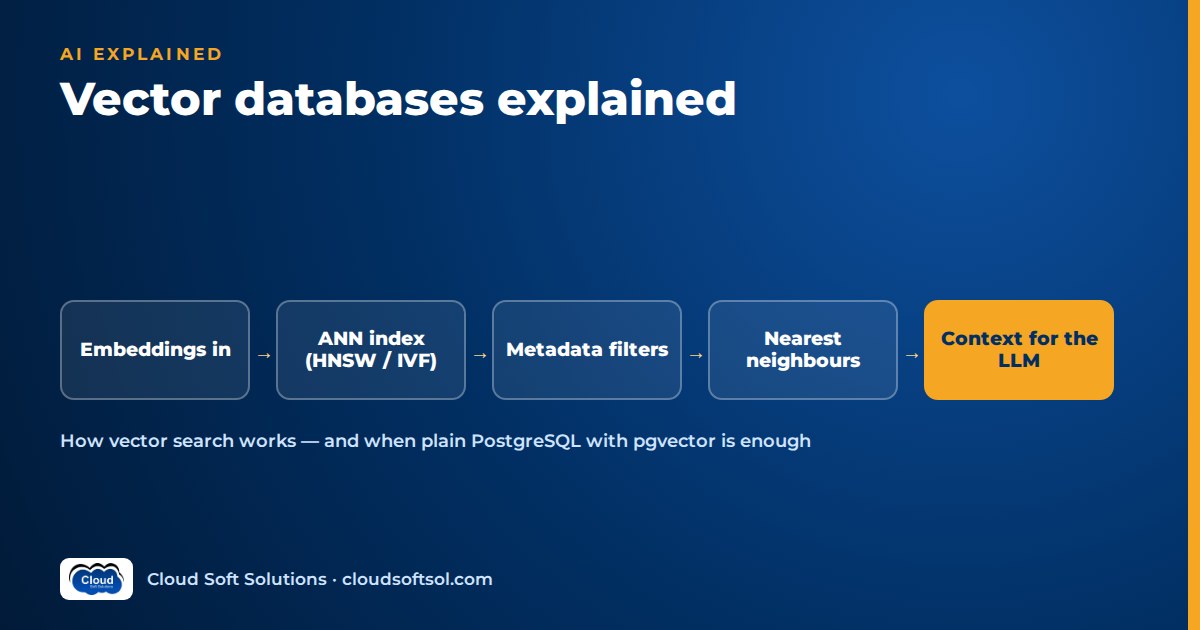
A vector database stores embeddings, the lists of numbers that represent the meaning of text, images or other data, and quickly finds the items closest to a query embedding. A vector database is the retrieval engine behind most RAG systems: it turns "find passages that mean the same as this question" into a fast nearest-neighbour search, combined with metadata filters for permissions, freshness and scope. You do not always need a separate product. For many enterprise assistants, PostgreSQL with pgvector is enough; dedicated vector databases earn their place at larger scale or with specialised workloads.
What is a vector database?
A vector database indexes high-dimensional vectors and answers similarity queries: "give me the k items nearest to this vector, optionally only among items matching these conditions." Each record usually holds:
- The vector, produced by an embedding model, typically with hundreds to a few thousand dimensions.
- The payload, such as the chunk text or a pointer to it.
- Metadata: document ID, source, department, effective date, language and the access groups allowed to read it.
The term covers a spectrum, from products built only for vectors to databases and search engines that added a vector type and index. What they share is approximate nearest-neighbour search at low latency. If embeddings are new to you, read embeddings explained first.
What vector search actually does
Vector search is nearest-neighbour search. You embed the user's question with the same model used for the documents, then measure how close the query vector is to stored vectors:
- Cosine similarity compares direction and ignores length; the common choice for text.
- Dot product equals cosine when vectors are normalised, and is slightly cheaper.
- Euclidean (L2) distance is straight-line distance, used by some models.
Use the metric your embedding model was trained for; a mismatch degrades results without raising any error.
question -> embedding model -> query vector
                                   |
                ANN index + metadata filter
                                   |
                      top-k chunks (ids, text)
                                   |
                  rerank -> prompt -> LLM answer
Comparing the query against every vector is exact (brute-force or "flat") search. It has perfect recall and is fine for tens of thousands of chunks. At millions, scanning everything on every query gets too slow, which is why approximate indexes exist. For where this step sits in the whole pipeline, see what is RAG.
Approximate nearest neighbour indexes, explained plainly
An approximate nearest neighbour (ANN) index checks a cleverly chosen subset of vectors instead of all of them, returning results that are usually, but not always, the true nearest neighbours. The fraction of true neighbours found is recall. Every ANN index trades off recall, query speed, memory and build time.
HNSW: a navigable graph
HNSW (Hierarchical Navigable Small World) links each vector to some of its near neighbours in a layered graph. Upper layers are sparse, like motorways for long jumps; the bottom layer holds every vector. A query enters at the top, greedily moves towards closer nodes, drops a layer and repeats.
- Strengths: high recall at low latency, no training step, incremental inserts.
- Costs: graph links add significant memory; builds are slow and CPU-heavy; deletes are often just marked, so heavily churned indexes may need rebuilding.
- Knobs: links per node (
m) and build breadth (ef_construction) set quality and size; query breadth (ef_search) trades latency for recall per query.
IVF: clusters and probes
IVF (inverted file index) clusters vectors, usually with k-means, into lists with centroids. A query finds the closest centroids and searches only those lists.
- Strengths: faster builds and less memory than HNSW; combines well with compression.
- Costs: needs representative data before building; misses neighbours in lists it did not probe; degrades as data drifts from the original clusters.
- Knobs: number of lists, and lists probed per query (
nprobeorprobes). More probes, higher recall, slower queries.
Compression and quantization
Quantization stores vectors compactly: scalar quantization lowers numeric precision, product quantization (PQ) encodes slices of a vector as short codes, and binary quantization keeps about one bit per dimension. It cuts memory but loses precision, so a common pattern is to fetch candidates from the compressed index and re-score them with full vectors. Some systems also offer disk-based indexes that keep most data on SSD.
| Approach | Recall | Speed | Memory | Good fit |
|---|---|---|---|---|
| Exact / flat | Perfect | Slows linearly with size | Vectors only | Small collections, narrow filters, evaluation baselines |
| HNSW | High, tunable | Fast | Highest | General RAG, frequent inserts |
| IVF | Good, depends on probes | Fast | Moderate | Large, stable collections |
| Index + quantization | Lower, recoverable by re-scoring | Fast | Low | Very large collections where RAM is the limit |
Do not trust anyone's benchmark numbers for your workload, vendors' included. Results depend on your embedding model, data, filters and hardware. Build a labelled query set, measure recall against exact search, and tune from there.
Metadata filtering and why it matters for permissions
In enterprise RAG the real question is not "the nearest chunks" but "the nearest chunks this user may see, from current documents, for their country." That is metadata filtering, and it is where many choices succeed or fail.
- Post-filtering runs the ANN search and then drops ineligible results. With a selective filter you ask for ten and get two, or none, although valid matches exist.
- Pre-filtering or filtered search applies the filter during the search. Mature engines integrate filters into index traversal, maintain payload indexes, or fall back to exact search over a small filtered subset. Recent pgvector releases add iterative index scans to reduce the "too few results" problem.
If access control lives only in the prompt ("do not reveal HR documents"), the model has already seen the restricted text. Enforce permissions in the retrieval query, using metadata that mirrors your identity provider's groups, and test it with users from different groups as part of evaluation.
The options landscape, by category
These are categories, not a ranking; each has strong products and suits different teams.
| Category | Examples | Strengths | Watch out for |
|---|---|---|---|
| Extension to an existing database | PostgreSQL + pgvector (HNSW and IVFFlat indexes) | Vectors, text, metadata and permissions in one transactional store; SQL joins; familiar backups, HA and security; offered by major managed Postgres services | Index build memory and vacuum at large scale; filtered-search tuning; shares resources with other workloads |
| Search engine with vector support | OpenSearch, Elasticsearch | Mature BM25 keyword search plus vector fields, so hybrid search is natural; rich filters and language analyzers; proven at large volumes | Cluster operations and memory sizing; another system to keep in sync with the source of truth |
| Dedicated vector database | Qdrant, Weaviate, Milvus, Pinecone | Built around vectors: filtered ANN, quantization options, sparse and multi-vector support, horizontal scaling, tenant isolation; open source self-hosted or managed SaaS | A new system to secure, back up and operate, or a new vendor and data-residency review; metadata duplicated from your main database |
| Library | FAISS | Fast in-process exact and ANN indexes, including GPU support; good for research, batch jobs and embedding in your own service | Not a database: no access control, replication or metadata store; you build persistence and updates |
| Managed cloud option | Vertex AI Vector Search, Azure AI Search | Integrated with the provider's identity, networking, embedding models and RAG tooling; little to operate | Lock-in, pricing model, region availability for data residency, tier differences |
Azure AI Search combines keyword, vector and hybrid queries with filters, which suits teams on Azure OpenAI (see the Azure AI and OpenAI course). On Google Cloud, Vertex AI Vector Search sits alongside Gemini, covered in GCP for AI engineers.
Prefer building retrieval layers to reading about them? Cloudsoft's AI, GenAI and Agentic AI course has hands-on labs with embeddings, pgvector, hybrid retrieval and RAG evaluation on AWS, Azure and Google Cloud.
pgvector vs a vector database: when "just use Postgres" is right
Postgres with pgvector is usually right when
- You already run PostgreSQL and know how to operate, back up and secure it.
- Your corpus is the size of most internal assistants: thousands to a few million chunks.
- Permissions, versions and metadata are relational and change often. One SQL query joining chunks to an access table is simpler and safer than syncing that data into a second system.
- You want transactional consistency: a withdrawn document's chunks disappear in the same transaction.
- Security teams prefer fewer new systems in the data path.
Consider a search engine or dedicated vector database when
- You need strong keyword relevance, many languages and hybrid search at large volume; see hybrid search and reranking in RAG.
- The collection reaches hundreds of millions of vectors and needs sharding, replication and quantization designed for that scale.
- Query volume is high and vector search should not compete with transactional workloads.
- You need multi-vector representations, built-in tenant isolation or disk-based indexes.
- A fully managed service is worth more to the team than one fewer vendor.
For a first production system: start on Postgres, measure recall and latency on a realistic evaluation set, and move only when a measured limit appears. Keep retrieval behind a small interface in your code so switching stores is a contained change.
Scaling, updates, deletes, multi-tenancy and backups
Scaling
Memory is usually the first limit, because ANN indexes are fastest when held in RAM. Levers, roughly in order: a smaller embedding where quality allows, quantization, partitioning by tenant or region, read replicas for query volume, then sharding. Treat large index builds as planned maintenance.
Updates, deletes and model changes
Make ingestion idempotent: each chunk gets a stable ID from document ID and position, and re-ingesting a document replaces its chunks. ANN deletes are often soft and cleaned up later, so check how your store reclaims space and whether recall suffers under churn. In regulated settings, decide whether superseded versions are deleted or marked inactive and filtered out, so past answers stay auditable. Vectors from different embedding models are not comparable: store the model version with every vector, build a new index alongside the old one, evaluate both, and cut over blue-green.
Multi-tenancy
- Shared index with a tenant filter: efficient, but one missing filter is a data leak. In Postgres, row-level security can enforce it.
- Partition per tenant: searches touch only that tenant's data, and large tenants scale independently.
- Collection or database per tenant: strongest isolation and simple offboarding, with more objects to manage.
Backups
An index can be rebuilt from sources, but re-embedding a large corpus is slow and costly, and sources change. Use point-in-time recovery for Postgres, snapshots for search engines and vector databases, and test restores. Keep chunk text, metadata and model version with the vectors so a restore is complete.
Security for vector stores
- Treat embeddings as sensitive. They are not anonymised; research has shown text can be partly reconstructed from them. Classify the store like its source documents.
- Network and encryption: private access only, TLS in transit, encryption at rest with managed keys where policy requires.
- Identity: cloud identities or short-lived credentials, not shared keys in config; separate ingestion write access from assistant read access.
- Retrieval-time authorisation: filter on the end user's entitlements, not the application's broad access.
- Ingestion hygiene: retrieved text can carry indirect prompt injection; treat it as untrusted input.
- Audit: log which chunks were retrieved for which user and question.
Wider controls are covered in enterprise AI security.
Illustrative choice: an enterprise assistant
Consider an insurer whose GCC IT team in Hyderabad is building an internal assistant for claims and underwriting staff. The corpus is product wordings, underwriting guidelines, circulars and claims procedures: a few hundred thousand chunks. Documents are versioned by effective date, many are restricted to specific teams, and staff search heavily by policy codes and clause numbers. The team already runs managed PostgreSQL with point-in-time recovery, private networking and audited access.
- Store: PostgreSQL with pgvector, an HNSW index on embeddings and ordinary indexes on document ID, effective date and access groups.
- Keyword side: Postgres full-text search for codes and clause numbers, merged with vector results.
- Permissions: each chunk carries its allowed groups, synced from the document system; row-level security plus a mandatory filter from the user's identity-provider groups keeps restricted claims notes away from underwriters.
- Freshness: superseded versions are marked inactive and filtered out, not deleted.
- Evaluation: real staff questions with known sources, run against exact search and HNSW to check recall, plus RAG evaluation metrics for full answers.
The team writes down its migration trigger in advance: if the corpus grows by an order of magnitude, queries start affecting transactional workloads, or keyword needs outgrow Postgres full-text search, it evaluates a search engine with vector support. Taking designs like this into production inside customer organisations is everyday work for Forward Deployed Engineers, which Cloudsoft's FDE PRO program practises in its Enterprise Knowledge Assistant and Secure Banking AI Assistant projects.
Common mistakes
- Choosing the database before measuring retrieval. Poor answers more often come from chunking, embeddings or missing keyword search than from the store; start with RAG chunking strategies.
- Never checking recall against exact search, so silent misses go unnoticed.
- Permissions in the prompt instead of the query.
- Post-filtering with selective filters, returning too few results for users with narrow access.
- Mixing embedding models in one index without versioning.
- Treating the index as disposable: no backups, no tested restore.
- Adding a new system for a small corpus, gaining operations work without measurable benefit.
- Forgetting deletes, so withdrawn documents keep appearing in answers.
FAQ
What is a vector database in simple terms?
A vector database stores embeddings, numeric representations of the meaning of text, images or other data, and quickly finds the stored items closest in meaning to a query. It is the retrieval engine behind most RAG systems.
Do I need a vector database for RAG?
You need vector search, not necessarily a separate product. For many enterprise assistants, PostgreSQL with pgvector or an existing search engine is enough. A dedicated vector database makes sense at large scale, high query volume or for specialised vector features.
What is the difference between pgvector and a vector database?
pgvector is a PostgreSQL extension that adds a vector type and approximate nearest-neighbour indexes, so vectors live next to your relational data, permissions and transactions. A dedicated vector database is a separate system built around vector search, with more vector-specific features and scaling options, but it is another system to operate and secure.
What is the difference between HNSW and IVF indexes?
HNSW navigates a layered graph of neighbouring vectors, giving high recall and low latency at the cost of more memory and slower builds. IVF clusters vectors into lists and searches only the closest lists, which builds faster and uses less memory but needs representative training data and loses recall if too few lists are probed.
How do I choose a vector store for an enterprise project?
Start from constraints: databases your team already operates, corpus size, query volume, permission complexity, keyword search needs, data residency and cloud provider. Test one option per relevant category on your own data and filters, and choose the simplest one that meets measured requirements.
How do vector databases handle permissions?
Through metadata filtering. Each chunk carries attributes such as the groups allowed to read it, and every query includes a filter built from the user's identity, applied inside the retrieval query so restricted chunks are never returned.
What happens when I change my embedding model?
Vectors from different models are not comparable, so you must re-embed the whole corpus. Store the model version with each vector, build a new index alongside the old one, evaluate both and switch when the new one performs better.
Are embeddings safe to store without extra protection?
No. Embeddings are not anonymised, and research has shown text can be partly reconstructed from them. Protect a vector store at the same level as its source documents.
Vector databases are one layer of a working AI system; the valuable skill is choosing, tuning, securing and evaluating that layer alongside LLMs, agents and cloud platforms. Cloudsoft's AI, GenAI and Agentic AI training in Hyderabad covers it end to end with hands-on labs, in our Ameerpet classroom beside Ameerpet Metro or live online. Book a free demo on +91 96660 19191.


