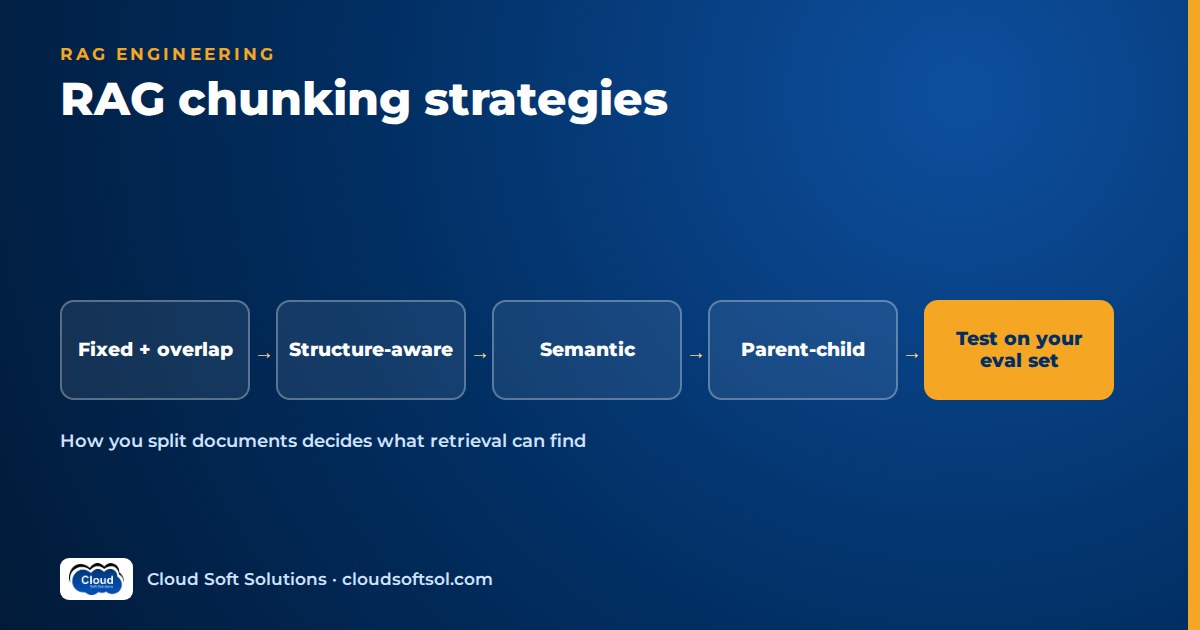
Chunking is the step in a RAG pipeline where documents are cut into the passages that retrieval will search and the LLM will read. Your chunking strategy decides what retrieval can find: if a rule, a table row or a procedure step is split badly at indexing time, no embedding model, reranker or prompt can recover it at query time. This guide compares the main RAG chunking strategies, covers tables, PDFs and metadata, and shows how to choose chunk size by testing on your own evaluation set.
New to the pipeline itself? Start with what RAG is and how it works.
Why chunking decides retrieval quality
Retrieval never sees your documents. It sees chunks. Every chunk becomes one embedding, one row in the index and one candidate in the ranked list. That has three consequences.
- A chunk is the unit of meaning. One vector per chunk means a chunk mixing three topics becomes a blurred average that matches none of them well, while a single sentence is sharp but may not contain enough to answer anything.
- A chunk is the unit of context. A chunk that says "this limit does not apply to contract staff" is useless if the limit itself sits in the previous chunk that was not retrieved.
- A chunk is the unit of citation and access control. Chunks that straddle sections with different owners or permissions break both.
When a team says "the model is hallucinating", the root cause is often a chunk boundary. Diagnose with the retrieval metrics in RAG evaluation metrics before you blame the model.
The main RAG chunking strategies
1. Fixed-size chunking with overlap
How it works. Split text every N tokens and repeat the last few tokens of each chunk at the start of the next, so a sentence cut at a boundary appears whole somewhere.
When to use it. As the baseline for your first evaluation run, and for uniform plain text such as chat logs.
Pros: trivial, predictable chunk counts and embedding cost. Cons: blind to meaning; it cuts rules, list items and tables in half, and overlap creates near-duplicates that crowd out other results.
2. Recursive or separator-based chunking
How it works. Split on the strongest natural separator first (blank lines), and fall back to weaker ones (line breaks, sentence ends, spaces) only while a piece is still over the size limit. Most RAG frameworks ship a splitter like this.
When to use it. A sensible default for prose without reliable headings: articles, emails, wiki pages.
Pros: keeps paragraphs and sentences intact, still cheap. Cons: it knows paragraphs, not sections, so it will merge the end of one section with the start of the next.
3. Structure-aware chunking
How it works. Parse the document's real structure, then split on it: numbered sections in policies, clauses in contracts, steps in SOPs, row groups in tables, functions and classes in code. Each chunk carries its heading path, such as Travel Policy > 5. International travel > 5.3 Per diem. Oversized sections fall back to recursive splitting; tiny ones merge with a sibling.
When to use it. Almost always for enterprise content: policies, manuals, contracts, runbooks, API docs, code.
Pros: chunks match how authors organised meaning, and citations point to recognisable sections. Cons: only as good as the parser; Word files formatted by hand instead of with heading styles need cleaning, and each document family may need its own rules.
4. Semantic chunking
How it works. Embed each sentence, compare neighbours, and start a new chunk where similarity drops sharply, assuming the topic changed there.
When to use it. Long unstructured text that drifts between topics: meeting transcripts, call-centre notes.
Pros: boundaries follow topic shifts without headings. Cons: an embedding call per sentence at indexing time, a threshold to tune, uneven chunk sizes, and on well-structured documents it rarely beats structure-aware splitting. Test it rather than assuming it is better.
5. Parent-child (small-to-big) chunking
How it works. Index small child chunks for precise matching, each linked to a larger parent section. Retrieval matches children; the prompt receives the de-duplicated parents.
When to use it. When the answer is one sentence but its conditions sit in the surrounding paragraphs, as in most policies and manuals.
Pros: sharp retrieval plus complete context. Cons: two levels to keep in sync and more tokens per answer; cap parent size or it dilutes the answer.
6. Sentence-window retrieval
How it works. Index single sentences; at query time return each match with a window of neighbouring sentences.
When to use it. Dense factual text with self-contained statements: specifications, FAQs, clinical or legal text.
Pros: precise matching with adjustable context. Cons: many more vectors, pronoun-heavy sentences ("this limit") embed poorly, and windows must stop at section boundaries.
7. Document-level summaries plus chunks
How it works. Generate a short LLM summary per document or major section and index it next to the chunks. Retrieval finds the right documents through summaries, then searches chunks inside them.
When to use it. Many similar documents (product manuals, regional policy variants) and broad questions like "which policy covers relocation?".
Pros: better document selection. Cons: an LLM call per document, summaries can omit or distort details, and they must be regenerated on change. Never answer from a summary when exact wording matters.
8. Contextual chunk headers and late chunking
Both address the same problem: a chunk cut out of a document loses the context that made it meaningful.
- Contextual chunk headers. Before embedding, prepend the document title, heading path and effective date, and optionally one or two LLM-generated sentences situating the chunk ("This section of the leave policy covers carry-forward rules for permanent staff"). The header is indexed with the chunk, so keyword search benefits too. Title plus heading path costs almost nothing and is worth doing nearly everywhere.
- Late chunking. Run the whole document, or a long window of it, through a long-context embedding model first, then pool the token-level embeddings for each chunk's span. Each chunk vector then reflects its surroundings. It needs a model and pipeline that expose token-level outputs, so check what your provider supports.
For how embedding models behave, see embeddings explained.
Chunking strategies compared
| Strategy | Best for | Indexing cost | Main risk |
|---|---|---|---|
| Fixed-size + overlap | Baselines, uniform plain text | Low | Cuts rules and tables mid-way |
| Recursive / separator | Prose without reliable headings | Low | Merges unrelated sections |
| Structure-aware | Policies, manuals, contracts, code | Low to medium (parsing) | Depends on parser quality |
| Semantic | Transcripts, drifting long text | Medium (embeds every sentence) | Uneven sizes, threshold tuning |
| Parent-child | Precise answers needing surrounding conditions | Medium (two levels) | Large prompts, sync complexity |
| Sentence-window | Dense factual text | Medium (many vectors) | Pronoun-heavy sentences embed badly |
| Summaries + chunks | Many similar documents, broad questions | High (LLM per document) | Summaries drift from source |
| Contextual headers / late chunking | Chunks that depend on document context | Low (headers) to high (LLM context, long-context embedding) | Extra pipeline complexity |
These combine. A typical enterprise pipeline is structure-aware splitting with a recursive fallback, contextual headers on every chunk and parent-child retrieval on top.
Tables, PDFs and scanned documents
Most real chunking problems are parsing problems in disguise.
- Tables. A row without its header is meaningless. Keep small tables whole with their caption. For large tables, chunk by row group and repeat the header row in each chunk, or convert each row into a sentence ("Grade M3, Mumbai: hotel limit as per Schedule B"). Tables queried by exact values, like rate cards, often belong in a database behind a tool.
- PDFs. Use a layout-aware parser that recovers reading order, headings, lists and tables. Strip repeated headers, footers and page numbers before chunking, or they pollute every chunk. Watch for two-column layouts read across columns.
- Scanned documents. Run OCR, keep the OCR confidence, and flag low-confidence pages for review instead of silently indexing garbage. The enterprise document intelligence project covers scanned-form extraction in depth.
- Slides and spreadsheets. One slide or one sheet section per chunk, with the deck or workbook title in the header. Speaker notes often hold the real content.
Metadata to attach to every chunk
Without metadata a chunk cannot be filtered, cited, secured or safely re-indexed. Store at least:
- Identity: stable chunk ID, source document ID, document version or content hash, position (order within the document).
- Location: heading path, page numbers, and a deep link back to the source for citations.
- Governance: allowed groups or ACL mirrored from the source system, document owner, classification.
- Validity: effective date, expiry or superseded flag, status (draft or approved), region and business unit.
- Structure: parent chunk ID for parent-child, content type (text, table, code), language.
- Lineage: parser and chunker version, embedding model ID, ingestion timestamp.
Store metadata alongside the vectors so filters run inside the retrieval query. PostgreSQL with pgvector makes this natural; store trade-offs are in vector databases explained.
Want hands-on practice building ingestion, chunking, retrieval and evaluation pipelines rather than reading about them? Cloudsoft's AI, GenAI and Agentic AI course covers RAG end to end with labs on real document sets.
Choosing chunk size for RAG: a method, not a number
There is no correct chunk size. It depends on your documents, questions, embedding model and how many chunks reach the LLM, so treat it as an experiment.
- Build an evaluation set first. Collect real user questions, each with the expected answer and source section. Include table questions, questions spanning two sections and unanswerable ones.
- Fix everything else. Same embedding model, same retriever, same top-k, same prompt. Change only the chunking.
- Pick a few candidates. For example, structure-aware with a small, medium and large cap, plus a fixed-size baseline. For prose, starting points to test run from a couple of hundred to around a thousand tokens, with overlap of roughly a tenth of the chunk size if you use overlap. They are starting points, not answers.
- Measure retrieval first. Does the expected source section appear in the top-k (recall), and how high (rank)? Then measure answer faithfulness and correctness. A size that improves recall but makes answers worse usually means chunks are too big for the prompt budget.
- Read the failures. Was each miss cut across a boundary, buried in an oversized chunk or lost in a table? The fix is often a parsing rule, not a size.
- Record the winner as configuration with the eval scores, and rerun the comparison when the corpus or embedding model changes.
Adding keyword search or a reranker can shift the best size, so re-test after the changes in hybrid search and reranking in RAG.
Structure-aware chunking in Python (illustrative)
The sketch below is illustrative, not production code. It splits Markdown-style text on headings, keeps a heading path, prepends a contextual header and splits oversized sections on paragraphs. Token counting is approximated by word count; use your embedding model's tokenizer in practice.
# Illustrative only: structure-aware chunker
import re, hashlib

HEADING = re.compile(r"^(#{1,6})\s+(.*)")

def chunk_document(doc_id, title, text, max_words=300):
    chunks, path, buf = [], [], []

    def flush():
        body = "\n".join(buf).strip()
        buf.clear()
        if not body:
            return
        for part in split_large(body, max_words):
            header = " > ".join([title] + path)
            content = f"{header}\n\n{part}"
            chunks.append({
                "id": hashlib.sha1(
                    f"{doc_id}|{header}|{part}".encode()
                ).hexdigest(),
                "doc_id": doc_id,
                "heading_path": header,
                "position": len(chunks),
                "text": content,
            })

    for line in text.splitlines():
        m = HEADING.match(line)
        if m:
            flush()
            level = len(m.group(1))
            path[:] = path[:level - 1] + [m.group(2).strip()]
        else:
            buf.append(line)
    flush()
    return chunks

def split_large(body, max_words):
    # Keep tables whole; split prose on blank lines.
    paras, out, cur = re.split(r"\n\s*\n", body), [], []
    for p in paras:
        is_table = p.lstrip().startswith("|")
        size = sum(len(x.split()) for x in cur)
        if cur and not is_table and \
           size + len(p.split()) > max_words:
            out.append("\n\n".join(cur))
            cur = []
        cur.append(p)
    if cur:
        out.append("\n\n".join(cur))
    return out
A real chunker would also merge tiny sections, cap very long tables, carry ACL and version metadata, and have unit tests per document family.
Re-chunking and re-indexing in production
Chunking is not a one-time job: strategies, parsers and embedding models change, and documents change weekly.
- Version the chunking config (strategy, sizes, parser version) and store it on every chunk.
- Re-index incrementally: re-process only documents whose content hash changed, and delete chunks of removed documents promptly so withdrawn policies stop being cited.
- Rebuild side by side for strategy or embedding-model changes: evaluate the new index against the live one, switch with an alias or flag, keep the old one for rollback.
- Use deterministic chunk IDs from document, section and content, so citations and feedback survive re-indexing.
- Run full re-embeds in a background worker, throttled against provider rate limits, so they never slow user traffic.
- Monitor after the switch: not-found rate, thumbs-down rate and retrieval scores by document family.
Illustrative example: chunking a bank's policy manual
Consider a bank's operations team in a Hyderabad GCC building an assistant over a long internal policy manual: numbered sections, nested sub-clauses, rate tables, cross-references ("subject to clause 7.4") and annual revisions. A first prototype with fixed-size chunks answers easy questions but fails on the ones that matter, such as "Can a branch manager approve a fee waiver for a senior citizen account?"
The failed retrievals show the pattern: the approval limit sits in a table split from its header, the senior-citizen exception sits in the next sub-clause, and two manual versions are both indexed.
Manual (PDF)
  -> layout-aware parse (headings, tables)
  -> drop superseded version (status=approved)
  -> split on clauses (7, 7.1, 7.1.a)
  -> tables: whole, with caption + header row
  -> header: "Ops Manual v-current > 7 Fees
              > 7.3 Waivers"
  -> child = sub-clause, parent = clause
  -> metadata: version, effective date, ACL
The rebuilt pipeline above keeps each delegation-of-authority table whole, indexes only the approved version and fetches cross-referenced clauses as extra parents. The team adopts it only because recall and answer correctness improved on the same evaluation set of real operations questions, not because it looked cleaner.
Common chunking mistakes
- Copying a chunk size from a tutorial without testing it on your own questions.
- Chunking raw PDF text with headers, footers and page numbers still in it.
- Splitting tables mid-way or separating rows from their header.
- Chunks with no title or heading context, so "this applies after six months" has no subject.
- Indexing drafts and superseded versions alongside current documents.
- Missing ACL metadata on chunks, so permission filtering is impossible.
- Using one strategy for every document family, when policies, transcripts and code need different rules.
Chunking questions come up often in interviews; practise with these RAG interview questions. In customer projects, getting ingestion and chunking right for messy enterprise documents is a large part of what Forward Deployed Engineers do; the Cloudsoft FDE PRO program builds this into its Enterprise Knowledge Assistant project. For a full build that applies these ideas, see the RAG knowledge assistant project.
FAQ
What is the best chunking strategy for RAG?
There is no single best strategy. For policies, manuals and contracts, structure-aware chunking with contextual headers, often with parent-child retrieval, is a strong starting point. For transcripts and other unstructured text, recursive or semantic chunking may work better. Decide by testing on your own evaluation set.
What chunk size should I use for RAG?
Treat chunk size as an experiment. Test a few caps, for example within a couple of hundred to around a thousand tokens for prose, keeping the embedding model, retriever and prompt fixed, and pick the one with the best retrieval recall and answer quality on your evaluation set.
Is chunk overlap necessary?
Overlap helps fixed-size and recursive chunking by keeping sentences cut at boundaries intact. With structure-aware chunking it is often unnecessary, and too much overlap fills the top results with near-duplicates.
What is semantic chunking?
Semantic chunking embeds sentences and starts a new chunk where similarity between neighbouring sentences drops, assuming the topic changed. It suits long text without headings, costs more at indexing time and does not automatically beat structure-aware chunking.
What is parent-child chunking?
Parent-child chunking, or small-to-big retrieval, indexes small child chunks for precise matching and sends their larger parent sections to the model, so it gets both the exact match and the surrounding conditions.
How should I chunk tables in RAG?
Keep small tables whole with their caption. Split large tables by row groups and repeat the header row in each chunk, or turn rows into self-contained sentences. Tables queried by exact values often belong in a database accessed through a tool.
Do I need to re-index when I change my chunking strategy?
Yes. Build the new index alongside the live one, compare both on your evaluation set, switch with a configuration flag and keep the old index for rollback.
What metadata should each chunk have?
A stable chunk ID, source document ID and version, heading path, page or position, source link, access-control groups, effective date and status, parent chunk ID where relevant, and the parser, chunker and embedding model versions.
If you want to build RAG systems that hold up on real enterprise documents, Cloudsoft's AI, GenAI and Agentic AI training in Hyderabad takes you from embeddings and chunking to retrieval, evaluation and agents, in our Ameerpet classroom beside Ameerpet Metro or live online. Call +91 96660 19191 to book a free demo.


