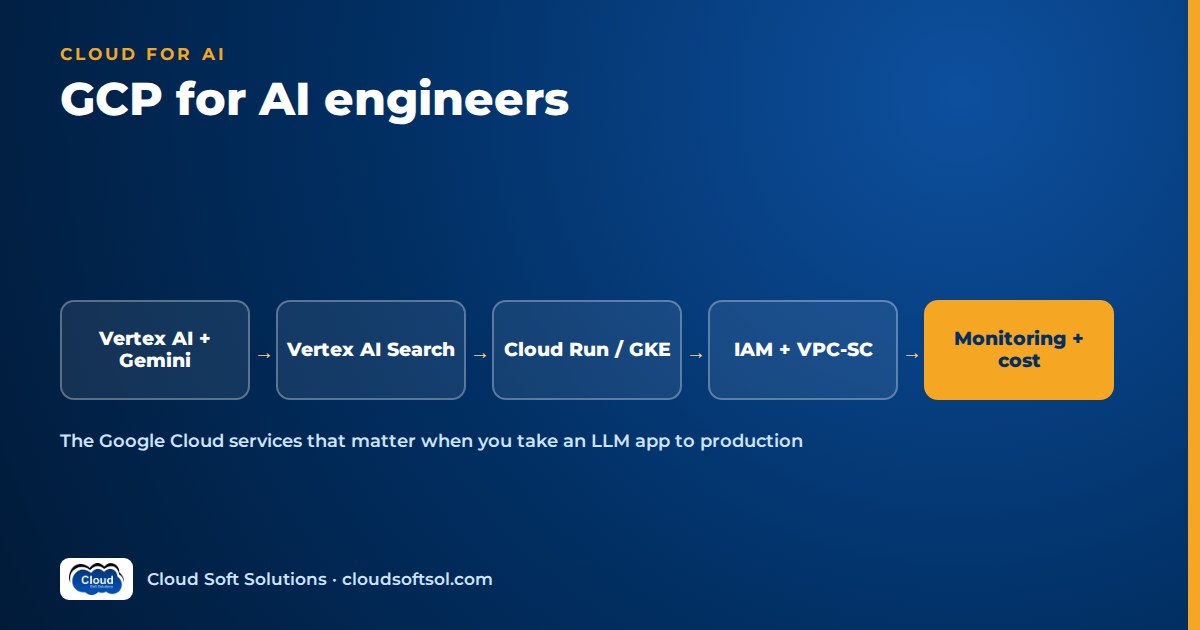
GCP for AI engineers comes down to a short list of services used well: Vertex AI for Gemini and other models, Vertex AI Search or a vector store for retrieval, Cloud Run or GKE for compute, BigQuery and AlloyDB for data, and service accounts, VPC Service Controls, Secret Manager and Cloud Logging to make it secure and observable. Google Cloud's edge is data: many enterprises already run analytics in BigQuery, so the assistant can sit next to the data it reasons over.
If you have read our AWS guide for AI engineers or the Azure equivalent, the layers will look familiar. Google also renames AI products often: Generative AI App Builder became Vertex AI Agent Builder, Cloud Functions is now presented as Cloud Run functions, and Agentspace was folded into Gemini Enterprise. Learn the capability, and check current names in Google's documentation.
Naming note (2026): at Google Cloud Next in April 2026, Google rebranded and expanded Vertex AI as the Gemini Enterprise Agent Platform, bringing Vertex AI and Agentspace under one control plane. Existing Vertex AI workloads, SDKs and APIs carried over, and much of the documentation and many API names still say "Vertex AI". This guide uses "Vertex AI" for those services because that is still what you will type in code and search for in docs; read it as the model and agent layer of Gemini Enterprise Agent Platform.
Google Cloud service map for AI applications
| Need | Google Cloud service | Notes |
|---|---|---|
| Foundation models | Vertex AI (Gemini API on Vertex, Model Garden) | Gemini, partner and open models behind IAM |
| Custom and open models | Vertex AI endpoints, GKE | Managed or self-hosted serving |
| Workflows and evaluation | Vertex AI Pipelines, evaluation service | Repeatable runs; scores on your datasets |
| Managed retrieval and search | Vertex AI Search (Agent Builder family) | Managed ingestion, hybrid search |
| Agent framework and runtime | Agent Development Kit, Vertex AI Agent Engine | Code-first agents, managed hosting |
| Containerised APIs | Cloud Run | Serverless containers, scale to zero |
| Kubernetes | Google Kubernetes Engine (GKE) | Platform standard, GPU/TPU pools |
| Event-driven code | Cloud Run functions (Cloud Functions) | Triggers and small tools |
| Documents | Cloud Storage | Source files, eval sets |
| Analytics and vectors | BigQuery | Vector search beside warehouse data |
| Vectors with operational data | AlloyDB or Cloud SQL for PostgreSQL with pgvector | Similarity plus SQL filters in one query |
| Private connectivity | VPC, Private Service Connect, VPC Service Controls | Private API access, exfiltration perimeter |
| Identity | IAM, service accounts, Workload Identity | Keyless workload and CI identity |
| Secrets and keys | Secret Manager, Cloud KMS | Secrets, CMEK |
| Observability | Cloud Logging, Monitoring, Trace | Logs, metrics, OpenTelemetry traces |
| Cost | Budgets, labels, billing export to BigQuery | Spend per app and team |
| Infrastructure as code | Terraform (google provider) | Reproducible projects, networks and IAM |
How these layers fit a wider design is covered in enterprise AI architecture.
Vertex AI: the platform behind Gemini on Google Cloud
Vertex AI is Google Cloud's AI platform: one API, one IAM model and one bill for models, pipelines and evaluation. Any Vertex AI tutorial should start with the distinction newcomers miss.
Gemini on Vertex vs the Gemini Developer API
The Gemini Developer API, used from Google AI Studio with an API key, is the fast path for prototypes. The Gemini API on Vertex AI is the Gemini API enterprise path: calls are authorised by IAM through a service account, run in a chosen region, respect VPC Service Controls, appear in Cloud Audit Logs and bill to a project. Google's Gen AI SDK targets either backend via configuration, so for customer work assume Vertex from the first commit.
Model Garden
Model Garden lists Gemini models, partner models offered as managed APIs, and open-weight models you can deploy to a Vertex AI endpoint or GKE. Most enterprise assistants settle on one capable model plus a smaller tier for routing and simple lookups.
Quotas, regions and model lifecycle
- Throttling is real. Many Gemini models run on shared capacity, so bursts can return HTTP 429 errors. Retry with backoff, shrink prompts, and consider Provisioned Throughput to reserve capacity.
- Location matters. Regional endpoints keep processing in a chosen region; the global endpoint improves availability but may process data elsewhere.
- Models retire on a published lifecycle. Pin the version you evaluated and re-run evaluations before upgrading.
Safety, grounding and screening
Gemini on Vertex has configurable safety settings and can ground answers with Google Search or your own data via Vertex AI Search. Model Armor, a separate service, screens prompts and responses for prompt injection and sensitive data. None of these decides who may see which document; that is your retrieval layer's job.
Endpoints, pipelines and evaluation
- Endpoints serve models you deploy yourself with autoscaling and traffic splitting.
- Vertex AI Pipelines runs versioned, containerised workflows with lineage recorded.
- The evaluation service scores responses on your dataset with computed metrics and model-based judges for groundedness and instruction following. Wire it into CI so regressions block releases.
Vertex AI Search and Agent Builder for RAG and agents
Vertex AI Search is Google's managed retrieval engine and the shortest route to Vertex AI Search RAG (primer: what RAG is). You create a data store from Cloud Storage, BigQuery, websites or connected business applications; it parses, chunks and embeds documents and serves hybrid keyword-plus-semantic search with ranking. You can ask it for a grounded, cited answer, or call search only and pass results to Gemini in your own code. Its API still carries an older name, Discovery Engine, a hint of how often the branding moves.
Adjacent options: Vertex AI RAG Engine, a managed RAG framework where you choose chunking, embeddings and vector backend; Vertex AI Vector Search for high-scale nearest-neighbour search over your own embeddings; and Document AI for layout, table and form extraction before indexing.
Choose managed search when the corpus is large and varied and time-to-value matters; build on pgvector or BigQuery when you need custom chunking, strict metadata control or joins with business data. Either way, enforce permissions in the query: store allowed groups on each chunk and filter on the signed-in user's groups. Never rely on the prompt to hide content.
Agent Development Kit (ADK)
The Agent Development Kit is Google's open-source, code-first agent framework. Broadly, you define agents with instructions, a model and tools (Python functions, OpenAPI specs, MCP servers or other agents), compose them into sequential, parallel or loop workflows or a coordinator with sub-agents. It is optimised for Gemini but designed to work with other models, and it supports evaluating agent trajectories against expected tool calls.
Deploy to Vertex AI Agent Engine for managed hosting with sessions and memory, to Cloud Run for a container you control, or to GKE. ADK is optional; LangGraph runs happily on Cloud Run against Gemini on Vertex. Whatever the framework, the enterprise questions are the same: which identity each tool call runs as, which actions need human approval, and how every step is traced.
Compute: Cloud Run vs GKE vs Cloud Functions
| Option | Use it for | Watch out for |
|---|---|---|
| Cloud Run | Chat or agent APIs with streaming; jobs for batch ingestion | Cold starts (set minimum instances); timeouts on very long runs |
| GKE | Kubernetes-standard customers; self-hosted models on GPUs or TPUs | Operational load; prefer Autopilot |
| Cloud Run functions | Storage-triggered ingestion, Pub/Sub handlers, small tools | Poor fit for long streaming chats |
Default to Cloud Run: containers, a service identity, VPC egress, Secret Manager integration and revisions with traffic splitting, without running a cluster. Move to GKE when the customer's platform is already Kubernetes or you serve open models yourself.
Data: Cloud Storage, BigQuery, AlloyDB and Cloud SQL
- Cloud Storage holds source documents and evaluation sets. Use uniform bucket-level access, retention rules and CMEK where required.
- BigQuery is why many enterprises pick Google Cloud. It can call Vertex AI models from SQL to generate embeddings or text, store embeddings, build vector indexes and run vector search, governed by the same dataset permissions, row-level security and policy tags the data team already uses. It is not a low-latency transactional store, so measure latency before putting it on a chat's hot path.
- AlloyDB and Cloud SQL for PostgreSQL both support pgvector. AlloyDB adds faster vector indexing and in-database model calls; Cloud SQL is simpler for modest corpora. Both give similarity search plus SQL filters on tenant, region or permission in one query, and a home for chat history.
Networking: VPC, Private Service Connect and VPC Service Controls
- VPC. Run workloads in a customer-owned VPC, often a Shared VPC. Cloud Run reaches it through Direct VPC egress or a Serverless VPC Access connector.
- Private Service Connect. A PSC endpoint for Google APIs lets workloads reach Vertex AI, Cloud Storage and BigQuery through an internal IP, with private DNS.
- Ingress. Restrict Cloud Run ingress and front it with a load balancer, Cloud Armor and Identity-Aware Proxy.
- VPC Service Controls. A perimeter around the projects running Vertex AI, BigQuery and Cloud Storage blocks data being copied to projects outside it, even by a caller with valid credentials. Design perimeters early; retrofitting them breaks pipelines.
IAM, service accounts and Workload Identity
On Google Cloud, workloads act as service accounts. Give each component its own (chat API, ingestion job, CI pipeline) and grant roles on the narrowest resource that works, never broad basic roles like Editor.
- No key files. Cloud Run and Agent Engine attach a service account directly. On GKE, Workload Identity Federation for GKE maps Kubernetes service accounts to IAM; for GitHub Actions, Workload Identity Federation exchanges the pipeline's OIDC token for short-lived credentials. Enforce the organisation policy that disables key creation.
- User context. Validate the user's token from the customer's identity provider (often Microsoft Entra ID), map groups to retrieval filters, and pass user identity to every tool so agents cannot act beyond the caller's rights.
Secret Manager and Cloud KMS
Store third-party tokens in Secret Manager: versioned, granted per secret to the service account that needs it, and mountable in Cloud Run as environment variables or files (on GKE, via the Secret Manager add-on). Use Cloud KMS keys for CMEK where policy demands it. Google's own APIs need no secret at all; the service account is the credential.
Observability: Cloud Logging, Monitoring, Trace and OpenTelemetry
Instrument with OpenTelemetry and export to Cloud Trace, Cloud Logging and Cloud Monitoring. One trace should show retrieval, the model call with token counts and each tool call. Alert on latency, error and 429 rates and token spikes. Two Google-specific points: Data Access audit logs for most services, including Vertex AI, are off by default, so enable them deliberately; and restrict prompt and response logs, which contain customer data. More in AI observability.
Cost controls
- Budgets and alerts on every project; alerts notify but do not stop spend, so wire Pub/Sub notifications to automation in sandboxes.
- Labels plus billing export to BigQuery, so spend per app and team is a query.
- Model tiering: route simple requests to a smaller Gemini tier and cap output tokens.
- Context caching for long repeated prompts, and batch prediction for offline jobs.
- Compute: Cloud Run scales to zero, GKE Autopilot bills per pod, Spot VMs suit interruptible embedding jobs.
Infrastructure as code with Terraform
Terraform's google and google-beta providers cover networks, perimeters, IAM, Cloud Run, GKE, data services and Vertex AI. Keep state in a versioned Cloud Storage bucket, split modules by layer, use one project per environment, and run plans in CI through Workload Identity Federation. Require review on IAM and perimeter changes, where a one-line diff becomes an incident. Patterns carry over from Terraform for AI infrastructure.
Want to build this end to end? Cloudsoft's AI Forward Deployed Engineer course teaches the same stack across clouds, including Google Cloud with Gemini, Cloud Run and ADK, alongside AWS and Azure.
Reference deployment: a private RAG assistant on GCP
User (corporate SSO via IAP,
      Entra ID or Google identity)
  |
External HTTPS LB + Cloud Armor
  |
FastAPI / ADK on Cloud Run
  (ingress: internal + LB only)
  |  dedicated service account
  |-- validate user, read groups
  |-- AlloyDB: chat history
  |-- Retrieval, filter = groups:
  |   Vertex AI Search or pgvector
  |-- Gemini on Vertex AI
  |   (regional, safety settings)
  |-- Model Armor screen in/out
  |-- Secret Manager: tool tokens
  |-- OpenTelemetry -> Cloud Trace
  |
Direct VPC egress -> PSC endpoint
  for Google APIs; private DNS
VPC Service Controls perimeter:
  Vertex AI, BigQuery, Storage

Ingestion:
Storage (CMEK) -> Cloud Run job
  -> Document AI layout parse
  -> chunk, tag group ACLs
  -> embed (Vertex) -> index

Ops: budgets, labels, alerts,
  Terraform, CI with WIF
What matters: no public data paths, no key files, retrieval filtered by the user's groups, a perimeter around the data projects, every request traced with token counts, and the whole stack reproducible from Terraform.
Illustrative walkthrough: a retailer already on BigQuery
Consider a retailer whose analytics team, in a Bengaluru GCC, already runs sales, inventory and catalogue data in BigQuery. Store managers want an assistant that answers return-policy questions and explains odd stock levels.
- Discovery. One request hides two jobs: cited answers from policy documents, and data questions over BigQuery. Managers may see only their own region, and nothing may change the inventory system.
- Data. Policy PDFs go to Cloud Storage, are parsed with Document AI, chunked by heading and tagged by region. Product descriptions are embedded inside BigQuery from SQL, next to inventory tables with existing row-level security.
- Architecture. An ADK agent on Cloud Run has two tools: document search over Vertex AI Search, and a data tool running a small set of reviewed, parameterised queries rather than free-form generated SQL. Gemini on Vertex picks the tool and writes a cited answer.
- Security. The data tool applies region filters from the user's groups so row-level policies still bite; a VPC Service Controls perimeter covers the data and Vertex AI projects; the agent's service account is read-only.
- Deployment. Terraform builds dev, test and prod projects; GitHub Actions deploys via Workload Identity Federation, runs evaluations and promotes on approval.
- Evaluation and optimization. A golden set of real manager questions is scored for groundedness, tool choice and correct numbers on every change. Traces pinned slow answers to unpartitioned queries; routing policy lookups to a smaller model cut token spend without lowering scores.
The hard parts were permissions, query safety and evaluation, not prompts: the step from AI demo to enterprise outcome, and why Google Cloud suits customers whose data already lives in BigQuery.
Security checklist for AI workloads on Google Cloud
- Separate dev, test and prod projects under folders with organisation policies.
- Gemini called through Vertex AI with IAM, never API keys in production.
- One least-privilege service account per component; no Editor or Owner roles.
- Service account key creation disabled; Workload Identity for GKE and CI.
- Private Service Connect and private DNS for Google APIs; Cloud Run ingress restricted.
- VPC Service Controls perimeter around Vertex AI, BigQuery and Cloud Storage.
- Entitlements enforced in retrieval filters, BigQuery row-level security and every tool call.
- Secrets in Secret Manager; CMEK via Cloud KMS where required.
- Regions and endpoints checked against data residency rules.
- Data Access audit logs on; prompt logs restricted; alerts on errors, 429s and token spikes.
- Prompt and retrieved-content screening for injection, such as Model Armor.
- Human approval for agent actions that change records or touch financial data.
How to learn this stack
If projects, VPCs and IAM are new, begin with Google Cloud training, then build the reference deployment yourself: first in the console, then from Terraform, private and keyless from day one. Build retrieval twice, once with Vertex AI Search and once with pgvector or BigQuery, and compare evaluation scores. If the customers you target run Kubernetes, add GKE training and deploy the same agent to Autopilot.
Frequently asked questions
What Google Cloud services should an AI engineer learn first?
Projects, IAM, service accounts and VPCs, then Vertex AI with Gemini and one retrieval option. Add Cloud Run, Secret Manager, Cloud Logging and Trace, and Terraform.
What is the difference between the Gemini API in AI Studio and Gemini on Vertex AI?
AI Studio uses API keys and suits prototypes. Vertex AI serves Gemini behind IAM, regional processing, VPC Service Controls, audit logs and project billing, which enterprise deployments need.
Should I use Vertex AI Search or build RAG on pgvector or BigQuery?
Vertex AI Search gives fast time-to-value over large, varied documents. Build on pgvector or BigQuery when you need custom chunking, tight metadata control or joins with business data.
Why does my Gemini call on Vertex AI return 429 errors?
It hit a quota or shared capacity limit. Retry with exponential backoff, shrink prompts and outputs, and consider Provisioned Throughput for steady high-volume traffic.
When should I use Cloud Run, GKE or Cloud Functions?
Cloud Run for chat and agent APIs, Cloud Functions for event-driven ingestion and small tools, and GKE when the customer runs Kubernetes or you host open models on GPUs or TPUs.
Do I have to use ADK to build agents on Google Cloud?
No. ADK is a Gemini-optimised option with managed hosting on Agent Engine, but LangGraph and other frameworks run well on Cloud Run or GKE against Gemini on Vertex AI.
How do I keep a Vertex AI application private?
Run in a VPC, reach Google APIs through a Private Service Connect endpoint, restrict Cloud Run ingress, put data projects inside a VPC Service Controls perimeter and use service accounts instead of keys.
Can BigQuery be used as a vector database?
For many cases, yes. It can generate embeddings with Vertex AI models, index them and run vector search in SQL. Test latency before using it for interactive chat.
Your next step
Listing Google Cloud services is easy; shipping a private, keyless, evaluated assistant that a security team approves is what enterprise AI teams hire for. To practise that across clouds, explore FDE PRO: 12 weeks, 60+ labs and five enterprise projects ending in the GlobalBank capstone, with Google Cloud (Gemini, Cloud Run and ADK) taught alongside AWS and Azure, in Ameerpet beside the Metro or live online, and placement support until you're placed. If you want depth on Google's AI platform alone, the Vertex AI course is the focused route. Call +91 96660 19191 for a free demo.


