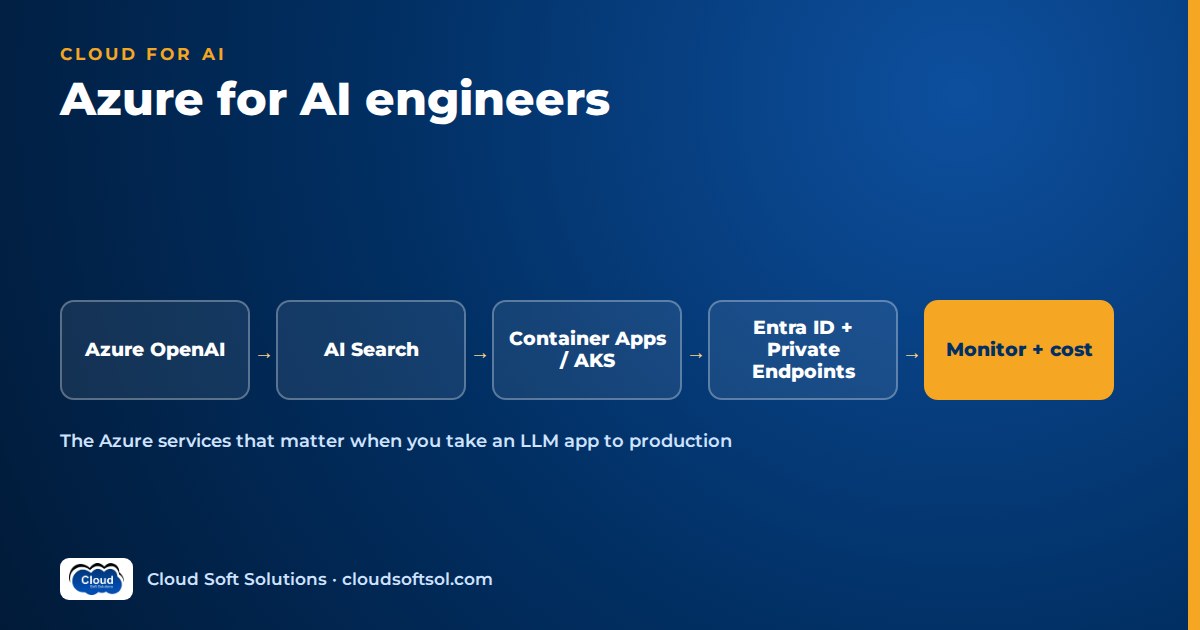
Azure for AI engineers comes down to a short list of services used well: Azure OpenAI for models, Azure AI Foundry for building and evaluating apps and agents, Azure AI Search for retrieval, Functions, Container Apps or AKS for compute, and Microsoft Entra ID, Private Endpoints, Key Vault and Azure Monitor to make it secure and observable. Azure's enterprise edge is the surroundings: most large organisations already run Microsoft 365 and Entra ID, so an assistant on Azure inherits existing identity, policy and documents.
If you have read AWS for AI engineers, the shape is familiar; names and the identity model are where Azure differs. Microsoft renames its AI services often: Azure AI Studio became Azure AI Foundry, since rebranded Microsoft Foundry, and Form Recognizer became Document Intelligence. Learn the capability behind each name and confirm current details in Microsoft's documentation.
Azure service map for AI applications
| Need | Azure service | Notes |
|---|---|---|
| Foundation models | Azure OpenAI Service | Models as named deployments in your subscription, with quotas and content filters |
| AI app and agent platform | Azure AI Foundry (Microsoft Foundry) | Model catalog, agents, evaluation and tracing |
| Retrieval | Azure AI Search | Vector, keyword, hybrid and semantic ranking; indexers |
| Document parsing | Azure AI Document Intelligence | Layout, tables and fields from PDFs, scans and forms |
| Event-driven code | Azure Functions | Ingestion triggers, small tools, scheduled jobs |
| Containerised APIs | Azure Container Apps | Serverless containers with scale rules and VNet integration |
| Kubernetes | Azure Kubernetes Service (AKS) | Platform standard, many services, GPU node pools |
| Documents | Azure Blob Storage | Source files, evaluation sets, exports |
| Chat history and state | Azure Cosmos DB | Sessions, feedback, agent state; also offers vector search |
| Vectors with business data | Azure Database for PostgreSQL with pgvector | Similarity plus SQL filters in one query |
| Private connectivity | VNets, Private Endpoints, Private DNS | Model and data traffic off the public internet |
| Identity | Microsoft Entra ID | Managed identities, user sign-in, on-behalf-of, Conditional Access |
| Secrets and keys | Azure Key Vault | Secrets, certificates, customer managed keys |
| Observability | Azure Monitor, Application Insights | Metrics, logs, OpenTelemetry traces, token usage |
| Cost | Cost Management, budgets, tags | Spend per app and team, early alerts |
| Infrastructure as code | Terraform, Bicep | Reproducible, reviewable environments |
Where these sit in a wider design with gateways, orchestration, evaluation and governance is covered in enterprise AI architecture. Here we go service by service.
Azure OpenAI Service: deployments, quotas and content filtering
Azure OpenAI runs OpenAI's models inside your Azure subscription, behind Azure authentication, networking and billing. Microsoft states that customer prompts and completions are not used to train the models. This compact Azure OpenAI tutorial covers the mechanics that trip people up.
Deployments, not models
You create a deployment of a chosen model and version inside an Azure OpenAI or Foundry resource, name it, and your code calls the deployment name. You can upgrade the model behind it, or run two side by side for evaluation, without changing code.
Deployment types and quotas
- Quota is per subscription, region and model, mainly tokens per minute, allocated across deployments. A prototype that worked fine will hit HTTP 429 throttling under real load if nobody sized it.
- Deployment types differ in where data is processed and how capacity is billed. Standard regional, global and data-zone options trade residency for capacity; provisioned throughput reserves capacity for predictable latency; batch suits offline jobs. Check each against residency rules.
- Model availability varies by region, and model versions retire on a published schedule. Re-run evaluations before every upgrade.
Content filtering
Each deployment has a content filter configuration screening prompts and completions for categories such as hate, sexual content, violence and self-harm at configurable severities, plus prompt shields for jailbreaks and indirect prompt injection hidden in documents. Loosening filters below the defaults requires Microsoft's approval. Filters are one layer: they do not decide who may see which document. See AI security for enterprises.
Keyless authentication
Production apps should authenticate with Microsoft Entra ID: grant the app's managed identity a data-plane role such as Cognitive Services OpenAI User and disable local key authentication. No keys to leak or rotate.
Azure AI Foundry: the platform for AI apps and agents
Azure AI Foundry, now branded Microsoft Foundry, is Microsoft's portal and SDK platform for generative AI apps and agents. Expect the layout to keep shifting; the capabilities are what matter:
- Model catalog: Azure OpenAI models alongside other providers' and open-weight models, as serverless APIs or managed compute.
- Projects: a team workspace grouping models, data connections, agents and evaluations under role-based access.
- Agent Service: a managed agent runtime with tools such as file search, Azure AI Search, function calling, OpenAPI tools and MCP servers.
- Evaluation and tracing: evaluators for groundedness, relevance and safety, and traces of model and agent calls.
Foundry does not decide your architecture. Many teams use its catalog, evaluation and tracing while running orchestration in their own FastAPI and LangGraph code; use the managed Agent Service when its tools fit.
Azure AI Search for RAG: vector, hybrid and semantic
Azure AI Search is the default engine for Azure AI Search RAG designs (primer: what RAG is). One index holds text, vector and filterable metadata fields, with three modes that combine well:
- Vector search matches meaning using embeddings, typically from an Azure OpenAI embedding deployment.
- Hybrid search merges keyword and vector results, so exact strings like policy numbers, error codes and drug names are not lost.
- Semantic ranker re-ranks top results with a language model, often a noticeable quality gain for little effort.
Indexers pull from Blob Storage, SharePoint and other sources, and skillsets can chunk, call Document Intelligence and embed (integrated vectorization). Write your own pipeline when you need custom chunking or metadata.
The enterprise-critical part is security trimming: store the Entra group IDs allowed to read each chunk in a filterable field and add a filter from the signed-in user's groups to every query. Microsoft has added native permission-aware indexing for some sources; check whether it fits, but never rely on the prompt to hide content.
Azure AI Document Intelligence
RAG quality is largely decided at ingestion. Document Intelligence extracts text, layout, tables and key-value pairs from PDFs, scans and Office files. Its layout model can emit Markdown that preserves headings and tables, giving clean section-based chunks instead of arbitrary splits.
Compute: Functions vs Container Apps vs AKS
| Option | Use it for | Watch out for |
|---|---|---|
| Azure Functions | Blob-triggered ingestion, scheduled re-indexing, small tools | Plan limits on duration and networking; poor fit for long streaming chats |
| Azure Container Apps | A FastAPI chat or agent API with streaming and scale to zero | Tune scaling for long requests; plan the VNet environment early |
| AKS | Kubernetes-standard customers, many services, GitOps, GPU-hosted models | Highest operational load; needs a platform team |
A sensible default for one assistant is Container Apps for the API and Functions for ingestion. On AKS, use Microsoft Entra Workload ID so each pod maps to a managed identity instead of a shared secret; more in Kubernetes for AI applications.
Data: Blob Storage, Cosmos DB and PostgreSQL with pgvector
- Blob Storage holds source documents and evaluation data. Disable public and shared key access where possible, use Entra-based access, enable soft delete and versioning.
- Cosmos DB suits conversation history, feedback and agent state, with time-to-live to expire what you should not keep. It also offers vector search.
- Azure Database for PostgreSQL supports pgvector once the extension is allow-listed, keeping embeddings beside business data so one query combines similarity with tenant, entitlement and date filters.
Rule of thumb: AI Search for hybrid search, semantic ranking and managed ingestion over large, varied content; pgvector when retrieval must join tightly with relational data you already own.
Networking: VNets and Private Endpoints
A bank or hospital security team will ask early whether any prompt or document crosses the public internet. The Azure answer:
- Compute integrated into a VNet, with network security groups on subnets.
- Private Endpoints for Azure OpenAI or Foundry, AI Search, Storage, Cosmos DB, PostgreSQL and Key Vault, with public network access disabled.
- Private DNS zones linked to the VNet so hostnames resolve to private IPs. Most broken private deployments are DNS problems.
- Egress to SaaS through Azure Firewall or a controlled, logged NAT path.
- Optionally API Management as an AI gateway for token limits, load balancing across deployments and per-consumer usage metrics.
Microsoft Entra ID: managed identities, on-behalf-of and Conditional Access
Managed identities for workloads
Every component gets a system- or user-assigned managed identity with Azure RBAC roles scoped to exactly what it touches: the API calls one OpenAI resource and queries one index; the ingestion function reads one container and writes that index. Pipelines use workload identity federation, so GitHub Actions or Azure DevOps reach Azure without stored secrets.
On-behalf-of user access
When the assistant needs data the user is entitled to, such as their SharePoint files through Microsoft Graph, the API uses the OAuth 2.0 on-behalf-of (OBO) flow to exchange the user's token for a downstream token. The downstream system enforces the user's own permissions, far safer than an application permission that can read everything.
Conditional Access
Register the assistant as an enterprise application so the customer's Conditional Access policies (multi-factor authentication, compliant devices, trusted locations, risk-based blocks) apply like any other app, and assign access to specific groups. Admins of AI resources should use Privileged Identity Management for just-in-time elevation.
Wiring Azure OpenAI, Foundry, Key Vault and Entra ID into one secure, evaluated system is part of what the Cloudsoft FDE PRO program trains, alongside AWS and Google Cloud, ending in a simulated banking customer engagement.
Azure Key Vault
Key Vault holds what cannot be a managed identity: third-party tokens (a ServiceNow integration user, say), certificates, and customer managed keys for Storage, Cosmos DB, AI Search and other services. Use the RBAC permission model, a private endpoint and purge protection.
Monitoring: Azure Monitor, Application Insights and OpenTelemetry
Route diagnostic settings from every resource to a Log Analytics workspace. Azure OpenAI metrics include requests, latency and prompt and completion tokens; alert on throttling and errors and chart tokens daily. Metrics will not explain a wrong answer, so instrument the app with the Azure Monitor OpenTelemetry distro into Application Insights, or export the same traces to Langfuse or LangSmith. A useful trace shows the request, search query and filter, chunks with scores, filter results, the model call with tokens, and each tool call. More in AI observability.
Cost: budgets and token tracking
- Tag resources by application, environment, cost centre and owner; set Cost Management budgets with alerts to the owning team.
- Track tokens per user and feature in your telemetry or via API Management token metrics. Cost per resolved question means more to a business owner than a monthly bill.
- Size capacity on real traffic: pay-per-token for variable load, provisioned throughput for steady latency-sensitive load, batch for offline jobs.
- Design for cost: smaller models for routing, capped context, output and agent iterations. See cloud cost optimization for AI.
Infrastructure as code: Terraform or Bicep
Define the VNet, Private Endpoints and DNS zones, identities and role assignments, model deployments, search index, Key Vault, compute and alerts in code, so every environment matches and security reviews a pull request rather than screenshots. Bicep is Microsoft's native language and picks up new resource properties early; Terraform, with the azurerm and azapi providers, suits multi-cloud teams. See Terraform for AI infrastructure, plus Terraform training and Azure DevOps training for pipelines.
Reference deployment: a private RAG assistant on Azure
User (Entra ID SSO, Conditional
      Access: MFA + managed device)
  |
App Gateway + WAF  (inside VNet)
  |
FastAPI on Container Apps (VNet env)
  |  managed identity, least privilege
  |-- validate token, read groups
  |-- Cosmos DB: session history (TTL)
  |-- AI Search: hybrid + semantic,
  |   filter = user's group IDs
  |-- Azure OpenAI deployment
  |   (content filters, Entra auth)
  |-- OBO token -> Graph (user scope)
  |-- OpenTelemetry -> App Insights
  |
Private Endpoints + Private DNS:
  OpenAI, Search, Cosmos, Storage,
  Key Vault (public access disabled)

Ingestion:
Blob (CMK) -> Function trigger
  -> Document Intelligence layout
  -> chunk, tag group ACLs
  -> embed -> AI Search index

Ops: Monitor alerts, budgets, tags,
  Bicep/Terraform, CI/CD
What matters: no public endpoints, no keys in code, retrieval filtered by the user's groups, every request traced with token counts, and the stack reproducible from code.
Illustrative walkthrough: a hospital group already on Microsoft 365
Consider a hospital group whose IT runs from a GCC in Hyderabad. Clinical SOPs, HR policies and pharmacy guidelines live in SharePoint, and staff sign in with Entra ID. Nurses and admin staff want cited answers from approved documents inside Teams or a web app.
- Discovery. Some pharmacy and HR content is restricted, answers must cite the SOP section, and no patient data may enter prompts.
- Data. A job pulls approved SharePoint libraries with a narrowly scoped Graph permission into private Blob Storage, runs Document Intelligence layout, chunks by heading and tags chunks with each library's Entra group IDs.
- Architecture. AI Search runs hybrid queries with semantic ranking; a FastAPI service on Container Apps orchestrates retrieval and the Azure OpenAI call; history goes to Cosmos DB with a short time-to-live.
- Security. Existing Conditional Access applies unchanged. Services sit behind Private Endpoints, the API's managed identity holds only the roles it needs, Key Vault stores the ticketing token, and prompt shields screen retrieved content.
- Deployment. Bicep or Terraform defines the stack; the pipeline deploys to a test subscription, runs evaluations and promotes on approval.
- Evaluation and optimization. A golden set of real staff questions is scored for groundedness and citation accuracy on every change. Traces expose failures on scanned PDFs, fixed with better layout parsing; output caps and a smaller model for simple lookups reduce token spend without lowering scores.
Most of the work was identity, data and evaluation, not prompts. That is the gap between an AI demo and an enterprise outcome, and why Azure suits customers already living in Microsoft 365.
Security checklist for AI workloads on Azure
- Separate subscriptions for dev, test and production, under management groups and Azure Policy.
- Private Endpoints and Private DNS for model and data services; public network access disabled.
- Managed identities everywhere; local key authentication disabled where supported.
- RBAC scoped to specific resources; Privileged Identity Management for admins.
- Entitlements enforced in retrieval filters and every tool call; OBO for Microsoft 365 data.
- Secrets and customer managed keys in Key Vault with purge protection.
- Content filters and prompt shields per deployment; grounding checked by evaluation.
- Deployment types and regions reviewed against data residency rules.
- Restricted diagnostic logs; alerts on throttling, errors and token spikes.
- Human approval for agent actions that change records or touch patient or financial data.
How to learn this stack
If subscriptions, VNets and RBAC are new, start with Azure training and add operational depth with Azure Administrator training. Identity is where Azure AI projects most often stall, so Entra ID training pays off quickly. Then build the reference deployment yourself, first in the portal, then from Bicep or Terraform, keyless and private from day one. Build retrieval twice, with AI Search and with pgvector.
Frequently asked questions
What Azure services should an AI engineer learn first?
Start with subscriptions, VNets, Entra ID and managed identities, then Azure OpenAI and Azure AI Search. Add Container Apps or Functions, Key Vault, Application Insights and Bicep or Terraform.
What is the difference between Azure OpenAI and Azure AI Foundry?
Azure OpenAI hosts OpenAI models as deployments in your subscription. Azure AI Foundry, now branded Microsoft Foundry, is the wider platform for AI apps and agents, with a model catalog, agents, evaluation and tracing.
Why does my Azure OpenAI deployment return 429 errors?
It has hit its tokens-per-minute or requests-per-minute limit. Allocate or request more quota, spread load across deployments where residency allows, retry with backoff, and shrink prompts and outputs.
Should I use Azure AI Search or PostgreSQL with pgvector for RAG?
Use Azure AI Search for hybrid search, semantic ranking and managed ingestion over large or varied content. Use pgvector when retrieval must join closely with relational data you already run.
How do I keep an Azure OpenAI app private?
Integrate the app with a VNet, add Private Endpoints and Private DNS zones for each service, disable public network access, and authenticate with managed identities instead of keys.
When should I use Functions, Container Apps or AKS?
Functions for event-driven ingestion and small tools, Container Apps for a streaming chat or agent API, and AKS when the customer has standardised on Kubernetes or you host models on GPUs.
How do I make the assistant respect each user's permissions?
Read the signed-in user's Entra groups and apply them as filters on every search query. For Microsoft 365 data, use the on-behalf-of flow so Microsoft Graph enforces the user's own permissions.
Do content filters make an Azure OpenAI app safe?
No. They reduce harmful output and some injection attacks but do not control data access. You still need entitlement filtering, least-privilege identities, private networking, evaluation and human approval for risky actions.
Your next step
Listing Azure services is easy; shipping a private, keyless, evaluated assistant that a security team signs off is the skill enterprise AI teams hire for. To build that with Azure OpenAI, Microsoft Foundry, Key Vault and Entra ID as well as AWS, explore FDE PRO, Cloudsoft's Forward Deployed Engineer course in Hyderabad: 12 weeks, 60+ labs and five enterprise projects ending in the GlobalBank capstone, in Ameerpet beside the Metro or live online, with placement support until you're placed. For an Azure-only focus, the Azure AI and OpenAI course is the shorter route. Call +91 96660 19191 for a free demo.


