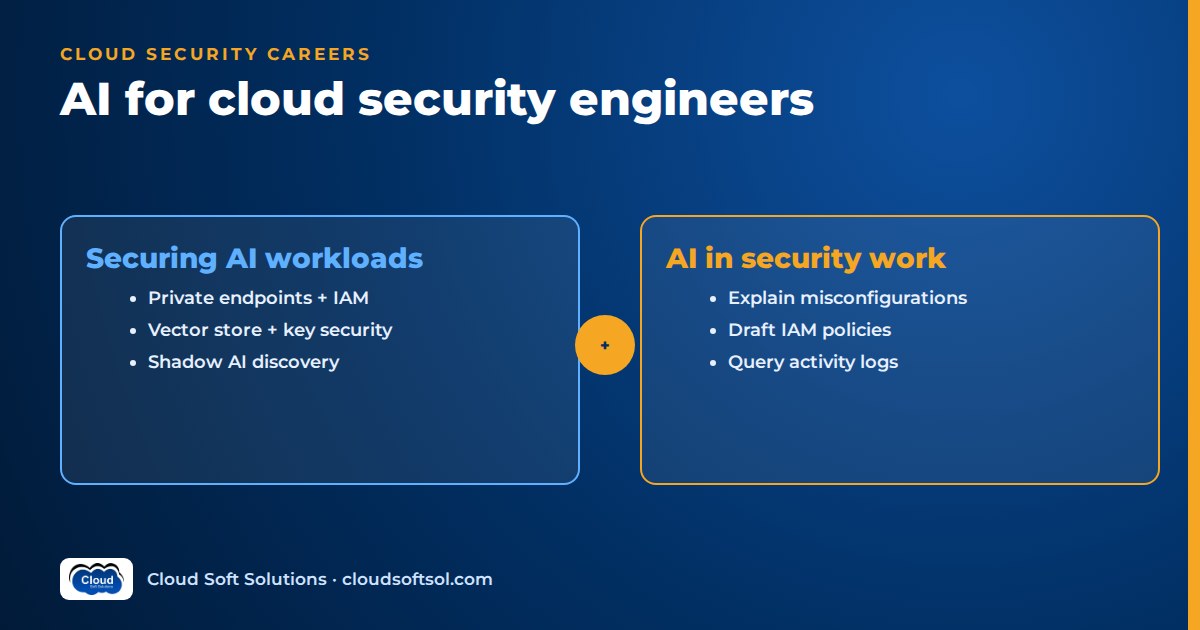
AI for cloud security means two jobs: securing the AI workloads your company runs in the cloud, and using AI to make your own security work faster. The first applies familiar controls to new services: private endpoints, model-scoped IAM, privacy-aware logging, region choice, vector store protection, keys, guardrails, shadow AI discovery and cost-abuse detection. The second uses language models to explain findings, draft policies, query logs and generate policy-as-code, with nothing applied without review.
Why the cloud security role is changing
A managed model endpoint on Amazon Bedrock, Azure OpenAI or Vertex AI accepts free text, can return sensitive retrieved data and bills per token. You still own identity, network, logging, encryption and posture; the work is applying those controls to model services, embedding pipelines and vector databases that teams often set up in a hurry for a demo.
This guide stays at the cloud control plane. For the application-layer threat model (prompt injection, insecure output handling, excessive agency) read our AI security guide for enterprises. For pipeline controls such as model provenance and AI tests in CI, see DevSecOps for enterprise AI.
Half 1: Securing AI workloads in the cloud
Network isolation and private endpoints
Managed model services are public endpoints by default. Each major cloud offers a private path: AWS through interface VPC endpoints (PrivateLink) for the Bedrock runtime, Azure through private endpoints on the Azure OpenAI resource with public network access disabled, and Google Cloud through Private Service Connect and VPC Service Controls perimeters around Vertex AI. The pattern is the same everywhere:
App (private subnet)
   |
   v
Private endpoint / VPC endpoint
   |   (endpoint policy: allowed
   |    principals + models)
   v
Managed model service
   ^
   x  public network access
      disabled or denied
Two details get missed. A private endpoint only helps if the public path is closed: public network access off on Azure, an IAM condition denying calls that bypass your endpoint on AWS. And agents often reach tools and other providers' models through a gateway with open egress, so route egress through a proxy with an allow-list of model domains.
IAM for model invocation
Treat "can call a model" as a permission you grant explicitly, not something every developer role has. Scope invocation to specific models, specific principals and, where you can, a specific network path. On AWS, model invocation is controlled by IAM actions such as bedrock:InvokeModel, and you can restrict them to particular model ARNs. A minimal, reviewable shape looks like this:
{
  "Effect": "Allow",
  "Action": [
    "bedrock:InvokeModel",
    "bedrock:InvokeModelWithResponseStream"
  ],
  "Resource": "arn:aws:bedrock:REGION::foundation-model/APPROVED-MODEL-ID",
  "Condition": {
    "StringEquals": { "aws:SourceVpce": "VPCE-ID" }
  }
}
On Azure, disable key-based (local) authentication on the Azure OpenAI resource and use Microsoft Entra ID with a narrowly scoped data-plane role assigned to a managed identity. Shared API keys are a common weakness: nobody knows which caller used them and nobody rotates them. Separate the people who can enable or deploy models (a control-plane role) from the workloads that can invoke them (a data-plane role). For autonomous agents, delegation and tool scoping are covered in our guide to identity and access for AI agents.
Logging model calls, with privacy
Treat two kinds of log differently. API activity (who called which model, from where, when) goes to CloudTrail, Azure diagnostic and activity logs, or Cloud Audit Logs; keep it available to security for abuse investigations. Content logs (prompts and completions) are usually optional; Bedrock model invocation logging, for example, is off until configured. They can hold PII, health data or source code, so treat them as a sensitive data store:
- Decide per use case whether to capture full content, redacted content or metadata only (token counts, model, latency, guardrail outcome).
- Redact identifiers before logs reach shared tools, and encrypt the store with a customer-managed key.
- Set retention to match your privacy obligations. For Indian personal data, read our DPDP Act guide for AI teams with your legal team.
- Restrict content-log readers more tightly than metric readers.
Data residency and region choice
Teams often pick whichever region has the model they want. Check three things: which region hosts the endpoint; whether the deployment option routes requests across regions (Bedrock cross-region inference profiles and Azure's global or data-zone deployment types do, for capacity); and where logs, vector indexes and fine-tuning data live. Enforce approved regions and deployment types through service control policies or Azure Policy, not a wiki page, and flag any model deployment outside them.
Securing vector stores and RAG data
RAG copies enterprise documents into chunks and embeddings, and that copy is easier to query than the source. Common gaps:
- Exposed databases. Vector databases or search clusters with public endpoints or no authentication. Scan for them like open Elasticsearch.
- Lost permissions. Restricted SharePoint or Confluence documents become readable by everyone once indexed. Store access metadata with each chunk and filter retrieval by the caller's identity. Our vector databases explainer covers metadata filtering.
- Embeddings treated as harmless. Embeddings derive from the text; classify, encrypt and restrict export accordingly.
- Poisoned ingestion. Anyone who can write to the source can plant instructions the model will later read. Lock down and audit the ingestion path.
Key management
Use customer-managed keys (AWS KMS, Azure Key Vault, Cloud KMS) wherever the services support them: knowledge bases, custom or fine-tuned model artefacts, training data buckets, vector stores and content logs. They give you a revocation lever and an audit trail of key use; keep key administration separate from data access. Provider API keys for third-party models belong in a secrets manager with rotation and an owner, never in environment files or notebooks.
Guardrail services
Each major cloud offers a managed guardrail layer that filters harmful content, detects PII, blocks denied topics, catches some prompt-injection attempts and, in some cases, checks grounding. It is one layer, not the whole defence. Your part is making it mandatory: require a guardrail on production invocations where the platform can enforce it, alert when a deployment has none, and send guardrail events to the SIEM. Tuning and testing are covered in our AI guardrails guide.
Shadow AI discovery
Shadow AI is model usage security does not know about: a personal provider key in a Lambda function, a model enabled in a sandbox account, a SaaS tool granted OAuth access to the corporate drive. Ways to find it:
- Egress and DNS logs. Look for traffic to model provider API domains from workloads that are not on the approved list.
- Secrets scanning. Scan repositories, CI variables and container images for provider API key patterns.
- Cloud inventory. Look for model access enablement, new model deployments and AI resources across every account and subscription, not just production.
- Identity and SaaS logs. Review OAuth consent grants and SSO app inventories for AI tools with broad data scopes.
- Expense and marketplace records. AI subscriptions charged to corporate cards often show up here first.
The goal is to move this usage onto approved paths, which only works if the sanctioned path is easy to adopt.
AI security posture management
AI security posture management (AI-SPM) is an emerging category, usually sold as part of broader cloud security platforms. The tools typically inventory AI assets (models, endpoints, notebooks, vector stores, training data, agents), map how they connect to identities and sensitive data, and flag AI-specific misconfigurations: public endpoints, key-based auth left on, missing guardrails, unapproved regions, over-permissioned agent roles. Capabilities vary widely, so judge products on what they discover in your accounts during a trial. Much of the same coverage can be built with cloud-native config rules and custom checks.
Cost-abuse detection
Stolen cloud credentials are now used to run expensive model calls on the victim's bill, sometimes to resell access. Signals:
- A spike in invocations or tokens, especially from a principal that never called a model before.
- Model access being enabled, or new models deployed, in regions your organisation does not use.
- Calls from unfamiliar IP ranges or user agents, or long-lived keys used at odd hours.
Combine prevention (deny model access outside approved accounts and regions, tight quotas, no long-lived keys) with detection (budgets, cost anomaly alerts, SIEM rules on invocation events). For spend that is legitimate but wasteful, see cloud cost optimization for AI.
Half 2: Using AI in cloud security work
The other half of the job is using models as a working tool. The rule that runs through all of it: AI drafts and explains; engineers verify and apply.
Explaining misconfigurations
Posture tools are good at saying what is wrong and bad at saying why it matters here. Give a model a finding, the resource configuration and its tags, and ask it to explain the attack path in plain language and suggest a fix. This helps most in tickets for application teams. Check the explanation against the real resource first; models sometimes describe defaults your organisation has changed.
Drafting IAM policies, with review
Describe what the workload needs ("read objects under this prefix, write to this queue, invoke this one model") and let the model draft a policy. Then validate it with tools, not by eye: the provider's policy validation (such as IAM Access Analyzer policy checks), a policy simulator or non-production test, and a hunt for the usual problems: wildcard actions or resources, missing conditions, made-up action names or condition keys, and NotAction constructs that grant more than they seem to. Models tend to produce policies that work but are broader than needed.
Summarising CSPM findings
A posture scan across a large estate produces thousands of findings. A model can group them by root cause (for example, one Terraform module creating the same public bucket in many accounts), draft a summary for leadership, and suggest which items to fix first using the exposure and data sensitivity you give it. Keep severity scoring in your own logic. Use the model to explain and group findings, not to decide what is critical.
Investigating activity logs in natural language
Asking "which roles assumed into the payments account from outside our IP ranges last week?" and getting back a CloudTrail Lake or Athena SQL query, or a KQL query for Azure Monitor or Sentinel, is a real time saver. Two cautions. Read the generated query before trusting the result: a wrong time filter returns an empty result that looks like "nothing happened". And log fields are untrusted input. User agent strings, resource tags and object names can carry text written to manipulate a model that reads them. The SOC AI assistant project shows how to build that kind of assistant safely.
Policy-as-code generation
Models are useful for drafting OPA/Rego rules, custom Checkov or tfsec checks, AWS Config rules and Azure Policy definitions from a plain-language standard such as "no AI model endpoint may allow public network access". Ask for test cases with every rule, both a compliant and a non-compliant fixture, and run them in CI. A rule nobody has tested may block nothing, or block everything.
The risks, stated plainly
- Never auto-apply. Generated policies, remediations and rules go through pull requests, plans and human approval, like any other change. Our human-in-the-loop AI guide covers how to design approval steps.
- Validate least privilege every time. A policy that works is not necessarily a least-privilege policy.
- Watch what you paste. Account IDs, internal hostnames, findings and logs are sensitive. Use an approved enterprise model endpoint, not a personal chatbot.
- Give security assistants read-only access. An assistant with write access to IAM is a privilege-escalation path that you built yourself.
An illustrative example: an insurer's claims assistant
Consider an insurer whose Hyderabad GCC team is building a claims-summarisation assistant with RAG over policy documents and claim notes. The cloud security engineer joins at design review.
- Discovery. An inventory sweep finds model access enabled in two forgotten sandbox accounts and a personal provider key in a notebook repository. The key is revoked; the sandboxes come under standard policy.
- Design. A private endpoint; a workload role that can invoke only the approved model through it; cross-region routing off so claim data stays in an approved region.
- Data. The vector store runs privately with a customer-managed key, and each chunk carries the claim's access group. Retrieval filters on the signed-in adjuster's groups.
- Logging. Activity logs go to the SIEM. Content logs are redacted, encrypted, short-lived and readable by two named engineers.
- Detection. Budget and anomaly alerts are tied to invocation volume, and an SCP denies model access in every other account.
- AI in the loop. An internal assistant drafts the IAM policy and a Config rule for the private-endpoint standard. Both pass validation, tests and a second engineer's pull-request review.
Not a perfect system, but one where every control is explainable to an auditor and every AI-generated change has a named reviewer.
Want hands-on practice with the identity, network and posture controls behind this? Cloudsoft's Cloud Security training in Hyderabad covers AWS and Azure security in labs, in our Ameerpet classroom or live online.
A skills roadmap for cloud security engineers
| Stage | Learn | Prove it with |
|---|---|---|
| 1. Cloud security core | IAM policy logic, networking, KMS, logging, organisation policies, CSPM | A secured landing zone in Terraform with SCPs or Azure Policy |
| 2. How AI apps work | LLMs, tokens, RAG, embeddings, agents, tool calling, MCP | A small RAG app you deploy and then threat-model |
| 3. Managed model services | Bedrock, Azure OpenAI and Vertex AI access models, endpoints, deployment types, quotas | The same app reached privately with model-scoped identity |
| 4. AI-specific threats | Prompt injection, data leakage via retrieval, excessive agency, guardrails | A red-team test log and the controls that fixed each finding |
| 5. Detection and posture | Invocation telemetry, cost-abuse rules, shadow AI discovery, AI-SPM concepts | SIEM rules and a posture check for model endpoints |
| 6. AI as your tool | Python, natural-language log queries, policy-as-code with tests, read-only assistants | A policy-as-code repo whose AI-drafted rules all have passing tests |
For platform depth, our guides to AWS for AI engineers and Azure for AI engineers map the services. If your background is broader security rather than cloud, the Cyber Security course is a good first step. If you end up deploying and securing AI systems inside customer environments, that is Forward Deployed Engineer work; the Cloudsoft FDE PRO program trains for that path, including a Secure Banking AI Assistant project.
Frequently asked questions
What does AI for cloud security mean?
It covers two jobs: securing the AI workloads an organisation runs in the cloud, such as managed model endpoints, vector stores and agents, and using AI tools to speed up security work such as explaining misconfigurations, drafting policies and querying logs.
How do you secure Amazon Bedrock or Azure OpenAI?
Reach the service through a private endpoint with public access closed, use workload identity instead of shared keys, scope invocation to approved models, enable activity logging, handle content logs as sensitive data, enforce approved regions, use customer-managed keys where supported and require a guardrail layer.
Should prompts and responses be logged?
Log activity metadata always. Log content only where a use case needs it, with redaction, encryption, short retention and tighter read access than ordinary metrics, because prompts and responses can contain personal and confidential data.
What is AI security posture management?
AI security posture management is an emerging tool category that inventories AI assets such as models, endpoints, vector stores and agents, maps their access to identities and sensitive data, and flags AI-specific misconfigurations. Capabilities vary between vendors, so evaluate them against your own accounts.
How do you find shadow AI in a cloud estate?
Combine egress and DNS logs for model provider domains, secrets scanning for provider API keys, cloud inventory of model access and deployments across all accounts, OAuth and SSO app reviews, and expense records. Then offer an approved path that is easy to adopt.
Can I let an AI tool write IAM policies for me?
You can let it draft them. Validate every draft with the provider's policy checks and a simulator, remove wildcards and add conditions, and merge it through a reviewed pull request. Never let an AI tool apply IAM changes directly.
Is it safe to use AI to investigate CloudTrail or activity logs?
Yes, if the assistant is read-only, you review each generated query before trusting its result, and you treat log fields as untrusted input, because attacker-controlled text in user agents or tags can try to steer the model.
Is cloud security a good career path with AI growing?
Yes. AI workloads add services and risks to secure while identity, network, logging, encryption and posture stay central. Adding AI application knowledge and policy-as-code skills makes you well placed for this work.
If you want to secure the cloud platforms that enterprise AI now runs on, start with Cloudsoft's Cloud Security course. Hands-on AWS and Azure labs, classroom in Ameerpet or live online. Call +91 96660 19191 for a free demo.


