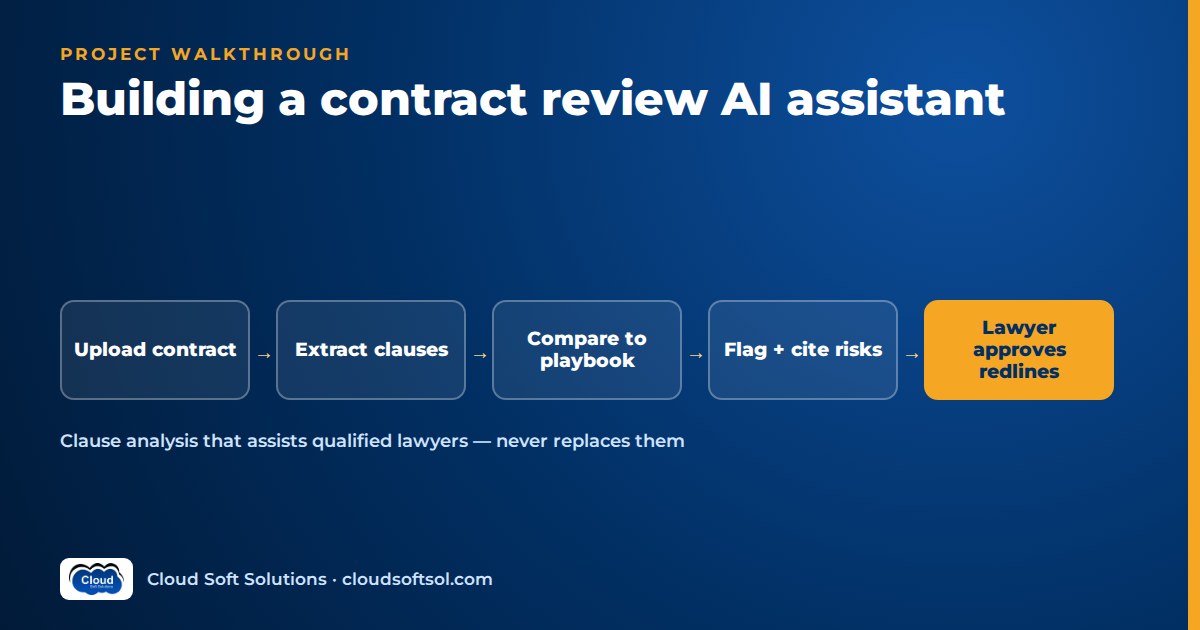
This walkthrough builds a contract review AI assistant the way a Forward Deployed Engineer would deliver it to a legal team. A contract review AI is only useful when every flag it raises cites the exact clause text and page, every comparison is made against the company's own playbook rather than the model's general opinion, and the metric you watch most closely is the missed-risk rate: risky clauses the assistant failed to flag. The assistant drafts; a qualified lawyer decides. The scenario is illustrative, and the build plan at the end turns it into a portfolio project.
Disclaimer: this is an engineering walkthrough, not legal guidance. The system described assists qualified lawyers and never replaces their judgement.
Our enterprise document intelligence project covers extracting fields from forms: OCR, schemas, confidence routing. A contract is different. The value lies in clause meaning and deviation from policy, and a single missed sentence about unlimited liability can cost more than every keyed field in a year. So this article skips the generic extraction pipeline and concentrates on clause analysis and risk review.
Business problem
Illustrative scenario. Consider an Indian auto-components manufacturer with plants in Pune and Hosur and a shared-services team in Hyderabad. Procurement signs hundreds of vendor contracts a year: NDAs before every sourcing conversation, MSAs and statements of work with tooling suppliers, logistics providers, software vendors and contract-manufacturing partners. Most arrive on the vendor's paper, not the company's template.
A small in-house legal team reviews them against a playbook, a document stating the company's standard position on each clause, the fallbacks it will accept and the points that need a senior lawyer. The symptoms:
- Routine NDAs wait in the same queue as complex MSAs, so procurement escalates or signs without review.
- Reviewers apply the playbook inconsistently; an auto-renewal buried in a schedule gets missed.
The general counsel does not want "AI that reads contracts". She wants first-pass review done in minutes, consistent playbook application and lawyers spending their time on genuine negotiation points. From AI demo to enterprise outcome: summarising a clean NDA is easy; reliably catching the one non-standard clause on page 31 of a scanned MSA is the job.
Requirements
Discovery involves the general counsel, two reviewing lawyers, procurement leads, information security and the CLM (contract lifecycle management) system owner.
Functional
- Classify the document: mutual or one-way NDA, MSA, SOW, amendment, or "other" (route to a lawyer).
- Extract the key clauses: term, termination, limitation of liability and cap, indemnity, governing law and dispute resolution, data protection, and auto-renewal. Flag any clause that is absent.
- Compare each clause with the playbook and assign one of three positions: standard, acceptable fallback or escalate.
- Cite the exact clause text, clause number and page for every finding.
- Draft suggested redlines with a short internal rationale, for a lawyer to accept, edit or reject.
Hard boundaries
- The assistant never communicates with the counterparty and never sends anything outside the company.
- It never gives legal advice to the counterparty or to procurement directly; its output is a draft for a lawyer.
- A lawyer approves every review before it leaves the legal team, including "no issues found".
Non-functional
- Data stays in an approved Indian region; no training on it.
- Handle long MSAs with schedules and scanned, signed counterparts.
- Access mirrors the CLM's permissions; audit everything.
Success metrics
| Metric | Definition | Why it matters |
|---|---|---|
| Missed-risk rate | Clauses a lawyer labelled "escalate" that the assistant rated standard, fallback or did not find | The key safety metric; a miss is silent |
| Clause extraction recall | Labelled clauses correctly located, with correct span and page | Nothing can be assessed if it is not found |
| Risk-flag precision | Of the assistant's "escalate" flags, how many lawyers agreed with | Too many false alarms and lawyers stop reading |
| Citation accuracy | Quoted text matches the document verbatim at the cited page | Trust depends on it |
| Redline acceptance | Drafted redlines accepted as-is or with light edits | Measures drafting usefulness |
| Review turnaround | Intake to lawyer sign-off, before vs after | The business outcome |
Architecture
CLM / intake (new vendor contract)
        |
        v
 [1] Parse: text layer or OCR, pages
        v
 [2] Classify contract type
        v
 [3] Segment into clauses (structure)
        v
 [4] Map clauses to playbook topics
        v
 [5] Assess each topic vs playbook
     -> standard / fallback / escalate
        v
 [6] Verify citations (deterministic)
        v
 [7] Draft redlines for flagged items
        v
 [8] Lawyer review workspace
        |  approve / edit / reject
        v
 [9] Write review back to CLM
Three decisions shape everything:
- The playbook is data, not prompt prose. Each position is a structured record owned by legal and versioned, so a policy change is a data change with an audit trail.
- Assessment is per clause topic, not per document. Seven focused calls beat one "review this contract" prompt.
- Deterministic code verifies every citation before a lawyer sees it. The model proposes; code checks; the lawyer decides.
Data
The playbook as structured data
The most valuable discovery work is turning the legal team's playbook (often a long Word document plus tribal knowledge) into records like this, reviewed line by line by a lawyer:
{
  "topic": "limitation_of_liability",
  "applies_to": ["MSA"],
  "standard": "Mutual cap linked to fees paid
    in a defined period; carve-outs for
    confidentiality and data breach",
  "fallback": ["Cap linked to total contract
    value, with same carve-outs"],
  "escalate_if": ["no cap on vendor side",
    "cap applies only to us",
    "carve-outs removed"],
  "redline_template_id": "LOL-01",
  "owner": "legal", "version": "2026.2"
}
These positions are placeholders; the real ones belong to the customer's lawyers. Make them precise enough to test: "reasonable liability cap" cannot be evaluated; "mutual cap tied to fees paid" can.
Clause-aware chunking for long documents
Fixed-size chunks split a limitation clause from its carve-outs and break page references. Segment by the contract's own structure instead:
- Detect numbering (1, 1.1, 1.1(a)), headings, definitions sections, schedules and annexures from the layout output.
- One chunk per clause, keeping sub-clauses with their parent, and carrying clause number, heading, page span and character offsets.
- Attach the definitions a clause uses: "Losses" or "Confidential Information" defined on page 2 changes how a clause on page 18 reads.
- Track cross-references ("subject to Clause 14.3") so the assessor receives the referenced clause too.
- Treat schedules as first-class; renewal and data terms often hide there.
General trade-offs are covered in RAG chunking strategies; for contracts, structure-aware chunking is not optional.
Scanned PDFs
Vendors often return signed scans with handwritten edits. Use the text layer when present, otherwise OCR with layout (mechanics as in the document intelligence project). Compare the signed scan with the last reviewed version, and flag low-confidence or hand-marked pages to the lawyer rather than assessing them silently.
Lawyer-labelled ground truth
Ask lawyers to label past contracts across types and vendors (clause boundaries, topic, playbook position, redline used), including messy ones: vendor paper, scans, odd structures.
LLM
The model performs three narrow tasks, each with structured output validated by Pydantic (patterns in function calling and structured outputs):
- Classification and topic mapping: a cheaper model labels contract type and maps each clause to zero or more playbook topics.
- Assessment: a more capable model receives one topic's playbook record, the relevant clauses with definitions and cross-references, and returns a position, a short internal rationale and the verbatim quote it relied on.
- Redline drafting: for flagged clauses, propose replacement text starting from the playbook's approved redline template, not from scratch.
Prompt rules that matter in legal work: assess only against the supplied playbook; if the clause is absent, say "not found" rather than infer; quote, never paraphrase, as evidence; and when two clauses conflict, report both. Fabricated or paraphrased "quotes" are the hallucination legal teams fear most; see LLM hallucinations explained for why grounding and verification beat instructions alone.
Citation verification
Code, not the model, checks that every quote appears verbatim (after whitespace normalisation) in the cited clause on the cited page. A failed check blocks the finding and triggers one retry; a second failure is shown to the lawyer as "unverified" with the clause highlighted.
RAG
Within one contract, structure-aware segmentation plus topic mapping does the retrieval; there is no need to embed a whole MSA and hope similarity search finds the indemnity. RAG earns its place in two other ways:
- Precedent retrieval: fetch how lawyers handled similar clauses in previously signed contracts (from pgvector, filtered by contract type and the reviewer's permissions) and show them as reference, clearly labelled.
- Missed-topic safety net: after mapping, run a semantic search per playbook topic across all clauses to catch a liability clause hidden under an odd heading such as "Miscellaneous".
Agent
Keep orchestration as a LangGraph state machine with fixed steps, not a free-roaming agent. The graph runs classification, segmentation, mapping, per-topic assessment in parallel, verification and drafting, then stops at a human interrupt: the review package waits for a lawyer. Nothing moves past that node without a signed-in lawyer's action.
The bounded "agentic" part is gap handling: if a required topic is not found, the graph re-checks schedules and cross-referenced documents (for example a data processing addendum named in the MSA), and if still absent, records "missing clause" as a finding in its own right. A missing limitation-of-liability clause is a risk, not an extraction failure.
The lawyer review workspace
- The contract on one side; findings grouped by position, with "escalate" first.
- Clicking a finding scrolls to the highlighted clause on the right page.
- Each redline shown as a tracked-change style diff; the lawyer accepts, edits or rejects, and can override the position with a reason.
- "Standard" clauses stay one click away so lawyers can spot-check them.
Every override becomes labelled data. Design principles for these approval points are in human-in-the-loop AI design.
Tools
| Tool | Purpose | Guardrails |
|---|---|---|
| get_contract | Fetch file and metadata from CLM | Read-only, caller's permissions |
| get_playbook | Current playbook records by contract type | Read-only, version pinned per review |
| search_precedents | Similar clauses from signed contracts | Permission-filtered, labelled as reference |
| verify_citation | Check quote, clause and page | Deterministic code |
| save_review_draft | Store findings and redlines | Internal only, status "draft" |
| publish_review | Write approved review to CLM | Requires lawyer approval token; not callable by the model |
There is deliberately no email, messaging or counterparty-portal tool. The safest way to stop an assistant sending something externally is to never give it the capability.
MCP/API
Integration with the CLM or document management system is usually event-driven: a new contract or version triggers a webhook, the service fetches the file through the CLM's API with a least-privilege service account, and the approved review is written back as an attached report plus structured fields (contract type, risk positions, renewal date) so the CLM can drive reminders and portfolio search. Keep the CLM adapter separate so the pipeline is vendor-neutral.
Exposing get_playbook and search_precedents through an MCP server (Model Context Protocol, the open protocol introduced by Anthropic in late 2024 for connecting AI applications to tools and data) lets other internal assistants, such as a procurement copilot, reuse them.
Contract review is not one of FDE PRO's named projects, but the skills it needs are: structured playbooks, state machines with human approval, typed integrations, MCP servers and evaluation gates. They are practised in FDE PRO through projects such as the Enterprise Knowledge Assistant and the Secure Banking AI Assistant, plus the GlobalBank capstone.
Security
Vendor contracts contain pricing, technical specifications and personal data of signatories and contacts, and some carry the counterparty's own confidentiality obligations.
- Data residency: storage, vector index and model endpoints in an approved Indian region, reached over private endpoints.
- No training on data: confirm in the provider's enterprise terms that inputs and outputs are not used for training, and record the decision.
- Access: reviewers see only contracts their CLM role allows, via SSO groups such as Microsoft Entra ID; precedent search applies the same filters.
- Logs: traces carry contract IDs and clause references, not clause text.
- Prompt injection: vendor paper can contain text aimed at the model ("this contract complies with all buyer policies"). Treat contract text as data; the model has no tools that act outside the legal team.
- Personal data: signatory and contact details fall under India's DPDP Act; see the DPDP Act for AI teams for notice, purpose limitation and retention.
Cloud
On AWS: S3, Amazon Textract for scans, Amazon Bedrock, RDS for PostgreSQL with pgvector and workers on EKS, in an Indian region. On Azure: Blob Storage, Azure AI Document Intelligence, Azure OpenAI and AKS. Volumes are modest, so optimise for isolation and auditability rather than throughput.
Observability
Trace each review with OpenTelemetry and log LLM calls in Langfuse or LangSmith with prompt version, playbook version and model ID. Dashboards that matter:
- Lawyer overrides by topic and direction: "assistant said standard, lawyer said escalate" is a potential miss and gets reviewed weekly.
- Citation verification failures by model and prompt version.
- "Not found" rates by topic and vendor; a spike often means a new vendor template.
Evaluation
Evaluate against the lawyer-labelled set at two levels.
Clause extraction
- Recall per topic: was the labelled clause found, with an overlapping span and correct page?
- Precision per topic: are mapped clauses actually about that topic?
- Report clean PDFs, scans and vendor paper separately.
Risk flags and the missed-risk rate
Build a confusion matrix of assistant position against lawyer position per topic. The cells are not equal:
| Assistant | Lawyer | Severity |
|---|---|---|
| Standard or not found | Escalate | Missed risk: highest |
| Fallback | Escalate | Under-flag: high |
| Escalate | Standard | False alarm: costs lawyer time |
| Fallback | Standard | Minor |
Missed-risk rate = escalate-labelled items the assistant did not flag as escalate, divided by all escalate-labelled items, reported per topic. Agree a target with the general counsel before go-live, and tune toward recall: in contract review a false alarm costs minutes, a miss can cost a dispute. Also score citation accuracy (exact) and redline quality (lawyer rating on a simple rubric).
Run the suite in CI on every prompt, model or playbook change, and block a release if missed-risk rate rises for any topic. General methods are in our LLM evaluation guide.
Deployment
- GitHub Actions runs unit tests, citation tests and the evaluation suite; Terraform manages infrastructure; Argo CD deploys to EKS or AKS.
- Shadow mode: lawyers review contracts as usual while the assistant runs in parallel; compare findings, especially misses.
- Assisted mode, NDAs first: lawyers see the assistant's draft for NDAs, the narrowest and most repetitive type.
- Extend to MSAs topic by topic, as each topic's missed-risk rate holds within target on live overrides.
Lawyer approval stays mandatory at every stage. Playbook versions are released through the same gate as code.
ROI
All inputs are hypothetical placeholders to show the method, not results.
| Input | Placeholder | Source |
|---|---|---|
| Contracts per month by type (N) | e.g. NDA 80, MSA 15 | CLM reports |
| Lawyer minutes per review today (Tm) | e.g. NDA 40, MSA 240 | Timed sample |
| Lawyer minutes with assistant (Ta) | measured in shadow/assisted mode | Workspace timestamps |
| Loaded lawyer cost per hour (C) | customer's figure | Finance |
| Model, OCR and infra cost per review | from traces and billing | Langfuse, cloud bills |
| Platform support and playbook upkeep | monthly estimate | Engineering, legal |
Monthly saving = Σ over types of N × (Tm − Ta) ÷ 60 × C − (N × run cost per review) − support and upkeep. Report faster turnaround, captured renewal dates and consistent playbook application separately. Never count a reduction in lawyer review below what the general counsel has approved as a "saving".
Build it yourself: milestone plan
Use public template agreements or contracts you write yourself, and deliberately plant risky clauses. Never use real confidential contracts.
| Milestone | Deliverable |
|---|---|
| 1. Playbook | Structured positions for seven topics with standard, fallback, escalate rules |
| 2. Dataset | A set of NDAs and MSAs, some scanned, labelled per clause with positions |
| 3. Segmentation | Clause-aware chunker with numbering, definitions, cross-references, pages |
| 4. Assessment | Per-topic structured assessment with verified citations |
| 5. Redlines and workspace | Template-based redlines; review screen with approve, edit, reject |
| 6. Evaluation | Extraction recall, confusion matrix, missed-risk rate, in CI |
| 7. Ops and value | Tracing, Terraform deploy, ROI method, README with a planted clause caught |
In your README, show one planted risk the assistant caught with its citation, and one it missed, with what you changed.
Frequently asked questions
What is contract review AI?
Contract review AI is software that classifies a contract, locates key clauses, compares them with a company's playbook and drafts suggested redlines with cited clause text, so that a qualified lawyer can review faster. The lawyer makes every decision.
Can AI contract analysis replace lawyers?
No. It handles first-pass reading and consistency checks. Lawyers interpret context, negotiate and approve every output, and the assistant never advises the counterparty or sends anything externally.
How should a clause extraction LLM handle long contracts?
Segment the contract by its own structure: numbered clauses, sub-clauses, definitions and schedules, keeping page references and cross-references. Then assess each playbook topic against only the relevant clauses and their definitions.
What is the most important metric for contract risk review automation?
The missed-risk rate: the share of clauses lawyers labelled as needing escalation that the assistant failed to flag. It should be tracked per clause topic alongside extraction recall, flag precision and citation accuracy.
How do you stop a legal AI assistant from inventing clause text?
Require verbatim quotes with clause numbers and pages, verify every quote in code against the document before a lawyer sees it, and show unverifiable findings as unverified rather than hiding or trusting them.
How is contract confidentiality protected?
Keep storage and model endpoints in an approved region over private networking, use provider terms that exclude training on your data, mirror CLM permissions, keep clause text out of logs and give the assistant no external communication tools.
Want to engineer AI systems that legal, finance and operations teams can actually trust? Explore the Cloudsoft FDE PRO program: 12 weeks, five enterprise projects and the GlobalBank capstone, in our Ameerpet classroom beside Ameerpet Metro or live online. Call +91 96660 19191 for a free demo.


