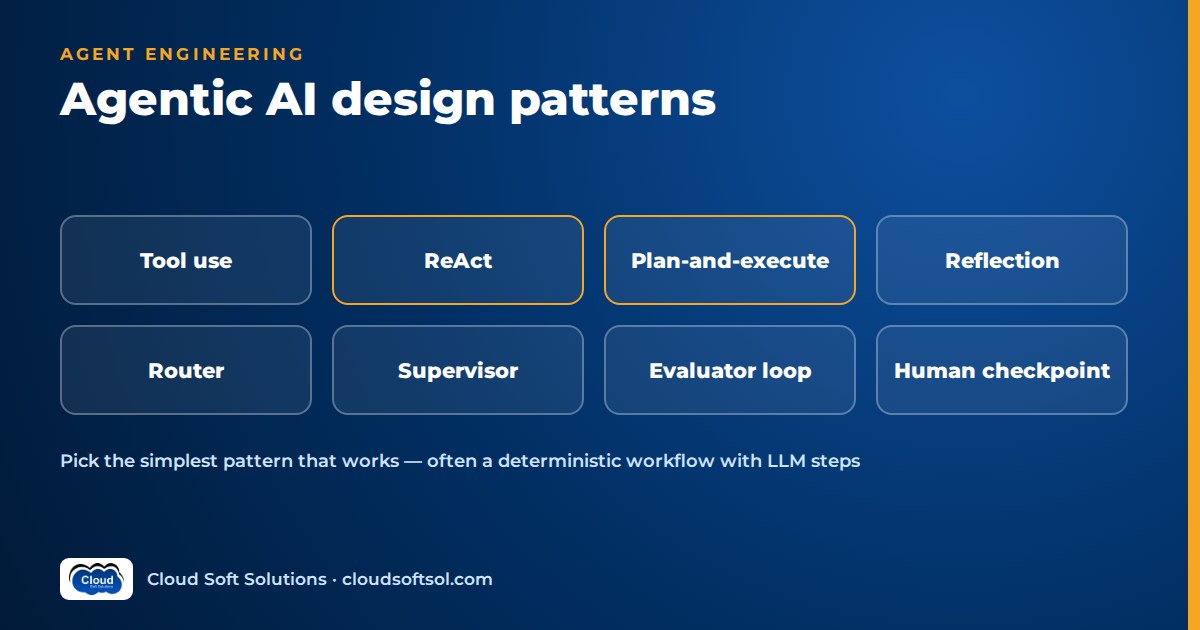
Agentic AI design patterns are reusable ways of arranging model calls, tools, state and people so that an AI system completes multi-step tasks reliably. The core set is tool use, ReAct, plan-and-execute, reflection, routing, orchestrator-workers, evaluator-optimizer loops, human-in-the-loop checkpoints, deterministic workflows with LLM steps, and memory. Production systems combine two or three, and the classic mistake is choosing the most autonomous pattern when a constrained one would be cheaper, faster and easier to audit.
For the basics, start with what agentic AI is and how the agent loop works. These patterns are framework-agnostic; for how they map onto graph nodes and checkpointers, see LangGraph for enterprise AI.
Think in terms of who controls the next step
The useful question for any pattern is: who decides what happens next, the code or the model? Moving towards model control buys flexibility at the price of predictability, cost and audit effort.
code decides                              model decides
|------------|------------|------------|------------|
workflow    router     plan-and-     ReAct     multi-agent
+ LLM steps            execute                 (open-ended)
Reflection, evaluator loops, human checkpoints and memory are add-ons to whichever control pattern you choose.
Pattern 1: Tool use (function calling), the base layer
How it works. You describe tools to the model as names, descriptions and JSON schemas. The model replies with text or with a structured request to call a tool with specific arguments. Your code validates the arguments, executes the call and returns the result. MCP (Model Context Protocol) standardises how tools are exposed so many agents can share them.
When to use it, and when not to. Use it whenever the model needs fresh data or must take an action. Do not make something a tool when code already knows it must be called: if every request needs the same customer lookup, run it first and put the result in the prompt.
Failure modes. Wrong tool chosen because descriptions overlap; schema-valid but wrong arguments (right field, wrong employee ID); too many tools in one prompt; and tool output carrying injected instructions.
Enterprise considerations. Treat every tool as an API with an owner, an auth model and a blast radius. Separate read tools from write tools, run writes with the user's scoped permissions rather than a shared admin account, make writes idempotent, and log every call. Most of an agent's security lives here, not in the prompt.
Pattern 2: ReAct (reason and act)
How it works. ReAct interleaves reasoning and actions in a loop. The model reasons about what it knows and needs, takes one action (a tool call), observes the result, then reasons again with that observation in context. The key idea is the interleaving: each action is chosen in light of what the previous one returned, not planned upfront.
[goal]
  |
  v
[reason: what do I need next?] <-----+
  |                                   |
  +--> done? --yes--> [final answer]  |
  | no                                |
  v                                   |
[act: call one tool]                  |
  |                                   |
[observe: tool result] ---------------+
        (stop at max steps)
With modern function-calling APIs, the reasoning may be internal or a short visible note, and the action is a structured tool call.
When to use it, and when not to. Use ReAct for exploratory tasks where the next step depends on the last result: investigating an incident or diagnosing a failed deployment. Avoid it when the steps are known in advance, when each model call is expensive, or when an approver must see the full plan before anything runs.
Failure modes. Loops that repeat the same call with near-identical arguments; stopping after one weak observation; drift as tool output crowds out the original goal; and cost and latency that vary widely between runs.
Enterprise considerations. Cap steps and tokens, detect repeated calls, and trace every cycle. Keep a ReAct agent on read-only tools where possible and route writes through a checkpoint.
Pattern 3: Plan-and-execute
How it works. A planner call produces an explicit list of steps. An executor works through them, often with a cheaper model or plain code per step. When a step fails or reveals new information, a re-planner revises the remaining plan or stops.
[goal] --> [planner] --> plan: step1..stepN
                             |
                  +--> [execute next step]
                  |          |
                  |     [check result]
                  |      |         |
                  +--- ok      failed / new info
                         |         |
                     all done   [re-plan]
                         |
                    [final result]
When to use it, and when not to. Use it for longer tasks whose steps vary by request but should be visible: onboarding a vendor or migrating a set of resources. The plan is an artefact you can log and show to a human. Skip it for short tasks and for environments where the plan is stale after step one.
Failure modes. Plausible plans that miss a dependency; rigid execution of a plan early results have invalidated; and re-planning so often that it becomes an expensive ReAct loop.
Enterprise considerations. Validate plans against allowed step types: "delete" in a reporting task should fail validation, not reach a tool. For high-impact steps, put approval on the plan itself.
Pattern 4: Reflection and self-critique
How it works. The model produces a draft; a second call with a critic prompt reviews it against criteria and suggests fixes; the generator revises, for a bounded number of rounds.
When to use it, and when not to. Reflection helps when criteria are explicit: "every claim cites a retrieved document", "the SQL uses only these tables". Without new information, a model asked "are you sure?" about a fact it cannot check often repeats the error or changes a correct answer. Ground the critic in tests, schemas or retrieved sources.
Failure modes. The critic approves its own mistakes, over-corrects good content, and adds cost and latency for marginal gains.
Enterprise considerations. Prefer deterministic checks (validators, tests, policy rules) to self-critique, and prove on a test set that reflection improves outcomes before paying for it. Your AI agent evaluation suite should answer that, not intuition.
Pattern 5: Router
How it works. A classification step, usually a small model call with structured output, sends each request down a specialised path with its own prompt, tools and possibly model. An "unclear" route asks a clarifying question instead of guessing.
[request] --> [router: classify]
               |      |      |       |
            billing  tech  account  unclear
               |      |      |       |
            [path A][path B][path C][ask user]
When to use it, and when not to. Use a router when requests fall into distinct categories needing different tools, policies or models, such as sending simple FAQs to a small model and complex cases to a larger one. Skip it when every request follows the same path or categories overlap heavily.
Failure modes. Misrouting is silent: the wrong path gives a confident, wrong answer. Categories also drift as the business changes.
Enterprise considerations. Log each routing decision, measure routing accuracy on labelled requests, and use rules for categories that must never be misrouted, such as security incidents.
Pattern 6: Orchestrator-workers (supervisor)
How it works. An orchestrator breaks a task into subtasks at runtime, delegates each to a worker with its own tools, and combines the results. In the supervisor variant, it also decides after each worker returns whether another worker is needed.
            [orchestrator]
           /      |       \
    [worker A] [worker B] [worker C]
     logs       runbooks   ticketing
           \      |       /
           [orchestrator: combine]
                  |
              [result]
When to use it, and when not to. Use it when subtasks need different tool sets or permissions and you cannot know upfront which a request needs, such as an IT operations assistant needing logs, runbooks and change tickets. One agent with good tools is usually cheaper and easier to debug, so do not reach for this first. The multi-agent enterprise workflow project walks through a case where the split is justified.
Failure modes. Context lost in handoffs; workers duplicating or contradicting each other; multiplied cost; and errors that could originate in any hop.
Enterprise considerations. Give each worker least-privilege credentials, pass structured handoffs rather than free text, and trace the whole tree under one correlation ID. AI observability becomes mandatory.
Pattern 7: Evaluator-optimizer loops
How it works. A generator produces output; a separate evaluator scores it against an explicit rubric, ideally including non-LLM checks, and returns specific feedback; the generator revises until it passes or hits the iteration limit.
[task] --> [generator] --> draft
               ^              |
               |         [evaluator]
          feedback        (rubric + checks)
               |              |
               +---- fail ----+
                              | pass
                          [output]
When to use it, and when not to. Use it when "good enough" is checkable: SQL that must run and return the expected shape, code that must pass tests. A text-to-SQL data agent is a natural fit because the database itself is a reliable evaluator. Avoid it when latency matters more than marginal quality.
Failure modes. The generator learns to satisfy a weak rubric rather than the user, loops oscillate between two versions, and an uncalibrated LLM evaluator passes poor work.
Enterprise considerations. Calibrate LLM evaluators against human judgements, cap iterations, and store scores alongside outputs for review.
Pattern 8: Human-in-the-loop checkpoints
How it works. Before a high-impact step, the system prepares a proposal, persists its state and waits. A person approves, rejects or edits, and the system resumes from saved state with the decision.
When to use it, and when not to. Use checkpoints for irreversible or regulated actions: payments, access grants, production changes. Do not gate every step. Approval fatigue makes people click "approve" without reading, giving you the cost of a human without the safety.
Failure modes. Rubber-stamping because the request is a raw chat log instead of a clear summary; lost state when the approver replies days later; and actions executed despite rejection because the resume path was never tested.
Enterprise considerations. Persist state durably, key the checkpoint to a business identifier such as the ticket number, authenticate the approver and record who approved what. Pair checkpoints with automated AI guardrails so humans only see cases rules could not settle.
Pattern 9: Deterministic workflow with LLM steps
How it works. Ordinary code defines the sequence, branches and error handling. The model is called only where language understanding is needed: extracting fields, classifying, summarising, drafting. Each LLM step has narrow input, a structured output schema and validation.
[email in] --> [LLM: extract fields] --> [validate]
                                            |
                 [code: look up customer + rules]
                                            |
               [LLM: draft reply] --> [template check]
                                            |
                                     [send / queue]
When to use it, and when not to. This is often the right answer. If you can draw the flowchart, write it as code and use the model only for what code cannot do. You get predictable cost, easy testing and a readable audit trail. Move to a more autonomous pattern only when branches explode or the next step genuinely cannot be known in advance.
Failure modes. Rigidity: unexpected request types fall through to a generic error.
Enterprise considerations. It fits existing change management and audit practice, so it clears security review fastest. A common hybrid is a deterministic outer workflow with one bounded agentic step inside.
Pattern 10: Memory, short-term state vs long-term memory
How it works. Short-term state is everything about the current task: messages, tool results, the plan, approval status. It is checkpointed so the task survives restarts and long waits. Long-term memory persists across tasks: preferences, customer facts, past incident summaries. It sits in a database or vector store (see vector databases explained) and is retrieved when relevant.
| Aspect | Short-term state | Long-term memory |
|---|---|---|
| Scope | One task or thread | Across tasks, users or time |
| Typical store | Checkpoint table, session store | Relational table, vector index, key-value store |
| Main risk | Context overflow, lost state on restart | Stale, wrong or poisoned memories; privacy |
| Key control | Trim or summarise; durable persistence | Write rules, retention, deletion, access control |
When to use it, and when not to. Every multi-step agent needs short-term state. Add long-term memory only for a clear benefit. Many enterprise agents should remember nothing beyond what systems of record hold; the CRM or ticketing system is the memory.
Failure modes and enterprise considerations. Memories can be wrong, stale after a policy change, or deliberately poisoned, and may hold personal data that must be deletable on request. Decide what may be written, who reads it, how long it lives, and log every write.
To build these patterns hands-on, with tool calling, RAG, LangGraph, MCP and evaluation in one curriculum, see Cloudsoft's AI, GenAI and Agentic AI course.
Comparison table
Ratings are relative and qualitative.
| Pattern | Complexity | Cost | Latency | Reliability | Auditability |
|---|---|---|---|---|---|
| Workflow + LLM steps | Low | Low | Low | High | High |
| Tool use (single call) | Low | Low | Low | High | High |
| Router | Low | Low | Low | Medium-high | High |
| Plan-and-execute | Medium | Medium | Medium | Medium | High (plan is visible) |
| ReAct | Medium | Variable | Variable | Medium | Medium (needs tracing) |
| Reflection | Low-medium | Medium-high | Medium-high | Depends on grounding | Medium |
| Evaluator-optimizer | Medium | Medium-high | High | High with real checks | High |
| Orchestrator-workers | High | High | High | Medium | Low-medium |
| Human checkpoint | Medium | Low (compute) | Minutes to days | High | High |
| Long-term memory | Medium-high | Medium | Low-medium | Medium | Low unless governed |
Decision guide: choosing agentic AI design patterns
- Can you draw the flowchart? Build a deterministic workflow with LLM steps, and stop unless a question below forces you on.
- Do requests split into distinct types? Add a router, with rules for categories that must never be misrouted.
- Does the next step depend on what the last one found? Use a bounded ReAct loop for that part only.
- Is the task long, with steps that must be visible upfront? Use plan-and-execute with plan validation.
- Is good output checkable? Add an evaluator-optimizer loop grounded in real checks; use plain reflection only if tests show it helps.
- Do subtasks need different tools or permissions you cannot predict? Only then consider orchestrator-workers.
- Is any action irreversible or regulated? Put a human checkpoint before it, whatever else you chose.
- Must the agent recall anything across tasks? Add governed long-term memory; otherwise rely on systems of record.
Then evaluate. A pattern choice is a hypothesis until a scenario suite shows it beats the simpler alternative on task success, cost and safety. And never let the model decide policy: models propose; rules and people decide.
Illustrative example: choosing patterns for an IT access-request agent
Consider a GCC IT team in Hyderabad supporting a global bank. Employees ask in chat for things like "read access to the payments reporting database for the audit". The LangGraph guide shows one implementation as a graph; here the focus is the reasoning behind each pattern choice.
| Sub-problem | Pattern chosen | Why not something more autonomous |
|---|---|---|
| Overall flow | Deterministic workflow; one LLM step extracts system, role and justification | The process (identify, classify, check policy, approve, grant, log) is known and auditors expect it fixed |
| Access vs password reset vs hardware | Router with an "unclear" route | Distinct categories with different tools and policies |
| Which entitlement matches "payments reporting"? | Bounded ReAct over read-only catalogue and directory tools | The right lookup depends on what the first search returns; read-only keeps it safe |
| Policy decision | Code and rules, not the model | The outcome must be explainable and identical for identical inputs |
| Approval for sensitive systems | Human checkpoint with a summarised approval pack | Access to financial data is high-impact; the manager must see a clear proposal |
| Grant and close | Tool use with scoped, idempotent write tools | Retries must not create duplicate grants |
| Memory | Short-term state only; history lives in the ticketing system | Agent memory would create a second, ungoverned record of access decisions |
Notice what is absent: no multi-agent supervisor and no self-reflection. Neither helps when decisions are rule-based and the risky step already has a human gate. Taking such a design into a customer's production environment is the work Forward Deployed Engineers do, and the focus of Cloudsoft's FDE PRO program.
FAQ
What are agentic AI design patterns?
They are reusable structures for AI systems that complete multi-step tasks, such as tool use, ReAct, plan-and-execute, reflection, routing, orchestrator-workers, evaluator-optimizer loops, human checkpoints, deterministic workflows and memory.
What is the ReAct pattern?
ReAct interleaves reasoning and actions. The model reasons about what it needs, calls one tool, observes the result and reasons again with that information, repeating until it can finish.
What is the difference between ReAct and plan-and-execute?
ReAct decides one step at a time from the latest observation. Plan-and-execute writes the full list of steps first and re-plans only when needed. The first adapts better; the second is easier to review upfront.
Does the reflection pattern make LLM outputs more accurate?
Sometimes. It works when the critic can check against something external, such as tests, schemas or retrieved sources. Without that grounding it often repeats errors, so measure it first.
When should I use an orchestrator-workers design?
When subtasks need different tools or permissions and you cannot know in advance which a request requires. Otherwise one well-tooled agent is cheaper and easier to debug.
Why is a deterministic workflow often the right answer?
Most enterprise processes have a known sequence. Writing it as code and calling the model only for language tasks gives predictable cost, simple testing and a clear audit trail.
What is the difference between short-term and long-term memory in agents?
Short-term state covers the current task and is persisted so the task can resume. Long-term memory persists across tasks, such as user preferences and needs rules for storage, access and deletion.
Ready to design agents that hold up in production rather than just in a notebook? Explore Cloudsoft's agentic AI training in Hyderabad, in our Ameerpet classroom or live online. Call +91 96660 19191 for a free demo. Preparing for interviews? Try the agentic AI interview questions.


