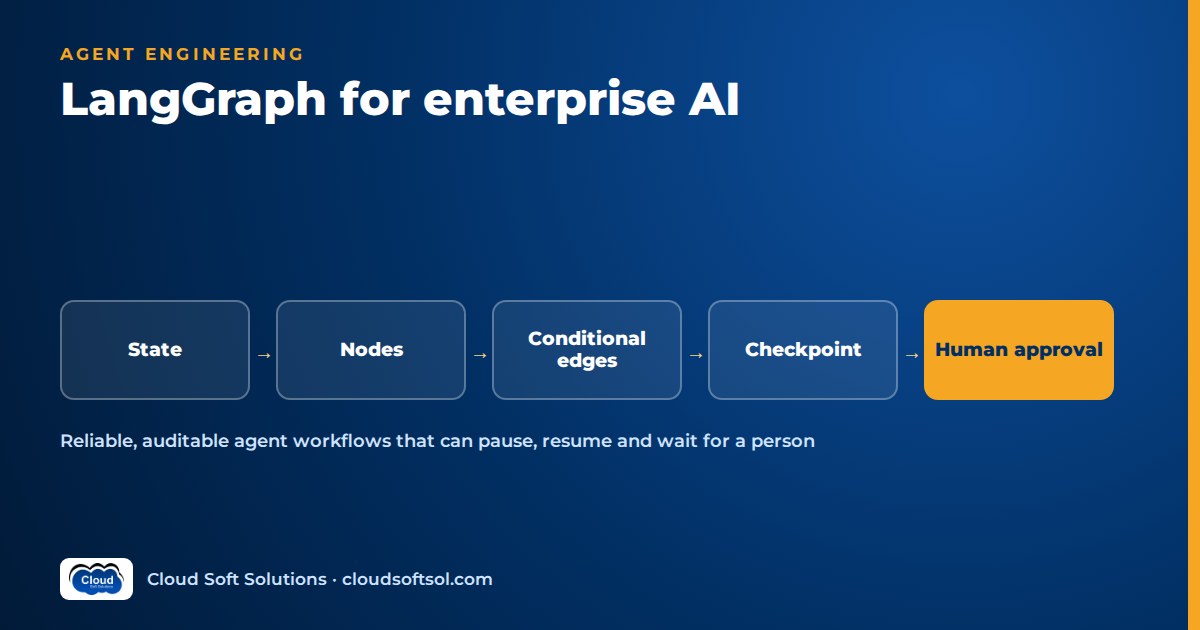
LangGraph is a framework for building AI agent workflows as an explicit graph: nodes do the work, edges decide what runs next, and a shared state object carries the task from step to step. For enterprise teams, the value of LangGraph is control: you decide where the model is allowed to choose, where the path is fixed, where a human must approve, and every step is checkpointed so a run can pause, resume and be audited. This guide is a practitioner's walkthrough of how to design, test and run LangGraph workflows that survive contact with real enterprise systems.
If you are new to agents, start with what agentic AI is and how agents work. This article assumes you know what a tool call is and focuses on the engineering decisions that come after the first demo.
Why graphs instead of a free-running agent loop
The simplest agent is a loop: send the goal and history to the model, execute whatever tool it asks for, append the result, repeat until it says it is done. That loop is excellent for prototypes and genuinely useful for open-ended research tasks. In an enterprise it runs into three problems.
- Determinism where it matters. A bank does not want the model deciding whether to run the sanctions check. Some steps must always happen, in a fixed order, regardless of what the model thinks. A graph lets you hard-code those edges and leave model choice only where judgement genuinely helps, such as classifying a request or drafting a reply.
- Auditability. When a compliance team asks "why did the system grant this access?", "the model decided" is not an answer. In a graph, every run is a sequence of named nodes with a recorded state after each one. You can show which node ran, what it read, what it wrote and which edge it took.
- Approvals. Enterprise actions often need a person in the loop: a manager approving access, a pharmacist confirming a dosage-related change, a claims lead signing off a payout. A free loop has no natural place to stop and wait for hours or days. A graph with checkpoints and interrupts does.
The practical rule: use the model for decisions, use the graph for control flow.
Core LangGraph concepts, with a sketch
Five ideas cover most of what you build.
- State is a typed schema for everything the workflow knows: the request, intermediate results, decisions, approval status. Each node receives the current state and returns an update. You can attach reducers to fields so updates append (for message lists or audit events) rather than overwrite.
- Nodes are plain functions. Some call a model, some call a tool or API, some are pure Python validation. Keeping nodes small and single-purpose is what makes graphs testable.
- Edges connect nodes. Normal edges always go to the same next node. Conditional edges call a routing function on the state and return the name of the next node.
- Checkpointers save the state after every step under a thread ID. That gives you resumption after crashes, multi-turn memory and the ability to inspect or replay a run.
- Interrupts pause execution at a defined point, persist the state and wait for external input, typically a human decision, before continuing.
Here is a deliberately simplified, illustrative sketch. It shows the shape of a LangGraph application, not exact signatures; import paths, helper names and interrupt APIs have changed across releases, so check the documentation for the version you install.
# Simplified and illustrative only -- not tied to
# a specific LangGraph version. Check current docs.
from typing import TypedDict, Optional
from langgraph.graph import StateGraph, START, END

class AccessState(TypedDict):
    request_text: str
    user_id: str
    system: Optional[str]
    role: Optional[str]
    risk: Optional[str]        # "low" | "high"
    approved: Optional[bool]
    result: Optional[str]

def classify(state: AccessState) -> dict:
    # LLM call with structured output:
    # which system, which role, what risk level
    parsed = llm_extract(state["request_text"])
    return {"system": parsed.system,
            "role": parsed.role,
            "risk": parsed.risk}

def check_policy(state: AccessState) -> dict:
    # Deterministic code, no LLM
    risk = policy_engine(state["user_id"],
                         state["system"],
                         state["role"])
    return {"risk": risk}

def grant_access(state: AccessState) -> dict:
    ticket = iam_api.grant(state["user_id"],
                           state["system"],
                           state["role"])
    return {"result": ticket.id}

def route_by_risk(state: AccessState) -> str:
    return "approval" if state["risk"] == "high" \
        else "grant"

g = StateGraph(AccessState)
g.add_node("classify", classify)
g.add_node("policy", check_policy)
g.add_node("approval", wait_for_manager)
g.add_node("grant", grant_access)
g.add_edge(START, "classify")
g.add_edge("classify", "policy")
g.add_conditional_edges("policy", route_by_risk,
    {"approval": "approval", "grant": "grant"})
g.add_edge("approval", "grant")   # simplified
g.add_edge("grant", END)

# Checkpointer persists state per thread;
# interrupt pauses before the risky tool.
app = g.compile(checkpointer=my_checkpointer,
                interrupt_before=["grant"])

cfg = {"configurable": {"thread_id": "REQ-1042"}}
app.invoke({"request_text": "...",
            "user_id": "u123"}, cfg)
# ...graph pauses before "grant"...
# Later, after a human reviews the saved state:
app.invoke(None, cfg)   # resume from checkpoint
Three things to notice. First, the risk decision comes from deterministic policy code, not the model; the LLM only extracts structured fields. Second, the interrupt sits before the node with side effects, so nothing irreversible has happened when the run pauses. Third, the thread ID is a business identifier (the request number), which makes it easy to find the run later. Newer versions also let you call an interrupt inside a node and resume with the human's decision; the principle is the same.
Workflow patterns you will actually use
Router
One classification node decides which specialised branch handles the request: a password reset path, a software request path, a hardware path. The router is usually an LLM with structured output plus a fallback route for "unclear", which asks the user a clarifying question instead of guessing.
Supervisor multi-agent
A supervisor node delegates to worker agents, each with its own prompt and a narrow tool set, and decides when the task is finished. In an IT operations setting the workers might be a log-analysis agent, a runbook agent and a ticketing agent. The benefit is separation: each worker sees only the tools it needs, which limits blast radius and keeps prompts short. The cost is more model calls and harder debugging, so do not reach for multi-agent until a single agent with good tools clearly struggles. Workers are often subgraphs with their own state.
Plan-and-execute
A planner node produces an explicit list of steps, executor nodes work through them, and a re-planner checks progress after each step. The plan lives in state, so it can be shown to a human, logged and compared across runs. It suits longer tasks where the steps vary but must be visible.
Approval gate
Before any node that changes a system of record, insert a gate: the graph prepares the proposed action (what, for whom, with which arguments, and why), interrupts, and resumes only when an approver responds. Good gates support approve, reject and edit. An edit updates the state, and the graph continues with the corrected arguments. Rejections should route to a node that records the reason and informs the requester, not simply end the run.
Retries and fallbacks
Separate failure types. Transient errors (timeouts, rate limits) deserve automatic retries with backoff, which LangGraph supports through node-level retry policies. Validation failures, such as a model returning malformed JSON, deserve a bounded repair loop: a conditional edge back to the generating node with the error in state and a counter that stops after a few attempts. Business failures, such as the target system rejecting the request, deserve a fallback branch: create a ticket for a human team with full context. Always cap loops with a step limit so a confused model cannot cycle forever.
Illustrative example: an IT access-request agent
Consider a GCC IT team in Hyderabad that supports a global insurer. Employees raise requests like "I need read access to the claims data warehouse for the fraud project" in chat or in the service portal. Today an analyst triages each one by hand. As a graph, it might look like this.
 [request in: chat / portal]
           |
     [identify user] --(Entra ID lookup)
           |
     [classify request] --(LLM, structured)
           |
     {clear?} --no--> [ask clarifying q] --> back
           | yes
     [policy check] --(rules + entitlements)
           |
     {decision}
      |       |          |
    deny    low risk   high risk
      |       |          |
 [explain]    |   [prepare approval pack]
      |       |          |
      |       |   ((INTERRUPT: manager))
      |       |      |          |
      |       |   approve     reject
      |       |      |          |
      |    [grant access]   [notify user]
      |       |  (retry / fallback ticket)
      |       |
      +--> [update ticket + audit log] --> END
Design notes that matter in a real deployment:
- The model never decides the policy outcome. It extracts system, role and justification. Rules and existing entitlements decide low, high or deny. This is the single most important choice for auditability.
- Identity flows through the graph. The user is identified from the authenticated session, not from what they type, and tools act with scoped credentials. The agentic AI in the enterprise article covers on-behalf-of access in more depth.
- The approval pack is a node. It summarises who is asking, what for, the policy result and the requester's justification, so the manager approves a clear proposal rather than a raw chat log.
- Waiting is free. A manager might reply in five minutes or two days. Because the state is checkpointed, no process sits idle; the graph resumes when the approval webhook arrives with the thread ID.
- Tools come through a standard layer. Ticketing and identity actions can be exposed as MCP servers so the same tools serve other agents; see what MCP is for how that works.
Persistence and resumption in production
In-memory checkpointers are fine for notebooks and unit tests. In production you want a durable store, and a Postgres-backed checkpointer is a common choice because most enterprise teams already run PostgreSQL, back it up and know how to secure it. Conceptually it stores a row per checkpoint: the thread ID, a checkpoint ID, the serialised state and metadata such as which node ran. Practical points:
- Thread IDs are your join key. Use the ticket or request number, and store it in your own business tables so support staff can go from a ticket to the exact run.
- Make side-effecting nodes idempotent. If a process dies after calling the IAM API but before the checkpoint is written, the node may run again on resume. Pass an idempotency key (for example, thread ID plus node name) to external systems, or check whether the action already happened before doing it.
- Keep state lean. Store document IDs and summaries, not entire retrieved documents or large files. Bloated state slows every checkpoint write and makes runs hard to read.
- Treat state as sensitive data. Checkpoints may contain personal data, ticket contents or model outputs. Apply encryption at rest, access controls and a retention policy, and agree it with the security team early. Our sibling guide to AI security for enterprises covers the wider controls.
- Plan for schema changes. When you add a field to state or rename a node, in-flight threads still hold old checkpoints. Add fields as optional with defaults, avoid renaming nodes that may be paused, and drain or migrate long-waiting threads before breaking changes.
Testing and evaluating graphs
Graphs are easier to test than free loops because you can test pieces separately. Use three layers.
- Unit tests for nodes. Deterministic nodes (policy checks, validators, formatters) get ordinary pytest tests. For LLM nodes, test the surrounding code with a stubbed model that returns fixed structured outputs.
- Path tests for the graph. With stubbed models and fake tools, drive the compiled graph with an in-memory checkpointer and assert the sequence of nodes visited: a high-risk request must reach the interrupt; a denied request must never reach the grant node; a rejected approval must notify the user. These tests catch wiring mistakes, which are the most common graph bugs.
- Evaluation with real models. Build a labelled set of anonymised requests and measure routing accuracy, extraction accuracy, task success against the expected end state and, critically, the rate of attempted unsafe actions. Review full trajectories for failures, not just final outputs.
Run the evaluation suite on every prompt, model or graph change and compare against a baseline. Our guide to LLM evaluation covers test-set design, LLM-as-judge calibration and CI regression gates in detail. Tools such as LangSmith, Langfuse and Ragas fit naturally here.
Want hands-on practice building graphs like this, with state, approvals, evaluation and deployment? Cloudsoft's AI, GenAI and Agentic AI course covers LangChain, LangGraph, MCP and evaluation through labs.
Deployment and observability
A typical production shape is a Python API service (often FastAPI) that hosts the compiled graph, a PostgreSQL database for checkpoints, and a queue or webhook path for resuming interrupted runs. Do not hold an HTTP request open for long runs; return the thread ID and stream or poll.
- Containers and scaling. Because state lives in the checkpointer, graph workers can be stateless and scale horizontally. Running them on Kubernetes with health checks, resource limits and secrets from a vault is common; see Kubernetes for AI applications for the platform side.
- Tracing. Trace every run with node names, model calls, prompts, token counts, tool arguments and results, tied to the thread ID. LangSmith integrates directly; Langfuse and OpenTelemetry-based setups work well when you need traces in an existing observability stack.
- Metrics that matter. Runs started, completed, failed and waiting on approval; time spent waiting versus working; cost per run; retry and fallback rates per node. A rising fallback rate on one node is often the first sign of a model or upstream API change.
The AI observability guide goes further into traces, dashboards and production feedback loops.
LangGraph vs LangChain vs writing your own loop
LangGraph and LangChain are complementary rather than competing: LangChain provides building blocks (model wrappers, prompts, tools, retrievers), while LangGraph provides orchestration. Many teams use LangChain components inside LangGraph nodes. The real decision is how much orchestration you need.
| Aspect | LangGraph | LangChain (chains and prebuilt agents) | Your own loop |
|---|---|---|---|
| Best for | Multi-step workflows with branches, approvals and long waits | Linear pipelines such as RAG, and quick tool-calling agents | Small, well-understood agents; learning how agents work |
| Control flow | Explicit graph with conditional edges and cycles | Mostly linear composition, agent loop hidden inside helpers | Whatever you write |
| Persistence | Built-in checkpointers, thread-based resumption | Message history helpers; durable workflow state is up to you | You design and maintain it |
| Human in the loop | First-class interrupts and resume | Possible, but you build the pause and resume | You build it |
| Multi-agent | Supervisor and subgraph patterns | Limited; usually combined with LangGraph | Possible, but complexity grows quickly |
| Auditability | Named nodes, state history per step | Depends on tracing setup | Depends entirely on your logging |
| Learning curve | Moderate: state, reducers, graph thinking | Lower for simple cases | Lowest to start, highest to harden |
| Dependency risk | Framework upgrades to track | Framework upgrades to track | None, but all maintenance is yours |
A reasonable path: write a raw loop once to understand the mechanics, use LangChain components for model and retrieval plumbing, and move to LangGraph when you need branching, approvals, durable state or more than one agent. If your workflow is a single prompt and a single tool call, a graph is overhead.
Common mistakes
- Letting the model own control flow that policy should own. If a step is mandatory, make it a fixed edge, not a suggestion in the prompt.
- Interrupting after the side effect. The pause must come before the risky tool, with the proposed arguments visible to the approver.
- Random thread IDs. If you cannot map a run back to a ticket or user request, debugging and audits become painful.
- Non-idempotent tools. Resumption can repeat a node. Without idempotency keys, you get duplicate tickets or double grants.
- Unbounded cycles. Repair loops and re-planning without counters or step limits will eventually burn budget on a confused run.
- Testing only the happy path. Path tests for denial, rejection, timeouts and fallbacks are where graphs earn their keep.
- Pinning nothing. Unpinned framework and model versions mean behaviour can change without a code change. Pin, then upgrade deliberately behind your evaluation suite.
Engineers who design workflows like the access-request agent and then run them inside a customer's own systems, with their identity, approvals and audit rules, are doing the job of a Forward Deployed Engineer. Cloudsoft's FDE PRO program is built around exactly that kind of engagement.
FAQ
What is LangGraph used for in enterprise AI?
LangGraph is used to build AI agent workflows that need explicit control: fixed mandatory steps, model-driven branches, human approval before risky actions, durable state that survives restarts, and a clear record of every step. Typical uses include IT service requests, claims and case handling, IT operations triage and multi-step document workflows.
What is the difference between LangGraph and LangChain?
LangChain provides building blocks such as model wrappers, prompts, tools and retrievers. LangGraph provides orchestration: a graph of nodes and edges over shared state, with checkpointers, interrupts and multi-agent patterns. They are often used together, with LangChain components running inside LangGraph nodes.
How does human-in-the-loop work in LangGraph?
You place an interrupt before a node that performs a risky action, or inside a node that needs a decision. The graph saves its state through the checkpointer and stops. When a person approves, rejects or edits the proposed action, your application resumes the same thread, optionally passing the decision in, and the graph continues from where it paused.
Do I need a checkpointer in production?
Yes, if your workflow has approvals, long waits, multi-turn conversations or any need to recover from failures. Use a durable store such as a Postgres-backed checkpointer rather than an in-memory one, use business identifiers as thread IDs, and treat checkpoint data as sensitive.
Is LangGraph only for multi-agent systems?
No. Many production LangGraph applications are a single agent or a mostly deterministic workflow with a few model calls. Multi-agent supervisor patterns are supported, but they add cost and complexity, so they are best introduced only when one well-designed agent is not enough.
How do you test a LangGraph workflow?
Unit test individual nodes, then run path tests on the compiled graph with stubbed models and fake tools to confirm the right nodes run for each scenario, including denials and rejections. Finally, run an evaluation suite with real models on labelled cases to measure routing accuracy, task success and unsafe-action attempts on every change.
Can I build reliable agents without LangGraph?
Yes. A hand-written loop or another framework can be reliable if you implement explicit state, durable persistence, approval pauses, idempotent tools, step limits and tracing yourself. LangGraph is popular because it provides these concepts directly, which saves effort and gives teams a shared vocabulary.
Which skills do I need before learning LangGraph?
Solid Python, comfort with APIs and JSON, a basic understanding of LLM tool calling and structured output, and familiarity with a database such as PostgreSQL. Knowing RAG helps, since many graphs include a retrieval step.
LangGraph rewards engineers who think in workflows, failure modes and approvals rather than prompts alone. If you want to build these skills with guided labs and real projects, explore Cloudsoft's GenAI and Agentic AI training in Hyderabad, in our Ameerpet classroom beside Ameerpet Metro or live online. Call +91 96660 19191 to book a free demo.


