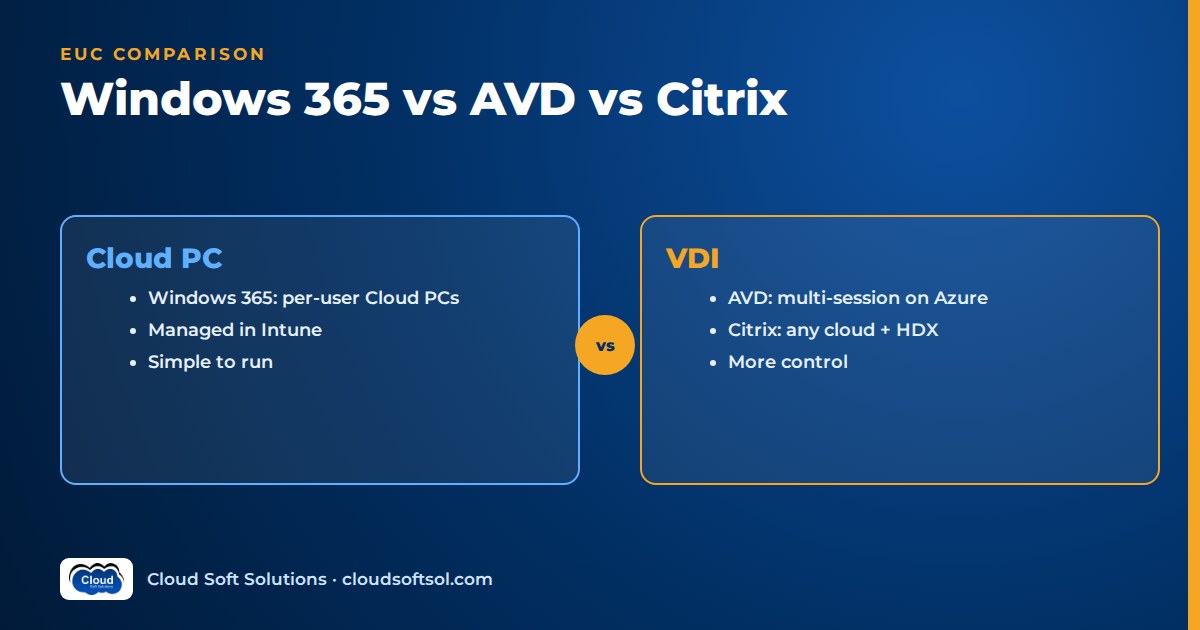
Windows 365 vs AVD vs Citrix comes down to how much of the desktop stack you want to own: Windows 365 sells a managed Cloud PC per user, Azure Virtual Desktop gives you a Microsoft-run control plane with session hosts you build and run in your own Azure subscription, and Citrix adds an enterprise delivery layer (HDX, granular policies, any cloud or on-premises) on top of the infrastructure you choose. Small teams and anyone who wants a laptop-in-the-cloud usually land on Windows 365. Cost-sensitive pooled desktops on Azure usually land on AVD. Large, regulated or multi-cloud estates that already run Citrix usually keep it, often brokering AVD or Windows 365 capacity through it. This guide compares all three on the dimensions that decide real projects, then maps them to five common scenarios and to the skills EUC engineers need in 2026.
Windows 365 vs AVD vs Citrix at a glance
Start with the shape of each product: they are not three versions of the same thing, and they sit at different layers.
| Question | Windows 365 | Azure Virtual Desktop | Citrix (DaaS / CVAD) |
|---|---|---|---|
| What you buy | A Cloud PC per user (SaaS) | A desktop and app virtualisation service; you pay for the Azure resources you run | A delivery and management platform for VMs you host anywhere |
| Who runs the VMs | Microsoft, in a Microsoft-hosted subscription | You, in your own Azure subscription (or on Azure Local) | You, on Azure, AWS, Google Cloud or on-premises hypervisors |
| Session model | One user per Cloud PC; Flex allows non-concurrent sharing | Pooled multi-session or personal single-session | Multi-session or single-session, pooled or static |
| Main console | Microsoft Intune admin center (Enterprise) | Azure portal, PowerShell, CLI, REST and IaC | Citrix Web Studio (DaaS) or Studio (on-premises CVAD) |
| Pricing model | Fixed per user per month | Azure consumption plus eligible per-user licences | Citrix licence (user/device or concurrent) plus the infrastructure underneath |
| Typical fit | Simplicity, persistent personal desktops | Density, control, Azure-centric estates | Complex, hybrid or multi-cloud estates needing advanced controls |
What each platform actually is in 2026
Windows 365: the Cloud PC
Windows 365 is a software-as-a-service offering that automatically creates a Cloud PC, a Windows virtual machine, when you assign a licence to a user in the right Microsoft Entra group. Admins do not build VMs or host pools. The current editions on Microsoft Learn are:
- Windows 365 Business for smaller organisations, capped at 300 users per tenant, with simplified provisioning from a standard image and Microsoft Entra join only. Policy management is not part of the edition itself; you get deeper device management only if users also hold Intune licences.
- Windows 365 Enterprise for larger organisations, with no per-tenant user cap, custom images, Azure network connections and full integration with Microsoft Intune. Each user must also be licensed for Windows Enterprise, Intune and Microsoft Entra ID P1.
- Windows 365 Flex, which Microsoft renamed from Windows 365 Frontline in May 2026 without changing features or licensing. One Flex licence works in either Dedicated mode (up to three Cloud PCs, each assigned to one user, with one active session at a time) or Shared mode (one Cloud PC shared non-concurrently by a group, with user data deleted at sign-out). If an older document says "Frontline", read it as Flex.
- Windows 365 Government for US government clouds, and Windows 365 for Agents (preview), which provides Cloud PCs as sandboxes for AI computer-using agents and is billed pay-as-you-go rather than per user.
Microsoft also sells Windows 365 Link, a small device built purely to connect to a Cloud PC. In Business, Enterprise and Government, each Cloud PC belongs to one user.
Azure Virtual Desktop: the platform you assemble
Azure Virtual Desktop (AVD) is Microsoft's desktop and app virtualisation service on Azure. Microsoft runs the broker, gateway and web access roles. You run the session host VMs, images, storage and networking in your own subscription. You publish full desktops or individual RemoteApps from pooled host pools (users share hosts) or personal host pools (each user gets a persistent VM). The headline feature is Windows 11 and Windows 10 Enterprise multi-session, which Microsoft documents as exclusive to AVD and lets many users share one client-OS VM. AVD can also run on-premises through Azure Virtual Desktop on Azure Local. One housekeeping note: AVD classic (the pre-Azure Resource Manager version) was retired at the end of September 2026, so every current design is ARM-based.
Citrix: the delivery layer that runs almost anywhere
Citrix comes in two main forms. Citrix Virtual Apps and Desktops (CVAD) is the customer-managed version: you run Delivery Controllers, the site database, StoreFront and licensing yourself, usually on the current long-term service release. Citrix DaaS is the cloud-managed version: Citrix runs the Delivery Controllers, databases, Web Studio and monitoring, and you run the Virtual Delivery Agents (VDAs), Cloud Connectors and the hypervisor or cloud underneath. Citrix documentation lists resource locations across Microsoft Azure, AWS, Google Cloud, XenServer, Hyper-V, Nutanix AHV and VMware vSphere, plus Amazon WorkSpaces Core and Windows 365. The user-facing strength is HDX, Citrix's set of protocol and session technologies for graphics, multimedia, peripherals and poor networks. On-premises admins should also know that file-based Citrix licensing reached end of life on 15 April 2026; on-premises components now activate through the License Activation Service.
How the three fit together
The products are not mutually exclusive. Citrix can broker Windows 365 Cloud PCs (Citrix HDX Plus for Windows 365, which also supports Flex Cloud PCs) and can manage multi-session VMs on Azure. A useful mental model is layers:
User device (Windows App / Citrix Workspace app)
        |
  Access + brokering layer
  [ Citrix DaaS / CVAD ]  or  [ Microsoft broker ]
        |
  Desktop capacity layer
  [ Windows 365 Cloud PCs ]  [ AVD session hosts ]
  [ VMs on AWS / GCP / on-prem hypervisors ]
        |
  Identity + management: Entra ID, AD, Intune
Windows 365 bundles the capacity and brokering layers and hides the infrastructure. AVD gives you Microsoft's brokering and leaves the capacity layer to you. Citrix replaces or augments the brokering layer and lets you point it at almost any capacity. So "AVD vs Citrix" often becomes "AVD alone, or AVD behind Citrix?"
Detailed comparison: the dimensions that decide projects
| Dimension | Windows 365 | AVD | Citrix |
|---|---|---|---|
| Management model | Intune-centric; treated like a physical endpoint | Azure resource management plus Intune or Group Policy for hosts | Citrix consoles plus your hypervisor or cloud tooling |
| Multi-session | No; one user per Cloud PC (Flex shares non-concurrently) | Yes, Windows Enterprise multi-session and Windows Server | Yes, multi-session VDAs on Windows Server and, on Azure, Windows Enterprise multi-session |
| Image management | Gallery or custom images (Enterprise); reprovision to apply | Your own images, Azure Compute Gallery, session host update tooling | MCS, PVS, App Layering; mature golden-image workflows |
| User experience | RDP-based via Windows App; persistent personal desktop | RDP with RDP Shortpath, Teams and multimedia optimisation | HDX, adaptive transport, deep peripheral and graphics support |
| Networking | Microsoft-hosted network or Azure network connection into your VNet | Your VNet; reverse connect, no inbound ports | Your network per resource location; Gateway Service or NetScaler Gateway |
| Security controls | Entra Conditional Access, Intune baselines, Defender | Same Microsoft stack plus Azure network and VM controls | Microsoft stack plus Citrix policies, App Protection, session recording, adaptive access |
| Hybrid / multi-cloud | Azure-hosted by Microsoft only | Azure, plus Azure Local on-premises | Any major cloud and common on-premises hypervisors |
| Admin skills | Intune, Entra ID, Windows | Azure IaaS, networking, FSLogix, PowerShell/IaC, KQL | Citrix stack, NetScaler, image tools, hypervisors, plus the cloud underneath |
| Pricing model | Per user per month; predictable | Consumption (VMs, storage, network) plus eligible licences | Citrix licence plus infrastructure consumption or hardware |
Management model
Windows 365 Enterprise is managed in the Microsoft Intune admin center alongside laptops: provisioning policies, images, configuration profiles, compliance, app deployment, Windows Update rings, resizing and reprovisioning. Windows 365 Business is deliberately thinner: assign a licence, a Cloud PC appears, and management is limited unless you add Intune. AVD splits management in two. Host pools, application groups, workspaces, scaling plans and VMs are Azure resources, usually deployed with Bicep or Terraform; the Windows configuration inside the hosts comes from Intune (for Entra-joined hosts) or Group Policy. Citrix adds its own control plane, with machine catalogs, delivery groups, policies and monitoring in Web Studio or Studio, on top of whatever manages the VMs themselves.
Multi-session and density
This is the biggest economic difference. Windows 365 never puts two users on one Cloud PC at the same time. AVD and Citrix both support pooled multi-session hosts, where many users share a VM and the OS overhead. For task workers using a handful of apps, pooling is usually far more efficient than one VM per user. For developers or power users who install software and need a persistent machine, one-to-one is simpler and avoids profile complexity. Pooled desktops bring their own work: FSLogix profile containers, storage sizing and logon optimisation. That is why FSLogix questions dominate AVD and Citrix interviews.
Image management and app delivery
Windows 365 Enterprise provisions from Microsoft gallery images or your custom image. Because Cloud PCs are persistent, most ongoing change is pushed through Intune, as you would for a laptop, rather than by re-imaging. Changing the image only affects newly provisioned or reprovisioned Cloud PCs. AVD leaves the golden-image pipeline to you, typically Azure Image Builder or a scripted build, stored in Azure Compute Gallery and rolled out to pooled hosts, with App Attach for dynamically attached applications. Citrix has the most mature image tooling: Machine Creation Services (MCS), Provisioning Services (PVS) for streaming one vDisk to many machines, and App Layering.
User experience
Windows 365 and AVD both use the Remote Desktop Protocol through the Windows App client or a browser, with RDP Shortpath for UDP-based transport and optimisations for Teams and multimedia. For office work on a decent network, users are generally satisfied. Citrix HDX is the reason many enterprises keep Citrix: adaptive transport for high-latency or lossy links, broad peripheral and printer handling, graphics-heavy workloads and a long history of tuning for difficult branch, call-centre and remote-site conditions. Test protocols under realistic network conditions, not vendor demos.
Networking
Windows 365 offers two models. With a Microsoft-hosted network, Microsoft handles connectivity and you need no Azure subscription. With an Azure network connection (ANC) in Enterprise, a network interface is injected into your Azure VNet so the Cloud PC can reach on-premises resources, using either Microsoft Entra join or hybrid Entra join. Hybrid join makes domain controller reachability critical for sign-in. AVD session hosts sit in your VNet by design and use reverse connect, so no inbound ports are opened to the internet; your hub-and-spoke design, DNS, firewall and private connectivity all apply. Citrix connects through Cloud Connectors in each resource location and a gateway (the Citrix Gateway Service or your own NetScaler), which gives you more routing and access options but also more components to design.
Security
All three integrate with Microsoft Entra ID, multifactor authentication and Conditional Access, and Windows 365 and AVD both support Intune compliance and Defender for Endpoint. Windows 365 Enterprise adds Intune security baselines built for Cloud PCs. AVD gives you full control of the VM, network segmentation and Azure policy, which regulated teams like and auditors ask about. Citrix adds a layer that matters in high-control environments: granular policies for clipboard, drive and USB redirection, App Protection against screen capture and keylogging, session recording and adaptive authentication.
Hybrid and multi-cloud
Windows 365 runs only where Microsoft hosts it. AVD runs on Azure and, through Azure Local, in your own data centre. Citrix is the multi-cloud option: one control plane can deliver desktops from Azure, AWS, Google Cloud and on-premises hypervisors, which matters after acquisitions, under data-residency rules or when a business has workloads that must stay in a particular data centre.
Pricing model (no numbers, just the shape)
Prices change and vary by agreement, so compare the model, not a list price:
- Windows 365: a fixed per-user, per-month licence that includes compute and storage, so the bill is predictable. Network usage beyond included allowances may cost extra, and Flex is a separate licence type with its own concurrency rules.
- AVD: you pay Azure consumption for VMs, disks, profile storage and networking, plus an eligible per-user licence for internal users (Microsoft 365 E3/E5/F3/Business Premium, Windows Enterprise E3/E5 or Windows VDA per user; RDS CALs for Windows Server hosts). Per-user access pricing exists only for external commercial use, such as an ISV serving its customers. Autoscale, reserved capacity and density decide the bill.
- Citrix: a Citrix licence (user/device or concurrent models, with bundles such as the Universal Hybrid Multi-Cloud licence covering both DaaS and CVAD) on top of the infrastructure it brokers, which on Azure still includes the Microsoft licence entitlements and Azure consumption.
Do not compare one Windows 365 licence with one AVD VM. Compare total cost per active user, including storage, pooling, idle hours and operations staff time.
If you want to work through these designs hands-on rather than on slides, Cloudsoft's Citrix, Azure Virtual Desktop and Intune combined course builds Citrix, AVD and Intune labs side by side, in the classroom in Ameerpet or live online.
Decision guide: which to choose by scenario
Use these as starting points, then validate with a pilot.
1. Small business (tens of users, little IT staff)
Lean towards Windows 365 Business, or Enterprise if you already license Intune. Consider a growing accounting firm that wants staff to work securely from home without shipping new laptops. It has no Azure skills and no appetite for host pools, FSLogix or scaling plans. Windows 365 gives each person a persistent Cloud PC, the bill is fixed per user and management stays inside the Microsoft 365 admin experience. AVD only pays off if someone has the skills to run it well.
2. Frontline and shift workers
Compare Windows 365 Flex with pooled AVD. Consider a hospital where nurses on three shifts use the same clinical apps from shared workstations. Flex in Dedicated mode gives each worker a persistent Cloud PC while licensing only concurrent use; Shared mode suits short, task-based sessions that need no persistence. Pooled AVD on Windows Enterprise multi-session can be denser still if the app set is standard and the team can run images and profiles. If badge-tap roaming, specialised peripherals or clinical device redirection are involved, test Citrix HDX as well, because that is where protocol depth shows.
3. Developers and engineers
Lean towards Windows 365 Enterprise or personal AVD host pools. Developers need admin rights, persistent toolchains and predictable performance, which suit one-user-per-machine designs. Windows 365 Enterprise is simplest if your developers need network access through an ANC and you manage everything in Intune. Personal AVD host pools suit teams that need specific VM sizes, GPU SKUs, Start VM on Connect to stop idle machines, or tight network placement next to build systems. Consider a GCC in Hyderabad onboarding offshore developers for a global client: source code must stay in the client's environment, so a personal AVD pool in the client's subscription, locked down with Conditional Access and clipboard restrictions, is a common pattern.
4. Regulated bank
Usually AVD, Citrix, or AVD capacity behind Citrix; Windows 365 for selected groups. Consider a bank that must keep customer data inside approved regions, segment trading and back-office networks, record privileged sessions and block data exfiltration from unmanaged devices. AVD gives full control over VNets, private endpoints, firewalls and VM configuration in the bank's own subscription, which simplifies audit evidence. Citrix adds session recording, App Protection and fine-grained redirection policies that many security teams already have written into their standards. Windows 365 Enterprise can still fit knowledge workers who need a persistent desktop, but check data residency, ANC design and your regulator's view on Microsoft-hosted infrastructure before committing.
5. Global enterprise with an existing Citrix estate
Do not rip and replace by default. Consider an insurer with a large CVAD estate across three data centres, years of PVS images and HDX policies, and a mandate to move to cloud. The options are: move the control plane to Citrix DaaS and shift workloads to Azure while keeping HDX and the operating model; adopt AVD natively for new or simple user groups while Citrix keeps the complex ones; or migrate fully to AVD where Citrix features are no longer used. The decision turns on which Citrix capabilities users actually rely on, licence renewal timing and team skills. If you are weighing a full move, our guide to Citrix to Azure Virtual Desktop migration walks through assessment, coexistence and cutover.
Quick decision checklist
- Need persistent one-to-one desktops and want minimal infrastructure work? Windows 365.
- Need pooled multi-session density and have Azure skills? AVD.
- Need multi-cloud or on-premises reach, HDX, PVS or deep policy control, or already run Citrix well? Citrix, possibly over AVD or Windows 365 capacity.
- Mixed population? A hybrid is normal: Windows 365 for some users, pooled AVD for task workers, Citrix where its features are genuinely used.
For the AVD-side design work behind these choices, including host pool types, identity, profiles and scaling, see the AVD architecture design guide.
Common mistakes when choosing
- Treating Windows 365 as "AVD with a fixed price". Windows 365 removes multi-session and most infrastructure control. If you need pooling, it is the wrong tool.
- Underestimating AVD operations. The control plane is managed; images, patching, FSLogix storage, scaling and monitoring are yours.
- Keeping Citrix out of habit, or dropping it for licence savings alone. List the Citrix features users actually depend on. If none, simplify. If several, price their replacement honestly.
- Skipping the pilot. Logon time, Teams quality and printing differ between designs. Pilot with real users from real locations.
- Forgetting identity. Hybrid join, Kerberos to file shares, Conditional Access and SSO decide whether users can work at all.
Career angle: skills EUC engineers need in 2026
For engineers, the honest takeaway is that the market rarely asks for just one of these products. Job descriptions for EUC, VDI and digital workplace roles increasingly combine Citrix, AVD, Windows 365 and Intune, because most enterprises run a mix and are moving between them.
| Skill area | Why it matters across all three |
|---|---|
| Microsoft Intune and Microsoft Entra ID | Manage Cloud PCs and Entra-joined session hosts; Conditional Access, compliance and SSO decide access everywhere |
| Azure fundamentals and networking | VNets, DNS, private endpoints and firewalls underpin AVD, Windows 365 ANCs and Citrix on Azure |
| Citrix DaaS / CVAD and NetScaler | Large and regulated estates still rely on HDX, PVS/MCS, policies and gateways |
| FSLogix and image engineering | Profiles and golden images are the top source of pooled-desktop incidents |
| Automation: PowerShell, Bicep or Terraform | Repeatable host pools, images and policies; expected in mature teams |
| Monitoring and troubleshooting | AVD Insights with KQL, Intune reporting, Citrix Monitor; diagnosing slow logons and failed connections |
| Cost and design thinking | Comparing per-user and consumption models and justifying a choice to stakeholders |
If you are preparing for interviews, practise explaining when you would choose each platform, because "Windows 365 vs AVD" and "why keep Citrix?" are now standard design questions. Our Azure Virtual Desktop interview questions, Citrix interview questions and Microsoft Intune interview questions cover each product in depth, and the Citrix career roadmap shows how these skills stack from L1 support to architect.
EUC work is also starting to meet AI: automated ticket triage, assistants that read Intune and session telemetry, and agents that remediate common desktop issues. AI for EUC engineers explains where that is useful today. If you are an EUC engineer who wants to move into building enterprise AI systems, the FDE PRO program is the route Cloudsoft offers for that transition.
FAQ
What is the main difference between Windows 365 and AVD?
Windows 365 is a SaaS Cloud PC: Microsoft hosts and runs the VM, each user gets a personal machine and you pay a fixed price per user per month. Azure Virtual Desktop is a platform: Microsoft runs the broker and gateway, but you build and run session hosts in your own Azure subscription, can use multi-session pooling and pay for Azure consumption plus eligible licences.
Does Windows 365 support multi-session?
No. Windows 365 Business and Enterprise give each user a dedicated Cloud PC. Windows 365 Flex, formerly called Windows 365 Frontline, lets several users share Cloud PCs non-concurrently, but only one session runs on a Cloud PC at a time. For true multi-session pooling, use Azure Virtual Desktop or Citrix.
Is Citrix still worth it if we move to Azure Virtual Desktop?
It depends on which Citrix features you use. If your users rely on HDX for difficult networks or specialised peripherals, on PVS image streaming, on fine-grained policies, session recording or App Protection, or you need multi-cloud and on-premises reach, Citrix can run on top of Azure capacity. If you use none of those, native AVD is usually simpler.
Is Windows 365 Frontline the same as Windows 365 Flex?
Yes. Microsoft renamed Windows 365 Frontline to Windows 365 Flex in May 2026. Microsoft states that features and licensing did not change. Flex has a Dedicated mode with up to three Cloud PCs per licence and one active session, and a Shared mode with one Cloud PC shared non-concurrently by a group.
Which is cheaper: Windows 365, AVD or Citrix?
There is no universal answer because the pricing models differ. Windows 365 is a predictable per-user fee. AVD is consumption-based and can be cheaper with pooled multi-session hosts and good autoscaling. Citrix adds a licence on top of the infrastructure it brokers. Compare total cost per active user, including operations effort, rather than list prices.
Which skills should an EUC engineer learn in 2026?
Learn Intune and Microsoft Entra ID, Azure networking, Azure Virtual Desktop with FSLogix, Citrix DaaS or Virtual Apps and Desktops with NetScaler, and automation with PowerShell plus Bicep or Terraform. Being able to explain when to choose Windows 365, AVD or Citrix is now a common interview question.
Ready to build these skills on real labs? Cloudsoft's Citrix + AVD + Intune course covers Citrix Virtual Apps and Desktops, PVS and NetScaler alongside Azure Virtual Desktop and Microsoft Intune, so you can design and troubleshoot all three platforms covered here. Classes run in Ameerpet, Hyderabad (beside Ameerpet Metro) and live online; call +91 96660 19191 for a free demo.


