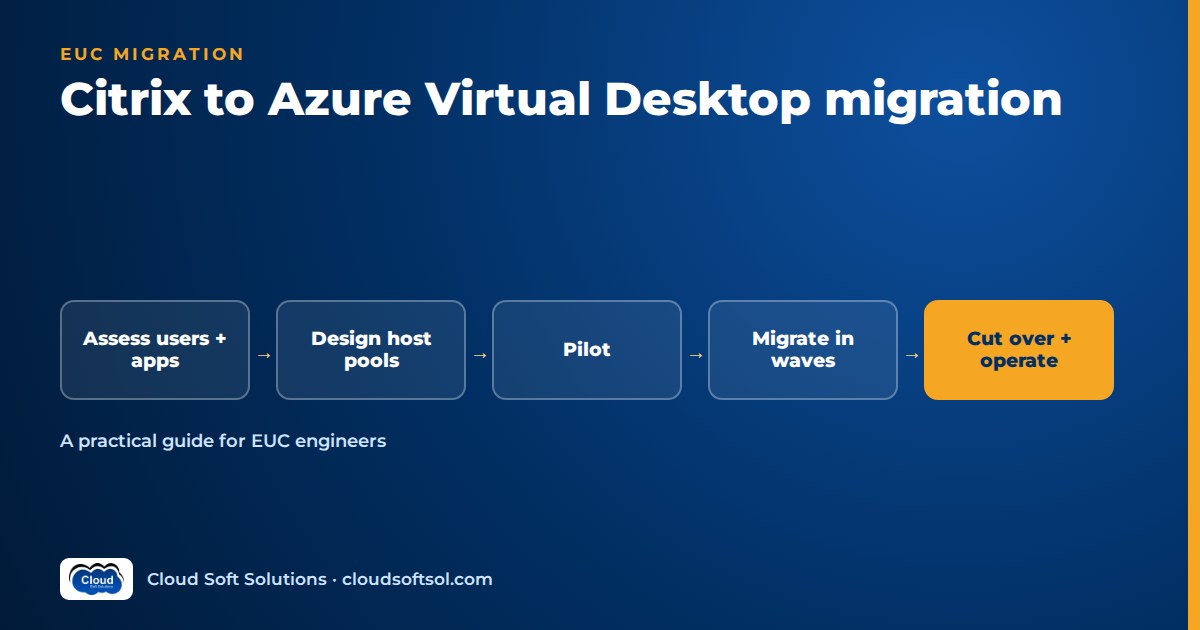
A Citrix to AVD migration is not a product swap. It is a re-platforming of how users reach Windows: the broker, the gateway, the display protocol, the image pipeline, the profile layer and the support runbooks all change at once. The migrations that go well start with a persona-by-persona assessment of what users actually depend on in Citrix, design an Azure Virtual Desktop target that covers those dependencies, prove it with a pilot of real users, and move in waves with a tested rollback path. Some workloads should stay on Citrix, or move to Citrix running on Azure, and saying so early is part of doing the job well.
This guide is for EUC engineers and VDI architects moving from Citrix Virtual Apps and Desktops or Citrix DaaS to Azure Virtual Desktop. It assumes administrator-level knowledge of both; for fundamentals, the Azure Virtual Desktop interview questions and Citrix interview questions guides cover the building blocks; this article stays on the migration itself.
Why organisations consider moving from Citrix to AVD
The honest reasons are rarely "Citrix is bad". They are usually about consolidation, operating model and timing.
- Fewer infrastructure roles to run. In AVD, Microsoft operates the broker, gateway, web access and diagnostics roles as a service. Your team manages the session host VMs, images, profiles and policies. That removes Delivery Controllers, StoreFront, site databases and gateway appliances from your patching list.
- Windows Enterprise multi-session. Microsoft describes Windows 11 and Windows 10 Enterprise multi-session as exclusive to Azure Virtual Desktop. For organisations that want a client OS experience (rather than Windows Server with Desktop Experience) on pooled hosts, this matters for application compatibility and user familiarity.
- Microsoft-native integration. Microsoft Entra ID, Conditional Access, Intune, Microsoft Defender, Azure Monitor and the Windows App client all fit together. If the organisation has already standardised on Microsoft 365 and Intune, AVD extends a stack they already operate.
- Data centre exit and hardware refresh. When an on-premises hypervisor cluster or storage array reaches end of life, the question "where should desktops live next?" forces a platform decision anyway.
- Contract and renewal cycles. A renewal date is often the trigger for a formal evaluation. Your job as the engineer is an accurate technical comparison, not a price argument.
Why organisations stay on Citrix (and that is a valid outcome)
A balanced assessment will often find good reasons to keep some or all of the estate on Citrix:
- HDX capabilities users depend on. Citrix has invested heavily in its display protocol, adaptive transport, graphics optimisation, multimedia and peripheral handling. Users in design, engineering, trading or clinical roles may notice differences.
- Multi-cloud and hybrid estates. Citrix can broker workloads across on-premises hypervisors, Azure, AWS and Google Cloud from one control plane. An organisation with a deliberate multi-cloud strategy may not want its desktop layer tied to one cloud.
- Mature policy and access tooling. Granular HDX policies, NetScaler-based access control, session recording and long-built monitoring workflows in Director represent years of operational investment.
- Skills and runbooks. A service desk that resolves Citrix tickets efficiently is an asset. Re-training L1 and L2 teams is a real cost.
The mature framing is not "Citrix vs AVD" but "which delivery model fits which persona". Many organisations end up hybrid for a long time. For a structured three-way comparison, see the sibling article on Windows 365 vs AVD vs Citrix.
The middle path: Citrix on Azure
Before planning a full Citrix to AVD migration, put a third option on the table: keep Citrix as the delivery and management layer, but move the workloads into Azure.
Citrix DaaS can create a host connection to an Azure subscription (using a service principal) and provision machine catalogs into Azure with Machine Creation Services. Citrix also offers Citrix DaaS for Azure, where the Azure resources can sit in a Citrix-managed Azure subscription or in your own imported subscriptions, and its documentation lists Windows 11 Enterprise multi-session images among the options. Separately, the Citrix Integration for Windows 365 (HDX Plus for Windows 365) lets organisations deliver Windows 365 Cloud PCs through Citrix.
This path makes sense when:
- The main driver is a data centre exit, not a desire to change the user-facing platform.
- Specific personas depend on Citrix features that you have not been able to reproduce on AVD in the pilot.
- The organisation wants to keep one control plane across clouds.
The trade-off is that you still operate Cloud Connectors, the Citrix licensing relationship and Citrix skills, alongside Azure skills. Present all three options (Citrix on-premises, Citrix on Azure, native AVD) and recommend a mix by persona.
Assessment: what to measure before you design anything
Most failed VDI migrations fail in assessment, not in deployment. The goal is to understand what users really do inside their Citrix sessions today, not what the service catalogue says they do.
Users and personas
Group users by how they work, not by department. Typical personas: task workers, knowledge workers, developers, power users, graphics users and external users. For each persona, record concurrency patterns, working hours across time zones, whether they use a full desktop or published apps, and their endpoints (thin clients, managed laptops, personal devices, mobile).
Use Citrix Director or DaaS monitoring data for session counts, logon duration, app usage and peak concurrency; it is more reliable than a survey.
Applications
Build an application inventory with, for each app: how it is delivered today (installed in the image, App Layering, App-V, published from a separate delivery group), its back-end dependencies (database, file share, licence server, mainframe connection), whether it is latency-sensitive between client and server, and whether it runs on a Windows client multi-session OS. Flag apps certified only on Windows Server or licensed per machine.
Printing
Printing generates a large share of VDI tickets in almost every estate. Document how printing works today: Citrix Universal Print Driver, session printers mapped by policy, auto-created client printers, print servers per site, label or cheque printers with specific drivers. On AVD, the options are RDP printer redirection of client-side printers, print servers reachable from the session host network, or a cloud print service such as Microsoft Universal Print, which uses Microsoft Entra ID and is designed to remove the need for on-premises print servers. Specialist printers usually need individual testing.
Peripherals
List every peripheral class in use: webcams and headsets for Teams, smart card readers, signature pads, barcode scanners, dictation devices, biometric readers, USB-to-serial devices. Microsoft documents which classes AVD redirects with high-level redirection (optimised per device class) and which fall back to opaque low-level USB redirection, which needs the driver inside the session and is less tolerant of latency. Some classes, such as USB network adapters and USB displays, are blocked. Map each peripheral to its redirection method and test it on the real endpoint models.
HDX-dependent features
Make an explicit list of Citrix features each persona relies on, then find the AVD equivalent or accept a gap:
| Citrix capability | AVD equivalent or approach | What to test |
|---|---|---|
| Delivery Controller / brokering | Microsoft-managed AVD broker; host pools and application groups | Load balancing (breadth-first vs depth-first), session limits |
| StoreFront and Workspace app | Workspace feed in Windows App (Windows, macOS, iOS/iPadOS, Android, web browser) | Client rollout on every endpoint type |
| NetScaler Gateway | AVD gateway with reverse connect (no inbound ports to session hosts) | Conditional Access, MFA, device compliance rules |
| HDX adaptive transport (EDT over UDP) | RDP Shortpath (UDP, direct via STUN or relayed via TURN, TCP fallback) | UDP success rate from home and office networks |
| MCS / PVS image management | Azure Compute Gallery images, session host update for pooled host pools | Image build pipeline, update rollout, rollback |
| Citrix Profile Management | FSLogix profile containers (often already in use under Citrix) | Logon time, container size, concurrent access |
| App Layering / App-V | App Attach (MSIX, Appx and App-V packages) | Packaging success rate, registration at sign-in |
| HDX policies | Intune or Group Policy on session hosts, plus RDP properties on the host pool | Clipboard, drive and printer redirection controls |
| Director / Monitor | Azure Virtual Desktop Insights on Log Analytics | Help desk can find a user's session and errors quickly |
| Session recording | No direct built-in equivalent; evaluate partner tools if mandatory | Compliance sign-off |
Treat every row where the answer is "partial" or "partner product" as a decision for stakeholders, not something to discover in production.
Profiles
Find out what you have: Citrix Profile Management, FSLogix profile containers, FSLogix Office (ODFC) containers alongside Citrix profiles, roaming profiles, folder redirection, or a mix. Record profile sizes, storage and OneDrive Known Folder Move adoption. Profile strategy drives storage design, and it is the single most common cause of bad first impressions in a migration.
Network
Map where users connect from (offices, homes, branches, partner sites), where the applications' back ends live (on-premises data centre, Azure, another cloud, SaaS), and the existing connectivity to Azure (ExpressRoute, site-to-site VPN, none). Check whether corporate networks force-tunnel internet traffic, use TCP-based VPNs, or apply cloud packet inspection; Microsoft lists all three as things to avoid for RDP Shortpath over public networks.
Target design on Azure Virtual Desktop
Design follows the assessment. This section lists the decisions, not every option; the companion AVD architecture and design guide goes deeper on each.
Host pools
Map personas to host pools. A common pattern is one pooled multi-session host pool per major persona and region, personal host pools for developers or users who need persistence and admin rights, and separate pools for GPU workloads. Decide on desktop versus RemoteApp delivery per persona, and keep the number of pools small enough to manage. Plan autoscale scaling plans from day one; AVD autoscale can increase or decrease capacity by schedule or demand.
Images
Rebuild images rather than converting Citrix golden images. Citrix VDA, PVS target device software and Citrix-specific optimisations should not travel with you. Build images with a repeatable pipeline, store versions in Azure Compute Gallery, and keep the base image lean. Session host update can roll a new image across a pooled host pool in batches, starting with one initial host, but it removes manual changes made to individual hosts, so everything must be in the image, in Intune or Group Policy, or in the configuration script.
FSLogix and storage
FSLogix profile containers on Azure Files or Azure NetApp Files are the standard pattern. Key decisions: storage tier and performance sizing, whether to use Cloud Cache for resilience, container size limits, exclusions, and whether to migrate existing profiles or start fresh. Two current details to plan for: Microsoft's FSLogix documentation warns that a Windows change to the default Kerberos encryption type (RC4 to AES-SHA1) can break access to file shares that have not been upgraded, and Microsoft recommends against putting App Attach images on the same file share as FSLogix profile containers. Configure Microsoft's documented FSLogix antivirus exclusions before the pilot. For interview-level depth, see the FSLogix interview questions guide.
Applications and App Attach
Use three tiers: core apps in the image, departmental apps via App Attach, and the long tail via whatever existing delivery works (or RemoteApp from a dedicated pool). App Attach supports MSIX, Appx and App-V packages, attaches them at sign-in per user and per host pool, and allows the same package to be used across host pools in the same region. CimFS disk images mount faster and use less CPU and memory than VHDX, and Microsoft recommends them for Windows 11 session hosts. Remember that MSIX and Appx packages need a trusted code signing certificate chain on every session host.
Identity
Choose how session hosts join: Microsoft Entra joined, Microsoft Entra hybrid joined, or Active Directory joined. That choice drives how FSLogix storage authenticates, whether single sign-on works cleanly, and how policies are delivered. Apply Conditional Access and MFA to the AVD sign-in, and decide whether unmanaged devices get restricted access (for example, clipboard and drive redirection off). If Intune will manage session hosts, design the Intune configuration profiles and compliance policies as part of the platform, not as an afterthought; the Microsoft Intune training covers this side in depth.
Networking
Place session hosts in a spoke virtual network connected to the hub that reaches application back ends. Allow the outbound endpoints AVD requires. Enable RDP Shortpath for public networks and, where users are on ExpressRoute or VPN, consider managed networks too. If session hosts egress through Azure Firewall or NAT Gateway, Microsoft notes that direct STUN connections may not succeed and TURN relay is used instead, so test what your users actually get. Finally, standardise on Windows App as the client: Microsoft ended support for the Remote Desktop client for Windows (MSI) and the Remote Desktop web client for public cloud customers on 27 March 2026.
Latency and region choice: the India question
For teams in India this decision deserves its own section, because it is where many designs go wrong.
Consider a GCC in Hyderabad that supports a US parent company. Its users sit in Hyderabad and Bengaluru, but the applications they use (an ERP client, a claims system, a reporting database) run in a US data centre or a US Azure region. Two latencies matter:
- User to session host. This is the display protocol path. Placing session hosts in an India region (Central India or South India) keeps typing, scrolling and video responsive. Microsoft lists Central India and South India among the regions with TURN relays for RDP Shortpath, and India is a supported geography for AVD service metadata.
- Session host to application back end. Chatty client-server applications (thick clients that make many small database calls) degrade badly when the desktop is far from the database. If the desktop sits in India and the database sits in the US, the app may become unusable even though the desktop itself feels fast.
The usual rule is to put the desktop next to the data, then make the display protocol path as good as possible. Display protocols tolerate distance far better than chatty database traffic does. In practice, that can mean a US-region host pool for users of the US-hosted thick client, and an India-region host pool for users whose apps are SaaS or India-hosted. Check data residency requirements as well: if user data or profiles must stay in India, that constrains where FSLogix storage and session hosts can live. Measure during the pilot with real users on real networks, including home broadband, rather than relying on a latency test from the office.
Migration plan: pilot, waves and cutover
Assess -> Design -> Build -> Pilot -> Waves -> Decommission
  |                            |        |
  |                     go/no-go gate   |
  +-- persona + app data        rollback path kept
                                until the last wave
Phase 1: Build and validate the platform
Deploy the landing zone, networking, identity integration, storage, the first images and monitoring with infrastructure as code. Validate with IT staff first: logon times, profile load, printing, Teams, peripherals and the help desk's ability to troubleshoot.
Phase 2: Pilot with real users
Pick pilot users from each major persona, including at least a few people who are known to be demanding and a few who work from home on ordinary broadband. Set clear success criteria before the pilot starts, for example acceptable logon duration, application launch success, no open blocking issues per persona, and a user feedback score you agree with stakeholders. Cover at least one business peak, such as month-end. Keep Citrix available to pilot users throughout.
Phase 3: Migration waves
Move users in waves ordered by risk, typically starting with simple personas (task workers with few apps) and ending with complex ones (power users, graphics, users with specialist peripherals). For each wave:
- Confirm the persona's apps, printers and peripherals passed testing.
- Migrate or pre-create profiles if you are carrying them over.
- Assign users to the AVD application groups and deploy Windows App to their endpoints.
- Communicate the change and the support process (see below).
- Run a hypercare period with extra floor-walker or chat support.
- Only after the wave is stable, remove the users' Citrix entitlements.
Consider a hospital that delivers its electronic health record client and clinical apps through Citrix to wards, clinics and remote doctors. An illustrative wave plan would move back-office staff first, then outpatient clinics, and leave ward workstations with badge-tap roaming and label printers until last, possibly keeping them on Citrix if the pilot shows the workflow cannot be reproduced well enough.
Phase 4: Cutover and decommission
Cutover for each wave is an entitlement change, not a big-bang switch, which is one of the strongest arguments for running both platforms in parallel. Decommission Citrix components only after the final wave has passed hypercare and the rollback window has formally closed. Archive Citrix configuration exports first.
If you want hands-on practice building both sides of this (Citrix delivery, AVD host pools, FSLogix and Intune-managed session hosts) in one programme, the Citrix + AVD + Intune combined course at Cloudsoft is built around exactly this skill set, in the Ameerpet classroom or live online.
User communication
Users experience a VDI migration as "my desktop changed". Communication reduces tickets more than any technical fix.
- Two weeks before the wave: what is changing, why, the date, and what users need to do (usually install or update Windows App, or confirm IT has pushed it).
- A short visual guide: how to sign in with Windows App, find the desktop or apps, reconnect, and use multiple monitors. Screenshots beat paragraphs.
- Known differences: list what will look different (printer names, client icon) so expected behaviour is not reported as a fault.
- Day-one support: a named channel or phone number, extended help desk hours for the first days, and floor walkers for office-based waves.
Give the service desk an updated runbook per wave: find the session in Azure Virtual Desktop Insights, check FSLogix logs, reset a stuck session, escalate.
Rollback planning
Rollback is cheap if you design for it and expensive if you do not.
- Keep Citrix entitlements in place for each wave until it passes hypercare. Rollback is then a communication: "use the Citrix icon again".
- Protect profile data. If users write to a new FSLogix container on AVD, falling back to Citrix means their recent profile changes may not follow them. Using OneDrive Known Folder Move for documents and desktop limits what can be lost; decide in advance whether rollback means "accept profile drift" or "copy back".
- Define rollback triggers. For example, a blocking issue for a whole persona that cannot be fixed within an agreed window, or an unacceptable trend in logon duration or disconnects.
- Keep image versions. In Azure Compute Gallery, retain the previous image version so a bad image update can be reversed on the AVD side without touching Citrix.
Common pitfalls
Profiles
Carrying over bloated profiles, skipping antivirus exclusions, under-sizing file share performance, or mixing App Attach images and FSLogix containers on one share all produce slow logons. A fresh start with OneDrive Known Folder Move is often cleaner than full profile conversion. Test logon at peak, not at 2 pm on a quiet day.
Application compatibility
Applications validated on Windows Server under Citrix may behave differently on Windows Enterprise multi-session, and vice versa. Applications with per-machine licensing, hard-coded hostnames, or dependencies on Citrix-specific APIs (for example, virtual channels for a specialist device) need individual attention. Not every installer packages cleanly into MSIX; keep fallbacks.
Printing
Assuming client printer redirection will "just work" for every printer type leads to a flood of tickets on day one. Test label printers, cheque printers and multi-function devices on real endpoints, decide the role of Universal Print or retained print servers, and publish the printer naming users will see.
Peripherals and Teams
Devices that need opaque USB redirection are latency-sensitive and need drivers inside the session. Validate Teams optimisation on every endpoint type, including thin clients.
Finally, do not treat AVD as "Microsoft runs it". Microsoft runs the control plane; you still own images, patching, capacity, profiles, monitoring and the service desk experience.
Post-migration operations
Once the last wave is stable, the work changes from project to platform:
- Image lifecycle. A monthly cadence of patched image builds, tested in a validation host pool, then rolled out with session host update or your own automation. Keep previous versions for rollback.
- Capacity and autoscale. Review autoscale scaling plans against real usage; adjust ramp-up times for shifts across time zones (common in Indian GCCs serving multiple geographies).
- Monitoring. Use Azure Virtual Desktop Insights and Log Analytics for connection errors, logon duration, round-trip time and host health. Build alerts for the failure modes you saw during the pilot.
- Security. Review Conditional Access, redirection policies and session host hardening regularly; keep Defender and vulnerability scanning on session hosts.
- Service desk maturity. Update knowledge base articles from real tickets; the top ten ticket types after migration should each have a documented fix.
This is also where automation and AI start to help EUC teams: summarising diagnostics, triaging tickets and drafting runbooks. The article on AI for EUC engineers covers practical, low-risk starting points.
FAQ
How long does a Citrix to AVD migration take?
It depends on the number of personas, the size of the application estate and how much testing specialist apps and peripherals need. A small, standardised estate can move in a few months; a large one with many specialist apps takes considerably longer. Plan from the assessment, not from user counts alone.
Can we keep using FSLogix profiles from Citrix on AVD?
Often yes, because many Citrix estates already use FSLogix profile containers. You still need to check the storage location, permissions, identity model and container sizes, and many teams choose a fresh start with OneDrive Known Folder Move instead of carrying over large, old containers.
Is Citrix on Azure a good alternative to a full AVD migration?
It can be. Citrix DaaS can provision and manage workloads in your Azure subscriptions, which suits organisations that want to exit a data centre but keep Citrix features, multi-cloud brokering or existing skills. Many organisations run a mix, with some personas on native AVD and others on Citrix.
Which Azure region should users in India use?
Place the session hosts close to the application back ends and data first, then optimise the user connection. If the applications are hosted in India or are SaaS, an India region such as Central India or South India usually works well. If chatty applications are hosted in another geography, the desktop may need to sit near them instead. Validate with pilot users on real networks.
What client do users need for Azure Virtual Desktop?
Microsoft's current client is Windows App, available on Windows, macOS, iOS and iPadOS, Android and ChromeOS, and in web browsers. The Remote Desktop client for Windows (MSI) and the Remote Desktop web client are no longer supported for public cloud customers, so standardise on Windows App and deploy it through Intune or your software distribution tool.
What is the most common reason AVD pilots get poor feedback?
Slow logons caused by profile and storage design, followed by printing and peripheral issues. Sizing file share performance correctly, applying FSLogix antivirus exclusions and testing printers and devices on real endpoints before the pilot prevents most of it.
Planning a migration, or preparing for EUC roles that ask for both Citrix and AVD experience? The Citrix, Azure Virtual Desktop and Intune training programme at Cloud Soft Solutions covers Citrix delivery, AVD design, FSLogix, PVS, NetScaler and Intune with hands-on labs, in the Ameerpet classroom or live online. Call +91 96660 19191 for a free demo. EUC engineers who want to move into enterprise AI delivery can look at the AI Forward Deployed Engineer (FDE PRO) program.
Related Cloudsoft resources
- Windows 365 vs AVD vs Citrix: how to choose
- Azure Virtual Desktop architecture and design guide
- Azure Virtual Desktop interview questions
- Citrix interview questions and answers
- FSLogix interview questions
- Azure Virtual Desktop training in Hyderabad
- Citrix training in Hyderabad
- From Citrix or VMware admin to an AI and cloud career


