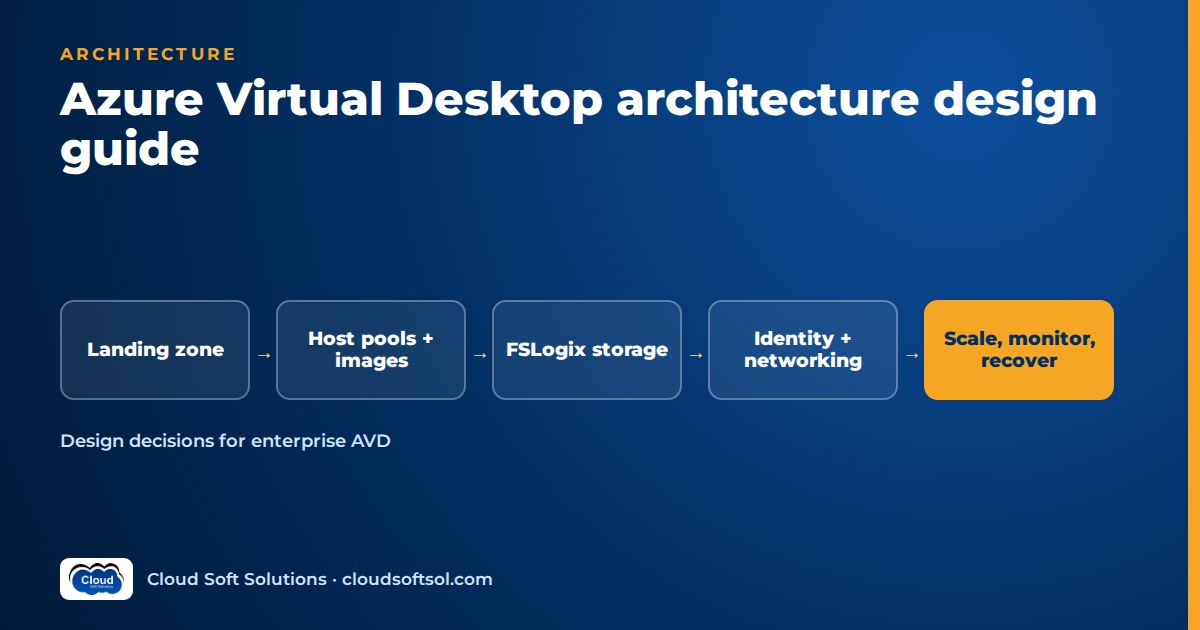
Azure Virtual Desktop architecture is a split-responsibility design: Microsoft runs the control plane (web access, broker, gateway, diagnostics), and you design everything that sits behind it — host pools and session hosts, images, FSLogix profile storage, identity, networking, security controls, scaling, monitoring and disaster recovery. A good AVD design makes those choices deliberately, in the right order, because several of them (host pool management approach, deployment scope, identity join type) cannot be changed later without rebuilding. This guide walks through each design area the way an enterprise architect would, with an ASCII reference architecture, a design-decision table and the Microsoft Learn guidance each decision rests on.
Preparing for interviews instead? The Azure Virtual Desktop interview questions cover this ground in Q&A form.
What Azure Virtual Desktop architecture actually covers
The Microsoft-managed components are a web service that returns the user's feed, a broker service that orchestrates connections, a gateway service that relays RDP over websockets, a resource directory and the metadata databases. Azure Traffic Manager and Azure Front Door route users to the nearest instances. You do not design or patch any of this.
You own everything a traditional VDI team owned minus the brokering tier: session hosts and images, applications, profiles and data, identity, network connectivity, and the resiliency and backup of all of it.
Two connection facts shape almost every later decision:
- Reverse connect. The AVD agent on each session host makes an outbound connection to the gateway. Session hosts need no inbound ports from the internet, which is why AVD fits cleanly into a locked-down spoke network.
- RDP Shortpath. After the TCP reverse connect session is established, client and session host try to move the session to a UDP transport — directly over a managed network, or via STUN (direct) or TURN (relayed) over public networks. If UDP fails, the session stays on TCP.
An AVD reference architecture for the enterprise
Microsoft's AVD reference architecture places AVD in a workload landing zone that depends on a platform landing zone. The Azure Architecture Center's AVD landing zone design guide describes the subscription split: one or more AVD subscriptions for workload-specific resources (VMs, storage accounts, key vaults, private endpoints), an AVD shared services subscription (Automation accounts, data collection rules, Log Analytics workspaces, Azure Compute Galleries), and the platform subscriptions — connectivity (hub network, firewall, ExpressRoute or VPN gateways), identity (domain controllers or Microsoft Entra Domain Services) and management.
 [Users: Windows App / web client]
     |  Entra ID sign-in + Conditional Access
     |  HTTPS 443: feed + reverse connect
     v
 [AVD control plane - Microsoft managed]
  web | broker | gateway | diagnostics
     ^  agent connects outbound on 443
     |  RDP Shortpath (UDP) when allowed
 +---+-------------------------------------+
 | AVD spoke VNet (workload landing zone)  |
 |  Host pool A: pooled, multi-session     |
 |  Host pool B: personal desktops         |
 |  FSLogix share via private endpoint     |
 |  Key Vault | scaling plan | AMA + DCR   |
 +---+-------------------------------------+
     | VNet peering
 +---+-------------------------------------+
 | Hub VNet (connectivity subscription)    |
 |  Firewall | DNS | ExpressRoute / VPN    |
 +---+--------------------+----------------+
     |                    |
 [On-prem DCs + apps]  [Shared services:
                        Compute Gallery,
                        Log Analytics]
Users authenticate to Entra ID, download their feed and connect through the gateway. Session hosts sit in a spoke peered to the hub, egress goes through the hub firewall or a NAT gateway, profile storage sits behind a private endpoint, and images come from a gallery in shared services.
A 2026 note: the Cloud Adoption Framework article "Enterprise-scale support for Azure Virtual Desktop" is deprecated and scheduled for removal on 30 October 2026. Its notice states the AVD workload landing zone accelerator on GitHub is not affected; design against the accelerator and the Architecture Center design guide.
AVD host pool design: the decisions you cannot undo
A host pool is a set of session host VMs, ideally built from the same image, that serve one workload. AVD host pool design comes down to four choices, two of which are permanent.
Pooled or personal
Pooled host pools load-balance users across shared, multi-session hosts (typically Windows 11 Enterprise multi-session), using breadth-first or depth-first load balancing and a maximum session limit. Users are not tied to a VM, so profiles must roam with FSLogix, and hosts are updated by redeploying from a new image. Personal host pools give each user a dedicated VM, assigned directly or automatically on first connection, and are patched like normal desktops.
Microsoft's security recommendations add a trust dimension: standard users from one organisation fit multi-session; users who need administrative rights should get personal desktops; users from different organisations should be separated by tenant and subscription, not just by host pool.
Management approach: session host configuration or standard
With the session host configuration approach, the host pool stores what a session host should look like (image, size, network, domain join, security type, custom script), a management policy defines how hosts are created and updated, and session host update rolls changes out in batches with user sign-out notifications. Autoscale can then create and delete hosts, not just start and stop them. With the standard approach, you build, register, update and scale hosts with your own pipelines and scripts.
Microsoft's documentation is explicit: the management approach is set at host pool creation and cannot be changed, session host configuration works with pooled host pools only, and tooling written for standard host pools won't work against a session host configuration pool. Teams with mature image pipelines often stay on standard; teams starting fresh should evaluate session host configuration seriously because it removes a lot of custom automation.
Deployment scope: geographical or regional
Deployment scope decides where AVD stores host pool metadata: a geographical database serving a group of regions (the default) or a regional database in the host pool's own region. There is no functional difference, but regional and geographical objects cannot be mixed and the scope cannot be changed after creation, so settle data-residency questions first.
Application groups, workspaces and a validation pool
Publish full desktops through a Desktop application group and individual apps through RemoteApp groups (pooled only), and group them into workspaces so they appear in the user's feed. Flag at least one host pool as a validation environment so AVD service updates reach it before production, and give it real users.
Session host sizing: a method, not a magic number
"How many users per VM?" depends on the workload; Microsoft's sizing guidelines say their example figures are only initial estimates. Use a method:
- Classify workloads into Microsoft's light, medium, heavy and power personas, based on actual apps rather than job titles.
- Pick a capacity-testing approach. A pilot (one test host, gradually increasing real load while watching CPU, memory, disk and network) suits smaller deployments. A simulation (automated synthetic users ramped up until performance degrades) suits larger estates where the answer drives purchasing.
- Design for the logon storm, not the steady state. Logon is CPU-intensive. A host that comfortably runs a given number of sessions may still struggle when they all sign in at shift start. Plan headroom for peaks.
- Prefer more, smaller multi-session VMs over a few very large ones; they scale better and are easier to drain and shut down.
- Use GPU-enabled sizes only for workloads that need them — graphics-heavy apps or very high-resolution, multi-monitor setups.
- Document the assumptions and revisit them with AVD Insights data (logon duration, user input delay) after go-live.
Golden images: Azure Compute Gallery and Image Builder
Pooled session hosts are replaced, not patched in place, so the image pipeline is part of the architecture. Two Microsoft building blocks matter:
- Azure Compute Gallery stores image versions, replicates them to the regions you deploy into and lets you share them across subscriptions. A multi-region design should replicate every image version to the DR region too.
- Custom image templates in AVD are built on Azure VM Image Builder. A template defines the source image, customisations and distribution targets (gallery, managed image or both); Image Builder runs the build and handles sysprep. Built-in scripts cover common AVD settings such as FSLogix with Kerberos, RDP Shortpath for managed networks, screen capture protection, Teams optimisations, language packs and Windows Updates.
Microsoft recommends patching base images monthly. Build the new version, test it on the validation host pool (logon time, key apps, profile attach), then roll out via session host update or your own drain-and-replace pipeline.
FSLogix profile storage choices
FSLogix profile containers attach a user's profile as a VHD or VHDX from an SMB share at sign-in. In pooled host pools this storage is on the critical path of every logon, so it deserves as much design attention as compute.
| Option | Where it fits | Design notes |
|---|---|---|
| Azure Files (Standard) | Light workloads at smaller scale | Pay-as-you-go billing; Microsoft maps it to light workloads with fewer users |
| Azure Files (Premium) | Most enterprise pooled deployments | SSD-backed, provisioned billing; Microsoft's general recommendation is Azure Files for most customers |
| Azure NetApp Files | Large scale or demanding I/O | Standard, Premium and Ultra service levels; performance scales with provisioned capacity; available in selected regions |
| Storage Spaces Direct | Special cases | Self-managed VMs and disks; you operate the cluster |
Design rules that apply whichever you pick:
- Keep profile storage in the same region as the session hosts that mount it, and assign each user to desktops in only one region to avoid profile conflicts.
- Reach the share through a private endpoint and restrict who can read profile containers; profiles hold sensitive data.
- Configure antivirus exclusions for FSLogix VHD/VHDX files as Microsoft's FSLogix prerequisites describe.
- Choose the share's identity source to match your session host identity (next section) — an Azure Files storage account supports only one identity source at a time.
- Use FSLogix Cloud Cache only where you need multi-location profile replication (usually BCDR), and size local cache storage carefully because it can lengthen sign-in and sign-out.
For depth on container types, logs and troubleshooting, see the advanced FSLogix interview questions.
Identity design: AD DS, Entra-joined and Entra Kerberos
Users must exist in Microsoft Entra ID to use AVD, so identities that live only in on-premises AD DS are not supported. The design choice is how session hosts are joined and how they reach file shares:
- AD DS-joined (or Microsoft Entra hybrid joined) session hosts — the classic pattern for estates with Group Policy, Kerberos-dependent line-of-business apps and on-premises file servers. Requires domain controllers reachable from the spoke, ideally in Azure in every region you run hosts.
- Microsoft Entra Domain Services — a managed domain for apps that need domain join without running your own domain controllers.
- Microsoft Entra joined session hosts — no domain controller dependency for the VMs, managed with Intune, and the only option that supports cloud-only identities.
For Entra joined (and hybrid joined) hosts, Microsoft Entra Kerberos for Azure Files lets Entra ID issue the Kerberos tickets that FSLogix uses to mount profile shares. It supports hybrid identities and, per current Microsoft documentation, cloud-only identities on supported Windows builds. Two details catch teams out: the storage account's Entra app must be excluded from all-apps MFA Conditional Access policies, and session hosts need cloud Kerberos ticket retrieval enabled.
Across all options, Microsoft recommends single sign-on with Microsoft Entra authentication and does not support signing in to the service and to Windows with different identities. The Microsoft Entra ID course covers the identity side in depth.
Network design: hub-spoke, RDP Shortpath and Private Link
The AVD landing zone network is a standard hub-spoke: session hosts in spokes peered to a hub carrying the firewall, DNS and hybrid connectivity. Each extra region gets a spoke with non-overlapping address space, peering with gateway transit, regional profile storage, a domain controller where AD DS is used, and explicit outbound connectivity.
Allowing AVD to work
Session hosts and clients must reach the AVD required URLs over outbound 443. Many "unavailable" host incidents trace back to a firewall or proxy rule, so keep the allow-list in the firewall policy as code.
RDP Shortpath
- Managed networks (ExpressRoute private peering or site-to-site VPN): a direct UDP path, either through an RDP Shortpath listener on each session host (default port 3390) or via STUN without opening inbound ports. Managed networks also allow QoS marking.
- Public networks: STUN for a direct UDP connection, TURN for a relayed one when direct fails. Microsoft's guidance is to allow outbound UDP from session hosts, avoid forced tunnelling for internet users, and avoid TCP-based VPNs and cloud packet inspection on the RDP path. Symmetric NAT (for example Azure Firewall or NAT Gateway egress) typically results in TURN rather than direct STUN.
Private Link
Private Link for AVD has three sub-resources: connection (one private endpoint per host pool), feed (one per workspace) and global (a single endpoint for initial feed discovery across the whole deployment, ideally on a dedicated workspace with no application groups). You can make only session connections private, add feed downloads, or go fully private. Plan for private DNS zones, enable Private Link per subscription, and note that UDP over Private Link is a host pool opt-in that requires public STUN/TURN Shortpath to be turned off.
Security design: Conditional Access, Defender and data-leak controls
AVD security is layered. The service gives you reverse connect and Entra ID authentication; the rest is configuration.
- Identity controls. Require MFA for all users and admins and enforce it with Conditional Access targeted at the Azure Virtual Desktop resource, considering user, sign-in risk and device. Consider token protection on the client endpoint.
- Platform posture. Enable Microsoft Defender for Cloud and deploy Microsoft Defender for Endpoint (or another EDR) on session hosts, with FSLogix exclusions.
- VM hardening. Use Trusted Launch (the portal default) or confidential VMs, Credential Guard and application control. RemoteApp is not a security boundary.
- Data-leak controls. Restrict drive, clipboard, printer and USB redirection to what the business needs. Screen capture protection blocks remote content from screenshots and screen sharing on supported clients (with Intune MAM for mobile and web), and watermarking overlays QR codes containing the connection ID so a photographed screen can be traced via AVD Insights. Microsoft is clear that screen capture protection is not DRM; treat both as deterrents inside a broader data-loss strategy.
- Operations. Use AVD-specific RBAC roles, avoid direct RDP to hosts (just-in-time access if needed), collect audit logs, and keep users out of local Administrators on multi-session hosts.
If you want to practise these designs on real host pools, Cloudsoft's Azure Virtual Desktop training in Hyderabad walks through host pools, FSLogix on Azure Files, Entra ID, scaling plans and troubleshooting, in the Ameerpet classroom or live online.
Autoscale and a cost governance model
Autoscale
AVD autoscale uses scaling plans with schedules split into ramp-up, peak, ramp-down and off-peak phases.
- Pooled host pools use a capacity threshold and a minimum percentage of hosts per phase; during ramp-down, autoscale can drain hosts and optionally force sign-out after a warning. There are two scaling methods: power management (start and deallocate existing VMs, available for standard host pools) and dynamic autoscaling, which can also create and delete session hosts but works only with session host configuration host pools — check its current availability status in Microsoft Learn before committing to it.
- Personal host pools combine Start VM on Connect with disconnect and sign-out actions (deallocate or hibernate). Hibernation is not supported with FSLogix or App Attach.
Cost model (structure, not figures)
Prices vary by region and change, so model costs instead of quoting them:
- Compute = sum over host pools of (VM hourly rate × running hours per month × average running host count). Autoscale and reservations or savings plans act on the second and third terms.
- Storage = OS disks + profile storage (provisioned tier and capacity) + image gallery replicas + backups.
- Networking = firewall, NAT gateway, private endpoints, data transfer and hybrid connectivity.
- Operations = Log Analytics ingestion and retention for Insights, Defender plans, Automation.
- Licensing = eligible user licences for internal users (for example qualifying Microsoft 365 or Windows Enterprise licences), or AVD per-user access pricing for external commercial use, plus RDS CALs if you run Windows Server session hosts.
Govern it with tags per host pool and cost centre, budgets per subscription, and a monthly utilisation review against the sizing assumptions.
Monitoring with AVD Insights
Azure Virtual Desktop Insights is an Azure Monitor workbook over Log Analytics data. The design steps are:
- Use a dedicated Log Analytics workspace for session host data so counters and events come only from AVD hosts.
- Enable diagnostic settings on host pools (management activities, feed, connections, errors, checkpoints, host registration, agent health) and on workspaces.
- Deploy the Azure Monitor Agent with a data collection rule for the recommended performance counters and Windows event logs — ideally in your IaC templates rather than through the configuration workbook at scale.
- Grant viewers Desktop Virtualization Reader and Log Analytics Reader, and add Azure Monitor alerts plus Service Health alerts for the AVD service.
Review connection success, time to connect, logon duration by phase, user input delay and host availability. The article on AI for EUC engineers shows read-only assistants built over this session data.
Business continuity and multi-region design
AVD has no native disaster recovery feature; you compose BCDR from Azure services. Microsoft's multiregion BCDR guidance describes three models:
| Model | How it works | Trade-off |
|---|---|---|
| Active-active (pooled) | Host pools in two regions both serve users; FSLogix Cloud Cache replicates profiles | Lowest recovery time, highest steady-state cost; users must use only one host pool at a time |
| Active-passive (pooled) | Secondary host pool kept minimal or deallocated; application group assignments switched at failover | Lower cost, longer recovery while compute warms up |
| Personal with Azure Site Recovery | Each personal VM replicated to the secondary region | Per-VM replication setup and cost; no Cloud Cache |
In every model: use availability zones first, replicate images to both regions, run domain controllers (or an Entra Domain Services replica set) in the secondary region if hosts are domain joined, and test failover with a subset of users. Microsoft notes that deallocated secondary VMs do not reserve capacity; only running VMs or on-demand capacity reservations do.
Deploying with infrastructure as code: Bicep and Terraform
The AVD landing zone accelerator (the Azure/avdaccelerator repository) is the reference implementation. It offers a baseline deployment (workspace, application groups, scaling plan, host pool, session hosts, Azure Files integrated with your identity service, Key Vault, optional networking and private endpoints), a custom image build that publishes to Azure Compute Gallery, and brownfield add-ons. Each is available through the portal UI, Bicep with Azure CLI or PowerShell, and Terraform. It assumes a platform landing zone already exists.
Fork the accelerator, keep environment parameters in source control, and deploy through pipelines with separate validation and production stages. Bicep suits Azure-only platform teams; Terraform suits multi-cloud IaC standards (see the Terraform course). Use Microsoft Intune for in-guest configuration of Entra joined hosts so images stay thin.
AVD design-decision table
| Decision | Options | Decide based on | Changeable later? |
|---|---|---|---|
| Host pool type | Pooled / Personal | Trust level, admin rights, app compatibility | No — create a new pool |
| Management approach | Session host configuration / Standard | Existing pipelines vs native lifecycle | No |
| Deployment scope | Geographical / Regional | Metadata residency requirements | No |
| Session host join | AD DS / Hybrid / Entra Domain Services / Entra joined | Legacy app Kerberos needs, GPO vs Intune | Only by redeploying hosts |
| Profile storage | Azure Files Standard or Premium / Azure NetApp Files | Persona mix, scale, region availability | Yes, with profile migration |
| Share identity source | AD DS / Entra Domain Services / Entra Kerberos | Session host join type | Yes, with planned change |
| Network path | Public / Private Link (connection, feed, global) | Regulatory and security posture | Yes |
| RDP transport | Shortpath managed / public (STUN, TURN) / TCP | Where users connect from, NAT and VPN design | Yes |
| Autoscale method | Power management / Dynamic | Management approach and availability | Yes |
| BCDR model | Active-active / Active-passive / Site Recovery | Recovery objectives vs cost | Yes, with rework |
| IaC toolchain | Bicep / Terraform / portal | Platform team standards | Yes, at migration cost |
Worked example: a GCC desktop platform
Consider an illustrative insurance company whose global capability centre in Hyderabad needs desktops for claims processors, actuarial analysts and a developer team, with a regulator asking that customer data never be screen-captured or printed locally.
- Claims processors (standard users): a pooled, Entra joined host pool with session host configuration, FSLogix on Premium Azure Files with Entra Kerberos, screen capture protection and watermarking on, and clipboard and printer redirection restricted.
- Actuarial analysts (heavy persona): a separate pooled host pool on larger sizes, validated through a pilot with real models.
- Developers needing local admin: a personal host pool with Start VM on Connect and deallocate-on-disconnect.
- Network: Shortpath for managed networks over ExpressRoute in the office, public Shortpath for remote users, Private Link for session connections.
- Resilience: active-passive for the pooled workloads in a second Indian region with images replicated, Cloud Cache for profiles and scheduled failover tests; Site Recovery for the personal pool.
Each choice traces back to a row in the decision table. Teams moving from on-premises Citrix will recognise most of the layers; the Citrix to Azure Virtual Desktop migration guide maps them, and Windows 365 vs AVD vs Citrix helps if AVD itself is still being decided.
Frequently asked questions
What is Azure Virtual Desktop architecture in simple terms?
Microsoft runs the AVD control plane (web access, broker, gateway and diagnostics), and you run the session host VMs plus their images, profiles, identity, networking, security, scaling, monitoring and recovery. Users sign in with Microsoft Entra ID and reach session hosts through the gateway, while session hosts only make outbound connections.
Should I choose pooled or personal host pools?
Choose pooled multi-session host pools for standard users from the same organisation because they are more cost-efficient and scale with autoscale. Choose personal host pools for users who need administrative rights, persistent installed apps or full isolation. Most enterprises run both, separated by persona.
Azure Files or Azure NetApp Files for FSLogix?
Microsoft recommends Azure Files for most customers, with Premium for medium, heavy and larger light workloads. Azure NetApp Files suits very large or I/O-demanding deployments in regions where it is available. Keep profile storage in the same region as the session hosts and reach it through a private endpoint.
Do I need Private Link for Azure Virtual Desktop?
No. AVD works securely over public routes because session hosts use reverse connect and need no inbound ports. Private Link is useful when policy requires AVD traffic to stay on private routes; you can apply it to session connections only, or also to feed download and initial feed discovery.
How many users can one AVD session host support?
There is no fixed number. Classify users into workload personas, then validate density with a pilot or a load simulation, size for logon peaks rather than steady state, and refine with AVD Insights data after go-live. Microsoft's published figures are starting estimates only.
Is the AVD landing zone accelerator still supported after the CAF article deprecation?
Yes. The Cloud Adoption Framework article on enterprise-scale AVD is deprecated, but its notice states the AVD workload landing zone accelerator on GitHub is not affected. Use the accelerator together with the AVD landing zone design guide in the Azure Architecture Center.
Designing AVD well is a skill you build by deploying it, breaking it and fixing it. Cloudsoft's Azure AVD course in Hyderabad is live and instructor-led in Ameerpet or online — call +91 96660 19191 for a free demo. EUC engineers who want to move from desktop platforms into enterprise AI engineering can look at the FDE PRO program.


