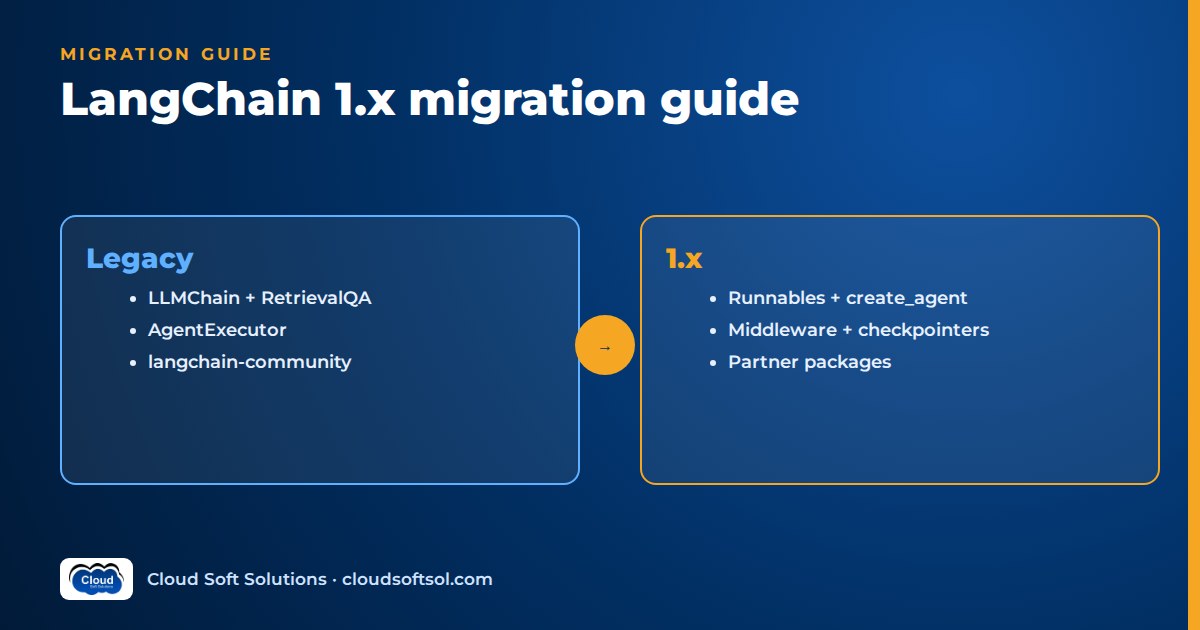
A LangChain 1.0 migration comes down to three moves: rebuild agents on create_agent with middleware, replace legacy chains with LCEL or an agent (parking them in langchain-classic only as a stopgap), and swap every langchain-community import for a dedicated partner package, plain code or an MCP tool. The community package was sunset in May 2026 and its repository is now read-only, so that last step is no longer optional. This guide gives you a verified old-to-new mapping table, a step-by-step order that keeps production working, tested before/after snippets, and CI checks that stop deprecated imports from creeping back in.
If you want the conceptual background first (what LCEL is, how middleware fits the agent loop, interview-style explanations of breaking changes), read the LangChain interview questions and answers. This article is the hands-on companion: what to change in your repository, in what order.
What changed in LangChain 1.x
In 1.x the langchain package is deliberately small. Per the official v1 release notes, the main namespace now covers langchain.agents, langchain.messages, langchain.tools, langchain.chat_models and langchain.embeddings. Everything else moved out.
create_agent and middleware
from langchain.agents import create_agent is the single way to build a tool-calling agent. It replaces langgraph.prebuilt.create_react_agent, and it is the documented replacement for AgentExecutor and initialize_agent. Under the hood it returns a compiled LangGraph graph, so checkpointers, streaming and interrupts work the same way they do in LangGraph.
Customisation that used to need subclassing or pre_model_hook/post_model_hook now goes through middleware. A middleware class extends AgentMiddleware and implements any of before_agent, before_model, wrap_model_call, wrap_tool_call, after_model and after_agent. Prebuilt middleware lives in langchain.agents.middleware and includes SummarizationMiddleware, HumanInTheLoopMiddleware, PIIMiddleware, ModelCallLimitMiddleware, ToolCallLimitMiddleware, ToolRetryMiddleware and ModelFallbackMiddleware.
Legacy chains moved to langchain-classic
Legacy chains (LLMChain, ConversationChain, RetrievalQA and friends), the old retrievers module, the indexing API, the hub module, CacheBackedEmbeddings and the community re-exports now live in a separate package, langchain-classic, imported as langchain_classic. from langchain.chains import ... simply fails with ModuleNotFoundError on 1.x. The classes in langchain-classic still run, but they emit LangChainDeprecationWarning messages that say they will be removed in 2.0. Treat the package as a parking lot, not a destination.
Python 3.10 or newer
All 1.x packages (langchain, langchain-core, langchain-classic and the partner packages) require Python 3.10 or newer. On a 3.9 base image, the upgrade starts with the Dockerfile.
Standard content blocks
Messages gained a content_blocks property that gives a provider-agnostic view of text, reasoning, citations, images and server-side tool calls. The existing content field is unchanged, so old code keeps working. One small trap: message.text is now a property; calling .text() still works but warns.
Structured output via response_format
Agents take a response_format argument. Pass ToolStrategy(Schema) to get structured output through a synthetic tool call, or ProviderStrategy(Schema) to use the provider's native structured-output mode. The parsed object comes back in the result's structured_response key. The older "prompted" form, a tuple of instructions and schema, was removed as unreliable.
langchain-community is sunset
The LangChain team announced the sunset of langchain-community on 22 May 2026, and the GitHub repository was archived (read-only) on 19 June 2026. It had already stopped accepting new integrations for more than a year. The sunset notice points users to three alternatives: dedicated integration packages, implementing simple tools directly in application code, and MCP. Existing releases are still on PyPI, so pinned builds will not break overnight, but nothing in that package will be fixed again, including security issues.
Integrations now follow a "one provider, one package" model: langchain-openai, langchain-anthropic, langchain-aws, langchain-google-genai, langchain-postgres, langchain-chroma and so on, each versioned independently. For tools, langchain-mcp-adapters lets an agent consume any MCP server, which is often a better path than waiting for someone to maintain a wrapper (see our MCP server Python tutorial if you need to build one).
Old to new: the migration mapping table
Every target below was checked against the installed 1.x packages and their deprecation messages.
| Legacy API | Where it lives in 1.x | Migrate to |
|---|---|---|
LLMChain | langchain_classic.chains (deprecated) | LCEL: prompt | model | StrOutputParser() |
ConversationChain | langchain_classic.chains (deprecated) | create_agent plus a LangGraph checkpointer |
RetrievalQA | langchain_classic.chains (deprecated) | An LCEL RAG chain, or create_agent with a retrieval tool |
AgentExecutor | langchain_classic.agents | create_agent; max_iterations becomes ModelCallLimitMiddleware |
initialize_agent | langchain_classic.agents (deprecated) | create_agent |
create_react_agent (LangGraph prebuilt) | langgraph.prebuilt | create_agent; prompt= becomes system_prompt= |
ConversationBufferMemory | langchain_classic.memory (deprecated) | Checkpointer (InMemorySaver in dev, PostgresSaver in prod) keyed by thread_id |
ConversationSummaryMemory | langchain_classic.memory | SummarizationMiddleware plus a checkpointer |
from langchain import hub | langchain_classic.hub (deprecated) | LangSmith SDK: Client().pull_prompt() / push_prompt() |
pre_model_hook / post_model_hook | Removed | before_model / after_model middleware |
langchain_community.* | Frozen, sunset | Partner package, direct implementation or MCP tool |
Step-by-step LangChain 1.0 migration
inventory imports
      |
pin versions, Python 3.10+
      |
langchain -> langchain_classic (green build)
      |
migrate agents --> memory --> RAG chains
      |
replace langchain_community imports
      |
CI bans legacy imports, eval set passes
Get a green build on 1.x with minimal edits first, then migrate one behaviour at a time with tests guarding each change. Big-bang rewrites are where regressions hide.
Step 1: Inventory your imports
Before touching versions, find out what you actually use. A plain grep is enough to size the work:
grep -rnE "^\s*(from|import) (langchain|langgraph)" \
  --include=*.py src/ | sort > langchain-imports.txt
Group the results into four buckets: agents (AgentExecutor, initialize_agent, create_react_agent), memory classes, chains (LLMChain, RetrievalQA and similar), and community integrations (loaders, vector stores, chat models, tools). The community bucket is usually the largest, because loaders and vector stores sit in ingestion jobs as well as the API.
Step 2: Pin versions and upgrade Python
Upgrade the runtime to Python 3.10 or newer, then pin to the 1.x major line explicitly so a future 2.0 cannot surprise you:
# requirements.in
langchain>=1,<2
langchain-core>=1,<2
langgraph>=1,<2
langchain-classic>=1,<2   # temporary
langchain-aws>=1,<2       # your partner package(s)
Lock exact versions with your tool of choice (pip-tools, uv or Poetry) and commit the lock file. Now change from langchain.chains and from langchain import hub to their langchain_classic equivalents. The goal of this step is only a green build; the deprecation warnings you now see are your to-do list.
Step 3: Migrate agents to create_agent
A typical legacy agent: a prompt with an agent_scratchpad placeholder, a tool-calling agent and an executor with an iteration cap.
# BEFORE (langchain-classic)
from langchain_classic.agents import (
    AgentExecutor, create_tool_calling_agent,
)
prompt = ChatPromptTemplate.from_messages([
    ("system", "You are an IT helpdesk assistant."),
    ("human", "{input}"),
    ("placeholder", "{agent_scratchpad}"),
])
agent = create_tool_calling_agent(model, [get_ticket], prompt)
executor = AgentExecutor(agent=agent, tools=[get_ticket],
                         max_iterations=8)
executor.invoke({"input": "INC042?"})["output"]
The 1.x version drops the scratchpad prompt entirely, moves the system prompt to a string argument and expresses the iteration cap and retry policy as middleware:
# AFTER (langchain 1.x)
from langchain.agents import create_agent
from langchain.agents.middleware import (
    ModelCallLimitMiddleware, ToolRetryMiddleware,
)

agent = create_agent(
    model=model,
    tools=[get_ticket],
    system_prompt="You are an IT helpdesk assistant.",
    middleware=[
        ModelCallLimitMiddleware(run_limit=8),
        ToolRetryMiddleware(max_retries=2),
    ],
)
out = agent.invoke(
    {"messages": [{"role": "user", "content": "INC042?"}]})
print(out["messages"][-1].text)
Three things change for callers. Input is a messages list instead of an input string. Output is the full message state, so read the last message instead of ["output"]. And if you stream and filter by node name, the model node is now called model, not agent. A thin adapter keeps your API contract stable.
If you had a custom output parser that forced JSON, replace it with response_format:
from pydantic import BaseModel
from langchain.agents.structured_output import ToolStrategy

class Triage(BaseModel):
    category: str
    priority: str

agent = create_agent(model, tools=[],
                     response_format=ToolStrategy(Triage))
out = agent.invoke({"messages": [
    {"role": "user", "content": "VPN drops hourly"}]})
out["structured_response"]  # Triage(category=..., ...)
For the design side of schemas and validation, see function calling and structured outputs.
Want to practise this kind of production refactoring on real agent and RAG projects, with a trainer reviewing your code? Cloudsoft's AI, GenAI and Agentic AI course covers LangChain 1.x, LangGraph and LangSmith hands-on.
Step 4: Migrate memory to checkpointers
Legacy memory classes stored history inside the chain object, which breaks the moment you run more than one replica. The 1.x model is to persist the agent's state per conversation thread with a checkpointer.
# BEFORE
from langchain_classic.chains import ConversationChain
from langchain_classic.memory import ConversationBufferMemory
conv = ConversationChain(llm=model,
                         memory=ConversationBufferMemory())
conv.invoke({"input": "I am Ravi"})
# AFTER
from langgraph.checkpoint.memory import InMemorySaver
agent = create_agent(model, tools=[get_ticket],
checkpointer=InMemorySaver())
cfg = {"configurable": {"thread_id": "emp-1001"}}
agent.invoke({"messages": [
{"role": "user", "content": "I am Ravi"}]}, cfg)
agent.invoke({"messages": [
{"role": "user", "content": "Who am I?"}]}, cfg)InMemorySaver is for development and tests. In production use a durable checkpointer such as PostgresSaver from langgraph-checkpoint-postgres, and decide deliberately what thread_id means (a ticket, a chat session, an employee). If the old code used ConversationSummaryMemory or a window buffer, add SummarizationMiddleware so long threads stay inside the context window. Note that the chat-message-history classes in langchain-core, such as InMemoryChatMessageHistory, are also marked deprecated in recent 1.x releases, so code built on RunnableWithMessageHistory should move too. Our AI agent memory guide covers when you also need long-term memory through a store.
Step 5: Migrate RAG chains
RetrievalQA and create_retrieval_chain have two 1.x replacements, and choosing between them is a design decision, not a syntax change.
Option A, fixed pipeline: if every question must hit the knowledge base exactly once, keep it as an LCEL chain. It is cheaper and easier to evaluate.
def fmt(docs):
    return "\n\n".join(d.page_content for d in docs)

prompt = ChatPromptTemplate.from_messages([
    ("system", "Answer only from context:\n{context}"),
    ("human", "{question}"),
])
rag = (
    {"context": retriever | fmt,
     "question": RunnablePassthrough()}
    | prompt | model | StrOutputParser()
)
rag.invoke("Why did my VPN stop?")
Option B, retrieval as a tool: if the assistant also handles small talk, follow-ups or other tools, give the agent a search tool and let it decide when to retrieve. This is what the RetrievalQA deprecation message itself recommends for new flows.
@tool
def search_policies(query: str) -> str:
    """Search IT policy documents."""
    return fmt(retriever.invoke(query))

agent = create_agent(model, tools=[search_policies],
    system_prompt="Cite IT policy when answering.")
Either way, the retriever itself probably came from langchain_community.vectorstores. Replace it with the partner package for your store, for example langchain-postgres for pgvector (walkthrough in our pgvector RAG tutorial), and re-run your retrieval evaluation, because default distance metrics and filters can differ between implementations.
Step 6: Replace community integrations
Work through the community bucket from Step 1 one line at a time. For each import, ask in order: is there a dedicated partner package? Is it simple enough to write directly (a twenty-line HTTP wrapper with your own timeouts and auth is often safer than an unmaintained one)? Does the system already expose an MCP server? Prioritise document loaders: they parse untrusted files.
Step 7: Tests that prove behaviour did not change
Unit tests should run against a fake chat model so they are fast and free. langchain_core.language_models.fake_chat_models ships GenericFakeChatModel and FakeMessagesListChatModel; to drive an agent, subclass one and make bind_tools return self, then script AIMessage responses that include tool_calls. Assert on the tool trajectory (which tools, which arguments, in what order), not only the final text.
Then run your evaluation set, ideally real anonymised conversations, against both the old and new versions and compare answers and tool calls side by side in LangSmith or Langfuse. Our guide to AI agent evaluation explains trajectory metrics. Ship behind a feature flag to a small group before switching everyone.
When to move to LangGraph directly
create_agent is a LangGraph graph with a fixed shape: model, tools, loop. Middleware covers a lot (approvals, limits, retries, summarisation, PII), so start there. Skip straight to LangGraph's StateGraph when the legacy code was really a workflow wearing an agent costume:
- You had chains calling chains in a fixed order with branching logic in Python
ifstatements. - Several specialised agents hand off to each other, or a supervisor routes between them.
- Parts of the flow must be deterministic (a policy check, a calculation) and only some steps should involve the model.
- Runs pause for hours waiting for a human, and you need fine control over where interrupts happen and what state is resumed.
Our LangGraph for enterprise AI guide covers those patterns, and the LangGraph interview questions test whether you understand state, edges and checkpoints well enough to own such a migration. If you are still deciding whether LangChain is the right stack at all, compare options in AI agent frameworks compared.
CI checks to catch deprecated imports
A migration is only finished when the old imports cannot come back. Two cheap checks do most of the work.
Ruff banned imports. Ruff's TID251 rule fails the build on specific modules or names, with your own message:
# ruff.toml
[lint]
extend-select = ["TID251"]

[lint.flake8-tidy-imports.banned-api]
"langchain_community".msg = "Sunset: use a partner pkg or MCP"
"langchain_classic".msg = "Legacy API: see MIGRATION.md"
"langchain.chains".msg = "Removed in 1.x: use LCEL"
"langgraph.prebuilt.create_react_agent".msg = "Use create_agent"
While the migration is in progress, allow langchain_classic in the files you have not migrated yet with per-file ignores, and remove each ignore as you finish.
Deprecation warnings as test failures. Make pytest fail on LangChain deprecation warnings:
# pytest.ini
[pytest]
filterwarnings =
    error::langchain_core._api.LangChainDeprecationWarning
One subtlety we hit while testing: importing langchain_core re-enables these warnings with a "default" filter. That works fine for module-level imports, but if a test imports a legacy class inside the test function, the import resets the filter and the warning is only printed. Keep imports at module level in tests.
Finally, add a dependency check: fail the pipeline if langchain-community appears in the resolved lock file, so it cannot sneak back in as a transitive dependency. These checks slot into the pipeline stages described in CI/CD for AI applications.
Illustrative example: a GCC IT helpdesk codebase
Consider a global capability centre in Hyderabad whose IT team built an internal helpdesk assistant on an early LangChain release. The repository has three parts: an API service with an AgentExecutor that looks up ServiceNow tickets and resets VPN tokens, a RetrievalQA endpoint over IT policy documents, and a nightly ingestion job using community PDF loaders and a community vector store wrapper. Memory is ConversationBufferMemory held in process, which is why users occasionally "lose" their conversation when the load balancer moves them to another pod.
A sensible plan for this team, sized in pull requests rather than dates:
- PR 1: Python base image to 3.10 or newer, pin the 1.x line, rename imports to
langchain_classic, add the Ruff rule with per-file ignores. No behaviour change; the build goes green. - PR 2: Rebuild the helpdesk agent with
create_agent,ModelCallLimitMiddleware, andHumanInTheLoopMiddlewareon the VPN reset tool, since that tool changes state. Swap in-process memory forPostgresSaverkeyed by the ServiceNow ticket number. The "lost conversation" bug disappears as a side effect. - PR 3: Replace
RetrievalQAwith an LCEL chain (policy questions always need retrieval) and move the vector store tolangchain-postgreson the team's existing PostgreSQL. Re-run the retrieval eval set. - PR 4: Replace community loaders in the ingestion job with maintained parsers, and switch the ServiceNow lookup to an MCP server owned by the platform team.
- PR 5: Remove
langchain-classicfrom requirements and delete the last per-file ignores.
Each PR is reviewable and reversible, and the evaluation set runs on every one. Doing exactly this inside someone else's codebase, under their change-control rules, is everyday work for a Forward Deployed Engineer; Cloudsoft's FDE PRO program trains for that role.
FAQ
Is LangChain 1.0 backward compatible with 0.x code?
Partly. Code built on langchain-core primitives (prompts, chat models, LCEL runnables, tools) mostly keeps working. Legacy chains, the hub module, old retrievers and memory classes no longer import from langchain and must come from langchain-classic, and pre/post model hooks were replaced by middleware. Python 3.10 or newer is required.
What is langchain-classic and should I keep using it?
langchain-classic is the package that holds legacy LangChain functionality removed from the main package in 1.x, such as LLMChain, RetrievalQA, the indexing API and the hub module. Use it to get a green build quickly, but its classes emit deprecation warnings that say they will be removed in 2.0, so plan to migrate off it.
What replaces AgentExecutor in LangChain 1.x?
create_agent from langchain.agents. Move the system prompt to the system_prompt argument, the iteration cap to ModelCallLimitMiddleware, error handling to ToolRetryMiddleware or a wrap_tool_call middleware, and memory to a checkpointer. Callers pass a messages list and read the last message from the result.
Is langchain-community deprecated?
Yes. The LangChain team announced its sunset in May 2026 and archived the GitHub repository as read-only in June 2026. Existing releases can still be installed, but it receives no new integrations or fixes. Move to dedicated partner packages, implement simple tools directly, or use MCP servers.
How do I migrate ConversationBufferMemory?
Build the conversation as an agent with create_agent and pass a checkpointer. Each conversation gets a thread_id in the config, and the agent's message history is saved and restored per thread. Use InMemorySaver for tests and a durable checkpointer such as PostgresSaver in production. Add SummarizationMiddleware for long conversations.
Do I have to rewrite my LCEL chains?
No. LCEL chains built from prompts, models, parsers and runnables are the recommended way to express fixed pipelines in 1.x. You only need to replace any community integrations inside them and check that you are on Python 3.10 or newer.
Should I migrate to create_agent or straight to LangGraph?
Start with create_agent if the legacy code was a single tool-calling agent; middleware handles limits, retries, approvals and summarisation. Go straight to LangGraph if the code was really a multi-step workflow with branching, multiple agents, deterministic steps or long human approval pauses.
How do I stop deprecated imports coming back after the migration?
Add Ruff's banned-api rule (TID251) for langchain_community, langchain_classic and langchain.chains, make pytest treat LangChainDeprecationWarning as an error, and fail the pipeline if langchain-community appears in the resolved lock file.
Ready to build agents and RAG systems the 1.x way from day one? Cloudsoft's GenAI and Agentic AI training in Hyderabad takes you through LangChain, LangGraph, evaluation and deployment with hands-on labs, in our Ameerpet classroom or live online. Call +91 96660 19191 for a free demo session.
Related Cloudsoft resources
- LangChain Interview Questions and Answers 2026
- LangGraph Interview Questions and Answers
- LangGraph for Enterprise AI
- AI Agent Frameworks Compared
- Python for AI Engineers (the Python 3.10+ typing and packaging skills this migration assumes)
- AI Agent Memory


