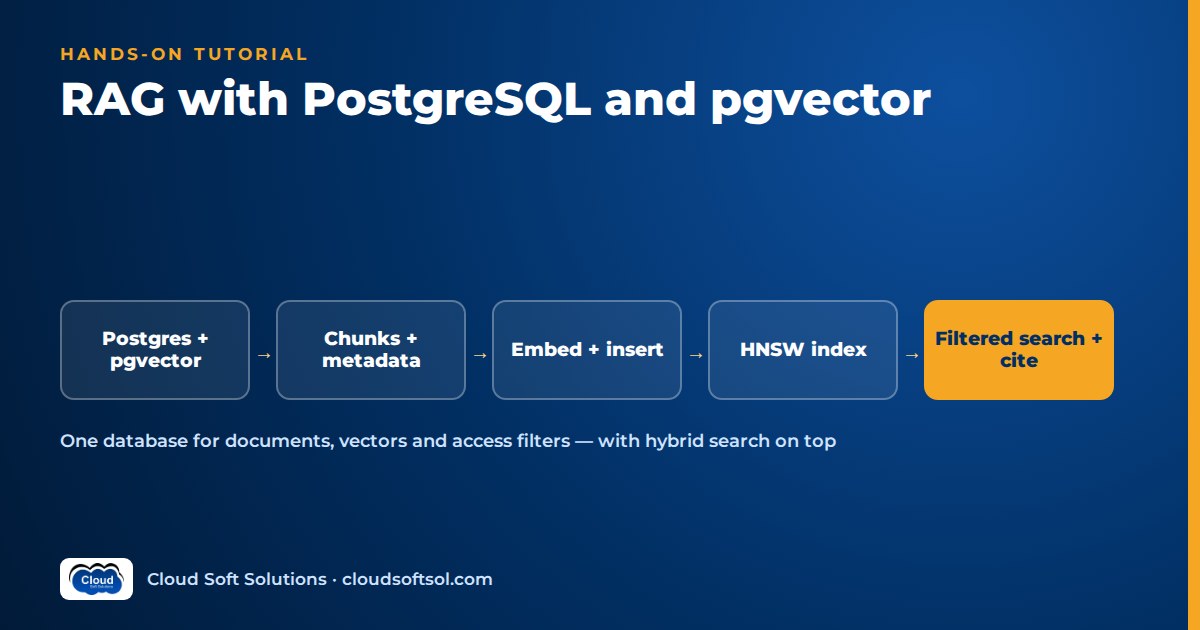
You can build a production-grade retrieval layer for RAG without adding a new database to your stack. With pgvector, PostgreSQL stores embeddings next to your documents and metadata, so one SQL query can do similarity search, tenant and department filtering, and keyword matching together. This tutorial walks through the whole path: running Postgres with pgvector in Docker, designing the schema, ingesting embeddings, filtered search, an HNSW index, hybrid search with full-text search, prompt assembly with citations, re-embedding and maintenance. All code is illustrative; adapt names, dimensions and credentials.
What you will build
The flow is a standard RAG retrieval layer. If the pattern is new to you, start with what is RAG. For the general theory of vector stores and ANN indexes, see vector databases explained. This article is about doing it in Postgres.
documents -> chunker -> embedding API -> chunks table
                                          (vector + tsvector
                                           + tenant/dept)
question -> embed -> SQL: filter + vector + keyword
                     -> RRF fusion -> top-k chunks
                     -> prompt with [n] citations -> LLM
You need Docker, Python 3 with psycopg (version 3) and the pgvector Python package, and access to any embedding API: Amazon Bedrock, Azure OpenAI, Vertex AI, or a self-hosted model. Any provider works, as long as documents and queries use the same model.
Step 1: Run PostgreSQL with pgvector in Docker
The pgvector project publishes an official Docker image, pgvector/pgvector. It is the standard Postgres image with the extension already compiled in. Tags follow the Postgres major version (for example pg17, or variants such as pg18-bookworm). Pick a current tag from the image page.
# Illustrative: local development only.
# Use a secrets manager, not a literal password, in prod.
docker run -d --name pgvector-dev \
  -e POSTGRES_PASSWORD=change-me \
  -p 5432:5432 \
  -v pgvector-data:/var/lib/postgresql/data \
  pgvector/pgvector:pg17
# The data path can differ by Postgres major version.

pip install "psycopg[binary]" pgvector
On managed services (Amazon RDS and Aurora PostgreSQL, Azure Database for PostgreSQL, Cloud SQL), pgvector is typically available as an extension you enable. You do not run the image there. For container patterns around the rest of your AI app, see Docker for AI applications.
Step 2: Design the schema: documents, chunks, metadata
Enable the extension once per database, then create two tables. documents holds one row per source file. chunks holds the retrievable units, each with its embedding, its full-text vector and the access metadata copied down from the document, so filters never need a join.
-- Illustrative schema. 1024 is a PLACEHOLDER: it must
-- equal the output dimension of your embedding model.
CREATE EXTENSION IF NOT EXISTS vector;

CREATE TABLE documents (
  id          bigserial PRIMARY KEY,
  tenant_id   text NOT NULL,
  department  text NOT NULL,
  title       text NOT NULL,
  source_uri  text NOT NULL,
  updated_at  timestamptz NOT NULL DEFAULT now()
);

CREATE TABLE chunks (
  id          bigserial PRIMARY KEY,
  document_id bigint NOT NULL
              REFERENCES documents(id) ON DELETE CASCADE,
  tenant_id   text NOT NULL,   -- copied for filtering
  department  text NOT NULL,   -- copied for filtering
  chunk_no    int  NOT NULL,
  content     text NOT NULL,
  embed_model text NOT NULL,   -- model that made vector
  embedding   vector(1024) NOT NULL,
  content_tsv tsvector GENERATED ALWAYS AS
              (to_tsvector('english', content)) STORED
);

-- B-tree for metadata filters, GIN for full-text search
CREATE INDEX ON chunks (tenant_id, department);
CREATE INDEX ON chunks USING gin (content_tsv);
Three choices matter. The vector(n) type enforces the dimension, so a wrong-sized vector fails loudly on insert instead of silently polluting results. embed_model records which model produced each vector, which you will need when the model changes. And ON DELETE CASCADE means deleting a document removes its chunks, which matters when content is withdrawn.
For a multi-tenant product, tenant filtering in application code is necessary but not sufficient. Postgres row-level security can enforce the tenant boundary as a second layer. The wider design is covered in multi-tenant AI SaaS architecture.
Step 3: Ingest chunks with embeddings
Chunking is a separate decision. Size, overlap and structure-aware splitting affect retrieval more than index tuning does, so read RAG chunking strategies first. Assume you already have a list of chunk strings per document.
# Illustrative ingestion with psycopg 3 + pgvector-python
import psycopg
from pgvector import Vector
from pgvector.psycopg import register_vector

DSN = "postgresql://postgres:change-me@localhost/postgres"
EMBED_MODEL = "your-embedding-model"  # placeholder
DIM = 1024  # must equal vector(n) in the schema

def embed(texts: list[str]) -> list[list[float]]:
    """Call your provider's embedding API in batches.
    Return one vector of length DIM per input text."""
    raise NotImplementedError

def ingest(conn, doc_id, tenant, dept, texts):
    vecs = embed(texts)
    rows = []
    for i, (text, v) in enumerate(zip(texts, vecs)):
        if len(v) != DIM:
            raise ValueError("embedding dimension mismatch")
        rows.append((doc_id, tenant, dept, i, text,
                     EMBED_MODEL, Vector(v)))
    with conn.transaction(), conn.cursor() as cur:
        cur.executemany(
            "INSERT INTO chunks (document_id, tenant_id,"
            " department, chunk_no, content, embed_model,"
            " embedding) VALUES (%s,%s,%s,%s,%s,%s,%s)",
            rows,
        )

conn = psycopg.connect(DSN, autocommit=True)
conn.execute("CREATE EXTENSION IF NOT EXISTS vector")
register_vector(conn)  # after the extension exists
Note the order: register_vector looks up the vector type, so the extension must exist first. In a real pipeline, add retries with backoff, respect batch limits and make ingestion idempotent. Re-running a document should replace its chunks (delete by document_id, then insert, in one transaction), not duplicate them. Pipeline design is covered in data pipelines for RAG. For why the same model must embed queries and documents, see embeddings explained.
Step 4: Similarity search with metadata filters
pgvector adds distance operators to SQL:
| Operator | Meaning | HNSW / IVFFlat operator class |
|---|---|---|
<-> | L2 (Euclidean) distance | vector_l2_ops |
<=> | Cosine distance | vector_cosine_ops |
<#> | Negative inner product | vector_ip_ops |
All three return values where smaller means closer, so you always ORDER BY ... ASC. <#> is negated for exactly that reason, and cosine similarity is 1 - (a <=> b). Use the metric your model recommends, usually cosine for text.
-- Illustrative: top 5 chunks the caller may see.
-- %(q)s is the query embedding (a pgvector Vector).
WITH hits AS (
  SELECT id, document_id, content,
         embedding <=> %(q)s AS distance
  FROM chunks
  WHERE tenant_id = %(tenant)s
    AND department = ANY(%(depts)s)
    AND embed_model = %(model)s
  ORDER BY embedding <=> %(q)s
  LIMIT 5
)
SELECT h.id, h.content, h.distance,
       d.title, d.source_uri
FROM hits h JOIN documents d ON d.id = h.document_id
ORDER BY h.distance;
The tenant and depts values must come from the authenticated user's identity, for example group claims from your identity provider. They must never come from the prompt or the request body. That one rule is what stops a finance user retrieving HR chunks. Without an index this is an exact scan: perfect recall, fine for tens of thousands of chunks.
Step 5: Add an HNSW index
HNSW builds a layered graph of neighbouring vectors and is the usual default for RAG: good recall and low latency, at the cost of build time and memory. The operator class must match the operator in your queries. A cosine index does nothing for an L2 query.
-- Illustrative. CONCURRENTLY avoids blocking writes but
-- cannot run inside a transaction block.
CREATE INDEX CONCURRENTLY chunks_embedding_hnsw
ON chunks USING hnsw (embedding vector_cosine_ops)
WITH (m = 16, ef_construction = 64);  -- the defaults

-- Query time: larger ef_search = better recall, slower.
SET hnsw.ef_search = 100;           -- session (default 40)
BEGIN;
SET LOCAL hnsw.ef_search = 200;     -- this transaction only
-- ... run the search query ...
COMMIT;
The filtering gotcha. With an approximate index, the WHERE clause is applied after the index scan. If the index returns its top 40 candidates and only a few belong to the user's tenant, you get fewer than LIMIT rows back, or none. Options, in roughly the order to try them:
- Iterative index scans (pgvector 0.8.0 and later):
SET hnsw.iterative_scan = relaxed_order;keeps scanning until enough rows pass the filter, bounded byhnsw.max_scan_tuples. Usestrict_orderif exact distance ordering matters. - Partial indexes when a filter has few distinct values, for example one HNSW index per large tenant with
WHERE tenant_id = 'acme'. - Partitioning by tenant when there are many tenants and filters are always present.
- Exact search when the filter is very selective. A B-tree on
tenant_idplus a brute-force scan of a few thousand rows is fast and has perfect recall.
Also note: the vector type can be indexed up to 2,000 dimensions. For larger embeddings, index a halfvec expression (half precision, indexable up to 4,000 dimensions), for example USING hnsw ((embedding::halfvec(3072)) halfvec_cosine_ops), and cast the query side the same way. IVFFlat is the alternative index type:
| Aspect | HNSW | IVFFlat |
|---|---|---|
| Build | Slower, more memory | Faster, less memory |
| Needs data first? | No; can build on an empty table | Yes; create after loading representative data |
| Key settings | m, ef_construction; query hnsw.ef_search | lists; query ivfflat.probes |
| Starting point | Defaults, then tune ef_search | lists about rows/1000 (up to 1M rows), probes about sqrt(lists) |
| Typical use | Default for RAG | Very large, mostly static corpora with tight build budgets |
-- Illustrative IVFFlat, built after data is loaded
CREATE INDEX ON chunks USING ivfflat
  (embedding vector_cosine_ops) WITH (lists = 100);
SET ivfflat.probes = 10;
Tune with data: measure recall@k on a golden question set against exact (unindexed) results, raising ef_search until recall plateaus or latency suffers.
If you want to practise this end to end with guided labs (embeddings, pgvector, retrieval evaluation and agents), Cloudsoft's AI, GenAI and Agentic AI course covers this stack hands-on.
Step 6: Hybrid search with full-text search and RRF
Vector search misses exact identifiers such as policy numbers, error codes and product SKUs. Keyword search misses paraphrases. Postgres does both, and Reciprocal Rank Fusion (RRF) combines the two ranked lists using only rank positions, so you never have to compare cosine distances with ts_rank scores. The concepts and reranking options are covered in hybrid search and reranking for RAG.
-- Illustrative hybrid search; 60 is the usual RRF k.
WITH vec AS (
  SELECT id, row_number() OVER (
           ORDER BY embedding <=> %(q)s) AS rnk
  FROM chunks
  WHERE tenant_id = %(tenant)s
  ORDER BY embedding <=> %(q)s
  LIMIT 40
),
kw AS (
  SELECT c.id, row_number() OVER (
           ORDER BY ts_rank_cd(c.content_tsv, t.q) DESC
         ) AS rnk
  FROM chunks c,
       websearch_to_tsquery('english', %(text)s) AS t(q)
  WHERE c.tenant_id = %(tenant)s
    AND c.content_tsv @@ t.q
  ORDER BY ts_rank_cd(c.content_tsv, t.q) DESC
  LIMIT 40
)
SELECT id,
       COALESCE(1.0 / (60 + vec.rnk), 0)
     + COALESCE(1.0 / (60 + kw.rnk), 0) AS rrf
FROM vec FULL OUTER JOIN kw USING (id)
ORDER BY rrf DESC
LIMIT 8;
Apply the same access filters in both branches. A common bug is to filter the vector branch and forget the keyword branch. For a further lift, rerank the fused list with a cross-encoder.
Step 7: Assemble the prompt with citations
Number each retrieved chunk, keep a map from number to chunk ID, and tell the model to cite by number. After generation, verify every cited number exists and flag answers that cite nothing.
# Illustrative prompt assembly with numbered sources
def build_prompt(question, rows):
    # rows: list of (chunk_id, content, title, uri)
    cite_map, parts = {}, []
    for n, (cid, text, title, uri) in enumerate(rows, 1):
        cite_map[n] = cid
        parts.append(f"[{n}] {title} ({uri})\n{text}")
    prompt = (
        "Answer using ONLY the sources below. Cite each "
        "claim as [n]. If the sources do not contain the "
        "answer, say you do not know.\n\n"
        "Sources:\n" + "\n\n".join(parts)
        + f"\n\nQuestion: {question}"
    )
    return prompt, cite_map
Treat retrieved text as untrusted data: a document can contain instructions aimed at the model. Keep system instructions separate from the sources, and log the chunk IDs used for every answer so an auditor can trace a response back to its documents. Measure faithfulness and context relevance with RAG evaluation metrics.
Step 8: Re-embed when the model changes
Vectors from different embedding models are not comparable, even when they have the same dimension. Switching models means re-embedding every chunk. Do it without downtime:
- Add a new column sized for the new model, plus a column recording that model.
- Backfill it in batches from Python (for example 500 rows at a time, ordered by
id), with checkpoints so a failure resumes rather than restarts. Embed new writes with both models during the migration. - Build the new HNSW index with
CONCURRENTLY. - Run your golden set against both columns. Switch the query path only when the new model wins on your data.
- Drop the old index and column after a rollback window.
-- Illustrative: 1536 is a placeholder for the new model
ALTER TABLE chunks
  ADD COLUMN embedding_v2 vector(1536),
  ADD COLUMN embed_model_v2 text;
-- ... batch backfill from Python ...
CREATE INDEX CONCURRENTLY chunks_embedding_v2_hnsw
ON chunks USING hnsw (embedding_v2 vector_cosine_ops);
Step 9: Maintenance and operations
- Index build memory. HNSW builds are much faster when the graph fits in
maintenance_work_mem. Postgres emits a notice when it no longer fits. Raise it for the build session (within what the server can spare) and considermax_parallel_maintenance_workersfor parallel builds. - VACUUM. Updates and deletes leave dead tuples, and vacuuming an HNSW index can be slow. Make sure autovacuum keeps up on the
chunkstable. The pgvector docs suggestREINDEX INDEX CONCURRENTLYbefore a manual vacuum to speed it up. - ANALYZE after bulk loads so the planner picks sensible plans.
- Memory sizing. Query latency is best when the HNSW index stays in memory.
Illustrative scenario: an insurer's internal assistant
Consider an insurer whose GCC IT team in Hyderabad builds an internal assistant over claims manuals, IT runbooks and HR policies for several business units. Each business unit is a tenant_id, and each manual belongs to a department. The team already runs managed PostgreSQL, so pgvector avoids a new vendor and a second copy of permissions. Claims handlers search for clause numbers, so hybrid search matters from the first release. The largest unit gets its own partial HNSW index.
Taking a system like this from a working tutorial to a governed deployment inside a customer's environment is the core of the Forward Deployed Engineer role. Cloudsoft's FDE PRO program builds it as the Enterprise Knowledge Assistant project.
When to move off pgvector
pgvector is the right default when your team already operates Postgres and your corpus fits comfortably on one well-sized instance. Consider a dedicated vector database or search engine when you see:
| Signal | Why it matters |
|---|---|
| Index no longer fits in memory on a sensible instance size | Latency and build time degrade; scaling up gets expensive |
| Vector queries compete with transactional workload | Retrieval spikes hurt the app's core database |
| Need for horizontal sharding of vectors | Postgres scale-out for vectors needs extra tooling |
| Heavy filtered search that partitions cannot solve | Some engines integrate filtering into the ANN search itself |
Measure before migrating. A read replica dedicated to retrieval, tuned ef_search or a halfvec index often buys a lot of headroom.
FAQ
Is pgvector good enough for production RAG?
Yes, for many enterprise workloads. It offers HNSW and IVFFlat indexes, metadata filtering in SQL, transactions and normal Postgres backups. Move to a dedicated engine only when measured scale, latency or isolation needs exceed what a well-tuned Postgres instance can deliver.
Which distance operator should I use in pgvector?
Use the metric your embedding model recommends, which for most text models is cosine distance with the <=> operator and a vector_cosine_ops index. Use <-> for L2 distance and <#> for negative inner product, each with its matching operator class.
Why does my filtered pgvector query return fewer rows than the LIMIT?
With an approximate index, filters are applied after the index scan, so most candidates may be filtered out. Enable iterative index scans in pgvector 0.8.0 or later, increase hnsw.ef_search, use partial indexes or partitions, or use exact search for highly selective filters.
Should I use HNSW or IVFFlat?
HNSW is the usual default for RAG because it gives strong recall and latency and can be built on an empty table. IVFFlat builds faster and uses less memory but must be created after representative data is loaded, and its recall depends on the lists and probes settings.
What vector dimension should I use?
Exactly the output dimension of your embedding model; the vector(n) column must match it. The vector type can be indexed up to 2,000 dimensions, and larger embeddings can be indexed as halfvec, which supports up to 4,000 dimensions.
Can pgvector do hybrid search?
Yes. Store a tsvector column with a GIN index alongside the embedding, run a vector query and a full-text query, and combine the two ranked lists with Reciprocal Rank Fusion or a cross-encoder reranker.
What happens when I change my embedding model?
You must re-embed every chunk, because vectors from different models are not comparable. Add a new vector column, backfill it in batches, build its index concurrently, evaluate both versions on a golden set, then switch and drop the old column.
Do I need the pgvector Docker image in production?
No. The Docker image is convenient for local development and self-managed deployments. Major managed PostgreSQL services typically let you enable pgvector as an extension instead.
Want to build retrieval systems that hold up beyond the demo, from embeddings and pgvector to evaluation and agents? Explore Cloudsoft's AI, GenAI and Agentic AI training in Hyderabad, in the classroom in Ameerpet or live online. Free demo: +91 96660 19191.


