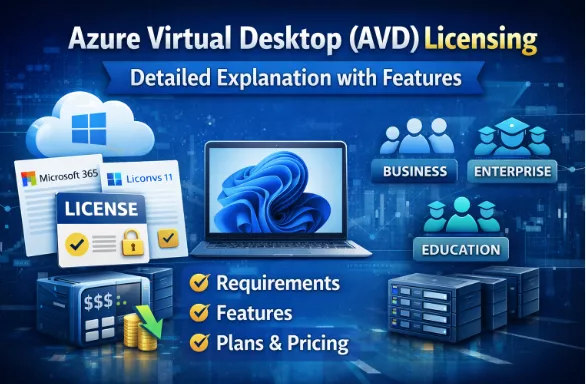
Azure Virtual Desktop (AVD) Licensing – Detailed Explanation with Features
1. What Is Azure Virtual Desktop Licensing?
Azure Virtual Desktop does not require a separate AVD license.
 AVD access rights are included with eligible Microsoft 365 or Windows licenses.
You only pay for:
- Azure infrastructure (VMs, storage, networking)
- Plus eligible user licenses (Microsoft 365 / Windows)
2. Eligible Licenses for Azure Virtual Desktop
A. Microsoft 365 Licenses (Most Common)
These licenses include AVD usage rights.
Supported Microsoft 365 Plans
| License | AVD Access | Key Features |
| Microsoft 365 Business Premium |  Yes Yes | Small & medium businesses |
| Microsoft 365 E3 | Yes | Enterprise features |
| Microsoft 365 E5 | Yes | Advanced security + compliance |
| Microsoft 365 A3 / A5 | Yes | Education |
| Microsoft 365 F3 | Yes | Frontline workers |
Key Features Included
- Windows 10/11 Enterprise multi-session
- FSLogix profile support
- Microsoft Entra ID (Azure AD) authentication
- Conditional Access support
- Microsoft Intune integration (with supported plans)
B. Windows Enterprise Standalone Licenses
| License | AVD Access |
| Windows 10/11 Enterprise E3 | Yes |
| Windows 10/11 Enterprise E5 | Yes |
Useful for organizations not using Microsoft 365 but still want AVD.
C. Per-User Access via RDS CAL (Special Scenario)
| Scenario | Supported |
| Windows Server session hosts | Yes |
| Requires RDS CAL + Software Assurance | Yes |
 Note:
Note:
RDS CALs are only for Windows Server-based AVD, not for Windows 10/11 multi-session.
3. Windows 10/11 Enterprise Multi-Session (AVD Exclusive)
What Is Multi-Session?
- Multiple users log into one Windows 10/11 VM
- Reduces VM count → massive cost savings
- Only available with AVD
Key Features
- Windows 10/11 Enterprise experience
- Multiple concurrent users
- FSLogix profile containers
- Full Microsoft Teams optimization
- Best performance for pooled desktops
4. AVD Deployment Types & Licensing Impact
A. Pooled Desktops
| Feature | Details |
| Multiple users per VM | |
| Best for call centers, training labs | |
| Requires M365 / Windows Enterprise | |
| Lowest cost |  |
B. Personal Desktops
| Feature | Details |
| One user per VM | |
| Persistent desktop | |
| Higher Azure cost |  |
| Licensing same as pooled | |
C. RemoteApp
| Feature | Details |
| Publish apps only | |
| Less resource usage | |
| Best for legacy apps | |
5. Microsoft Teams on Azure Virtual Desktop
Licensing Requirement
- Valid Microsoft 365 license with Teams
Optimized Teams Features
- Audio/video redirection
- Screen sharing
- Background blur
- Media offloading to client device
Teams Optimization is NOT available without eligible licenses
6. FSLogix Licensing (Profiles)
What Is FSLogix?
- User profile container technology
- Enables fast login/logoff
- Mandatory for production AVD
License Requirement
- Included FREE with:
- Microsoft 365 E3 / E5
- Windows Enterprise E3 / E5
7. Security & Compliance Features (License Based)
| Feature | Business Premium | E3 | E5 |
| Conditional Access | | | |
| MFA | | | |
| Defender for Endpoint |  | | |
| Purview / DLP | | Limited | |
| Privileged Identity Mgmt | | | |
8. Azure Costs (Not a License – But Mandatory)
Even with valid licenses, you still pay for:
| Azure Component | Cost Applies |
| Virtual Machines | |
| OS Disks | |
| FSLogix Storage | |
| Networking | |
| Load Balancer | (Basic is free) |
No extra cost for:
- AVD control plane
- Broker
- Gateway
- Web access
9. Common Licensing Scenarios (Real-World)
Scenario 1: Corporate Office (300 Users)
- Microsoft 365 E3
- Windows 11 multi-session pooled desktops
- FSLogix profiles Fully compliant
Scenario 2: Call Center (500 Users)
- Microsoft 365 F3
- Pooled desktops
- Teams optimized Lowest cost model
Scenario 3: Developer Team
- Microsoft 365 E5
- Personal desktops
- Defender + compliance High security
Scenario 4: Legacy App Hosting
- Windows Server 2022
- RDS CAL + SA
- RemoteApp model Legacy friendly
10. Key Licensing Myths (Important for Interviews)
AVD needs a separate license No, AVD access is included
Azure VM license covers users Users must have eligible licenses
Home edition Windows allowed Not supported
11. Interview-Ready Summary (One-Line Answer)
Azure Virtual Desktop licensing is included with eligible Microsoft 365 or Windows Enterprise licenses, and customers only pay for Azure infrastructure while gaining access to Windows 10/11 multi-session, FSLogix, Teams optimization, and enterprise security features.