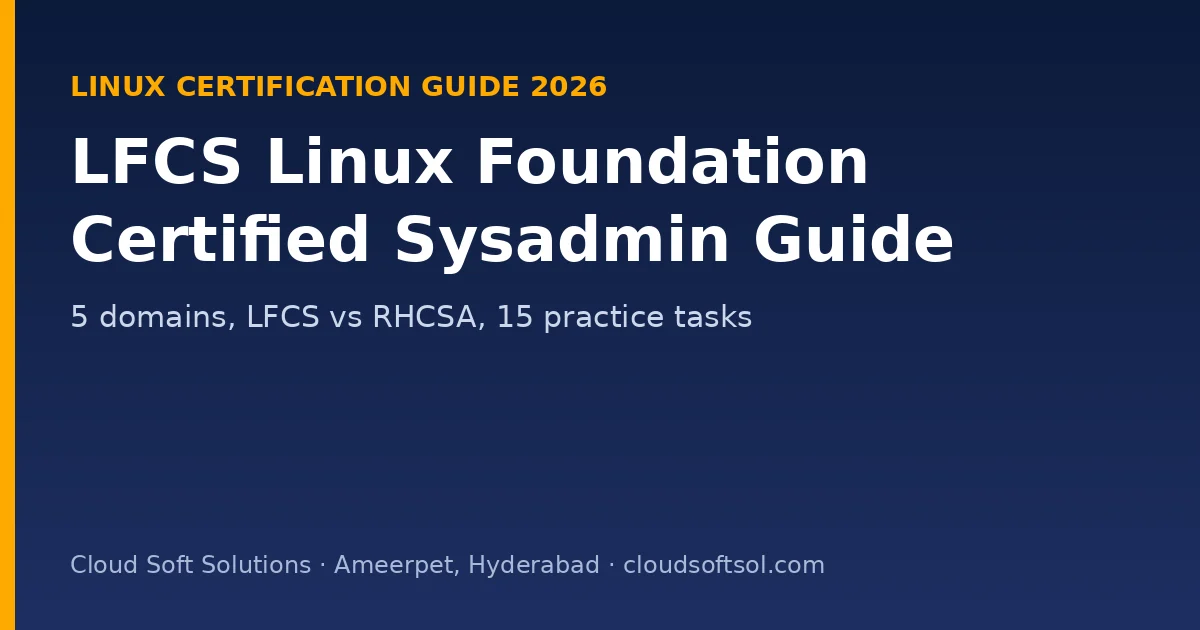
LFCS (Linux Foundation Certified System Administrator) is a hands-on Linux administration exam from the Linux Foundation. For 2 hours you solve real problems on the command line. Unlike RHCSA it no longer ties you to one distribution, so the skills carry over to Ubuntu, RHEL-based and other systems used in cloud and DevOps jobs.
This guide follows the official LFCS domains: five areas with weights, the commands to master, how LFCS compares with RHCSA, a 6-week plan and 15 original practice tasks.
Quick facts (Linux Foundation, November 2026)
| Item | Detail |
|---|---|
| Format | Online, proctored, performance-based tasks on a Linux command line |
| Duration | 2 hours |
| Distribution | Distribution-independent tasks; you don't choose a platform in advance |
| Price | USD 445 exam only; USD 645 with the LFS207 course |
| Retake | One free retake included |
| Simulator | Two killer.sh sessions, 36 hours each, 20–25 questions |
| Validity | 2 years |
Read the official LFCS page before booking. The Linux Foundation runs frequent discounts.
LFCS or RHCSA?
| LFCS | RHCSA (EX200) | |
|---|---|---|
| Vendor | Linux Foundation (vendor-neutral) | Red Hat |
| Platform | Distribution-independent | RHEL 10 |
| Format | Online, hands-on, 2 hours | Hands-on, no internet |
| Best for | Cloud, DevOps and Ubuntu-heavy teams | Enterprise Red Hat shops, banks, telecom |
| Retake | One free retake included | Check Red Hat's current offer |
Both are respected. In Hyderabad and Bengaluru, RHCSA appears more often in sysadmin job ads, while LFCS suits cloud and DevOps paths.
Domains and weights
| Domain | Weight | Typical tasks |
|---|---|---|
| Operations Deployment | 25% | Boot and services (systemd), processes, scheduling, packages, logs, kernel parameters, containers and VMs |
| Networking | 25% | IP addresses and routes, DNS resolution, firewalls, SSH, port forwarding and NAT, network troubleshooting |
| Storage | 20% | Partitions, LVM, file systems, swap, mounts (including NFS), quotas |
| Essential Commands | 20% | Files, search, text processing, archives, permissions, links, Git basics, SSL certificates |
| Users and Groups | 10% | Accounts, groups, sudo, password policies, resource limits |
The weights come from the official page. The "typical tasks" column is our summary of what each domain usually involves; check the Linux Foundation's learning path for the detailed list.
Commands to master
# Operations: services, logs, scheduling, kernel parameters
systemctl enable --now nginx
journalctl -u nginx --since "1 hour ago"
sysctl -w net.ipv4.ip_forward=1 && echo 'net.ipv4.ip_forward=1' > /etc/sysctl.d/99-forward.conf

# Networking: addresses, routes, DNS, firewall
ip addr show; ip route add 10.20.0.0/16 via 192.168.1.1
resolvectl status
ufw allow 443/tcp      # or firewall-cmd --permanent --add-service=https

# Storage: LVM and persistent mounts
pvcreate /dev/sdb; vgcreate vg1 /dev/sdb; lvcreate -n data -L 2G vg1
mkfs.ext4 /dev/vg1/data; mkdir /data
echo '/dev/vg1/data /data ext4 defaults 0 2' >> /etc/fstab && mount -a

# Essential commands: find, text, permissions
find /var -name "*.log" -size +100M -mtime -7
awk -F: '$3 >= 1000 {print $1}' /etc/passwd
chmod 2770 /shared; chown :devs /shared
6-week study plan
| Week | Focus | Lab |
|---|---|---|
| 1 | Essential commands: files, find, grep, sed, awk, archives, permissions, links | 50 timed command drills |
| 2 | Users, groups, sudo, password policies, limits | Shared team directory with setgid and sudo rules |
| 3 | Storage: partitions, LVM, file systems, swap, NFS, quotas | Build and extend LVM; mount NFS persistently |
| 4 | Operations: systemd, logs, cron and timers, packages, kernel parameters | Custom systemd service with restart on failure |
| 5 | Networking: ip, routes, DNS, firewall, SSH tunnels, troubleshooting | Two-VM network with routing and a firewall |
| 6 | Both killer.sh sessions; fix weak areas | Review every wrong answer; book the exam |
15 practice tasks with answers
These are original practice tasks written for this guide, not exam questions.
1. Find files over 100 MB modified in the last 7 days under /var.find /var -type f -size +100M -mtime -7
2. List usernames with UID 1000 or higher.awk -F: '$3>=1000{print $1}' /etc/passwd
3. Replace "staging" with "prod" in every line of app.conf, in place.sed -i 's/staging/prod/g' app.conf
4. New files in /shared must belong to the "devs" group automatically.chgrp devs /shared and chmod g+s /shared.
5. Limit user "ravi" to 50 processes.
Add ravi hard nproc 50 to /etc/security/limits.conf (or a file in limits.d).
6. A service must start at boot and restart if it crashes.
A systemd unit with Restart=on-failure, then systemctl enable --now.
7. Show the last hour of logs for the sshd service.journalctl -u sshd --since "1 hour ago"
8. Enable IP forwarding permanently.
Set net.ipv4.ip_forward=1 in a file under /etc/sysctl.d and run sysctl --system.
9. Add a route to 10.20.0.0/16 via 192.168.1.1.ip route add 10.20.0.0/16 via 192.168.1.1 (make it persistent in the network configuration).
10. A website isn't reachable. Which checks come first?
Is the service running and listening (ss -tlnp)? Does the firewall allow the port? Does DNS resolve? Is there a route?
11. Reach a database on a remote private network through a bastion host.
SSH local port forwarding: ssh -L 5432:db.internal:5432 user@bastion.
12. Grow a logical volume by 1 GB with its ext4 file system.lvextend -r -L +1G /dev/vg1/data
13. Mount an NFS export at boot.
Add server:/export /mnt/nfs nfs defaults 0 0 to /etc/fstab and run mount -a.
14. Users in "devs" may restart only the nginx service with sudo.
A sudoers rule: %devs ALL=(root) /usr/bin/systemctl restart nginx.
15. Create a self-signed certificate for testing.openssl req -x509 -newkey rsa:2048 -nodes -keyout key.pem -out cert.pem -days 365
After LFCS
- Move to containers and Kubernetes with KCNA and CKAD.
- Practise Linux interview questions for cloud and DevOps engineers.
- See live DevOps and cloud jobs.
Cloud Soft Solutions in Ameerpet, Hyderabad teaches Linux administration, shell scripting and multi-cloud DevOps with real-time labs. See the APEX program and all courses.
📞 Call +91 96660 19191 · WhatsApp · Flat No. 513, 5th Floor, Nilagiri Block, Aditya Enclave, Ameerpet, Hyderabad
Frequently Asked Questions
Is LFCS hands-on?
Yes. It is a 2-hour, online-proctored, performance-based exam solved on a Linux command line.
Which Linux distribution does LFCS use?
The tasks are distribution-independent, so you don't choose a platform in advance.
How much does LFCS cost?
USD 445 for the exam only, with one free retake and two killer.sh simulator sessions.
Which LFCS domains have the most weight?
Operations Deployment and Networking, at 25% each.
How long is LFCS valid?
2 years.
Should I take LFCS or RHCSA?
RHCSA suits Red Hat enterprise environments and appears often in sysadmin job ads; LFCS is vendor-neutral and suits cloud and DevOps paths.