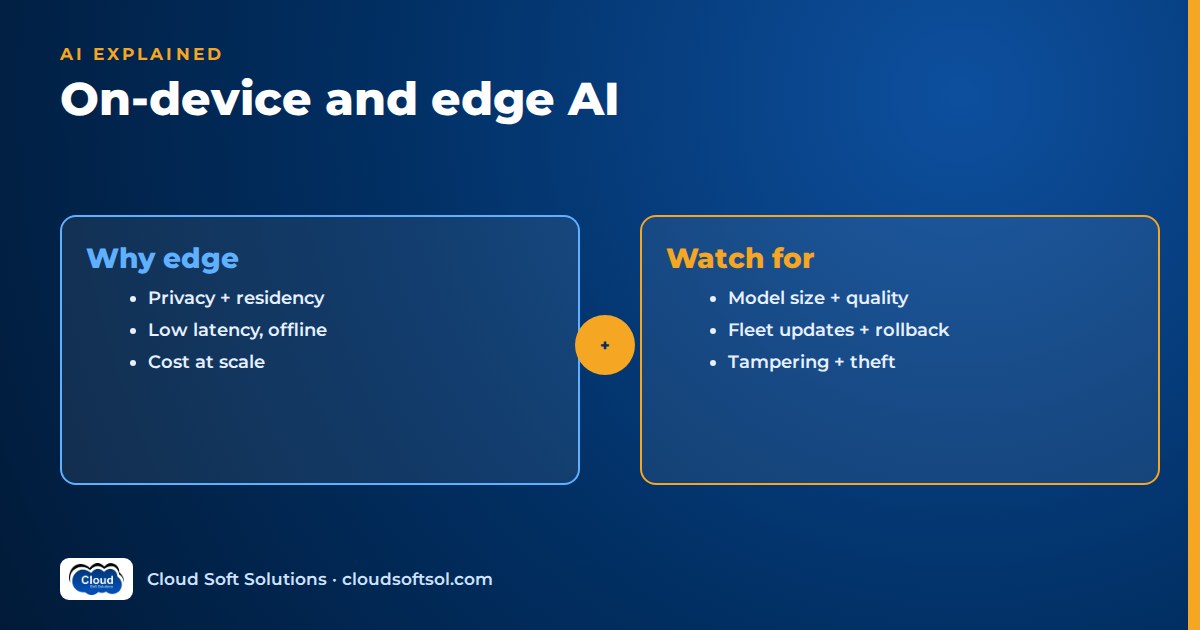
On-device AI means running the model where the data is created, on a laptop, phone, tablet, factory gateway or store server, instead of sending every request to a cloud API. Teams choose it for four reasons: privacy and data residency, latency, offline operation and cost at high volume. The price is smaller models, lower quality on hard tasks, battery and heat limits, and the work of updating thousands of devices. In practice most enterprise systems end up hybrid: a small local model handles the routine, well-defined work, and the cloud handles what the device cannot.
What on-device and edge AI actually mean
The terms overlap, so it helps to separate them by where inference runs:
- On-device AI: the model runs on the end-user's own hardware: a laptop, phone, tablet, handheld scanner or in-vehicle unit.
- Edge AI: the model runs on hardware close to the data source but not on the user's device: an industrial PC on the shop floor, a gateway in a substation, a small server in a retail store or hospital ward.
- Cloud or data-centre AI: the model runs on shared GPU infrastructure, either a hosted API or your own servers, as covered in GPU basics for AI engineers.
"Edge inference" covers the first two. Vision and sensor models have run at the edge for years; what changed is that language models small enough for a laptop or phone became useful, so running a local LLM is now a practical enterprise question.
Why run AI at the edge
Privacy and data residency
If the data never leaves the device or the site, a whole category of risk disappears: no third-party processor, no cross-border transfer, no exposure in transit. For a hospital transcribing consultations or a bank processing branch documents, this can shorten security review considerably. It does not remove obligations. Under India's DPDP Act, personal data processed on a device you manage is still processing you are accountable for; our guide to the DPDP Act for AI applications covers what that means in practice.
Latency
A local model avoids the network round-trip and shared-endpoint queues. That matters for live captions, autocomplete and voice commands, and more for a vision check on a moving conveyor, which cannot wait on a slow cloud response.
Offline and intermittent connectivity
Field technicians, ships, mines, rural branches and plants with isolated networks need AI that keeps working when the link drops. A cloud-only design fails exactly when the user is furthest from help.
Cost at scale
Cloud inference is billed per token or per GPU-hour. On-device inference uses hardware the organisation has already bought for other reasons. For a high-volume, repetitive task across a large fleet, moving it to the device can change the cost profile from a growing monthly bill to a mostly fixed one. You pay instead in engineering effort and device management, so model total cost honestly.
The limits you must design around
| Constraint | What it means in practice | Typical mitigation |
|---|---|---|
| Model size | Device memory is shared with the OS and other apps, so only small models fit | Small models, quantisation, task-specific fine-tunes |
| Quality | Small models know less and reason less reliably than large hosted ones | Narrow the task, constrain output, escalate hard cases to the cloud |
| Battery and thermal | Sustained inference drains batteries and heats devices until they throttle | Short bursts, NPU offload, run heavy jobs when plugged in |
| Hardware diversity | A fleet mixes old and new devices with different accelerators | Capability tiers, CPU fallback paths, a supported-device list |
| Update management | Models are large files that must reach every device safely | Staged rollout, versioning, rollback (see fleet management below) |
Teams underestimate the quality limit most. A model that impresses on a developer's high-end laptop may behave differently on the mid-range machines field staff carry, especially after quantisation. Test on real target hardware with your own data.
What runs well on-device
The pattern mirrors what we describe in small language models for the enterprise: narrow tasks, short inputs, constrained outputs and easy-to-check results.
- Classification: intent, category, priority, sensitivity labels, language detection. Often a small encoder model rather than a generative one.
- Extraction: pulling fields from a scanned form, work order or label into a fixed schema.
- Speech-to-text: compact speech recognition models run well on modern phones and laptops, which is why on-device transcription and dictation are now common. They are often the first stage of a voice AI agent, with the heavier reasoning done elsewhere.
- Vision inspection: defect detection, presence checks, reading gauges or serial numbers. These are usually specialised vision models, not language models, and they have the longest track record at the edge.
- Short summarisation and local search: condensing a note, or searching manuals offline with a small on-device embedding index.
Long-document analysis, open-ended research, complex multi-step agents and anything needing broad, current knowledge stay in the cloud.
Runtimes and the on-device software stack
You do not usually write inference code from scratch. A few families of runtime cover most enterprise needs:
- ONNX Runtime: a cross-platform inference engine for models exported to the ONNX format. It uses pluggable "execution providers" to target CPUs, GPUs and NPUs on different hardware, which makes it a common choice for classifiers, embedding models and vision models that must run across a mixed fleet.
- llama.cpp and GGUF: llama.cpp is an open-source C/C++ inference engine for language models that runs on ordinary CPUs as well as GPUs and Apple silicon. GGUF is its single-file model format, which bundles quantised weights with the tokenizer and metadata. Many desktop tools for running a local LLM are built on it.
- Mobile and PC NPUs: neural processing units are low-power accelerators now built into many phones and laptops. Apps reach them through the platform's own machine learning frameworks or vendor SDKs rather than directly, and each platform has its own supported model formats and operators.
- OS-provided on-device models: major phone and PC operating systems now ship a built-in small model that apps can call through system APIs. You do not distribute or update the model yourself, which removes a lot of fleet work, but you also do not control its version, behaviour or availability across devices.
The fleet usually drives the choice: which devices and accelerators you must support, and whether you ship your own model or rely on the OS.
Quantisation for edge
Quantisation stores model weights at lower numeric precision, for example 8-bit or 4-bit integers instead of 16-bit floats. It is what makes most on-device language models possible, because it shrinks the file to download, the memory needed at runtime and, often, the energy per token. The general trade-offs are covered in our GPU guide; at the edge a few points matter more:
- The accelerator decides the format. An NPU may only accelerate specific integer formats and operators. A model quantised in a format the NPU does not support quietly falls back to the CPU, and becomes slower and hungrier than expected.
- Quality loss is uneven. Aggressive quantisation tends to hurt reasoning, code, long inputs and Indian-language text before it hurts simple classification. Evaluate each quantised build on your own test set, not just the original model.
- Distil, then quantise. A common path is to train a small task-specific student from a larger teacher, then quantise the student. Our sibling article on model distillation explains that step.
Hybrid patterns: local first, cloud when needed
Pure on-device systems are rare in the enterprise. The useful designs combine local and cloud inference deliberately.
Request on device
      |
  Sensitivity check (local)
      |
  restricted? ---- yes --> local model only
      | no
  Local model attempts task
      |
  confident + valid? -- yes --> answer
      | no
  Online? -- no --> queue / safe fallback
      | yes
  Cloud model (via gateway) --> answer
Local first with cloud fallback
The local model handles every request it can. If its output fails validation (wrong schema, low confidence, a refusal) or the task is outside its scope, the request escalates to a larger cloud model. Offline, the app queues the request or gives a clearly labelled reduced answer instead of failing silently.
Routing by sensitivity
A small local classifier labels each request or document by data sensitivity. Restricted content, such as patient identifiers or customer account details, is processed only locally; general content may go to the cloud. Agree the policy with security and compliance, and log which path each request took.
Split processing
The device does the first stage, such as transcription, redaction or field extraction, and sends only the reduced, less sensitive result to the cloud for reasoning.
If you want to build these pieces hands-on, from LLM fundamentals and evaluation to RAG, agents and deployment, Cloudsoft's AI, GenAI and Agentic AI course covers the stack, in our Ameerpet classroom or live online.
Fleet management: shipping models to thousands of devices
The hardest part of on-device AI in an enterprise is rarely the model. It is operating it across a fleet you cannot log into one by one. Treat each model as a versioned software artefact with the same discipline as an app release, a theme we develop in AI DevOps and LLMOps.
- Distribution: deliver large model files through your device-management or app-update channel, downloading on Wi-Fi or while charging.
- Versioning: version the model, its quantisation, its prompt templates and its post-processing rules together. A prompt change can break behaviour as surely as a weight change.
- Staged rollout: pilot group first, then widen in rings.
- Rollback: keep the previous model on the device until the new one is proven, and make reverting a server-side switch, not a new release.
- Telemetry with privacy: collect aggregate signals such as latency, crash rates, validation failures, fallback rate and model version, not raw prompts or outputs. Where you need examples to debug quality, use explicit opt-in, redaction on the device and short retention.
- Evaluation before release: run the same regression suite on each candidate build on real target hardware, as described in our guide to LLM evaluation.
Security: the model is now in the attacker's hands
Moving inference to devices changes the threat model.
- Model theft: a model file on a device can be copied. Encryption and platform key storage raise the bar but do not prevent extraction, so never put secrets, credentials or confidential examples in a shipped model or its prompts.
- Tampering: an attacker who replaces the model or its configuration can change its behaviour. Sign model artefacts, verify signatures before loading, and check integrity on update.
- Prompt injection still applies: a local model reading an email, a scanned document or a web page can be manipulated by text inside that content just as a cloud model can. Running locally does not make it safer. Keep tool permissions minimal and validate outputs before they trigger actions.
- Trusting device output: treat anything a device sends back, including model results, as untrusted input and validate it server-side. Encrypt local caches and include them in remote-wipe policies.
Our broader guide to AI security in the enterprise covers the controls that apply on both sides of the network.
Industrial edge: factory gateways and OT constraints
Factories add constraints that phone and laptop deployments do not have. Our article on AI in manufacturing covers the OT/IT boundary in depth; for edge inference specifically:
- Network segmentation: operational technology (OT) networks are deliberately separated from IT and the internet. An edge gateway may have no outbound internet access at all, or only through a controlled zone. Design for updates that are pulled through approved paths, not pushed from the cloud on demand.
- Advise, do not control: AI at the edge should normally recommend or flag, while safety-critical control stays with the PLCs, safety systems and qualified people. A model output should never bypass an interlock.
- Long hardware lifecycles: industrial PCs stay in service for years on older operating systems, patched in planned maintenance windows, often fanless and low-power.
- Change control: a model update is a change to a production system and goes through the plant's management-of-change approval, testing and rollback plan.
Illustrative example: a pump manufacturer's field service
Consider an Indian manufacturer of industrial pumps with a factory near Hyderabad and a field-service team that maintains installed pumps at customer sites, many in basements, rural water plants and industrial estates with poor mobile coverage. Everything below is illustrative.
In the factory, a vision model on an edge gateway beside the final assembly line checks each pump for missing fasteners and label errors. It was trained centrally on labelled images and runs entirely on the gateway, inside the OT network. It flags suspected defects to an inspector's screen; it does not stop the line. Model updates arrive through the plant's approved update zone during scheduled maintenance, with the previous version kept for rollback.
In the field, technicians carry rugged tablets. On each tablet:
- A local speech-to-text model transcribes the technician's spoken notes, working offline.
- A small language model extracts structured fields from the transcript: pump serial, fault symptoms, parts replaced, readings taken, into the work-order schema.
- A local embedding index over service manuals lets the technician search troubleshooting steps without a signal.
- When the technician asks a complex diagnostic question and the tablet is online, the request goes through the company's gateway to a larger cloud model, with customer names and site addresses redacted on the device first.
- Completed work orders sync to the service platform when connectivity returns, where they are validated server-side before updating records.
New builds go to a pilot group first, with validation failures and fallback rates tracked per version and quality examples collected only from technicians who opt in. Success is measured against a pre-pilot baseline: fewer incomplete work orders, less report-writing time and better first-time fix rates.
Designing a system like this for a real customer, sitting with plant engineers and service managers, mapping OT constraints and turning a demo into a fleet that works, is the kind of work Forward Deployed Engineers do; Cloudsoft's FDE PRO program trains engineers for it.
FAQ
What is on-device AI?
On-device AI means running a machine learning model directly on the hardware where it is used, such as a laptop, phone or factory gateway, instead of calling a cloud service. It improves privacy, latency and offline operation, but limits model size and quality.
What is the difference between edge AI and on-device AI?
On-device AI runs on the end user's own device. Edge AI is broader and also covers hardware near the data source, such as a shop-floor gateway or an in-store server. Both are forms of edge inference, as opposed to inference in a cloud data centre.
Can I run an LLM on a laptop?
Yes. Small open-weight language models, usually quantised, run on modern laptops using runtimes such as llama.cpp or ONNX Runtime, and some operating systems provide a built-in model. They handle narrow tasks well but fall short of large hosted models on complex reasoning and long documents.
Is on-device AI more secure than cloud AI?
It reduces some risks, because data does not leave the device, but adds others. The model file can be copied or tampered with, and prompt injection through documents or messages still works. Sign and verify models, keep tool permissions minimal and validate everything a device sends back.
What is quantisation and why does it matter for edge AI?
Quantisation stores model weights at lower precision, such as 8-bit or 4-bit, which shrinks memory use and download size and often reduces energy per token. It can reduce quality, especially on reasoning and non-English text, and the device's accelerator must support the chosen format, so evaluate each quantised build on target hardware.
How do enterprises update models on thousands of devices?
They treat models as versioned software artefacts: deliver them through device-management or app-update channels, version the model with its prompts and rules, roll out in stages, keep the previous version for rollback and monitor aggregate telemetry without collecting raw user data.
Which tasks should stay in the cloud?
Long-document analysis, open-ended questions needing broad or current knowledge, complex multi-step agents and anything where a small model fails your evaluation. A hybrid design runs routine work locally and escalates these cases to a larger cloud model when connectivity and policy allow.
Next steps
On-device AI is an engineering discipline as much as a modelling one: choosing the task, the model, the runtime, the hybrid path and the fleet process together. To build that foundation with hands-on labs in LLMs, evaluation, RAG, agents and cloud deployment, explore Cloudsoft's AI and Agentic AI training in Hyderabad, available in our Ameerpet classroom beside Ameerpet Metro or live online. For a free demo, call +91 96660 19191.


