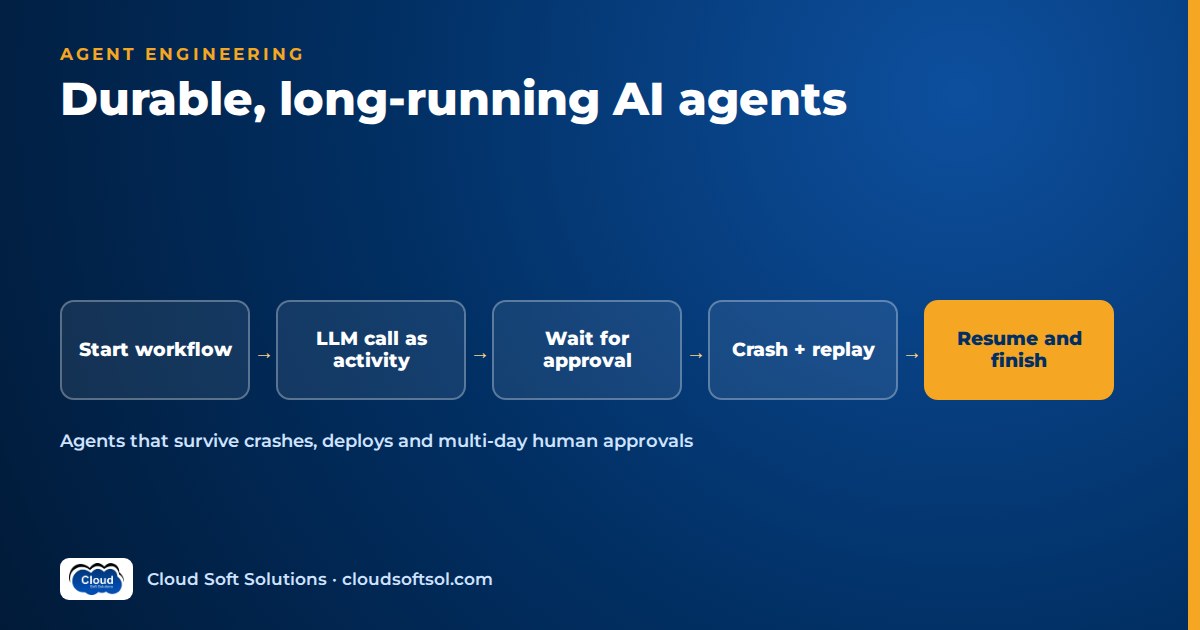
Durable AI agents are agents whose progress is recorded outside the process running them, so a crash, a deploy or a three-day wait for an approver does not lose work or repeat side effects. You get there by splitting the agent into deterministic orchestration that can be safely replayed and non-deterministic steps (LLM calls, API calls, tool calls) that run once, have their results recorded and are retried under explicit policies. Workflow engines such as Temporal, AWS Step Functions and Azure Durable Functions provide this natively, LangGraph provides it through checkpointing, and some agent SDKs now plug into durable engines directly.
Why agents need durability
A chat assistant that answers in ten seconds can treat failure casually: if the request dies, the user asks again. Enterprise agents are closer to long-running business processes with an LLM inside, and that changes the failure model.
- Multi-hour or day-long tasks. Reconciling a month of invoices or migrating a batch of tickets can involve hundreds of model and tool calls. Restarting from zero wastes time and tokens, and may redo actions that already changed external systems.
- Human approvals that wait days. A controller on leave, a reviewer in another time zone. The agent must stop, hold its exact state and resume when the decision arrives. Designing the approval itself is covered in human-in-the-loop AI; this article is about keeping the run alive while it waits.
- External callbacks. A verification provider or ERP batch job replies hours later through a webhook, and something must correlate that reply with the right run.
- Process crashes. Containers get OOM-killed, spot instances reclaimed, nodes drained, model endpoints throttled.
- Deploys mid-run. If you ship twice a week and runs last ten days, every run sees a deploy, and the new code must continue the old run correctly.
Durable execution concepts in plain terms
Event history and replay
The engine records an append-only history for each run: workflow started with this input, activity scheduled, activity completed with this result, timer fired, signal received. When a worker crashes, another worker replays the orchestration code from the beginning. Whenever the code asks for a step already in the history, the engine returns the recorded result instead of executing it again, so the code fast-forwards to where it stopped.
Deterministic workflow code vs activities
Replay only works if orchestration code makes the same decisions every time it runs against the same history. So engines separate:
- Workflow (orchestrator) code, which decides what happens next. It must be deterministic: no direct network calls, no system clock, no random numbers. Engines provide replay-safe substitutes for time, randomness and sleeping.
- Activities (Temporal and Durable Functions use this word; Step Functions uses task states), which do the real work: call an API, query a database, call an LLM. They may be non-deterministic because their result is written to the history.
Retries and timeouts
Activities get declarative retry policies (backoff, maximum attempts, non-retryable error types) and timeouts for a single attempt, the whole step including retries, and heartbeats.
Idempotency
Activities execute at least once. If a worker dies after the payment API succeeded but before the result was recorded, the activity runs again. Pass an idempotency key (derived from run ID and step name) to every external system that supports one, and check-before-write for those that do not.
Signals, events and timers
A signal (Temporal) or external event (Durable Functions) delivers data into a running workflow, such as an approval decision or webhook payload. Step Functions uses a task token that an external system sends back to resume the execution. Durable timers let a workflow sleep for days without holding a process, so "remind after two days, escalate after four" is a few lines of orchestration code.
Option 1: general-purpose workflow engines
| Engine | Model | Waiting and callbacks | Things to know |
|---|---|---|---|
| Temporal | Workflows and activities as ordinary code in several languages, run by your own workers; open-source server or Temporal Cloud | Signals, updates, queries, durable timers | Deterministic workflow code; continue-as-new for very long histories; versioning by patching or Worker Versioning |
| AWS Step Functions | State machines in Amazon States Language with many direct AWS service integrations | Wait states; callback with task token; Standard workflows run up to a year | Express workflows are short-lived and do not support callbacks, so long waits need Standard |
| Azure Durable Functions | Orchestrator and activity functions in code on Azure Functions; Durable Task Scheduler as a managed backend option | External events, durable timers, sub-orchestrations | Orchestrators replay from the start and must be deterministic |
Other code-first options include DBOS (a library that checkpoints workflow steps into PostgreSQL, with no separate orchestration server), Restate and Prefect. The same concepts apply; check each one's delivery and recovery semantics before choosing.
Option 2: agent framework persistence (LangGraph)
If your agent is already a LangGraph graph, you may not need a separate engine. A checkpointer saves graph state under a thread ID after each step; with a production backend such as PostgreSQL, a run can pause for human input, survive a restart and resume on any worker. The LangGraph for enterprise AI guide covers checkpointers and interrupts in depth. For durability, two points matter.
First, LangGraph's durability modes, passed at execution time: "exit" persists only when the run finishes or errors (fastest, no mid-run recovery); "async" writes checkpoints while the next step runs (a small window of loss on crash); "sync" writes each checkpoint before the next step starts (most durable, more overhead).
Second, LangGraph resumes from the start of the interrupted node, not the line where it stopped, so anything already done in that node runs again. Make nodes idempotent and wrap side effects and non-deterministic operations in separate tasks or nodes so their results are recorded: the activity rule, at coarser grain.
The trade-off: framework persistence is the simplest path, but you build timers, reminders, cross-system callbacks and fleet operations yourself; an engine gives you those as primitives at the cost of a second system to run. See AI agent frameworks compared for wider framework trade-offs.
Option 3: agent SDKs running on durable engines
A newer pattern keeps an agent SDK's developer experience and runs it on a durable engine. Two examples documented by the projects at the time of writing:
- Pydantic AI documents durable execution integrations with Temporal, DBOS, Prefect, Restate and others. The engine wraps each model request and tool call as its own durable step, so a resumed agent does not re-call the model for completed steps.
- OpenAI Agents SDK with Temporal: Temporal publishes a Python integration (announced as a public preview) in which the agent runs inside a workflow, model calls run as activities, and activities can be exposed to the agent as tools.
Maturity varies, so check status and features for the versions you install.
Option 4: managed agent runtimes with long sessions
Amazon Bedrock AgentCore Runtime runs each session in an isolated microVM, with an idle timeout (15 minutes by default) and a maximum session lifetime (8 hours by default, also the configurable maximum). AgentCore Memory can carry context across sessions.
But a long session is not durable execution. When the session ends, through timeout, lifetime limit or an unhealthy host, the in-memory loop ends with it. For multi-day waits, keep authoritative state in a durable store or engine and treat the session as a worker you start again for the next step. The Bedrock Agents to AgentCore migration guide covers sessions, memory and pricing.
Making LLM calls safe inside durable workflows
An LLM call is the most non-deterministic thing in your system: the same prompt can produce different output, and the call can fail or time out. Inside workflow code it breaks replay, because the second run gets a different answer and the history no longer matches. The rules:
- Every model call is an activity (or a task/node with a recorded result). Replay reads the recorded completion, which also saves tokens after a crash.
- Every tool call is an activity, with its own retry policy and idempotency key.
- Branch on recorded outputs. "The model said high risk" is fine; calling the model again inside workflow code is not.
- Keep payloads small. Store large documents and transcripts in object storage or a database and pass references, or histories grow until replay slows or hits engine limits.
- Separate retries by failure type. Rate limits get backoff; a schema-validation failure gets one or two repair attempts, then a human queue; content-policy refusals are non-retryable.
- Bound the agent loop with a maximum step count and budget check in deterministic code, so a confused model cannot loop for days.
If you want to build these patterns hands-on, including tool calling, LangGraph checkpointing, evaluation and cloud deployment, Cloudsoft's AI, GenAI and Agentic AI course covers them in labs.
Versioning workflows while runs are in flight
A run started last Tuesday has a history produced by last Tuesday's code. If today's deploy adds a step before the approval, replay diverges from the history and the engine raises a non-determinism error. Options:
- Patching / version markers. Temporal's patching API lets code branch so old runs follow the old path and new runs the new one; remove the old branch once no old runs remain.
- Worker or deployment versioning. Pin running workflows to the build that started them and route new runs to new workers (Temporal Worker Versioning). In Step Functions, versions and aliases shift new executions to a new definition while running ones finish on theirs.
Treat the prompt template and model identifier as versioned inputs recorded at run start, so a run does not change behaviour halfway. For LangGraph, old checkpoints must still deserialise into the new state schema, so add fields with defaults rather than renaming. Replay tests against recorded histories in CI catch most breaks before deploy.
Observability for long-running agents
- Two layers of tracing. The engine shows workflow state: which step, which retries, what it is waiting for. LangSmith, Langfuse or OpenTelemetry spans show what happened inside each model call. Put the workflow ID on every LLM trace.
- Waiting is a state, not silence. Show how many runs wait on what (approval, supplier reply, callback) and for how long.
- Alert on stuck, not just failed. Non-determinism errors, activities retrying for hours and timers that never fire may raise no exception anywhere.
The general practice is covered in AI observability.
The cost of waiting
- Engine-based waiting (timers, signals, callbacks) holds no compute; the run is stored state. Costs follow the engine's pricing model (per action, per state transition, history retention), so check how yours bills many small steps.
- Process-based waiting (a loop sleeping in a container or long session) keeps memory allocated for the whole wait: fine for minutes, wasteful and fragile for days.
- Token cost on recovery. Without durable steps, every crash re-runs completed model calls.
- Context cost on resume. Summarise into state at checkpoints and send the summary plus the new event, not the whole history.
For broader levers, see cloud cost optimization for AI.
Illustrative example: a vendor-onboarding agent
Consider a retailer's procurement team, run from a GCC in Hyderabad, that onboards new suppliers over email threads and spreadsheets, with onboardings stalling on document back-and-forth and approvals. It wants an agent that reads, checks and chases while humans keep the decisions.
Supplier submits form + documents
        |
[A] Extract fields from docs (LLM)
        |
[A] Validate GSTIN/PAN, bank details,
    sanctions + duplicate-vendor check
        |
  issues? --yes--> [A] Draft request to
        |          supplier (LLM), send
        |               |
        |          wait signal: resubmit
        |          timer: remind 3d,
        |                 close 10d
        no              |
        |<--------------+
[A] Risk summary for reviewer (LLM)
        |
wait signal: procurement approval
timer: remind 2d, escalate 4d
        |
  high risk? --yes--> wait: finance
        |             approval
        no                |
        |<----------------+
[A] Create vendor in ERP
    (idempotency key = run + step)
        |
[A] Notify supplier and requester
        |
done [A] = activity- Workflow code holds only decisions: which check failed, whether risk is high, which approver to wait for. Time and sleep go through engine APIs.
- LLM activities extract document fields into a typed schema, draft the supplier request and write the reviewer's risk summary. Outputs are recorded, so a crash never re-reads documents through the model.
- Deterministic activities call GST and PAN verification, bank-account verification, sanctions screening and ERP vendor search, each with its own retry policy.
- Signals arrive from the supplier portal and the approval UI. Each approval is bound to the exact record and bank details shown; if bank details change afterwards, the workflow loops back to review.
- Timers send reminders, escalate and close stale requests with nothing running in between.
- Idempotency matters most at ERP creation: the activity searches for a vendor carrying the run-derived key before creating one, so a retry after a timeout never creates a duplicate supplier.
- Versioning: a new mandatory compliance check is added behind a version marker, so new onboardings get it and in-flight ones finish as approved or are deliberately routed back by an operator.
The sibling procurement exception-handling agent project builds an end-to-end agent for invoice and PO exceptions, where the same waiting, approval and idempotency problems appear.
Choosing an approach
| Situation | Reasonable starting point |
|---|---|
| Agent already in LangGraph; waits are approvals within one system | LangGraph with a PostgreSQL checkpointer, "sync" or "async" durability |
| Process spans many systems, long timers, callbacks, strict audit | Temporal, Step Functions Standard or Durable Functions, with LLM calls as activities |
| Team prefers an agent SDK but needs crash recovery | An SDK with a documented durable integration (Pydantic AI, OpenAI Agents SDK on Temporal) |
| Interactive sessions of minutes to hours on AWS | AgentCore Runtime, with durable state outside the session for anything longer |
Whichever you pick, the hard work is the same: activity boundaries, idempotent side effects, safe versioning and watching waiting runs. Doing that inside a customer's real systems is much of what Forward Deployed Engineers do when they take agents from demo to production.
FAQ
What is a durable AI agent?
A durable AI agent is an agent whose progress is persisted outside the running process, so it can survive crashes, deploys and long waits, resuming where it stopped without repeating completed model calls or side effects.
Why can't I call an LLM directly inside Temporal workflow code?
Workflow code is replayed to rebuild state and must make the same decisions every time. An LLM call can return different output on each run, so it must run as an activity whose result is recorded in the event history and reused on replay.
Is LangGraph checkpointing the same as durable execution?
It provides durable state and resumption: with a persistent checkpointer, a graph can pause, survive restarts and resume by thread ID. It resumes from the start of the interrupted node and lacks engine features such as durable timers, so nodes should be idempotent and side effects isolated.
Which LangGraph durability mode should I use?
Use sync when every step must be persisted before the next begins, such as before irreversible actions. Use async for a balance of speed and durability. Use exit only for short runs that need no mid-run recovery or interrupts.
Can AgentCore Runtime run an agent that waits several days for approval?
Not within a single session. AgentCore Runtime sessions have an idle timeout and a maximum lifetime of up to 8 hours. For multi-day waits, store the run state durably and start a new session when the approval arrives.
How do I avoid duplicate actions when an activity is retried?
Assume at-least-once execution. Pass an idempotency key derived from the run ID and step to every external API that supports one, and for systems that do not, check whether the record already exists before writing.
How do I change a workflow while runs are still in progress?
Use the engine's versioning tools, such as patches that branch old and new runs or worker versioning that pins running workflows to their original code. Record prompt and model versions at run start and test new code by replaying recorded histories.
Does a waiting agent cost money?
With engine-based timers and signals, a waiting run holds no compute and costs only state storage and engine actions. An agent that sleeps inside a running container or session keeps paying for memory for the whole wait.
Durable execution is where agent demos meet real business processes. To learn to build agents that hold up under approvals, callbacks and deploys, explore Cloudsoft's GenAI and Agentic AI training in Hyderabad, in our Ameerpet classroom or live online. Call +91 96660 19191 for a free demo.


