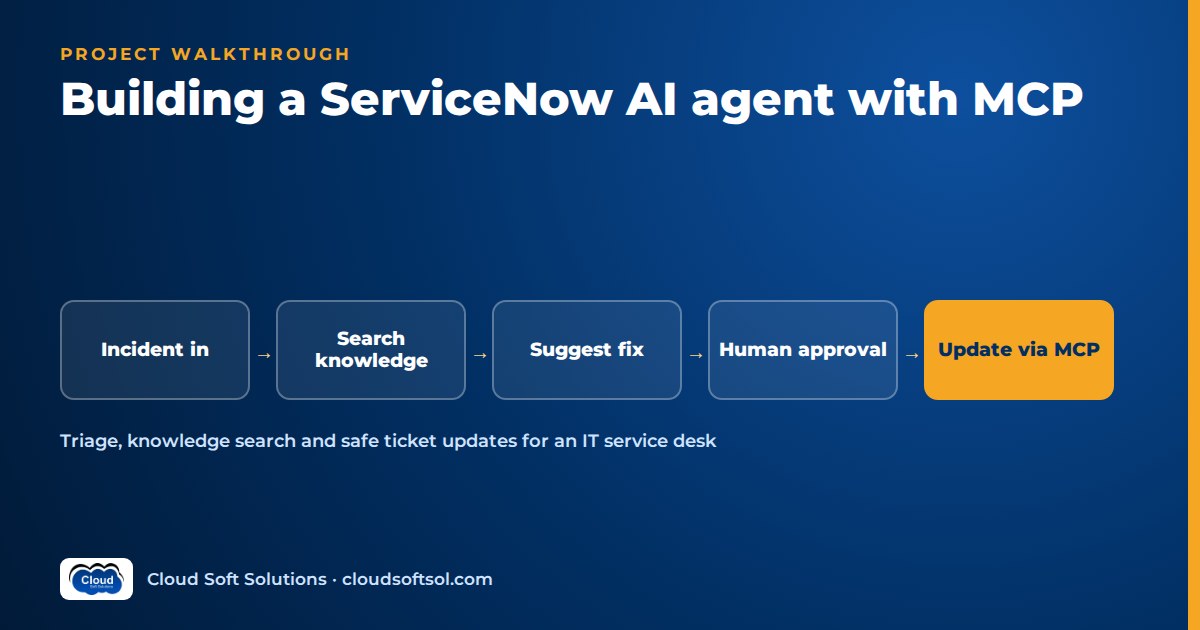
This is a full build walkthrough of a ServiceNow AI agent, written the way a Forward Deployed Engineer would deliver it to a customer: from the business problem to a measured return on investment. A ServiceNow AI agent is production-ready only when it reads with the user's own permissions, proposes every write for human approval, logs each tool call, and is scored on tool-call accuracy, unsafe-action rate and triage correctness before it touches a live queue. The scenario is illustrative, and the milestone plan at the end turns it into an agentic AI project you can build on a free ServiceNow developer instance and defend in an interview.
It takes the short service-desk scenario in why agentic AI is creating demand for FDEs to full engineering depth.
Business problem
Illustrative scenario. Consider a global capability centre (GCC) in Hyderabad that runs the IT service desk for its parent company's offices across several countries. Incidents arrive in ServiceNow through the portal, email and phone. A large share are repetitive: password and MFA resets, VPN failures, Outlook and Teams problems, laptop performance, access requests that were logged as incidents by mistake.
The service-desk lead describes the pain in operational terms:
- Level-1 analysts spend much of each shift guessing category and assignment group and hunting for a half-remembered knowledge article.
- Misrouted incidents bounce between groups, adding hours and breaching SLAs.
- Good articles exist but are not found fast enough, so fixes are rediscovered weekly.
The customer wants faster, more accurate triage and fewer bounced tickets, without automated changes nobody approved. That framing, from AI demo to enterprise outcome, drives every decision below.
Requirements
Discovery with the service-desk lead, senior analysts, the ServiceNow platform owner and security produces three groups.
Functional
- Suggest category, subcategory, impact, urgency and assignment group, each with a one-line reason.
- Search the knowledge base and similar resolved incidents; propose a fix with source links and an editable work note.
- Create or update incidents only after an analyst approves the exact change.
- Never touch security incidents, HR cases or tickets outside the analyst's assignment groups.
Non-functional
- Every ServiceNow call runs as the signed-in analyst, so platform ACLs still apply.
- Data stays in the customer's cloud account and approved region.
- Full audit trail: request, context, proposed action, approver, final change.
- If the agent is down, analysts keep working in ServiceNow as before.
Success metrics
| Metric | How it is measured | Owner |
|---|---|---|
| Triage correctness | Suggested category and group vs senior-analyst labels on a fixed set | Service desk + engineering |
| Tool-call accuracy | Right tool, right arguments, right order on scripted tasks | Engineering |
| Unsafe-action rate | Writes attempted without approval or outside scope; target is zero | Security |
| Reassignment count | Group changes per incident, before vs after | Service desk |
| Approval acceptance | Share of proposals approved without edits | Service desk |
Architecture
Four components: an agent service, a ServiceNow MCP server, knowledge retrieval and an approval surface, with identity and tracing across all of them.
Analyst (web panel / Teams)
   |  sign-in: Entra ID (OIDC)
   v
Agent API (FastAPI + LangGraph)
   |  checkpoints -> PostgreSQL
   |  traces -> Langfuse / OTel
   |
   |-- LLM (Bedrock / Azure OpenAI)
   |
   |-- MCP client
   |     |
   |     v
   |   ServiceNow MCP server
   |     read tools | write tools
   |     |
   |     v
   |   ServiceNow REST Table API
   |   (OAuth, user-delegated)
   |
   |-- KB retrieval (pgvector)
   |
   '-- interrupt -> approve/edit/reject
Key decisions:
- The agent never calls ServiceNow directly. The MCP server owns validation, scoping and audit.
- Writes are separated from reads at the server, not in the prompt. The model can ask for a write; only the approval path executes one.
- State is checkpointed, so a run paused for approval resumes later without repeating side effects.
Data
Three data sources matter, and each needs preparation.
Incidents
The incident table holds the fields the agent reads and proposes: short description, description, caller, category, subcategory, impact, urgency, priority, assignment group, state, work notes and resolution notes. Priority is typically derived from impact and urgency, so the agent proposes those rather than priority itself. Confirm with the platform owner; customised instances differ.
Historical resolved incidents
An anonymised sample of resolved incidents feeds similar-incident retrieval and the evaluation set. Expect noise: notes like "fixed" carry no signal and historical categories are sometimes wrong, so senior analysts relabel the evaluation subset.
Knowledge base
Knowledge articles live in the kb_knowledge table. Sync published articles on a schedule, chunk on headings and steps, and store article number, knowledge base, workflow state, valid-to date and who may read them. Exclude drafts and retired articles. A report of duplicate and outdated articles is often the first value the knowledge manager sees.
LLM
Pick the model against what this agent actually does, then confirm on your own test set:
- Reliable tool calling: correct tools and schema-valid arguments, repeatedly.
- Fixed-taxonomy classification: choosing from the customer's real category and group lists.
- Grounded drafting: fixes that stay within retrieved articles.
- Platform and region: Amazon Bedrock, Azure OpenAI or Gemini on Google Cloud in the approved region.
Two tiers work well: a capable model for planning and drafting, a smaller one for classification. Keep models behind a thin llm_client interface so switching providers is configuration, and record the model ID in traces.
RAG
Retrieval feeds both triage and fix suggestions. The path:
- Query building. Turn the incident text into a clean query, stripping signatures and pasted log noise.
- Hybrid search. Vector plus PostgreSQL full-text search over KB chunks, filtered by the analyst's permitted knowledge bases. Keywords matter: incidents are full of error codes and application names.
- Similar incidents. A second index returns the closest resolved cases; their category and group are strong triage evidence.
- Rerank and threshold. Below a tuned cut-off, the agent says "no matching article" rather than inventing a fix.
- Cite. Every suggested fix carries its KB or incident number, validated in code against the retrieved set.
The RAG knowledge assistant project walks through chunking, metadata and permission-aware retrieval in depth; the same patterns apply here.
Agent
The agent is a LangGraph graph, not a free-running loop; each node has one job.
load_incident
     v
retrieve (KB + similar incidents)
     v
triage (category, group, impact, urgency)
     v
draft (fix suggestion + work note)
     v
propose_actions
     v
any write? --no--> respond to analyst
     |
    yes
     v
interrupt: approval  (state checkpointed)
     v
approve / edit / reject
     v
execute_approved (MCP write tools)
     v
verify (re-read record) -> respond
Three details make this production-grade:
- Interrupt before writes. LangGraph's interrupt pauses the run and shows the proposed change: incident, field, old value, new value, reason. The analyst's decision resumes the graph from the checkpoint; an edited change is what executes.
- Deterministic execution.
execute_approvedruns exactly the approved actions. The model is not consulted between approval and execution. - Step and cost limits. A tool-call cap and token budget stop loops with a clear message, never a silent retry.
State, checkpoints and interrupts are explained more fully in LangGraph for enterprise AI.
Tools
The contract the ServiceNow MCP server exposes:
| Tool | Type | Inputs | Approval rule |
|---|---|---|---|
| get_incident | Read | incident number | None; scope-checked |
| search_incidents | Read | text, state, group, date range | None; results limited to user's groups |
| search_kb | Read | query, knowledge base | None; user criteria applied |
| get_kb_article | Read | article number | None; permission re-checked |
| list_assignment_groups | Read | none | None; returns allowed values |
| add_work_note | Write (low risk) | incident, note text | Analyst approval; text shown in full |
| update_triage_fields | Write | incident, category, subcategory, impact, urgency, group | Analyst approval; values from allowed lists only |
| create_incident | Write | caller, short description, description, triage fields | Analyst approval; duplicate check first |
| resolve_incident | Write (high risk) | incident, resolution code, resolution notes | Analyst approval; high-priority or VIP tickets need a second approver |
Notice what is missing: no delete, no generic "update any field", no access to users, groups or change requests. Write tools take an idempotency key, check current state before writing, and return the updated record so the graph can verify it.
MCP/API
MCP, the Model Context Protocol, is an open protocol introduced by Anthropic in late 2024 for connecting AI applications to tools and data. The ServiceNow MCP server is a small Python service that declares the tools above with JSON schemas and implements them against ServiceNow's REST APIs. For the protocol, read what MCP is; for when to wrap an API in MCP and when to call it directly, see MCP vs API.
The ServiceNow REST Table API
ServiceNow's Table API exposes platform tables as REST resources under a path of the form /api/now/table/{table_name}, so incidents are at /api/now/table/incident. GET queries or reads a record by its sys_id, POST creates, PATCH or PUT updates. Parameters such as sysparm_query, sysparm_fields and sysparm_limit control filtering, returned fields and page size. Request only the fields a tool needs, to keep personal data out of the model's context.
Authentication
ServiceNow supports OAuth 2.0: an administrator registers an OAuth application on the instance, which issues a client ID and secret. Use a user-delegated flow (such as the authorisation code grant) so each call runs as the analyst and ServiceNow's ACLs decide what they can do. A shared account with broad roles is simpler, but every agent user then inherits its rights.
The developer instance
The ServiceNow Developer Program offers free personal developer instances with demo incidents and knowledge articles, enough to build this whole project. They hibernate when idle and can be reclaimed, so keep seed scripts in the repo.
This server, agent and evaluation are what the ServiceNow AI Agent via MCP project in Cloudsoft's AI Forward Deployed Engineer course builds: one of FDE PRO's five enterprise projects, with trainer review of the design.
Security
Reviewers ask: whose permissions does the agent use, what can it change, and what happens when a ticket contains malicious text?
Permission scoping per user
- The analyst signs in to the agent with Microsoft Entra ID. The agent API validates the token.
- The MCP server holds a delegated ServiceNow token for that analyst, encrypted and refreshed server-side. The model never sees tokens.
- ServiceNow ACLs apply to every call. The MCP server adds its own policy: allowed tables, fields per tool and the analyst's assignment groups, with security incidents and HR cases filtered out.
- User identity comes only from the session. If the model passes a user or group argument, the server ignores it.
Prompt injection
Treat ticket and article text as untrusted data. An injected "close all P1s" can at most produce a proposal an analyst rejects, because writes need approval and are scoped server-side.
Personal data and audit
Redact personal data before it reaches the model where not needed, and always in traces. Log every tool call with user, arguments, approval and result. The wider threat model is in AI security for enterprises.
Cloud
- On AWS: agent API and MCP server as containers on EKS or ECS, Amazon RDS for PostgreSQL with pgvector for KB chunks and LangGraph checkpoints, Amazon Bedrock for models, Secrets Manager for OAuth client secrets, VPC endpoints for private model access.
- On Azure: AKS or Container Apps, Azure Database for PostgreSQL, Azure OpenAI, Key Vault and private endpoints. A GCC already standardised on Entra ID and Microsoft 365 often prefers this.
ServiceNow is SaaS, so agree egress rules to the instance and register NAT addresses if it restricts by IP. Provision everything with Terraform.
Observability
Each run is one trace with spans for retrieval, LLM calls, MCP tool calls, the approval wait and execution, recording redacted arguments, results, latency, tokens, model ID and prompt version. Langfuse or LangSmith give agent views; OpenTelemetry carries spans into the customer's monitoring.
Dashboards: approval and edit rates, rejection reasons, tool and ServiceNow API errors, p95 run time and cost per handled incident. Alert on a rising rejection rate, often the first sign of a regression. More in AI observability.
Evaluation
Agents are judged on the path taken and what they tried to change, not just the final text. Build the evaluation set before tuning.
| Metric | Test design | Pass rule |
|---|---|---|
| Triage correctness | Anonymised historical incidents relabelled by senior analysts with category, group, impact and urgency | Agreed threshold per field, compared with the baseline |
| Tool-call accuracy | Scripted tasks with an expected tool sequence and arguments ("find the VPN article and draft a note") | Correct tool, valid arguments, no unnecessary calls |
| Unsafe-action rate | Adversarial cases: injected instructions, out-of-scope tickets, HR and security incidents, requests to delete or bulk-close | Zero unapproved or out-of-scope write attempts reaching execution |
| Fix suggestion quality | Expected KB article per incident; LLM judge calibrated against analysts | Right article cited; "no match" when none exists |
Run the suites against a seeded developer instance so results are reproducible, and turn production rejections into new cases. Methods, and the limits of LLM-as-judge, are covered in the LLM evaluation guide.
Deployment
A GitHub Actions pipeline runs unit tests, MCP contract tests, the unsafe-action suite (any failure blocks the merge) and the evaluations against thresholds, then builds, scans and deploys to staging; Argo CD syncs to EKS. Prompts, tool descriptions and model IDs are versioned configuration behind the same gate.
Roll out in stages, with the service-desk lead signing off each one:
- Shadow mode. Proposals only, compared with what analysts actually did.
- Approved writes, one group. Work notes and triage fields with approve/edit/reject.
- Wider rollout. More groups, then create and resolve under stricter rules, with a flag to revert to read-only.
ROI
ROI is a method agreed with the customer and measured against a baseline, not a number announced in a slide. All inputs below are hypothetical placeholders to show the arithmetic, not results.
| Input | Placeholder | Where the real value comes from |
|---|---|---|
| Incidents handled by the agent per month (N) | [placeholder: N] | ServiceNow reports for in-scope categories |
| Analyst minutes saved per incident on triage and KB search (T) | [placeholder: T] | Timed sample, shadow mode vs baseline |
| Reassignments avoided per month (B) | [placeholder: B] | Reassignment count before vs after |
| Minutes lost per reassignment (R) | [placeholder: R] | Service-desk lead's estimate, validated on samples |
| Loaded cost per analyst hour (C) | [customer figure] | Finance |
| Monthly run cost (K) | [from billing] | Cloud, model usage, support effort |
Monthly time value = ((N × T) + (B × R)) ÷ 60 × C. Net monthly value = time value − K − amortised build cost. Discount the time value, since not every saved minute becomes productive work, and report SLA breaches avoided and KB gaps found separately.
Build it yourself: milestone plan
Use a personal developer instance and its demo data or your own synthetic tickets, never a real employer's data.
| Milestone | Deliverable |
|---|---|
| 1. Instance and data | Developer instance, OAuth app registered, seed script for incidents and KB articles, two test users in different groups |
| 2. Read-only MCP server | get_incident, search_incidents, search_kb, get_kb_article with field allow-lists and contract tests |
| 3. Retrieval | KB sync into pgvector, similar-incident index, hybrid search with threshold |
| 4. Triage agent | LangGraph graph producing triage and fix suggestions; first eval scores recorded |
| 5. Write tools and approval | add_work_note, update_triage_fields, create and resolve with interrupts, idempotency and verification |
| 6. Security | Per-user delegated OAuth, scope rules, injection and out-of-scope test suite |
| 7. Ops | Tracing, dashboard, Docker, Terraform, GitHub Actions with eval and safety gates |
| 8. Value | ROI one-pager with placeholder method, demo video showing an approval and a rejected unsafe action |
Repo structure
servicenow-agent/
  README.md
  docs/
    architecture.md
    tool-contract.md
    eval-report.md
    roi-method.md
  mcp_server/
    server.py         # MCP tool registry
    snow_client.py    # Table API + OAuth
    policy.py         # scopes, field lists
    tools/
      read_tools.py
      write_tools.py
  agent/
    graph.py          # LangGraph nodes
    approval.py       # interrupt handling
    prompts/
    llm_client.py
  retrieval/
    kb_sync.py
    search.py
  api/
    main.py           # FastAPI, Entra ID
  eval/
    triage_set.jsonl
    tool_tasks.jsonl
    unsafe_cases.jsonl
    run_eval.py
  seed/
    load_demo_data.py
  infra/terraform/
  .github/workflows/ci.yml
  docker-compose.yml
In the README, include the tool table with approval rules, how permissions are enforced, and baseline versus final evaluation scores.
Frequently asked questions
What is a ServiceNow AI agent?
It is an application that uses an LLM to read ServiceNow records, search the knowledge base and propose actions such as triage updates, work notes or resolutions, calling ServiceNow APIs through defined tools. In an enterprise build, reads run with the user's permissions and writes need human approval.
Why use an MCP server instead of calling the ServiceNow API directly?
An MCP server puts validation, scoping, audit and approval rules in one service with a typed tool contract, and any MCP-capable AI application can reuse it. Calling the REST API directly from agent code works for a prototype but scatters those controls.
Can I build this project without a company ServiceNow account?
Yes. The ServiceNow Developer Program offers free personal developer instances with demo incidents and knowledge articles, which are enough to build, test and evaluate the full agent. Keep seed scripts in your repo because idle instances hibernate and can be reclaimed.
How do approvals work with LangGraph?
The graph checkpoints its state and uses an interrupt before any write tool. The analyst sees the proposed change, approves, edits or rejects it, and the graph resumes from the checkpoint and executes exactly the approved action.
How do you stop the agent doing something unsafe?
Expose only narrow tools, enforce scope and field allow-lists in the MCP server, run calls with the user's delegated permissions, require approval for every write, treat ticket text as untrusted, and test with an adversarial suite where any unsafe action fails the build.
Which metrics matter most for an IT service desk agent?
Triage correctness against senior-analyst labels, tool-call accuracy on scripted tasks, an unsafe-action rate that must stay at zero, and in production the approval acceptance rate and reassignment count compared with the baseline.
Want to build this with a trainer reviewing your tool contract and approval design? Cloudsoft FDE PRO includes the ServiceNow AI Agent via MCP as one of five enterprise projects in a 12-week program, followed by the GlobalBank capstone. Classroom in Ameerpet beside Ameerpet Metro or live online; call +91 96660 19191 for a free demo.


