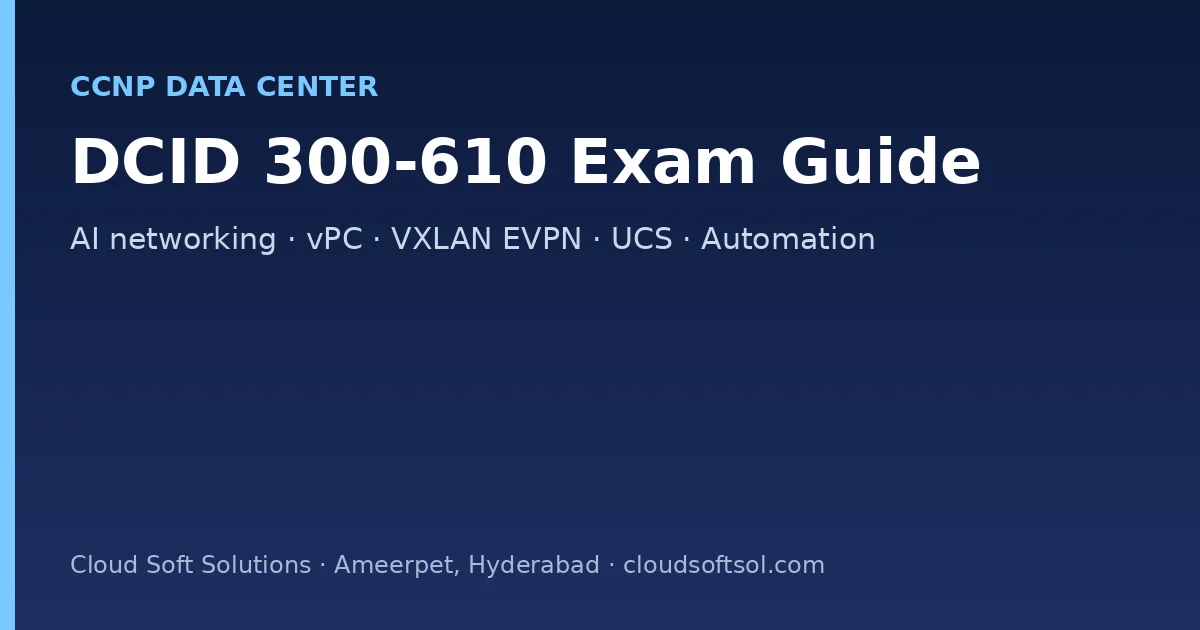
Nutanix Certified Professional – Multicloud Infrastructure (NCP-MCI) is Nutanix's main professional-level certification for administrators of the Nutanix Cloud Platform. The current exam is NCP-MCI 7.5, and passing it earns the NCP-MCI 7 certification. It tests day-to-day work on a Nutanix cluster: deploying clusters and Prism Central, networking and storage, VM management and migration with Nutanix Move, workload security, Prism Central backup, disaster recovery, capacity planning, LCM upgrades and NCC health checks. Many organisations are moving virtual machines to Nutanix AHV, and data centre and infrastructure teams in Hyderabad, including at managed service providers, look for people who can run these clusters.
This guide follows Nutanix's official NCP-MCI certification page and the NCP-MCI 7.5 Exam Blueprint Guide, checked November 2026. It covers the exam facts, all four sections and their 17 objectives, CLI and Prism labs, an 8-week plan and 15 original practice questions.
Quick facts (Nutanix, checked November 2026)
| Item | Detail |
|---|---|
| Exam | Nutanix Certified Professional – Multicloud Infrastructure (NCP-MCI) 7.5 |
| Certification earned | NCP-MCI 7 |
| Software versions tested | AOS 7.5, AHV 11.0, Prism Central pc.7.5 |
| Questions | 75 multiple-choice and multiple-response questions |
| Duration | 120 minutes |
| Price | USD 200 per attempt |
| Passing score | 3000 on a scaled score of 1000–6000 |
| Languages | English and Japanese |
| Delivery | Remote proctoring, or in person at select test centres |
| Prerequisites | No formal prerequisite. Nutanix describes the candidate as having about 1+ years of IT infrastructure experience and equivalent Nutanix experience, and recommends the Enterprise Cloud Administration (ECA) course. |
| Retakes | Two more attempts after a failed first attempt, seven days apart, each paid separately; after three attempts you wait 60 days and then email Nutanix to reset attempts |
| Validity | Three years; maintain it by renewing, passing an equivalent NCP-level exam in another track, or passing the NCM-MCI exam |
Read the official NCP-MCI certification page and the NCP-MCI 7.5 Exam Blueprint Guide before you book. Older study material is written for NCP-MCI 6.x (AOS 6.x); make sure your notes match the 7.5 blueprint and software versions.
Exam sections and objectives
Nutanix does not publish percentage weights for NCP-MCI 7.5. The blueprint says the number of questions per objective reflects how critical the task is in the job role. The four sections are:
| Section | Weight | Objectives |
|---|---|---|
| 1. Manage clusters in a multicloud environment | Not published | 1.1 Deploy and configure clusters; 1.2 Deploy and configure Prism Central; 1.3 Perform network management; 1.4 Configure cluster storage; 1.5 Manage cluster security |
| 2. Manage workloads in a multicloud environment | Not published | 2.1 Perform VM management; 2.2 Perform storage container management; 2.3 Manage workload storage; 2.4 Convert VM workloads; 2.5 Secure workloads |
| 3. Perform DR and data protection in a multicloud environment | Not published | 3.1 Protect and recover Prism Central; 3.2 Configure Prism Central-based DR for VMs and volumes; 3.3 Configure Prism Element-based DR |
| 4. Perform operations and monitoring in a multicloud environment | Not published | 4.1 Manage capacity; 4.2 Manage platform and performance; 4.3 Perform cluster maintenance tasks |
Each objective in the blueprint lists linked Nutanix documentation. Read every linked page; many questions are scenarios that ask you to choose the right option for a requirement.
Section 1: clusters, Prism Central, networking, storage and security
- Deployment. Gather IPs, DNS, NTP and credentials; know Foundation, Foundation Central and node imaging; size the Controller VM (CVM) for the features you enable; configure SMTP, authentication (Active Directory or OpenLDAP) and the iSCSI data services IP.
- Prism Central. Prism Element manages one cluster; Prism Central manages many and hosts features such as Flow, playbooks, categories and DR. Choose a Prism Central size for the features and scale you need, and scale it out when required. Know projects and the Policy Engine.
- Networking. Virtual switches and uplinks on AHV, VLAN-backed subnets with IP address management, VPCs and overlay subnets, and Flow load balancing and traffic mirroring.
- Storage. The replication factor (RF2 or RF3) and fault tolerance level, compression, deduplication and erasure coding, reserved capacity and advertised capacity on containers, the recycle bin and what to do when a cluster runs short of space.
- Security. Cluster lockdown mode, CVM and hypervisor hardening with nCLI, disabling SSH, filesystem whitelists, CA-signed SSL certificates, firewall ports, data-at-rest encryption with local or external KMS, network segmentation, and Prism Central IAM, RBAC and service accounts.
Section 2: VMs, containers, workload storage, migration and security
- VM management. Update CPU, memory, disks and NICs; VM-host affinity and VM-VM anti-affinity policies; live migration inside and between clusters; Nutanix Guest Tools (NGT); guest customisation profiles; and cloning or restoring VMs from snapshots and recovery points.
- Containers and storage policies. When to enable compression, deduplication or erasure coding, how storage policies apply encryption, QoS and other settings through categories, and image management policies.
- Workload storage. vDisk types and bus choices, live vDisk migration across containers, and Volume Groups for shared or iSCSI-attached storage, including CHAP authentication.
- Migration. Install VirtIO drivers before moving Windows VMs, and use Nutanix Move to migrate from supported source platforms such as VMware ESXi, Hyper-V and public cloud.
- Workload security. vTPM and Secure Boot on VMs, VM-level encryption through a storage policy, Flow microsegmentation policies built on categories, Security Central, and approval policies.
Sections 3 and 4: data protection, DR and operations
- Prism Central backup and restore (PCBR). Continuous and point-in-time backups, supported backup targets, Prism Central instance migration, and the steps to check after a restore.
- Prism Central-based DR. Protection policies and recovery plans driven by categories. Know the requirements for asynchronous, NearSync and synchronous replication, Metro, cross-cluster live migration (CCLM and on-demand CCLM), and network mapping for failover.
- Prism Element-based DR. Protection domains, remote sites, container mapping, and planned and unplanned failover; asynchronous protection domains are for RPOs of one hour or more.
- Capacity and performance. Capacity runway and resilient capacity in Prism Central, alerts and custom alert policies, behavioural learning, Storage QoS, Acropolis Dynamic Scheduling, audit logs, Logbay log collection, and playbooks that automate responses to alerts.
- Maintenance. Expand a cluster, remove nodes, run Nutanix Cluster Check (NCC) and fix its findings, and plan and run Life Cycle Manager (LCM) upgrades, including dark-site upgrades.
Hands-on labs
Nutanix recommends the free Nutanix Community Edition for a home lab and offers a 2-hour Hyperconverged Test Drive. Community Edition releases do not always match the exam's software versions, so check Prism Central 7.5 screens in the documentation as you practise. Commands below run on a CVM; replace names with your own.
# cluster health and services
cluster status
ncc health_checks run_all
ncli cluster info
ncli container ls

# networks and VMs with aCLI
acli net.list
acli vm.create web01 num_vcpus=2 memory=4G
acli vm.disk_create web01 create_size=40G container=default
acli vm.nic_create web01 network=vlan10
acli vm.on web01
acli vm.list

# a UEFI VM with Secure Boot
acli vm.create secure01 num_vcpus=2 memory=4G machine_type=q35 uefi_boot=true secure_boot=true
In Prism Central, then: create a category and a Flow security policy that allows only web-to-app traffic; create a storage policy that enables encryption for a category; protect a VM with a protection policy and test failover with a recovery plan (two CE clusters, or the documentation if you only have one); install NGT on a VM; run an LCM inventory; and build a playbook that sends an email when a CPU alert fires.
8-week study plan
| Week | Focus | Lab (Community Edition or Test Drive) |
|---|---|---|
| 1 | Nutanix architecture: CVM, AOS, AHV, Prism Element vs. Prism Central; Foundation and imaging | Install Community Edition; explore Prism Element and the CVM CLI |
| 2 | Prism Central deployment, sizing and scale-out; projects, authentication, RBAC | Deploy Prism Central; add AD or LDAP and a custom role |
| 3 | Virtual switches, VLAN subnets, IPAM, VPCs; cluster security and hardening | Create subnets with IPAM; enable lockdown mode in a test cluster |
| 4 | RF and fault tolerance, containers, compression, deduplication, erasure coding, reservations | Create containers with different savings settings and compare usage |
| 5 | VM management, affinity, NGT, guest customisation, Volume Groups, vDisk migration | Build VMs with aCLI and Prism; attach a Volume Group; migrate a vDisk |
| 6 | Nutanix Move and VirtIO; vTPM, Secure Boot, storage-policy encryption, Flow, approval policies | Create a Secure Boot VM; build a Flow policy using categories |
| 7 | PCBR; protection domains vs. protection policies; async, NearSync, sync, Metro, CCLM | Create a protection domain and a protection policy with a recovery plan |
| 8 | Capacity, alerts, QoS, logs, playbooks; NCC and LCM; review all 17 objectives | Run NCC and LCM inventory; create a playbook; book the exam |
15 practice questions with answers
These are original questions written for this guide, not exam questions.
1. Which interface manages several Nutanix clusters from one place?
Prism Central. Prism Element manages a single cluster.
2. Which VM runs AOS storage services on every node?
The Controller VM (CVM).
3. A cluster must survive two simultaneous node failures. Which replication factor does that need?
RF3 (with fault tolerance level 2).
4. Which savings feature reduces space for cold, write-once data by using parity instead of full copies?
Erasure coding.
5. Which container setting guarantees a minimum amount of space for that container?
Reserved capacity.
6. Which Nutanix tool migrates VMs from VMware ESXi to AHV?
Nutanix Move.
7. What should you install in a Windows VM before migrating it to AHV?
The Nutanix VirtIO drivers.
8. Which package adds guest-level features such as application-consistent snapshots and self-service restore?
Nutanix Guest Tools (NGT).
9. Several VMs need shared block storage, for example for a cluster. What do you create?
A Volume Group.
10. Which Nutanix feature applies microsegmentation rules based on categories?
Flow Network Security.
11. A Windows 11 VM needs Secure Boot and a TPM. Which AHV VM settings provide them?
UEFI boot with Secure Boot enabled, plus a virtual TPM (vTPM).
12. In Prism Element, which object groups VMs for asynchronous replication to a remote site?
A protection domain.
13. In Prism Central-based DR, which two objects define what to protect and how to fail over?
A protection policy (what, where and how often) and a recovery plan (the failover order and network mapping).
14. Which tool runs health checks across the cluster and reports failures?
Nutanix Cluster Check (NCC).
15. Which tool upgrades AOS, AHV and firmware in a planned order?
Life Cycle Manager (LCM).
Before and after NCP-MCI
- Linux basics help with the CVM and AHV command line; see our RHCSA EX200 guide.
- For hybrid cloud and VDI roles, see AZ-104 Azure Administrator and AZ-140 Azure Virtual Desktop. Nutanix's next step after NCP-MCI is NCM-MCI.
- See live infrastructure, cloud and virtualization jobs.
Cloud Soft Solutions in Ameerpet, Hyderabad trains freshers and career changers for cloud, DevOps and security roles with real-time projects. See the APEX program and all courses.
📞 Call +91 96660 19191 · +91 99496 16388 · WhatsApp
Cloud Soft Solutions, 513, 5th Floor, Aditya Enclave, Nilagiri Block, beside Ameerpet Metro Station, Ameerpet, Hyderabad 500016, Telangana, India
Frequently Asked Questions
How many questions are on the NCP-MCI 7.5 exam?
75 multiple-choice and multiple-response questions, with a time limit of 120 minutes.
How much does the NCP-MCI exam cost?
Nutanix lists the NCP-MCI 7.5 exam at USD 200 per attempt.
What is the passing score for NCP-MCI 7.5?
3000 on a scaled score from 1000 to 6000.
Which software versions does NCP-MCI 7.5 test?
AOS 7.5, AHV 11.0 and Prism Central pc.7.5. Passing the exam earns the NCP-MCI 7 certification.
How is the NCP-MCI exam delivered?
By remote proctoring or in person at select test centres, in English or Japanese.
How long is the NCP-MCI certification valid?
Three years. You maintain it by renewing, passing an equivalent NCP-level exam in another track, or passing the NCM-MCI exam.