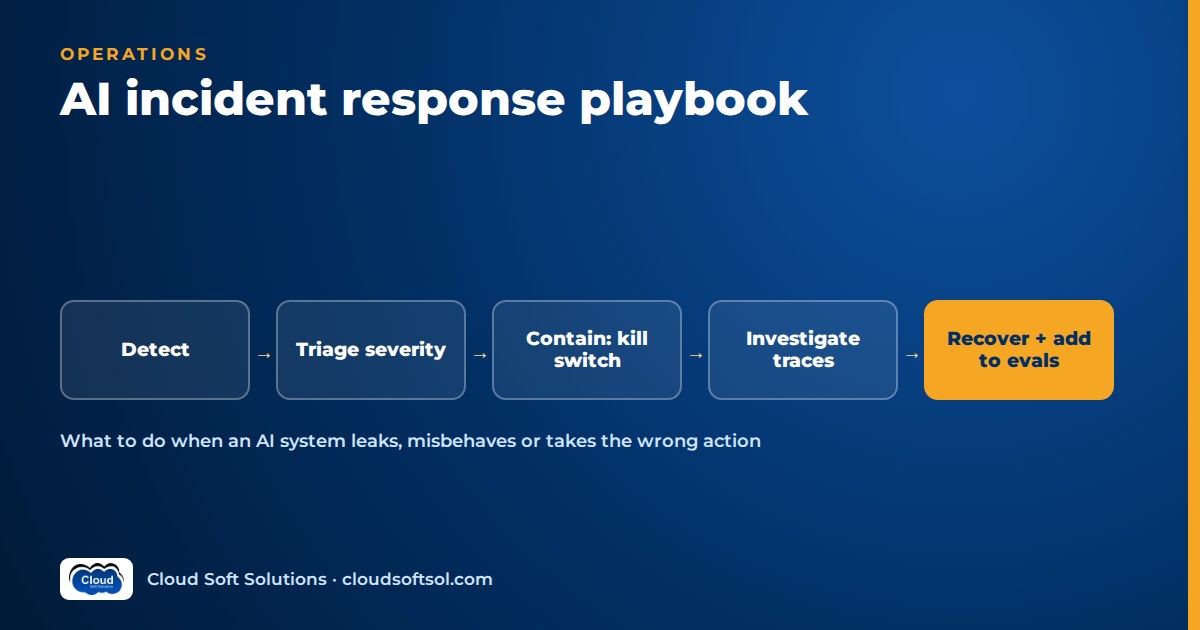
AI incident response is your normal incident process with extra moves, because an AI system can fail while every health check stays green: it gives wrong or harmful answers, leaks data, follows injected instructions or takes actions nobody approved. A workable AI incident response playbook rests on three things built in advance: a kill switch per capability, pinned model and prompt versions you can roll back, and traces that show exactly what the system read, decided and did. This guide covers incident types, severity, preparation, the response itself, notification duties, reviews and tabletops, then walks through an illustrative bank-chatbot leak.
For SLOs, error budgets and on-call design for LLM services, see AI for SRE engineers. For the attack classes behind many of these incidents, see AI security for enterprises. This article is the response playbook.
The AI incident types to plan for
Each type needs a different first move and different people on the bridge.
- Harmful or wrong outputs at scale. The assistant confidently states a wrong refund policy or unsafe guidance, and enough users see it that screenshots circulate. Often caused by a retrieval change, a stale document or a disabled guardrail.
- Data leakage or PII exposure. One user's personal data appears in another user's answer, or a trace export lands somewhere it shouldn't. A security and privacy incident from minute one.
- Prompt-injection exploitation. Instructions hidden in an email, web page, ticket or file change the system's behaviour. AI red teaming covers how these attacks work; this guide covers what to do once one has landed.
- Agent taking unauthorised actions. An agent closes tickets, sends emails or issues credits it shouldn't, through broad permissions, a missing approval step or a planning loop.
- Quality regression after a model or prompt change. Latency and errors look fine, but answers get worse after a model upgrade, a provider-side update, a prompt edit or a re-index.
- Provider outage. The hosted model API is down or throttling, and the fallback is missing or untested.
- Cost runaway. Spend spikes from an agent retry loop, a prompt sending far more context, abusive traffic or a batch job on the wrong model.
- Bias complaint. Someone credibly reports that the system treats a group unfairly, for example different loan explanations or screening outcomes by name, gender or language. No system is down, yet it can be high severity. Test for it beforehand with AI bias and fairness testing.
AI incident severity levels
Base severity on impact, not on how strange the failure looks. One odd output seen by a tester is low; a plausible wrong answer sent to thousands of customers is not.
| Level | Typical AI examples | Response expectation |
|---|---|---|
| SEV-1 Critical | Personal or confidential data confirmed exposed to the wrong party; agent executed unauthorised financial or destructive actions; harmful output at scale on a public channel | Kill switch first, diagnose later; incident commander, security, privacy and legal engaged; regulatory assessment started |
| SEV-2 High | Confirmed exploitable injection with limited impact; material quality regression on a customer flow; credible bias complaint; provider outage with no working fallback | Disable the capability or switch to fallback within the hour; owner and comms lead assigned; legal consulted if personal data or fairness is involved |
| SEV-3 Medium | Degraded quality on a narrow intent; cost spike caught by budget alarms; partial provider degradation absorbed by fallback | Fix in working hours with rate limits or rollback; tracked to closure |
| SEV-4 Low | Isolated bad answer; guardrail false positives; near-miss found in testing | Ticket, add to the evaluation backlog, weekly review |
Two rules help: any suspected data exposure starts at SEV-2 until scoping proves otherwise, and only the incident commander can lower severity, with a written reason in the timeline.
Preparation: what to build before the first incident
Most failed responses fail here: teams discover mid-incident that they can't disable one tool without killing the whole assistant, or that nobody logged which chunks were retrieved.
Kill switches and feature flags per capability
One global "AI off" switch is not enough. Flag each tool an agent can call, each index or data source, each channel, each tenant, and features such as file upload or browsing. Read flags from a config service on every request, not from an environment variable that needs a redeploy, and test each one regularly.
Model and prompt version pinning and rollback
Pin model versions instead of following a moving alias. Version prompts, tool schemas, guardrail configs and indexes like code, and record all of them on every trace. Rollback should be a config change a responder can make in minutes, to a version that still passes today's evaluation suite.
Read-only fallback modes
Decide in advance what the system does when you cut the risky parts: retrieval-only answers with no tool calls, search results with links, canned answers for top intents, or handoff to a human queue. This contains an agent incident without losing the whole channel.
Trace retention
Investigation needs the input, prompt and model versions, retrieved chunks with document IDs and access labels, every tool call with arguments and results, guardrail decisions and the output. AI observability covers the instrumentation. Keep traces long enough to cover your detection lag, and protect them, since they contain personal data themselves.
Contact lists
On-call for the AI service, the model provider's escalation path, security operations, the data protection officer, legal, communications, each feature's business owner and, for vendors, the client's incident contact. A delivery team in a Hyderabad or Bengaluru GCC often owes the client notice within hours under contract.
Pre-approved customer messaging
Get legal sign-off in advance on holding statements ("this feature is temporarily unavailable") and a template for individual notices if personal data is affected.
Detection signals
- Guardrails: spikes in blocked inputs, PII detected in outputs, injection classifier hits.
- Tool calls: new tools, unusual arguments, write actions at odd hours, more calls per session.
- Quality: online evaluation scores, thumbs-down and escalation rates, schema failures.
- Cost: tokens per request, steps per task, spend per tenant. An LLM gateway is a natural enforcement point.
- Provider health: throttling, timeouts, latency.
- Human reports: give support a one-click "the AI got this wrong" flag that attaches the conversation ID.
Step-by-step AI incident response
 Detect -> Triage -> Contain -> Investigate
                                    |
 Communicate <- Recover <- Eradicate
   (runs alongside every step)
1. Triage
Assign an incident commander and answer four questions: which capability, who outside the intended audience is affected, is it still happening, and is personal or confidential data involved? Set severity, bring in security and privacy if data or actions are involved, and start the timeline, because regulators and clients may later ask when you became aware.
2. Contain
Stop the harm with the narrowest action that works:
- Disable tools: turn off the specific write tools, or put the agent in read-only mode.
- Switch to a fallback: roll back to the last good model or prompt, move to a secondary provider, or drop to retrieval-only or canned answers.
- Block patterns: add a temporary filter for the exploit string, injected domain or leaking field; remove a poisoned document from the index.
- Limit blast radius: disable affected tenants or channels, tighten rate limits, rotate credentials the agent used.
Snapshot traces, index state and config first; a rollback or re-index can destroy your evidence.
3. Investigate with traces
Start from one confirmed bad interaction and read its whole trace: input, versions, retrieved chunks and their source documents, tool calls and guardrail decisions. Then search all traces in the window for the same pattern to scope impact. For leaks, notification hinges on whose data was shown to whom, which you can only answer if traces record both the requester and the owner of each retrieved record. Correlate the start time with model, prompt, index, guardrail, permission and provider changes.
4. Eradicate
Fix the cause, not just the symptom you blocked: enforce document-level access control in retrieval, narrow tool permissions and add approval for high-impact actions, clean ingestion, ship a per-model prompt variant, or add token and step caps. A system-prompt line such as "never reveal other customers' data" is not a fix.
5. Recover with evaluation before re-enable
Before flipping the switch back, run the incident's failing inputs plus your standard LLM evaluation suite against the fix. Then re-enable in stages (internal users, a small traffic slice, everyone) while watching the signals that caught the incident.
6. Communicate
Post internal updates on a fixed cadence with what is known, what was done and the next update time. Use the pre-approved holding statement early and claim only what traces confirm. Where personal data or a client system is involved, legal owns the wording and timing.
Running this well takes the full stack at once: tracing, flags, retrieval access control, evaluation pipelines and calm customer communication. Cloudsoft's FDE PRO program builds that through projects such as the Secure Banking AI Assistant and the GlobalBank capstone, in Ameerpet or live online.
Regulatory and notification duties
Duties depend on your role, sector, geography and contracts. This is a map of what to ask, not legal advice: consult legal before any regulatory or customer notice. Engineering's job is fast, defensible facts: time of awareness, data and people affected, actions taken.
- India's DPDP Act and Rules: on a personal data breach, the Data Fiduciary informs the Data Protection Board and affected individuals, followed by a detailed report to the Board on a short clock. See the DPDP Act for AI applications for timelines.
- EU AI Act: providers of high-risk AI systems must report serious incidents to the market surveillance authority within set deadlines, and deployers must inform the provider. See the EU AI Act for Indian IT teams.
- Sector regulators and cyber reporting: banking, insurance, securities and health regulators may add duties; cyber incidents in India can fall under CERT-In directions; GDPR may apply to EU personal data.
- Contracts: client agreements often require notice faster than any regulator.
Post-incident review
Run a blameless review within days. Beyond the timeline and contributing factors, it must produce:
- New evaluation and regression cases: every failing input and its variations, so every future model, prompt or index change is tested against this incident. Injection and leakage cases also go into the red team's security suite.
- Control changes: the missing kill switch, the over-broad permission, the late signal, each with an owner and date.
- Runbook updates: anything responders improvised becomes a written step.
Tabletop exercises
A tabletop walks the real responders (engineering, security, privacy, legal, support, the business owner) through a staged scenario without touching systems: "what do you do now, and who do you call?" Good AI scenarios: the chatbot showed one customer another's account; an agent issued refunds after reading a malicious email; quality collapsed after a provider model update; a journalist asks about biased screening outcomes; the monthly AI budget vanished over a weekend. Run one a quarter and track the gaps: missing logs, untested flags, unclear owners, undrafted notices. To strengthen the security side of incident response, Cloudsoft's Cyber Security course in Hyderabad is a good foundation.
Illustrative walkthrough: a bank chatbot leaks account details
Consider a bank whose Hyderabad GCC team runs a chatbot in its mobile app, using RAG over policy documents and, for logged-in users, an account-summary tool. This is an illustrative scenario.
Detection. A customer tells support the bot quoted a loan EMI and outstanding amount that weren't hers. The PII-in-output guardrail shows a small rise in account numbers not matching the session's customer.
Triage. On-call opens a SEV-2 for suspected exposure; two confirming traces raise it to SEV-1. Security, the data protection officer and legal join, and the time of awareness is recorded.
Containment. The account-summary tool flag is turned off and the bot drops to read-only mode, answering policy questions and pointing account queries to the app's own screens. Traces, cache state and config are snapshotted.
Investigation. Every affected trace hit a response cache added in the last release to cut latency. Its key was the normalised question text without the customer ID, so "what is my outstanding loan amount" returned an earlier customer's answer. Searching traces since the release produces a list pairing each viewer with the owner of the data shown, which is exactly what legal needs.
Eradication. The cache is purged, personalised tool results are excluded from the shared cache, other keys include tenant and access scope, and a check confirms every account field in a response belongs to the session's customer.
Recovery. The failing questions, run as many test customers, join the evaluation suite with a data-ownership assertion. After they pass, the tool returns for staff, then a small share of customers, then everyone.
Communication and review. Support uses the holding statement; legal assesses DPDP, sector-regulator and policy duties, and notices are drafted from the trace-derived list. The review finds a performance change reviewed only for latency and no data-ownership test in CI, and adds a privacy review for any caching or memory change.
The model behaved correctly throughout. The leak came from ordinary engineering around it, which is why AI incident response belongs to the engineers who build and deploy these systems.
FAQ
What is AI incident response?
It is the process of detecting, containing, investigating, fixing and communicating AI system failures such as harmful outputs, data leakage, prompt injection, unauthorised agent actions, regressions, provider outages, cost runaways and bias complaints. It extends normal incident response with per-capability kill switches, version rollback and trace-based investigation.
How is an AI incident different from a normal software incident?
An AI system can fail while uptime and error rates look healthy, because the failure is in what it says or does. Causes are often model, prompt, index or provider changes rather than code deploys, and investigation needs traces of retrieved content and tool calls.
What should be in an LLM incident playbook?
Incident types and severity levels, kill switches per tool and feature, rollback steps, read-only fallback modes, trace locations and retention, contact lists including the provider and legal, pre-approved messages, the response steps, notification guidance and a review template.
What is the first thing to do when an AI agent takes an unauthorised action?
Disable that tool or put the agent in read-only mode, preserve its traces and rotate any credentials it used. Then scope and reverse the actions where possible, and re-enable only after permissions are narrowed and an evaluation shows the fix works.
When should an AI system be re-enabled after an incident?
Only after the root cause is fixed and the fix passes both the incident's failing cases and the standard evaluation suite. Re-enable gradually while watching the signals that detected the incident.
Do AI incidents need to be reported to regulators?
Some do. Personal data breaches may need notice under India's DPDP Act and Rules, serious incidents involving high-risk systems may need reporting under the EU AI Act, and sector regulators and contracts can add duties. Consult legal early.
How do tabletop exercises help AI incident management?
They let responders rehearse realistic scenarios, such as a chatbot leaking customer data, without touching systems, and expose missing logs, untested kill switches, unclear owners and undrafted notices before a real incident does.
How do you stop the same AI incident from happening again?
Add every failing input and its variations to the evaluation and regression suites, fix the underlying control such as access checks or tool permissions, and update the runbook.
If you want to be the engineer who can build, deploy, observe and recover enterprise AI systems for real customers, explore the AI Forward Deployed Engineer course. FDE PRO runs for 12 weeks in the Ameerpet classroom or live online, with placement support until you're placed. For a free demo, call +91 96660 19191.


