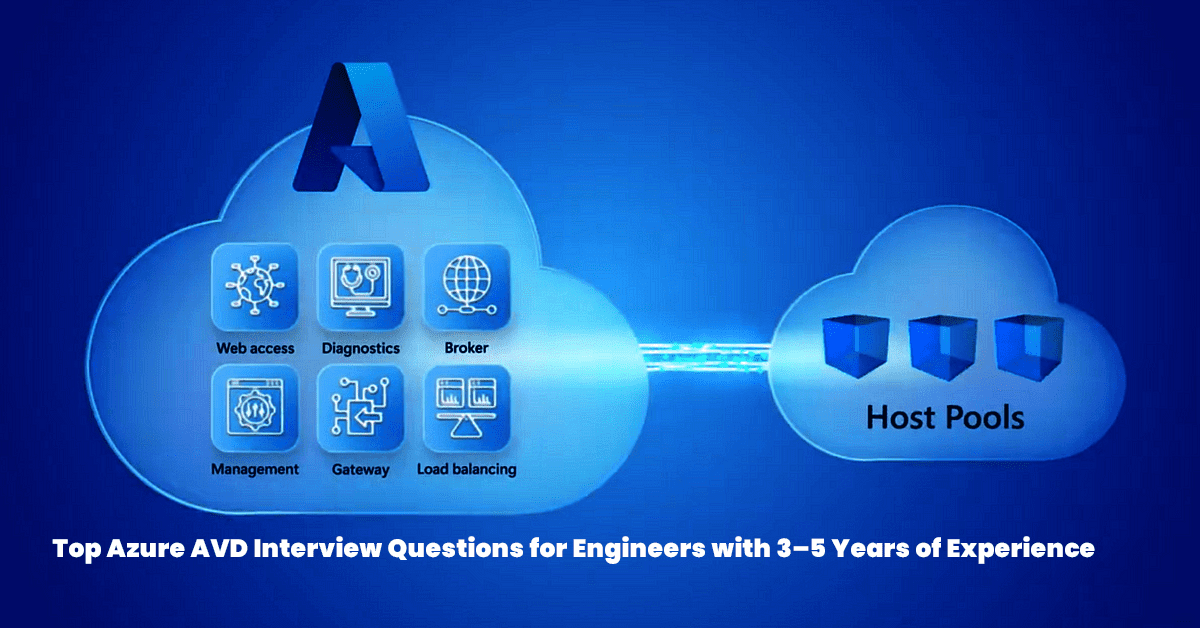
Below is a curated list of advanced-level interview questions tailored for Azure Virtual Desktop (AVD) engineers with 3 to 5 years of experience. These questions focus on deep technical knowledge, real-world scenarios, troubleshooting, and best practices for managing and optimizing AVD environments.
Questions are categorized to cover key areas such as Architecture, Deployment, Security, Performance, and Troubleshooting.
1. Architecture and Design
- How would you design a scalable and cost-effective Azure Virtual Desktop environment for 1,000 users across multiple regions?
- Answer: Use multi-region deployment via Availability Zones/Regions for HA. Choose between pooled or personal host pools. Implement auto-scaling using Azure Automation. Use Reserved Instances or Spot VMs for cost optimization. Design secure VNet topology and integrate with Azure AD.
- What factors influence the choice between pooled and personal host pools?
- Answer: Consider cost, user data persistence, workload type, and management overhead. Pooled is cost-effective for shared desktops; personal is ideal for persistent, high-performance workloads.
- How do you integrate AVD with on-premises infrastructure?
- Answer: Use ExpressRoute or VPN for secure connectivity. Implement Azure AD Connect for hybrid identity. Utilize VNet peering for access to on-prem resources and consider Azure Arc for unified management.
- What is FSLogix, and how would you ensure its high availability?
- Answer: FSLogix manages user profiles in non-persistent environments. Use Azure Files (Premium) with AD authentication. Enable geo-redundant storage and monitor performance with Azure Monitor.
2. Deployment and Configuration
- How do you automate AVD deployment using Infrastructure as Code (IaC)?
- Answer: Use ARM templates or Bicep scripts. Integrate with CI/CD pipelines (Azure DevOps/GitHub Actions). Automate FSLogix and image creation via Azure Image Builder.
- Best practices for optimizing Windows 10/11 Enterprise multi-session in a pooled environment?
- Answer: Disable unneeded services, apply Group Policies for session timeouts, enable FSLogix, configure host limits, and use Azure Monitor for resource tracking.
- How do you manage custom images for session hosts?
- Answer: Build images using Azure Image Builder. Install apps, sysprep, and store in Azure Compute Gallery. Validate updates in staging before rolling out.
- How do you configure AVD for GPU-intensive workloads?
- Answer: Use GPU VMs (NV/NC-series), install GPU drivers, optimize with FSLogix and RDP Shortpath, and monitor GPU metrics via Azure Monitor.
3. Security and Compliance
- How do you ensure AVD complies with GDPR or HIPAA?
- Answer: Enforce Conditional Access and MFA, use RBAC, encrypt data (at rest/in transit), restrict traffic with NSGs, and monitor with Azure Security Center.
- How to implement Zero Trust in AVD?
- Answer: Use MFA, Conditional Access, Just-in-Time access, NSGs, Private Endpoints, Defender for Endpoint, and continuous monitoring via Defender for Cloud.
- How do you secure FSLogix profile containers?
- Answer: Use Azure Files with private endpoints and RBAC. Encrypt with SSE, back up profiles, and monitor access through Azure Monitor logs.
- How would you respond to a compromised AVD session host?
- Answer: Isolate the host, investigate via Security Center, redeploy from a clean image, patch, and review post-incident actions to harden security.
4. Performance and Optimization
- How do you optimize AVD for low-bandwidth remote users?
- Answer: Enable RDP Shortpath, optimize FSLogix, use CDN for apps, right-size VMs, and enable auto-scaling.
- What performance metrics should be monitored, and how do you set up alerts?
- Answer: Monitor CPU, memory, disk, GPU usage, login times, and FSLogix latency. Use Azure Monitor with alerts and Log Analytics for detailed insights.
- How do you implement auto-scaling in AVD?
- Answer: Use Azure Automation or Logic Apps to scale based on metrics like session count or CPU usage. Set session limits and test scale scripts in QA.
- How would you troubleshoot slow application performance in AVD?
- Answer: Check VM resources, FSLogix performance, network latency, and app logs. Use Azure Network Watcher and test with a clean image if needed.
5. Troubleshooting and Maintenance
- A user receives error 0x9735 when connecting to AVD. Troubleshooting steps?
- Answer: Verify Azure AD Join, group assignment, and license. Use
dsregcmd /status, check NSGs, and ensure proper sync via Azure AD Connect.
- Answer: Verify Azure AD Join, group assignment, and license. Use
- How do you handle frequent session disconnections?
- Answer: Review host health, network performance, RDP Shortpath, and Event Logs. Check timeout settings and NSG configurations.
- How do you update applications in AVD without user disruption?
- Answer: Create a new image or host pool, drain current hosts, and perform updates during off-hours using Automation Runbooks.
- How do you back up and restore an AVD environment?
- Answer: Use Azure Backup for VMs and Azure Files. Test restore procedures, configure GRS for DR, and regularly validate backup policies.
6. Scenario-Based Questions
- How would you migrate from on-prem VDI to AVD?
- Answer: Assess current workloads, plan host pools, use Azure Migrate, set up FSLogix, run pilots, phase rollout, and monitor adoption.
- How do you handle capacity issues during AVD peak usage?
- Answer: Analyze usage trends, implement auto-scaling, upgrade to Premium Azure Files, and right-size VMs. Plan for long-term scaling.
- How do you support a global workforce experiencing regional latency?
- Answer: Deploy regional host pools, use Traffic Manager, enable RDP Shortpath, optimize FSLogix storage, and measure improvements with Network Watcher.
- How do you configure a secure, dedicated AVD desktop for an executive?
- Answer: Provision a personal host pool, enable disk encryption, enforce MFA via Conditional Access, configure FSLogix, and use Azure Backup. Harden access with NSGs and RBAC.
Interview Preparation Tips
- Hands-On Practice: Be ready to discuss practical AVD deployments. Use the STAR method (Situation, Task, Action, Result) for scenario-based questions.
- Certifications: Mention relevant certifications like:
- Microsoft Certified: Azure Virtual Desktop Specialty (AZ-140)
- Microsoft Certified: Azure Administrator Associate (AZ-104)
- Stay Current: Familiarize yourself with new AVD features (e.g., Windows 11 multi-session support, Teams integration).
- Build Lab Environments: Practice in Azure labs to gain confidence with real-world configurations.