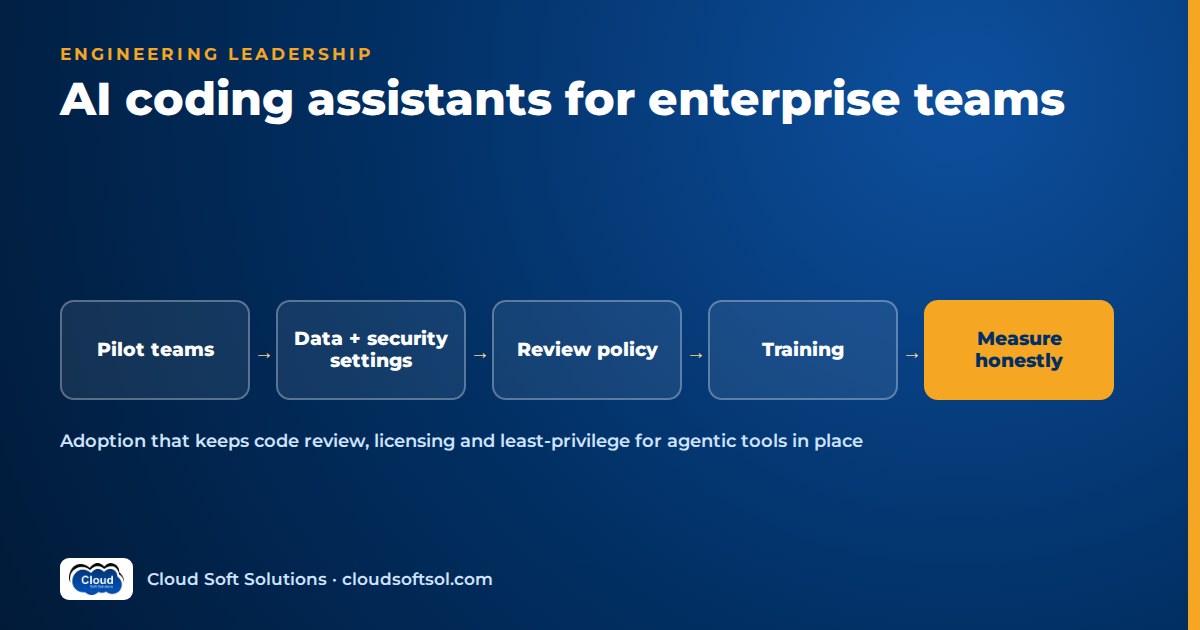
Engineering leads keep getting the same question from leadership: should every developer get an AI coding assistant, and how will we know it was worth it? AI coding assistants in the enterprise are worth adopting when you treat them as a change to your engineering system, with data-handling settings locked down, agentic tools sandboxed, human review unchanged and impact measured through cycle time, review load and defect rates rather than lines of code generated. Measured impact varies a lot by team, codebase and task, so this guide gives you a rollout plan and a measurement approach instead of promising a number.
The four categories of AI coding assistants
Product names change quickly, so plan around categories. Many tools span several, but the risks and controls differ by category.
| Category | What it does | Main risk | Key control |
|---|---|---|---|
| IDE completion assistants | Suggest the next line or block as you type | Plausible but wrong code accepted on autopilot; licence-similar snippets | Code review, tests, duplicate-detection filters |
| Chat-in-IDE | Answer questions, explain code, draft functions using open files as context | Sensitive code or secrets pasted into prompts | Data-handling settings, context exclusions, secret scanning |
| Agentic coding tools | Plan a change, edit multiple files, run commands and tests, iterate on errors | Commands with real credentials, network access and side effects | Sandboxing, least privilege, command allowlists, branch-only output |
| Code review assistants | Comment on pull requests with possible bugs, style and security findings | Noise that trains people to ignore comments; false reassurance | Severity thresholds, comment-only permissions, precision tracking |
If you want to see how a review assistant works from the inside, the GitHub AI agent project builds a comment-only PR reviewer step by step. This article is about adopting these tools across an organisation.
Where AI pair programming genuinely helps
AI pair programming does well on work that is well specified, common and easy to verify.
- Boilerplate and glue code. DTOs, API clients from an OpenAPI spec, config files, serialisers, CLI argument parsing. The output is easy to check.
- Tests. Drafting unit tests for existing functions, filling in edge cases a developer lists, and building fixtures. The developer still decides what to test.
- Migrations and mechanical refactors. Moving from one logging library to another, upgrading a framework's deprecated APIs, converting callbacks to async. Agentic tools help because they can rerun tests after each change.
- Documentation. Docstrings, README sections, runbooks drafted from code, and explanations of a module for a new joiner.
- Unfamiliar codebases. Asking "where is the retry logic for payment callbacks?" or "what calls this function?" helps engineers navigate a large monorepo or inherited legacy system.
Where they hurt
The failure modes are less visible than the wins, which is why they need policy.
- Subtle bugs. Generated code often compiles, passes the obvious test and reads well. The off-by-one, wrong time zone or missing transaction boundary shows up later.
- Security issues. Assistants can reproduce insecure patterns from their training data: string-built SQL, weak crypto defaults, disabled certificate checks, overly broad IAM policies, secrets in config. AI code generation security is mostly ordinary application security, applied with more discipline because more code arrives faster.
- Over-trust. When a tool is right most of the time, people stop checking. It is the main organisational risk, and worse with agents producing large diffs.
- Licence and provenance concerns. A suggestion can closely match code from a public repository under a licence your company cannot accept. Enterprise offerings typically provide filters that block suggestions matching public code.
- Hallucinated APIs and packages. Calls to library functions that do not exist, or suggestions to install packages with plausible names. The second is a supply-chain risk, since attackers register such names.
- Design drift. Assistants optimise for the local file, not your architecture decisions. Without guidance they will add a third HTTP client or bypass your data-access layer.
Security and compliance for coding agents in the enterprise
Treat an AI coding assistant as a new data flow and, for agentic tools, a new actor with permissions. The general threat model for LLM systems is covered in AI security for enterprises; here is what is specific to coding tools.
Data handling settings
- Use enterprise or business tiers only, with a contract stating retention and whether code is used for training. Confirm it in the admin console.
- Decide where processing happens. Regulated code may need endpoints in a specific region or a private deployment.
- Enforce settings centrally through SSO and organisation policy, so nobody switches to a personal account.
- Configure context exclusions for repositories or paths that must never be sent: key-management code, customer data samples, regulated algorithms.
Secrets in prompts
- Stack traces, config files and environment dumps pasted into chat often contain tokens. Keep secret scanning in pre-commit hooks and CI, and state plainly that secrets never go into prompts.
- Keep
.envfiles and credential stores out of the assistant's context through ignore files or exclusion settings. - Rotate anything that is pasted by mistake.
Code provenance and licence filters
- Enable public-code matching filters by default. Allow exceptions only through an explicit decision.
- Keep your existing software composition analysis and licence scanning in CI.
- Decide whether AI-assisted commits should be labelled, for example through a commit trailer or PR checkbox. Agree it with legal and compliance.
Access for agentic tools that run commands
An agent running npm install or terraform apply with a developer's credentials can do anything that developer can, including actions prompted by malicious text in a README or issue it read.
- Sandbox by default. Run agents in a container or ephemeral workspace with no route to production networks.
- Least privilege. No production credentials, admin roles or long-lived tokens; read-only where reading is enough.
- Command controls. Require approval for commands outside an allowlist. Block destructive operations and outbound network calls except to approved registries.
- Branch-only output. Agents push to a feature branch and open a pull request. They never merge, never push to protected branches and never change CI configuration without human review.
- Audit trail. Log the commands an agent ran and the files it changed, linked to the human who started it.
The same least-privilege thinking applies to agents that run inside pipelines. CI/CD for AI applications covers OIDC instead of stored keys and supply-chain checks.
Review requirements
- A named human author owns every change, whether it was typed, completed or generated by an agent.
- Branch protection, required reviewers and CODEOWNERS stay exactly as they are. An AI review assistant can add comments but does not count as an approval.
- Set a size guideline for agent-generated PRs. Split large generated diffs.
Developer prompt
      |
      v
Assistant / agent  (sandbox, no prod creds)
      |
      v
Feature branch  -->  CI: tests, SAST, secrets,
      |                  licence + SCA scans
      v
Pull request  -->  AI review comments (advisory)
      |
      v
Human review + CODEOWNERS approval
      |
      v
Merge to main
A rollout plan in four phases
A big-bang rollout teaches you nothing. Phasing gives you a baseline, a comparison group and time to fix policy.
Phase 1: Decide and baseline
- Pick categories and a shortlist of tools. Run security, legal and procurement review in parallel.
- Capture a baseline for the metrics you will track later for pilot teams and comparable teams that will start later.
- Register the use case in your AI inventory if you have one. Enterprise AI governance describes a lightweight tiering approach.
Phase 2: Pilot
- Choose a few teams with different profiles, greenfield, legacy and platform, and include sceptics.
- Start with completion and chat. Add agentic tools only once the sandbox setup is ready.
- Run a short weekly feedback session. Collect concrete wins and failures.
Phase 3: Guidelines and training
- Turn pilot learnings into a short, practical guideline: what to use it for, what not to paste, how to review output, when to use agents.
- Train for skill, not just access. Cover task descriptions, giving the right context, reviewing generated diffs and spotting hallucinated APIs.
- Add repository-level instruction files where tools support them, so assistants know your conventions, test commands and forbidden patterns.
Phase 4: Scale with a review policy
- Expand team by team. Keep measuring the comparison group.
- Publish the review policy and the agent permission model. Make the secure setup the default.
- Name owners: a platform team for configuration, security for policy and a few champions.
Cloudsoft's corporate training for engineering teams can be built around your stack and rollout guidelines, covering context practice, reviewing AI-generated code and secure use of agents.
Measuring developer productivity AI impact honestly
Vendor dashboards report acceptance rate and lines generated. Those show usage, not whether the team ships better software faster. Published studies vary widely because tasks, codebases and experience differ, so do not import someone else's headline figure into your business case.
| Measure | What it tells you | Watch out for |
|---|---|---|
| Cycle time (first commit to production) | Whether work flows faster end to end | Coding may speed up while review or deployment becomes the bottleneck |
| Review load and review time | Whether reviewers are coping with more or larger PRs | Rising PR size, or reviewers approving faster with less scrutiny |
| Defect rates and change failure rate | Whether quality holds as speed changes | Defects surface weeks later; track by release and by escaped bug |
| Rework and reverts | Code that was merged and soon rewritten | Needs a consistent definition across teams |
| Security findings in CI | Whether insecure patterns are increasing | Changes in scanner rules can distort trends |
| Developer surveys | Perceived usefulness, frustration, focus, learning | Perception and measured speed can disagree; collect both |
A few principles keep the measurement honest:
- Compare against a baseline and a comparison group, not just before and after.
- Look at the system, not individuals. Ranking developers leads to gaming.
- Segment by task type. Gains on tests and migrations can hide flat results on complex features.
- Avoid vanity metrics. Acceptance rate, lines of code and "hours saved" self-estimates are easy to misread.
- Report ranges and uncertainty. A per-team picture beats a single average.
Effects on junior developers' learning
Junior engineers get the most visible help from assistants, and they face the biggest risk. A fresher who accepts working code without understanding it ships faster now but builds less of the mental model needed to debug production later, and often cannot yet tell a plausible wrong answer from a right one.
- Ask juniors to explain generated code in their PR description: what it does, why this approach, what they tested.
- Use chat as a tutor: "explain why this fails", "what are the trade-offs between these two approaches", rather than only "write this for me".
- Keep some tasks assistant-light, such as the first debugging exercises during onboarding, and pair juniors with seniors on reviewing AI-generated diffs.
- Make review a teaching moment: ask "how did you verify this?"
- Value fundamentals in interviews and growth frameworks: data structures, debugging, reading unfamiliar code, testing and security basics.
Policy template: bullets to adapt
Adapt these with your security, legal and engineering leaders.
- Approved tools: only the enterprise-licensed tools listed on the internal page, accessed through company SSO. No personal accounts or unapproved extensions.
- Data: never paste secrets, credentials, customer personal data or production data into prompts. Excluded repositories and paths are listed and enforced in tool settings.
- Retention and training: tools must be configured so prompts and code are not used to train vendor models, with retention matching the contract.
- Licence: public-code matching filters are on. Suggestions flagged as matching public code are not accepted without a legal decision.
- Ownership: the human author is accountable for every line merged, regardless of how it was produced.
- Review: existing review rules, branch protection and CODEOWNERS apply unchanged. AI review comments are advisory and do not count as approval.
- Agentic tools: run only in approved sandboxes, without production credentials, with approved commands and registries only and output to feature branches.
- Dependencies: any new package suggested by an assistant must be verified to exist, be maintained and pass the normal dependency review.
- Incidents: report suspected data leakage, a secret pasted into a prompt or an agent action that went wrong through the security channel.
- Review cycle: revisit the policy whenever tools or vendor terms change.
Illustrative example: a GCC rollout in Hyderabad
Illustrative scenario. Consider a global capability centre in Hyderabad that builds and maintains insurance claims platforms for its parent company. It runs Java services, a legacy batch estate and Terraform-managed AWS infrastructure, with teams in Hyderabad and Bengaluru. The parent's CTO office has signed an enterprise agreement and asks for a rollout.
Decide and baseline. Security confirms the settings: no training on company code, an approved region, SSO-only access. Repositories containing actuarial models and customer data samples are excluded. Cycle time, PR size, review time and escaped defects are baselined for six teams, three of which pilot.
Pilot. A claims-intake API team, a legacy batch team and the platform team get completion and chat; the platform team also trials an agentic tool in ephemeral dev containers with read-only cloud credentials. Feedback is mixed: the API team likes generated tests, the batch team finds suggestions weak on old code but chat useful for explaining it, and the platform team catches an agent proposing an IAM policy with a wildcard action.
Guidelines and training. The wildcard incident becomes a training example. The team adds a repository instruction file of forbidden patterns, a policy-as-code CI check for IAM wildcards and a two-reviewer rule for agent PRs touching infrastructure. Every engineer attends a hands-on session.
Scale and measure. After several months the lead reports by task type: cycle time improved for the API team, the batch team saw little change, and review time rose where PRs grew larger, prompting a PR size guideline. Juniors value chat for explanations, so onboarding adds an "explain this module" exercise and an assistant-light debugging week. Nobody claims a single productivity figure; the CTO office gets a clear account of where the tools help and what the guardrails are.
Sandboxing agents and measuring outcomes are also what Forward Deployed Engineers do when they take AI from demo to enterprise outcome; the Cloudsoft FDE PRO program covers that path.
Frequently asked questions
What are AI coding assistants in an enterprise context?
They are tools that help developers write, understand, test and review code using large language models, licensed and configured for company use. They include IDE completion, chat, agentic tools that edit files and run commands, and code review assistants.
Do AI coding assistants actually make developers more productive?
It depends on the team, the codebase and the task. They help most with boilerplate, tests, migrations, documentation and unfamiliar code, less with complex design. Measure cycle time, review load and defect rates against a baseline rather than relying on someone else's figures.
Is it safe to send our source code to an AI coding assistant?
It can be, with an enterprise agreement that sets retention and excludes training on your code, centrally enforced settings, SSO-only access and exclusions for sensitive repositories. Never paste credentials into prompts.
How should we secure agentic coding tools that run commands?
Run them in sandboxes such as containers or ephemeral workspaces, with no production credentials and least-privilege access. Restrict network access and commands to approved lists, send output only to feature branches through pull requests and log what each agent did.
How do we handle licence risk from AI-generated code?
Turn on the public-code matching filters that enterprise tools provide, keep licence scanning and software composition analysis in CI, and let your legal team define how flagged suggestions are handled.
What metrics should we use to measure the impact of AI coding assistants?
Use system-level outcomes: cycle time, review time and load, PR size, defect and change failure rates, rework and security findings, plus regular developer surveys. Avoid relying on acceptance rate, lines generated or self-reported hours saved, and never rank individual developers.
Will AI coding assistants hurt junior developers' learning?
They can if juniors accept code they do not understand. Ask juniors to explain generated code in their PRs, encourage using chat to learn rather than only to generate, keep some onboarding tasks assistant-light and make review a teaching conversation.
Do AI code review assistants replace human reviewers?
No. They are useful as a first pass that catches common issues, but their comments should be advisory and should not count as approval.
A good rollout is mostly people and practice: shared guidelines, secure defaults and engineers who review what the tools produce. If you are planning one, talk to Cloudsoft about corporate AI training tailored to your stack and policies, delivered in Ameerpet or live online. Call +91 96660 19191 to arrange a free demo session.


